Best Flight Deals Apps for Smartphones in 2026: 8 Apps Compared
best flight deals app for smartphones: we compare 8 apps for price alerts, flexible dates, predictions and curated deals so you can book cheaper flights.
- Editor's choice
 Google Flights
Flexible search and tracking
Starts atFreeVisit google.comFull review - Great alternative
 Skyscanner
Global comparison and Everywhere search
Starts atFreeVisit skyscanner.comFull review - Also consider
 KAYAK
Price forecasts and trip tools
Starts atFreeVisit kayak.comFull review
TL;DR:
- Google Flights and Skyscanner are the best free starting points for most travellers, with broad coverage and flexible date tools.
- Price alerts work best when you set them early and stay flexible on dates, airports and times.
- Hopper and KAYAK add predictions, but predictions are estimates, not guarantees, so use them as guidance.
- Curated deal apps such as Going suit flexible travellers who can act fast, not travellers with fixed dates.
- Book directly with the airline when the fare matches, because direct bookings usually make changes and disruptions easier to handle.
Quick comparison
| Tool | Best for | Starts at | Free plan? | |
|---|---|---|---|---|
| Google Flights | Flexible search and tracking | Free | Yes | Visit |
| Skyscanner | Global comparison and Everywhere search | Free | Yes | Visit |
| KAYAK | Price forecasts and trip tools | Free | Yes | Visit |
 Hopper | Price predictions and alerts | Free | Yes | Visit |
 Momondo | Smaller agency fares | Free | Yes | Visit |
 Kiwi.com | Multi-city and self-transfer routes | Free | Yes | Visit |
 Going | Curated deal alerts | $49 per year | Yes | Visit |
 Expedia | Flight plus hotel bundles | Free | Yes | Visit |
The best flight deals apps for smartphones
We compared search coverage, price alerts, flexible date tools, predictions and booking options for these apps, using official product information and recent comparisons. All eight work on a smartphone, either as an app or in a mobile browser.

Google Flights is our pick for most travellers, even though it has no native app. The mobile browser experience is fast and clean, and the tools are the most useful for finding a cheap fare: a date grid, a price graph, an Explore map for flexible destinations, and tracking for routes you care about. Price history helps you judge whether a fare is high, typical or low for that route.
The limits are app feel and alerts. You will use a browser tab rather than a dedicated app, and alerts arrive by email rather than push in most cases. Price guarantee features are also limited to eligible bookings. For research and tracking, Google Flights still beats most native apps, so start here and add a second app for push alerts if you need them.
- Price tracking and history
- Flexible date grid and Explore map
- Links to airline booking pages
- No native smartphone app, use is through a mobile browser
- Alerts are mainly by email
- Price guarantee is limited to eligible US bookings
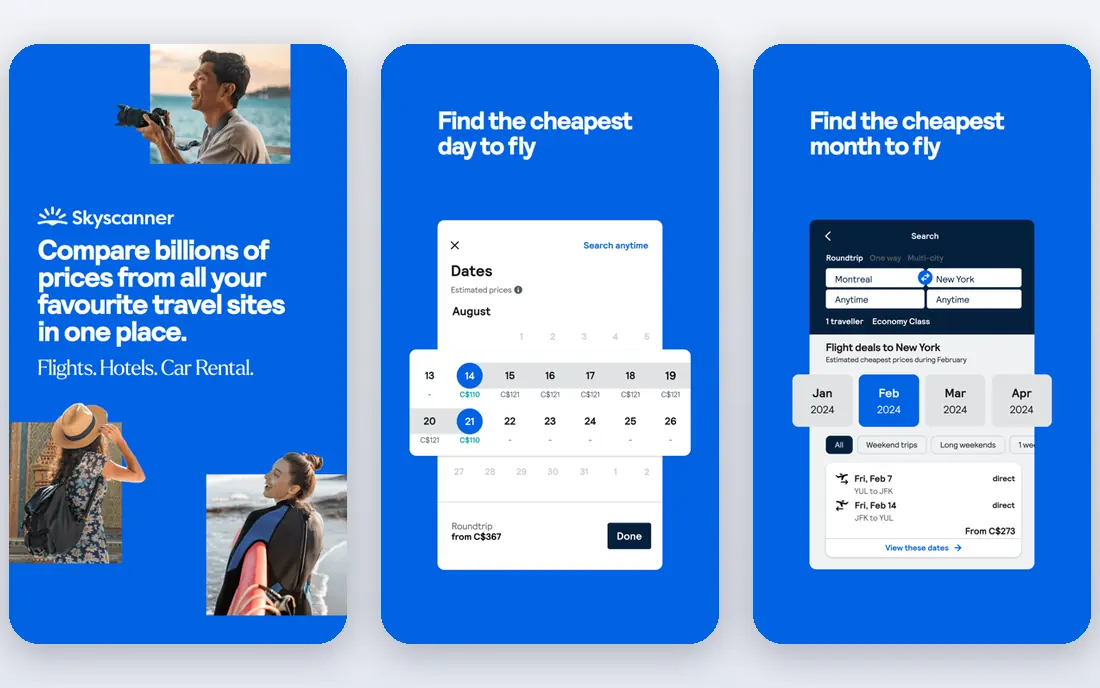
Skyscanner is the best global comparison app, especially for travellers who are flexible on destination. The Everywhere search shows the cheapest places to fly from your home airport, and the whole month view makes it easy to spot the cheapest week. Coverage includes budget airlines that some larger tools miss, which can change the result on short-haul routes.
The catch is booking terms. Skyscanner compares fares from airlines and agencies, and the cheapest fare may come from an agency with stricter change rules or extra fees. Check baggage, seat and change terms before booking, and prefer the airline direct fare when the price gap is small. For pure fare discovery, Skyscanner is hard to beat.
- Wide airline and agency coverage including budget carriers
- Everywhere destination search
- Whole month price view
- Booking goes through airlines or agencies, so terms vary
- Some fares exclude bags and seat choice
- Prediction tools are limited
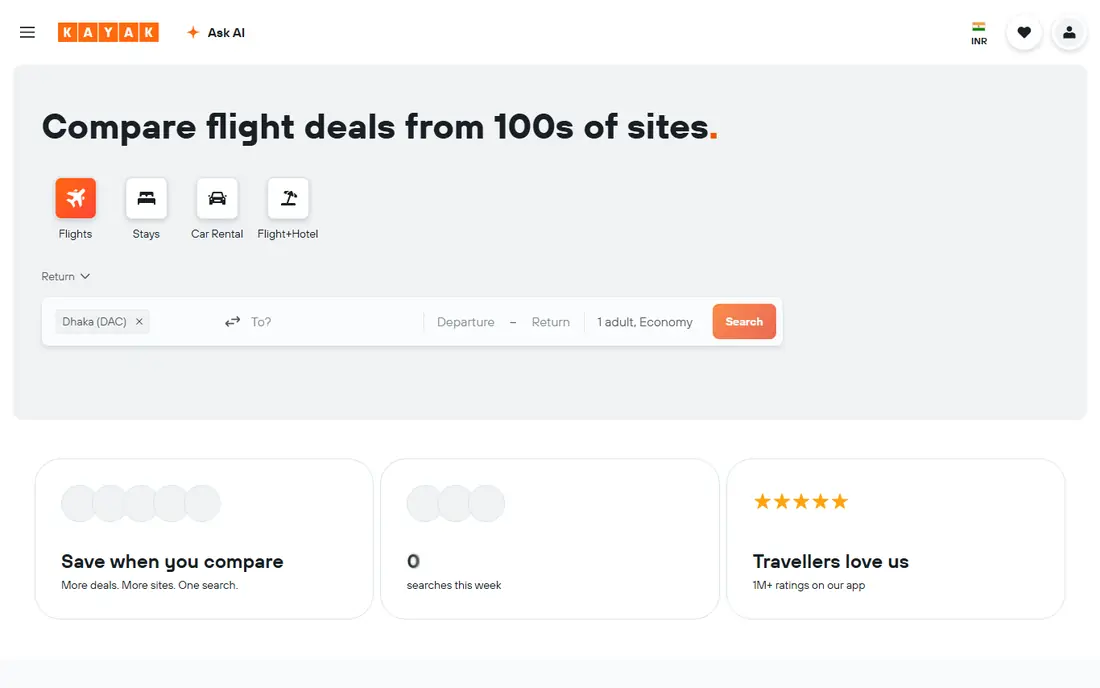
KAYAK suits travellers who want one app for flights, hotels, cars and trip tracking. Price alerts are easy to set, the forecast gives a buy or wait signal, and the app can sync trips and show offline details. Hacker fares, which combine separate one-way tickets, can also surface cheaper options on some routes, though they need careful checking.
The forecast limit matters. A buy signal does not guarantee the price will rise, and a wait signal does not guarantee it will fall. Treat KAYAK forecasts as one input alongside Google Flights history and Skyscanner coverage. For travellers who plan whole trips in one app, KAYAK is the most complete option here.
- Price forecast for buy or wait guidance
- Unlimited price alerts
- Trip management, hotel and car search in one app
- Forecast is an estimate, not a promise
- Agency fares need term checks
- App can feel busy compared with Google Flights
Hopper is the most mobile-first app on this list, with push alerts and a clear calendar view that shows when prices are expected to be low. Predictions are based on large fare datasets, and for short-term trips they can help you decide whether to book now or wait a few days. Fare freeze lets you hold a price while you decide, for a fee.
The honest weakness is the same as KAYAK: predictions can be wrong when schedules, fuel prices or demand shift suddenly. Booking through Hopper also sits between you and the airline, which can slow changes during disruption. Use Hopper for predictions and alerts, then book directly with the airline when the fare matches.
- Colour-coded price calendar and push alerts
- Buy or wait predictions
- Fare freeze and other paid add-ons
- Predictions are probabilistic
- Booking through Hopper adds a middleman
- Paid add-ons can raise total cost
Momondo, a sister brand to KAYAK, is useful because it surfaces fares from smaller agencies that larger tools sometimes miss. That extra coverage can produce a lower headline fare, especially on international routes with several agency options. The calendar matrix helps flexible travellers compare dates at a glance.
The same agency warning applies. A low Momondo fare may exclude bags, seat choice or easy changes, and agency support during disruption can be slower than airline direct support. Use Momondo as a second search after Google Flights and Skyscanner, and compare the airline direct fare before booking through an agency.
- Searches many smaller agencies
- Calendar matrix for flexible dates
- Fare alerts and trip tools
- Cheapest fares can come from agencies with strict terms
- Coverage overlaps with KAYAK, its sister brand
- Bag and change terms need checking
Kiwi.com is the best choice for complex, multi-city trips and for travellers willing to accept self-transfer risk for a lower fare. The Nomad tool helps plan multi-stop journeys, and Kiwi can combine separate tickets into routes that standard search tools do not show. That creativity can save money on long, multi-stop trips.
Self-transfer risk is real and must be understood before booking. Separate tickets mean the second airline has no duty to rebook you if the first flight is late, and checked bags may need to be collected and rechecked. Kiwi offers guarantee options on some bookings, but terms vary. Use Kiwi for creative routes, and allow long connection times when self-transfer is involved.
- Nomad multi-city tool
- Self-transfer routes that other tools miss
- Price alerts and flexible search
- Self-transfer routes carry missed connection risk
- Bags may not transfer between airlines
- Support terms vary by ticket type
Going, formerly Scott's Cheap Flights, is different from search apps: it sends curated deal alerts rather than waiting for you to search. Editors and systems flag mistake fares, sales and unusually low fares from your home airports, and members get an email or app alert. For flexible travellers who can book quickly, Going can surface fares they would never have searched for.
The limit is flexibility. If your dates, destination and airport are fixed, most Going deals will not fit, and the free tier is limited. Paid plans start at $49 per year for fuller alerts, with a higher tier for premium cabin deals. Going works best as a second tool alongside Google Flights, not as a replacement for route search.
- Curated mistake fares and deal alerts
- Average savings claims for domestic and international economy
- Free tier for basic alerts
- Deals suit flexible travellers, not fixed dates
- Paid tiers needed for full alerts
- US departures focus limits some travellers
Expedia earns a place when a trip needs a flight plus a hotel, because bundles can beat separate bookings. The app is polished, trip management is clear, and member rewards add value for repeat travellers. Price tracking and flexible date tools help, though they are less deep than Google Flights.
For a flight-only search, Expedia is rarely the cheapest tool, and its fares can trail Skyscanner or Google Flights. Use Expedia when bundling, when you value one itinerary for flight and hotel, or when a member deal closes the gap. For flight-only deals, start with the search tools above and compare Expedia only when a bundle is in play.
- Flight search plus hotel and car bundles
- Price tracking on some routes
- Rewards for members
- Standalone flight fares are rarely the lowest
- Bundle savings depend on hotel choice
- Agency terms apply to some bookings
How we picked these
We compared search coverage, alert options, flexible date tools, predictions and booking routes, and we favoured apps that are available on smartphones in the United States and that help travellers find cheaper fares rather than just book at any price. We included search tools, prediction tools, a curated deal service and a bundle tool, because different travellers need different approaches.
What to check before you book
Compare the total fare, not just the headline price
Check baggage, seat selection, change fees and booking fees before comparing fares. A fare that looks $30 cheaper can cost more once bags and seats are added. Use the airline direct fare as a baseline, and only book through an agency when the saving is clear and the terms are acceptable.
Set alerts early and stay flexible
Set price alerts as soon as you know a route, even if dates are not final. Flexibility on departure day, return day, nearby airports and flight times is the single biggest lever for cheaper fares. A shift of one or two days can change the price more than any app feature.
Book direct when the fare matches
When a search app finds a fare, check the airline website for the same flight. Direct bookings usually make changes, refunds and disruption help easier, and the price gap is often small. Use search apps for discovery, and use the airline for the purchase when possible.
FAQ
What is the best flight deals app for smartphones?
Google Flights is the best research tool, Skyscanner is the best global comparison tool, and Hopper is the best mobile app for predictions and push alerts. Most travellers benefit from using two: one for search and one for alerts, then booking direct with the airline.
Are flight price predictions accurate?
Predictions are estimates based on past fare patterns, not guarantees. They can help you decide whether to book now or wait, but fuel prices, schedule changes and demand shifts can break a forecast. Use predictions as guidance alongside price history and your own flexibility.
Should I book through an agency or the airline?
Book direct with the airline when the fare is close, because changes and disruption help are usually easier. Book through an agency only when the saving is clear and you have checked baggage, change and refund terms. Avoid agency fares with strict terms on trips where plans may change.
How far in advance should I book a flight?
There is no single best window for every route, because domestic, international and seasonal routes behave differently. Set alerts early, watch price history, and book when a fare falls into a range you accept, rather than waiting for a perfect low that may never arrive.
What is a mistake fare, and should I book one?
A mistake fare is a fare published in error at a much lower price than intended. Airlines sometimes honour them and sometimes cancel them, so a mistake fare booking carries risk. Going and similar services flag these deals, but travellers should not book non-refundable hotels until the flight ticket is confirmed.
Do flight deal apps work for international trips?
Yes, Google Flights, Skyscanner and KAYAK cover international routes well, while Going focuses mainly on US departures. Kiwi.com can help with complex international multi-city routes, but self-transfer risks need care. Check visa, baggage and connection rules for international trips before booking.