Best Event Ticketing Software in 2026: 8 Platforms Compared
We compared the best event ticketing software for concerts, conferences and festivals, checking fees, checkout speed, seating tools and promoter tools.
- Editor's choice
 Eventbrite
Most small and mid-size events
Starts atSee websiteVisit eventbrite.comFull review - Great alternative
 Ticketmaster
Large venues and major tours
Starts atSee websiteVisit ticketmaster.comFull review - Also consider
 Dice
Music and nightlife discovery
Starts atSee websiteVisit dice.fmFull review
TL;DR:
- Eventbrite suits most small and mid-size organizers, with broad discovery, flexible ticket types and simple setup.
- Ticketmaster suits large venues and major tours that need scale, verified tickets and huge audience reach.
- Ticket Tailor and Humanitix suit organizers who want lower fees or a social-good model, with simpler discovery.
- Dice suits music and nightlife events that want a mobile-first, discovery-led ticket experience.
- Always compare buyer fees, payout timing, refund tools and checkout speed, since those factors affect sales and trust.
Quick comparison
| Tool | Best for | Starts at | Free plan? | |
|---|---|---|---|---|
| Eventbrite | Most small and mid-size events | See website | Yes | Visit |
| Ticketmaster | Large venues and major tours | See website | No | Visit |
| Dice | Music and nightlife discovery | See website | No | Visit |
 Ticket Tailor | Low-fee independent events | See website | Free trial | Visit |
 Humanitix | Social-good ticketing | See website | No | Visit |
 Universe | Simple events with discovery | See website | Yes | Visit |
 Tito | Conferences and tech events | See website | Free trial | Visit |
 Showpass | Festivals and live events | See website | No | Visit |
The best event ticketing software
Ticketing software should sell tickets smoothly, manage entry cleanly, and give organizers clear sales data. We compared official pricing pages, feature lists, checkout descriptions and public organizer feedback to find platforms for concerts, conferences, festivals and community events.
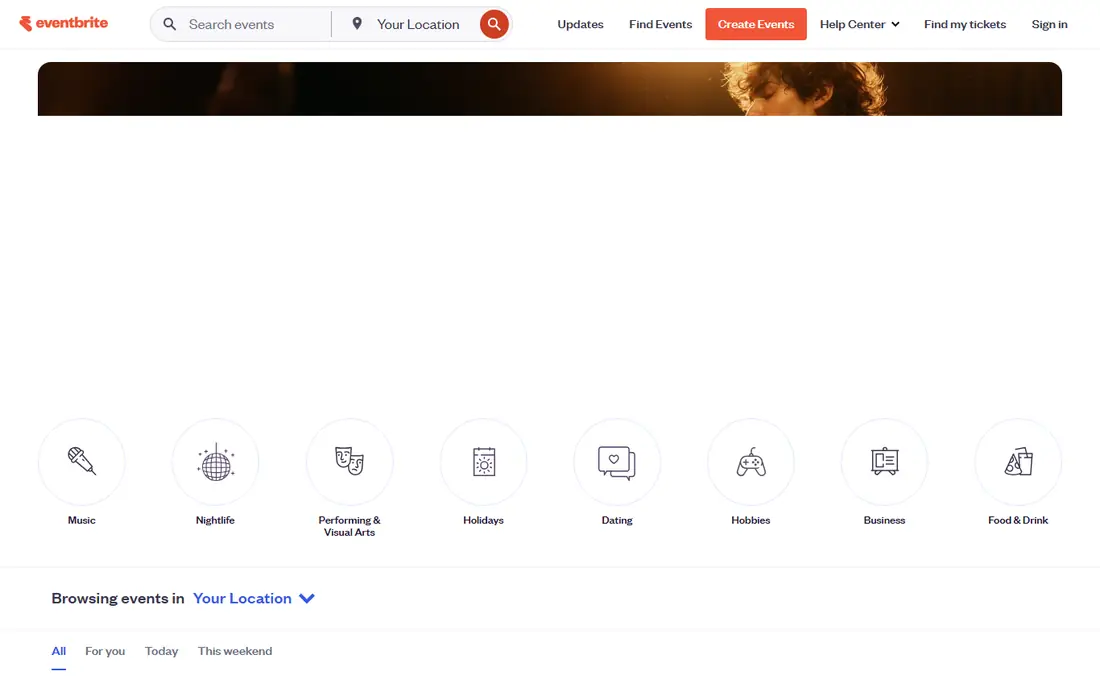
Eventbrite remains the default choice for many organizers because it covers the full flow, from event page to checkout to entry scanning. You can create free or paid tickets, early-bird pricing, discount codes and reserved seating in some setups, while buyers benefit from a familiar checkout. Discovery on Eventbrite and search engines can also bring extra buyers.
Fees are the main drawback. Paid events incur service and payment processing fees, which organizers can absorb or pass to buyers, and those fees affect final ticket prices. For free events, Eventbrite is especially attractive. For most paid small and mid-size events, its balance of reach and tools is hard to beat.
- Broad event discovery
- Flexible ticket types and discounts
- Useful organizer app and reporting
- Service fees can add up for paid events
- Discovery depends on category and location

Ticketmaster suits large venues, arenas, major tours and sports events that need scale and control. Its verified ticket system, official resale options and venue integrations help manage large crowds, prevent some fraud, and handle high-demand on-sales. For major events, that scale and audience reach matter more than low fees.
Small organizers will find Ticketmaster less accessible, and buyer fees are a frequent complaint. Setup and terms are geared toward professional venues and promoters. For large events, Ticketmaster offers reach and controls that smaller platforms cannot match.
- Huge audience reach
- Verified ticket and resale controls
- Strong venue and tour integrations
- Fees are often high for buyers
- Less suited to small independent events

Dice focuses on music, nightlife and live events, with a mobile app that helps fans discover shows and buy tickets quickly. Waitlists, fan-first access and mobile tickets reduce some resale problems and help genuine fans get in. For promoters in cities where Dice is popular, discovery can drive real sales.
Coverage varies by city, so Dice works best where its audience already lives. It is less suited to conferences, trade shows or complex seated events. For music promoters and venues in Dice cities, it offers a modern, fan-friendly alternative to larger platforms.
- Mobile-first discovery for music fans
- Waitlist and fan-first features
- Clean app checkout
- Best in cities with strong Dice presence
- Less suited to conferences or seated theatre
Ticket Tailor appeals to independent organizers who want predictable costs. Instead of a commission on every ticket, many plans charge a flat monthly fee, which can save money for events with many tickets or higher prices. The checkout can be branded to your event, and entry tools cover scanning and attendee lists.
Discovery is weaker than Eventbrite or Ticketmaster, so you must drive most traffic yourself through email, social and partners. Seating and complex venue tools are also simpler. For organizers with their own audience and a focus on fees, Ticket Tailor offers good value.
- Flat monthly pricing option
- No per-ticket commission on some plans
- Clean branded checkout
- Less built-in discovery than Eventbrite
- Seating tools are simpler than venue platforms
Humanitix is a nonprofit ticketing platform that directs booking fee profits to education projects. That model appeals to charities, schools, community groups and socially minded organizers who want ticket fees to support a cause. Organizer tools cover event pages, ticket types, discounts and reporting in a clean interface.
Discovery is smaller than on Eventbrite, so organizers still need their own promotion. Fee details vary by event and region, so check the current model before publishing. For mission-led events, Humanitix combines solid ticketing with a clear social benefit.
- Booking fees fund social projects
- Clean organizer tools
- Good for charities and community events
- Smaller discovery audience than major platforms
- Fee model needs checking per event type
Universe, part of the Ticketmaster group, offers a simpler event platform with discovery links to a larger ticket audience. Organizers can create event pages, sell tickets, manage attendees and scan entry with the app, without the complexity of a full venue system. Free events are easy to list, which helps community and small events.
Advanced seating, reserved sections and complex venue controls are lighter than on full venue platforms. Fees for paid events need checking, since they vary. For simple events that want an easy setup plus some discovery, Universe is a practical middle option.
- Simple setup for free and paid events
- Discovery through Ticketmaster network
- Useful app tools
- Fewer advanced venue features
- Fee details vary by event type
Tito is popular with conferences, workshops and tech events, where ticket logic matters more than public discovery. It handles early-bird tiers, discount codes, group tickets, add-ons and attendee questions well, and its dashboard gives organizers clear sales and check-in data. The checkout is clean and fast, which helps conversion.
Public concert discovery is weaker than on Eventbrite or Dice, so Tito suits events with an existing audience or community. Pricing depends on paid ticket volume, so model your expected sales before choosing a plan. For conferences and professional events, Tito is a strong, focused choice.
- Strong for conferences and workshops
- Flexible ticket and discount logic
- Clean attendee management
- Less discovery for public concerts
- Pricing depends on ticket volume
Showpass serves festivals, concerts and live events with tools for multi-day passes, lineups, discovery and promoter reporting. It suits organizers who run larger live events and want a platform built for entertainment, not just generic registration. Entry scanning and sales reporting help teams manage busy gates.
Regional coverage varies, and its audience is smaller than Ticketmaster in many markets, so promotion still matters. Fee details need checking per event. For festivals and live event promoters in Showpass regions, it offers a focused, entertainment-led option.
- Good for festivals and multi-day events
- Discovery and promoter tools
- Entry and reporting features
- Coverage varies by region
- Smaller audience than Ticketmaster in many markets
How we picked these
We compared official pricing pages, feature lists, fee models and public organizer feedback on checkout, entry scanning and support. We favored platforms available to new organizers in October 2026 with clear ticket, discovery and reporting tools, and we covered small events, large venues, conferences and festivals. We did not claim hands-on event testing, and we noted where fees vary by event type and region.
How to choose ticketing software
Start with your event type and audience. A conference needs discount logic and attendee questions, a concert needs discovery and mobile entry, and a festival needs multi-day passes and gate tools. List your must-have features before comparing prices, since a cheap platform that lacks seating or check-in tools will cost time on event day.
Fees, payouts and refunds
Compare service fees, payment processing fees, who pays them, and when payouts arrive. Check refund, transfer and cancellation tools, since clear policies reduce support messages and chargebacks. Test the buyer checkout on a phone, since slow or confusing checkout loses sales. Also check data export, so you own your attendee list for future events.
Entry, fraud and marketing
Check scanning apps, offline entry options and ticket transfer rules, especially for large or outdoor events. Look for fraud controls, such as verified tickets, mobile-only entry or resale limits, where relevant. For marketing, check email tools, discount codes, tracking links and integrations with your website and mailing list. A platform that fits your marketing flow will sell more tickets than a platform with a slightly lower fee but poor integrations.
A final tip is to run a test purchase before you publish. Buy a ticket as a buyer would, check the confirmation email, test the scanning app, and refund the test ticket. That short rehearsal catches checkout errors, unclear ticket instructions and entry problems while you can still fix them. Organizers who test early avoid most event-day ticket stress.
Testing also covers refunds and transfers, since buyers often ask to change names or move tickets to friends. A clear transfer flow reduces support work and helps fill seats that would otherwise stay empty. Check those tools in a test event, not on the day of a sold-out show.
FAQ
What is the best ticketing platform for events?
Eventbrite suits most small and mid-size events, Ticketmaster suits large venues and major tours, and Tito suits conferences. The best choice depends on event size, audience source and fee tolerance. Compare checkout, fees and entry tools for your specific event type.
How much does event ticketing software cost?
Costs vary by platform, ticket price and volume. Some platforms charge per-ticket fees, others charge flat monthly fees, and some offer free listings for free events. Always model total fees for your expected ticket count and price, including payment processing, before publishing.
Can I sell free event tickets with these platforms?
Yes, most platforms in this list support free tickets, including Eventbrite, Universe and others with free tiers. Free events usually avoid service fees, though payment fees do not apply when no payment is taken. Check the current free-event terms on each platform before listing.
How do buyers get their tickets?
Most platforms deliver mobile tickets by email or app, with QR codes for scanning at entry. Some offer print-at-home options, while others are mobile only to reduce fraud. Tell buyers clearly how tickets arrive and what ID, if any, they need at entry.
What is the best event ticketing platform for festivals?
Showpass and Ticketmaster suit festivals with multi-day passes and large crowds, while Eventbrite suits smaller festivals with simpler needs. For festivals, check multi-day pass logic, gate scanning, offline entry and lineup display before choosing. Test entry scanning with a small event first if possible.