Best Employee Screen Monitoring Software in 2026: 8 Tools Compared
Compare the best employee screen monitoring software in 2026, with Teramind, ActivTrak, Hubstaff and more, plus consent, privacy and pricing notes now.
- Editor's choice
 Teramind
Security and data-loss control
Starts at$14 per seat per monthVisit teramind.coFull review - Great alternative
 ActivTrak
Productivity analytics
Starts at$10 per user per monthVisit activtrak.comFull review - Also consider
 Hubstaff
Remote and field teams
Starts at$4.99 per seat per monthVisit hubstaff.comFull review
TL;DR:
- ActivTrak suits teams that want productivity trends without heavy surveillance, with a free plan up to 3 users and paid plans from $10 per user per month.
- Hubstaff suits remote and field teams, with time tracking, screenshots and payroll links from $4.99 per seat per month on annual billing.
- Teramind suits regulated firms that need security controls, starting at $14 per seat per month with a 5-seat minimum.
- WorkTime suits firms that want insight without capturing screen content, since it tracks activity patterns rather than recording screens.
- Consent, transparency and local law matter as much as features, so publish a clear policy before you install any tool in this list.
Quick comparison
| Tool | Best for | Starts at | Free plan? | |
|---|---|---|---|---|
| Teramind | Security and data-loss control | $14 per seat per month | Free trial | Visit |
| ActivTrak | Productivity analytics | $10 per user per month | Yes | Visit |
| Hubstaff | Remote and field teams | $4.99 per seat per month | Free trial | Visit |
 Time Doctor | Time records and payroll | $6.67 per user per month | Free trial | Visit |
 Insightful | Transparent workforce analytics | $8 per seat per month | Free trial | Visit |
 DeskTime | Simple automatic tracking | $6.42 per user per month | Free trial | Visit |
 Monitask | Small remote teams | $6.49 per user per month | Free trial | Visit |
 WorkTime | Privacy-conscious insight | $6.99 per user per month | Free trial | Visit |
The best employee screen monitoring software
Note on consent, transparency and local law: tell staff in writing what is monitored, when, and why, before you install monitoring software. Rules vary by state and country, and secret monitoring without notice is illegal in many places. Check employment law in every location where staff work, limit monitoring to work devices and work hours, and give staff a way to ask questions. A tool chosen for trust will work better than a tool chosen for secrecy.
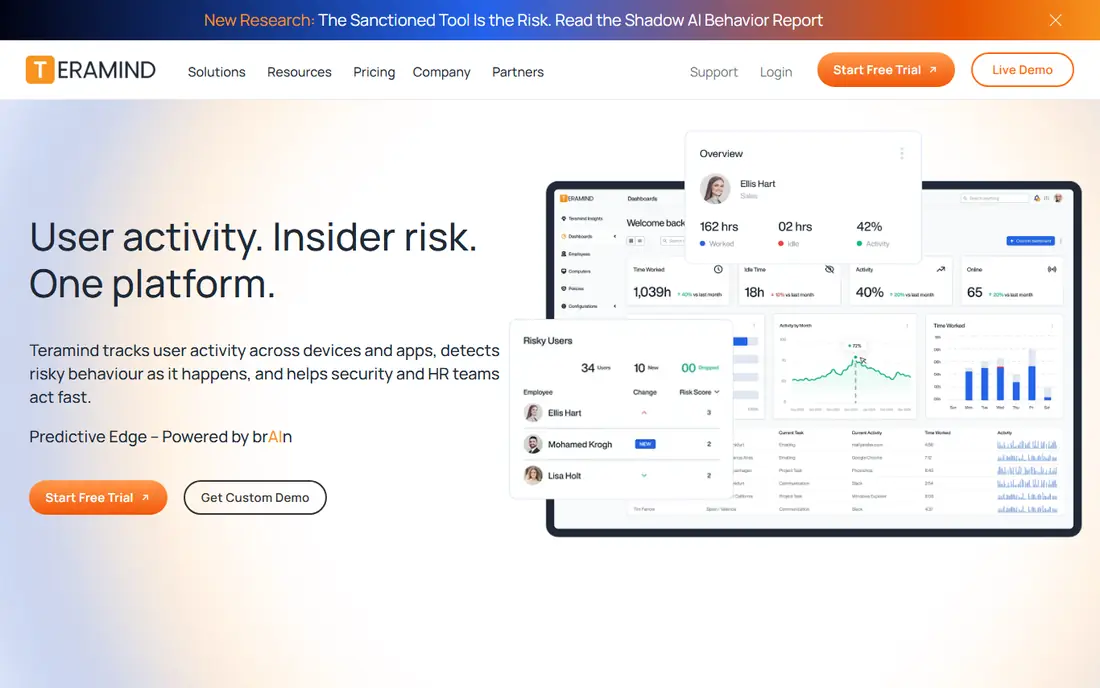
Teramind is the security pick in this list, built for finance, healthcare, government and outsourcing firms that must prove control over sensitive data. Starter starts at $14 per seat per month on annual billing, with a 5-seat minimum, and higher plans add data-loss prevention, session recording and forensic reporting. Behavior rules can flag risky actions and block them, which matters when a single leak carries regulatory cost.
That depth is also the drawback. Teramind captures more than a productivity tool, so it needs a clear policy, a lawful basis and careful handling of recorded data. Small teams that only want to know whether work is progressing will find it heavy and expensive. Use Teramind when security and compliance drive the purchase, not when a simple time report would do.
- Strong behavior rules and alerts
- Data-loss controls
- Cloud and on-premises options
- 5-seat minimum
- Most intrusive option here
- Higher price than analytics tools
ActivTrak focuses on team-level productivity trends rather than watching one person all day. The free plan covers up to 3 users, and Essentials starts at $10 per user per month on annual billing. Dashboards show productive time, app use and workload balance, which helps managers spot overload before it becomes burnout, and helps teams agree on what counts as productive work.
Screenshot and detail settings need a policy decision, since more detail means more privacy risk. ActivTrak works best when managers share team trends openly and use the data for coaching and workload planning, not for punishment. For HR and operations teams that want insight without surveillance extremes, it is our pick in this category.
- Free plan up to 3 users
- Team-level trends
- Workload and burnout signals
- Paid plans needed for deeper reports
- Screenshot options need policy care
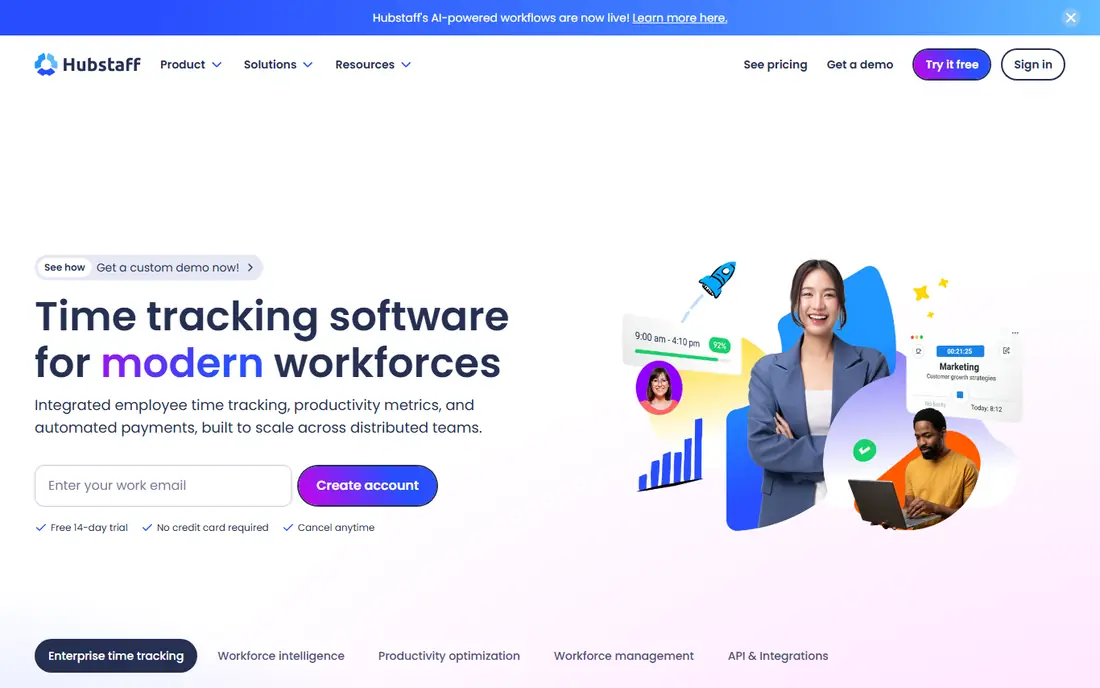
Hubstaff combines time tracking, screenshots, activity levels, GPS for field staff and payroll links in one system. Starter starts at $4.99 per seat per month on annual billing, or $7 month to month, with a 14-day trial. Agencies, freelancers and remote teams use it to tie hours to projects, clients and pay, which removes manual timesheet chasing.
The tool is transparent by design when configured that way, since staff can see their own tracked time and screenshots. Managers should still publish what is captured and when, especially for screenshots and GPS. If your main need is provable hours tied to pay, Hubstaff is the most practical choice here.
- Low entry price
- GPS for field teams
- Payroll and invoicing links
- No free plan
- Screenshot settings need clear consent
Time Doctor gives remote and hybrid teams structured time records, with optional screenshots, app tracking and payroll links. Basic starts at $6.67 per user per month on annual billing, or $8 month to month, with a 14-day trial. Reports break time down by project, client and task, which helps outsourcing firms and agencies bill accurately.
The risk is cultural. A tool that records every minute can feel strict if managers use it to question breaks rather than to plan workload. Time Doctor works best when teams agree on which hours count, how breaks are handled, and who sees the data. For proof of work tied to pay, its records are clear and hard to dispute.
- Structured time records
- Payroll integration
- Detailed remote team reports
- No free plan
- Can feel strict if used for every minute
Insightful, formerly Workpuls, combines monitoring with time tracking and workforce analytics for mid-sized firms. Employee Monitoring starts around $8 per seat per month on annual billing in recent listings, with some sources listing $6.40 for an annual plan, so confirm the current price on the vendor page before budgeting. A 7-day trial lets a team test dashboards on real work.
Dashboards focus on attendance, productive time and app use at team level, which suits hybrid teams that need a shared view of the week. Insightful markets transparency as a feature, with staff able to see their own data, and that approach fits firms that want insight without secrecy. Check screenshot and data retention settings during the trial, since those choices shape trust.
- Clear analytics dashboards
- Time tracking included
- Good for hybrid teams
- Prices vary by source, so confirm on the vendor page
- No free plan
DeskTime suits teams that want automatic time tracking without asking staff to press timers all day. Pro starts at $6.42 per user per month on annual billing, with a 14-day trial, and the app records app and website use, idle time and project time in the background. Managers get a simple daily view, and staff get a record of their own day without manual entry.
Depth is lighter than the analytics tools above, so firms that need detailed workload coaching or security controls should look elsewhere. For a small team that mainly wants to know where the day goes, DeskTime is the simplest setup in this list. Turn screenshots off if you do not need them, since automatic tracking alone answers most questions.
- Automatic tracking with no timers
- Simple reports
- Optional screenshots
- Less depth than ActivTrak or Teramind
- Project costing is lighter
Monitask is built for small remote teams and freelancers who want transparent tracking tied to projects. Pro starts at $6.49 per user per month on annual billing, or $7.99 month to month, with a trial period. Screenshots, activity levels and time reports give managers a clear view, while staff can see their own tracked work.
The feature set is smaller than Teramind or ActivTrak, with fewer security and analytics extras, but that simplicity keeps cost and setup low. Monitask positions itself as consent-based monitoring, which fits the policy approach we recommend in this guide. For a team of five to twenty people, it covers the core job without enterprise overhead.
- Consent-based tracking
- Screenshots and activity
- Simple team reports
- Smaller feature set than larger rivals
- No free plan
WorkTime takes a privacy-first route by tracking productivity patterns, attendance and active time without capturing screen content or keystrokes. Pricing starts at $6.99 per user per month, with a trial available. That design suits union environments, privacy-conscious firms and teams where trust matters more than forensic proof.
The limit follows from the design. If you need screenshots or session records for an investigation, WorkTime will not provide them, and a security tool such as Teramind would be needed instead. For most productivity questions, though, patterns and attendance answer the question without recording personal content. WorkTime is our pick when privacy is the deciding factor.
- No screen content capture
- Productivity patterns and attendance
- Clear privacy stance
- No screenshots for investigations
- Less useful when proof of screen activity is required
How we picked these
We compared official pricing pages and public comparisons updated in October 2026. We required each tool to be in active use for employee monitoring or workforce analytics, to publish pricing or a trial, and to fit a distinct use case, from security to simple time tracking. Tools that only track time without any monitoring insight were left out, since this guide covers screen monitoring and workforce analytics together.
We also weighed privacy design, not just features. A tool that captures everything scores lower for most readers than a tool that answers the management question with less data. That is why WorkTime and ActivTrak rank high for general teams, while Teramind ranks high only for regulated security use.
How to choose without breaking trust
Start with the question you need answered. If the question is whether hours match pay, pick a time tool such as Hubstaff or Time Doctor. If the question is whether workload is balanced, pick an analytics tool such as ActivTrak or Insightful. If the question is whether sensitive data is leaving the firm, pick a security tool such as Teramind. Buying a security tool for a workload question creates privacy risk without benefit.
Policy, settings and review
Write the policy before you buy, covering what is captured, when monitoring runs, who sees reports, how long data is kept, and how staff can raise concerns. Turn off features you do not need, such as keystroke logging or constant screenshots, and review settings every quarter. Limit monitoring to work devices and work hours, and never monitor personal accounts or personal devices without separate legal advice.
Trials and team feedback
Run a trial with a small team, share the reports with that team, and ask what feels fair and what feels intrusive. A tool that staff accept will give better data than a tool they try to work around. If feedback shows a feature harms trust without helping decisions, turn it off, even if you paid for it.
FAQ
What is the best employee monitoring software?
ActivTrak is our pick for most teams, since it gives team-level productivity trends with a free plan up to 3 users. Hubstaff suits remote teams that need time tied to payroll, while Teramind suits regulated firms that need security controls. The best employee tracking software for you depends on whether you need hours, trends or security proof.
Is employee screen monitoring legal?
Rules vary by state and country, and secret monitoring without notice is illegal in many places. Tell staff in writing what is monitored, check local employment law, and limit monitoring to work devices and work hours. Get legal advice before monitoring in a new location or on personal devices, since a tool purchase does not make monitoring lawful by itself.
What is the best employee monitoring software for small business?
Hubstaff and Monitask suit small businesses, with entry prices around $4.99 and $6.49 per seat per month on annual billing. DeskTime also suits small teams that want automatic tracking without timers. Pick the tool that matches your main need, whether that is hours, project time or team trends, and start with a trial.
Does ActivTrak have a free plan?
Yes, ActivTrak offers a free plan for up to 3 users, with paid Essentials plans from $10 per user per month on annual billing. The free plan suits a very small team testing productivity analytics. Larger teams will need a paid plan for deeper reports and more seats.
Can monitoring software track remote employees?
Yes, all tools in this list support remote teams, with Hubstaff and Time Doctor adding GPS or field features for mobile staff. Remote monitoring still needs consent, a clear policy and limits to work hours and work devices. Share reports with staff, and use the data for workload planning rather than constant checking.
How do I tell staff about monitoring?
Put the policy in writing, explain what is captured and why, name who sees the data, and give staff a contact for questions. Share example reports during onboarding, and repeat the policy when settings change. Transparency protects trust and helps the firm meet legal duties in many locations.