Best Employee Computer Monitoring Software in 2026: 8 Tools Compared
We compared the best employee computer monitoring software for lawful employer use, with notice, consent and privacy controls, plus current pricing today.

- Editor's choice
 Teramind
Regulated firms needing security monitoring
Starts at$14 per seat per monthVisit teramind.coFull review - Great alternative
 ActivTrak
Teams wanting workforce analytics
Starts at$10 per user per monthVisit activtrak.comFull review - Also consider
 Hubstaff
Hourly and field teams needing time tracking
Starts at$4.99 per user per monthVisit hubstaff.comFull review
TL;DR:
- Use the lightest tool that answers your question, and tell employees what is tracked, why and for how long.
- Teramind suits regulated security needs, while ActivTrak and DeskTime suit productivity visibility.
- Screenshot and recording features need the strictest controls, including access limits and retention limits.
- A written policy, notice and consent where required, and a data review process matter more than any feature list.
Quick comparison
| Tool | Best for | Starts at | Free plan? | |
|---|---|---|---|---|
| Teramind | Regulated firms needing security monitoring | $14 per seat per month | Free trial | Visit |
| ActivTrak | Teams wanting workforce analytics | $10 per user per month | Free trial | Visit |
| Hubstaff | Hourly and field teams needing time tracking | $4.99 per user per month | Free trial | Visit |
 Time Doctor | Outsourcing and call-center teams | $7 per user per month | Free trial | Visit |
 DeskTime | Small teams wanting affordable tracking | See website | Yes | Visit |
 Insightful | Teams wanting productivity plus screenshots | $8 per user per month | Free trial | Visit |
 Controlio | Regulated teams wanting on-premise control | See website | Free trial | Visit |
 Monitask | Small teams wanting simple monitoring | $4.99 per user per month | Free trial | Visit |
The best employee computer monitoring software
This guide covers monitoring only for lawful employer use on company devices, with clear notice to employees, a written policy, and privacy controls. We list no covert spyware and no tool sold for secret monitoring. The tools below range from light productivity tracking to security-grade monitoring for regulated work. Check local law and works council rules before you deploy any of them, since rules vary by state and country.

Teramind is a security platform for finance, healthcare, government and outsourcing firms that need forensic-grade monitoring. It offers screen recording, app and web tracking, data loss prevention and anomaly detection, with cloud and on-premise deployment. For compliance and insider-threat work, its depth is hard to match.
It is also the most demanding tool on this list. Pricing is higher, setup takes effort, and screenshot and recording features require careful policy, notice and access controls. Small teams wanting simple productivity tracking should choose a lighter tool. Regulated buyers should start here, with legal review.
On pricing, Teramind starts at $14 per seat per month, with a free plan status of Free trial. Check the vendor pricing page before you buy, since plans, user counts and add-ons change the total. If that price and scope fit your team, put it on a shortlist and test it with real data before you sign.
- Screen recording and DLP
- Insider-threat detection
- Cloud and on-premise options
- Among the most expensive
- Steep setup
- Needs strict policy controls

ActivTrak focuses on workforce analytics: which apps and sites teams use, how focus time is spent, and where workload is uneven. Managers get trends rather than a minute-by-minute feed, which suits firms that want coaching and capacity decisions. Screenshots are optional, so firms can start without them.
The risk is feature creep. Turning on every capture option without a clear policy can harm trust. Higher tiers add more analytics at higher prices. For a firm that wants trends and coaching data with privacy controls, ActivTrak is a balanced choice.
On pricing, ActivTrak starts at $10 per user per month, with a free plan status of Free trial. Check the vendor pricing page before you buy, since plans, user counts and add-ons change the total. If that price and scope fit your team, put it on a shortlist and test it with real data before you sign.
- App and website analytics
- Productivity trends
- Optional screenshots
- Screenshots need careful policy
- Higher tiers cost more
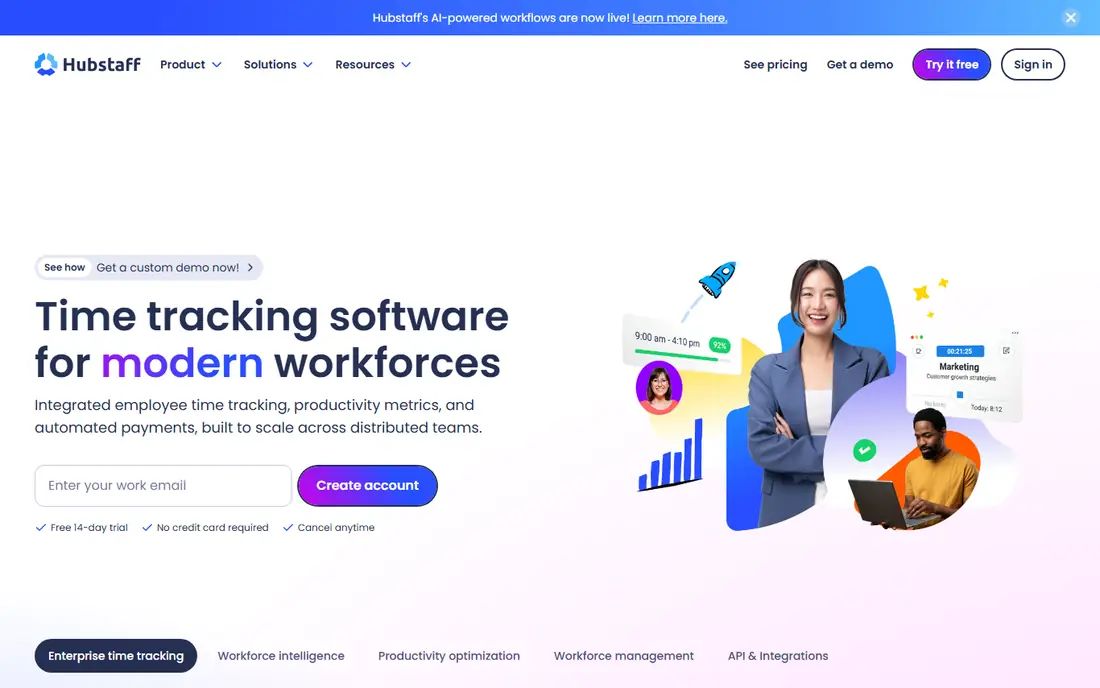
Hubstaff combines time tracking, optional screenshots and payroll tools, which suits hourly, remote and field teams. Managers can see hours, activity levels and project time in one place, and GPS helps field teams log location for work purposes. The low starting price makes it easy to test.
Screenshots are central to some plans, so firms must set capture frequency, notice and retention carefully. It is less suited to pure analytics work than ActivTrak. For hourly teams that already track time, Hubstaff adds visibility without a large bill.
On pricing, Hubstaff starts at $4.99 per user per month, with a free plan status of Free trial. Check the vendor pricing page before you buy, since plans, user counts and add-ons change the total. If that price and scope fit your team, put it on a shortlist and test it with real data before you sign.
- Time tracking with screenshots
- GPS for field teams
- Payroll links
- Screenshot model can feel intrusive
- Check privacy settings
Time Doctor is built for distributed teams that bill by the hour, including outsourcing and support teams. It offers timers, screenshots, activity alerts and payroll reports in one system. Managers can spot idle time and project overruns, and clients can get transparent time reports.
The model is screenshot-heavy, so notice, consent and retention settings are essential. Knowledge teams that want light analytics may find it too intrusive. For hourly teams where time evidence matters, Time Doctor is a proven, affordable option.
On pricing, Time Doctor starts at $7 per user per month, with a free plan status of Free trial. Check the vendor pricing page before you buy, since plans, user counts and add-ons change the total. If that price and scope fit your team, put it on a shortlist and test it with real data before you sign.
- Timer plus screenshots and alerts
- Payroll and project reports
- Screenshot-heavy model
- Needs clear notice and consent
DeskTime offers automatic time tracking with app and website classification, idle detection and simple reports at a low price. A free plan covers a single user, which lets a small team test it before paying. Staff do not need to start timers, so data is more complete than manual timesheets.
Analytics are shallower than ActivTrak, and there are no data loss prevention or enforcement tools. Larger firms may outgrow it. For a small business that wants basic productivity visibility on a tight budget, DeskTime is the value pick.
On pricing, DeskTime starts at See website, with a free plan status of Yes. Check the vendor pricing page before you buy, since plans, user counts and add-ons change the total. If that price and scope fit your team, put it on a shortlist and test it with real data before you sign.
- Automatic time tracking
- App classification
- Idle detection
- Shallow analytics
- No DLP or enforcement tools
Insightful, formerly Workpuls, offers app and website tracking with optional screenshots and productivity reports. It suits teams that want a middle path: more than simple timers, less than a full security platform. Managers can see trends, project time and focus patterns in one dashboard.
As with other screenshot tools, firms must set notice, access and retention rules before rollout. Plan limits also vary, so check screenshot storage and user counts. For a team that wants flexible productivity tracking, Insightful is a solid, mid-priced choice.
On pricing, Insightful starts at $8 per user per month, with a free plan status of Free trial. Check the vendor pricing page before you buy, since plans, user counts and add-ons change the total. If that price and scope fit your team, put it on a shortlist and test it with real data before you sign.
- App and website tracking
- Optional screenshots
- Productivity reports
- Screenshot options need policy controls
- Check plan limits
Controlio offers screen video, live view and rules to alert on or block apps, sites and USB devices, with an option for on-premise deployment. A GDPR mode helps EU teams limit data collection, which matters for lawful use. It suits regulated teams that need evidence and control.
Minimum user counts apply, and agent coverage is narrower than some rivals, so check your device mix. Video capture also demands strict access controls. For a regulated team that wants on-premise control, Controlio is worth a demo with legal review.
On pricing, Controlio starts at See website, with a free plan status of Free trial. Check the vendor pricing page before you buy, since plans, user counts and add-ons change the total. If that price and scope fit your team, put it on a shortlist and test it with real data before you sign.
- Screen video and live view
- Content rules
- GDPR mode option
- Minimum user counts
- No Linux or mobile agents on some plans
Monitask is a simple monitoring tool for small teams, with time tracking, screenshots and activity reports in a plain dashboard. Setup is fast, and the price is low, which suits small businesses that want basic visibility without enterprise complexity. Project and team views help managers spot workload gaps.
Analytics depth trails larger tools, and the screenshot model still needs notice and retention rules. Firms with compliance needs should choose a security platform instead. For a small team that wants simple, affordable tracking, Monitask is a practical pick.
On pricing, Monitask starts at $4.99 per user per month, with a free plan status of Free trial. Check the vendor pricing page before you buy, since plans, user counts and add-ons change the total. If that price and scope fit your team, put it on a shortlist and test it with real data before you sign.
- Time tracking with screenshots
- Activity reports
- Simple setup
- Limited analytics depth
- Screenshot model needs policy care
How we picked these
We compared official product pages, pricing pages and app store listings, and we checked that each product exists, works today and truly fits the topic. We favored tools with clear pricing or a clear quote path, honest limits, and a track record in the category. We did not claim hands-on testing that did not happen, and we left out tools that did not fit, even when they were well known in a nearby category.
How to use monitoring lawfully and fairly
Start with a written purpose. Define what problem you are solving, such as security, compliance or workload balance, and choose only the data that answers it. If you need productivity trends, app usage totals may be enough. If you need security evidence, you may need stricter controls and legal review. Collecting everything by default creates risk and harms trust.
Next, give clear notice and get consent where your law requires it. Tell employees what is tracked, on which devices, during which hours, who can see the data and how long it is kept. Keep personal devices out of scope, limit monitoring to work hours on company devices, and give employees a way to ask questions. In some places, employee representatives must be consulted first.
Privacy controls to require
Look for role-based access, audit logs, data retention settings and options to pause tracking during breaks or personal time. Avoid keystroke logging and continuous recording unless a specific security or legal need justifies it, and document that justification. Never use monitoring to punish protected activity, and never monitor personal accounts or personal devices.
Choosing the right level
Small teams should start with time and app usage reports, not screenshots. Regulated firms should favor tools with data loss prevention, audit trails and on-premise options. Run a pilot with a small group, review the data together, and adjust settings before a wider rollout.
FAQ
Is employee monitoring legal?
It can be lawful on company devices when employers give notice, follow local law and limit monitoring to a legitimate purpose. Rules vary by state and country, and some places require consent or consultation. Get legal advice before you deploy any tool.
Should employees be told they are monitored?
Yes. Tell employees in writing what is tracked, why, who sees it and how long data is kept. Secret monitoring on company devices still creates legal and trust risk in many places. Transparency also improves acceptance and data quality.
Do I need screenshots or recording?
Most productivity questions do not need them. App and website totals, active time and project reports usually answer workload questions. Reserve screenshots and recording for specific security or compliance needs, with strict access and retention limits.
Can I monitor personal devices?
Do not monitor personal devices or personal accounts. Limit monitoring to company-owned devices and work accounts, during work hours. If staff use personal devices for work, use a separate work profile or app rather than full-device monitoring.
How long should monitoring data be kept?
Keep data only as long as needed for its stated purpose, then delete it. Short retention, such as 30 to 90 days for detailed logs, suits most firms. Security cases may need longer holds, but document the reason and limit access.