Best Email Warm Up Tools in 2026: 8 Tools Compared
Compare the best email warm up tools in 2026, with pricing per inbox, networks, ramp control and placement checks for safer cold outreach in 2026 now.
- Editor's choice
 Instantly
Warmup bundled with outreach
Starts at$37 per monthVisit instantly.aiFull review - Great alternative
 lemwarm
Teams already using lemlist
Starts at$24 per inbox per monthVisit lemlist.comFull review - Also consider
 Warmbox
Budget single-inbox warmup
Starts at$15 per monthVisit warmbox.aiFull review
TL;DR:
- Warmup builds sender reputation gradually, but it cannot fix a bad contact list or spammy copy.
- Price per inbox matters more than the headline monthly price, since many tools charge for each mailbox.
- Placement testing, blacklist checks and ramp control are more useful than a simple warmup score.
- Use warmup only for legitimate, permission-aware outreach, and follow provider rules for bulk sending.
Quick comparison
| Tool | Best for | Starts at | Free plan? | |
|---|---|---|---|---|
| Instantly | Warmup bundled with outreach | $37 per month | Free trial | Visit |
| lemwarm | Teams already using lemlist | $24 per inbox per month | Free trial | Visit |
| Warmbox | Budget single-inbox warmup | $15 per month | No | Visit |
 Mailwarm | Warmup with expert guidance | $69 per month | No | Visit |
 Folderly | Placement diagnosis and repair | $96 per mailbox per month | No | Visit |
 Smartlead | High-volume outreach warmup | $39 per month | Free trial | Visit |
 Warmup Inbox | Simple per-inbox warmup | $15 per inbox per month | Yes | Visit |
 TrulyInbox | Many inboxes on a flat price | Free | Yes | Visit |
The best email warm up tools
Email warmup tools send and engage with emails gradually from a new mailbox, so providers learn to trust it before real outreach begins. The tools below differ in whether warmup is standalone or bundled, and in how they price each inbox.
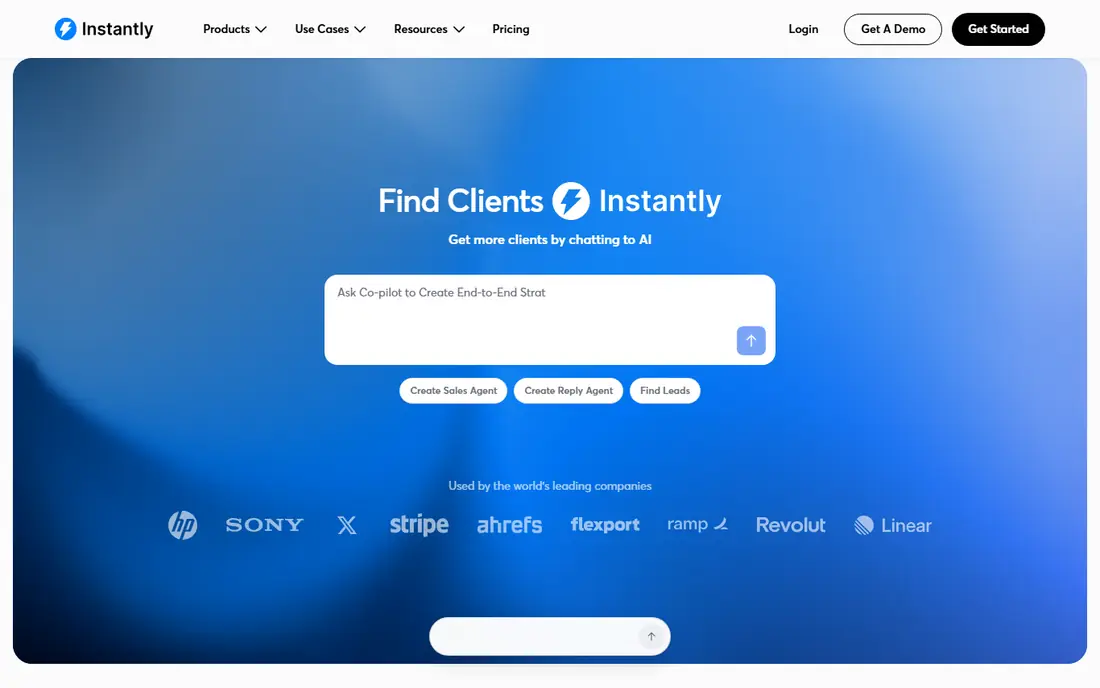
Instantly bundles warmup with a full cold email platform, so a team can warm mailboxes, run campaigns and track replies without switching tools. Its warmup network is large, and plans include unlimited warmup, which helps agencies and high-volume senders. The platform also covers lead finding, sequencing and inbox rotation on higher plans.
The trade-off is bundling. If you only need warmup for mailboxes you use elsewhere, you are paying for outreach features you may not use. For teams that already plan to send cold email from Instantly, the bundled warmup is convenient and cost-effective.
- Unlimited warmup on plans
- Huge warmup network
- Outreach tools in one place
- Warmup is tied to the outreach platform
- Standalone-only buyers may pay for extra features

lemwarm is the warmup product from lemlist, and it fits best when outreach already runs on lemlist. It warms each inbox with gradual sending, replies and engagement signals, and it reports on placement and deliverability. The ramp settings let you control daily volume growth, which matters for a new domain.
The cost is per inbox, so a team with ten mailboxes should budget $240 per month on annual pricing, not $24. If you do not use lemlist, a flat-price tool like TrulyInbox or Instantly may be cheaper at scale.
- Tight lemlist link
- Clear ramp controls
- Good placement reporting
- Per-inbox pricing adds up fast
- Standalone price is higher than some rivals

Warmbox is a budget standalone warmup tool for a single inbox or a small set of mailboxes. It lets you control the ramp curve, choose warmup recipes and monitor progress, and it works across common email providers. At $15 per month on annual billing, it is one of the cheapest ways to start warming a new mailbox.
Independent tests have placed Warmbox below Smartlead, lemwarm and Instantly on inbox placement, so the low price comes with a performance trade. For a low-volume sender on a tight budget, it remains a reasonable start, but check placement results before scaling.
- Low entry price
- Control over ramp curve
- Works with many providers
- No free plan
- Placement results in tests were weaker than top rivals
Mailwarm warms mailboxes through a network of aged inboxes and pairs the service with expert guidance on deliverability. That human support appeals to a sender who wants advice on domain setup, sending limits and reputation repair, not just an automated tool. The network size is large, and the service covers Gmail, Outlook and other providers.
The price is hard to justify for many buyers: $69 per month for a single inbox, with no free trial, is far above Warmbox or Warmup Inbox. Choose Mailwarm when expert help matters more than the lowest price, and confirm the scope of that guidance before paying.
- Aged inbox network
- Human guidance
- Clear per-inbox model
- High price for one inbox
- No free trial
Folderly goes beyond basic warmup by diagnosing why emails land in spam, testing content against spam filters and tracking placement across providers. Its deliverability programs suit companies with a real spam problem or a large sending operation that needs expert review. Placement results in independent tests have been strong.
For a simple new-mailbox warmup, Folderly is expensive and more complex than needed. Its value appears when placement is already poor, or when a team needs ongoing diagnosis rather than just gradual sending.
- Deep spam trigger analysis
- Placement testing
- Enterprise deliverability programs
- High per-mailbox price
- Overkill for a simple warmup need
Smartlead bundles warmup with cold email outreach and allows unlimited mailboxes on its plans, which makes it attractive for agencies and high-volume senders. Independent tests have rated its warmup placement among the best, and its private network and ramp controls support large sending operations. The platform also covers campaign management, inbox rotation and deliverability monitoring.
As with Instantly, warmup-only buyers pay for a broader platform. For a team that sends at volume and manages many mailboxes, that bundle is usually good value; for a single mailbox, a cheaper standalone tool may be enough.
- Unlimited mailboxes on plans
- Strong placement results in tests
- Outreach built in
- Outreach features may be extra for warmup-only buyers
- Learning curve for agencies
Warmup Inbox offers a straightforward warmup service with gradual sending, engagement and blacklist monitoring, plus help with delisting when a mailbox appears on a blocklist. Setup is simple, and the annual price of $15 per inbox per month makes it easy to budget for a small set of mailboxes. A free tier with limited weekly emails lets you test the basics.
The feature set is basic compared with Folderly or Smartlead, and per-inbox pricing still grows with mailbox count. For a small team that wants a simple, low-cost warmup for a few inboxes, it is a solid fit.
- Low per-inbox price
- Simple setup
- Blacklist monitoring and delisting help
- Per-inbox pricing still adds up
- Feature set is basic
TrulyInbox stands out for flat pricing: paid plans cover unlimited mailboxes, which changes the math completely for a team with many sending accounts. It also offers a free tier with one account, so you can test warmup before paying. Its network of real inboxes supports gradual sending and engagement across providers.
The trade-off is depth. Reporting and support are lighter than Folderly or Smartlead, and the tool focuses on warmup rather than full outreach. For a team scaling mailbox count, the flat price often outweighs those limits.
- Free tier
- Unlimited mailboxes on paid plans
- Large real inbox network
- Paid plans start around $22 per month
- Support and reporting are lighter than enterprise tools
How we picked these
We compared vendor pricing pages, per-inbox costs, warmup network claims and independent placement test results, and favored tools with clear pricing and a real warmup network. We included standalone and bundled options so readers can compare a single inbox against a high-volume operation. We did not claim hands-on testing; the findings reflect published pricing, features and reported test results.
How to use email warmup safely and well
Warmup works best as part of a careful sending setup. Start with a clean domain, correct SPF, DKIM and DMARC records, and a gradual ramp from a low daily volume. Warm for at least two to four weeks before real outreach, and keep daily sending well below provider limits even after warmup ends. A tool cannot rescue a domain that sends to purchased lists, unverified addresses or misleading subject lines.
Also follow the rules that matter for your recipients. Only email people with a legitimate reason to hear from you, honor opt-outs promptly, and keep bounce rates low by verifying addresses before sending. If placement drops, pause campaigns, check blocklists and content triggers, and fix the cause before increasing volume. Warmup builds trust slowly, and one bad batch can undo weeks of work.
FAQ
How long does email warmup take?
Most warmup programs run for two to four weeks before a mailbox is ready for real outreach, with volume rising gradually each day. Larger campaigns and new domains may need longer, and you should keep sending within safe limits after warmup ends.
Is email warmup enough to avoid the spam folder?
No. Warmup helps build sender reputation, but list quality, content, authentication and sending behavior matter just as much. A warmed mailbox that sends to bad lists or spammy content will still land in spam.
How much does email warmup cost per inbox?
Standalone tools often charge $15 to $24 per inbox per month, while Folderly and Mailwarm charge $69 to $96 per mailbox. Bundled platforms like Instantly, Smartlead and TrulyInbox can cover unlimited mailboxes for a flat monthly price, which suits high-volume teams.
Can I warm up a mailbox I use for regular business email?
Yes, but keep warmup separate from your main business domain when possible. Use a secondary domain for cold outreach, so a reputation problem does not affect your main company email, invoices and customer messages.
Do warmup tools work for Gmail and Outlook?
Yes. The tools here support Gmail, Google Workspace, Outlook and Microsoft 365, plus other providers in many cases. Check provider support before buying, and confirm that your mailbox type is covered on the plan you choose.