Best Email Deliverability Services in 2026: 9 Services Compared
We compared the best email deliverability services for inbox placement, warmup, testing and sender reputation, with pricing and honest limits for each tool.
- Editor's choice
 Postmark
Transactional email with high deliverability
Starts at$15 per monthVisit postmarkapp.comFull review - Great alternative
 Mailgun
Developer teams sending at scale
Starts at$15 per monthVisit mailgun.comFull review - Also consider
 SendGrid
High-volume marketing plus transactional mail
Starts at$19.95 per monthVisit sendgrid.comFull review
TL;DR:
- Postmark and Mailgun suit product and transactional email with strong delivery records.
- GlockApps and Folderly suit diagnosis when mail lands in spam.
- Warmbox and MailReach suit warmup for new domains and mailboxes.
- No tool fixes a bad list or misleading content, so clean data comes first.
Quick comparison
| Tool | Best for | Starts at | Free plan? | |
|---|---|---|---|---|
| Postmark | Transactional email with high deliverability | $15 per month | Yes | Visit |
| Mailgun | Developer teams sending at scale | $15 per month | Yes | Visit |
| SendGrid | High-volume marketing plus transactional mail | $19.95 per month | Free trial | Visit |
 Resend | Modern product teams and developers | $20 per month | Yes | Visit |
 Mailtrap | Testing plus production sending | $15 per month | Yes | Visit |
 GlockApps | Inbox placement testing and diagnostics | See website | Yes | Visit |
 Warmbox | Budget warmup for new inboxes | $15 per month | No | Visit |
 MailReach | Warmup plus placement testing | $25 per month | No | Visit |
 Folderly | Managed deliverability diagnosis and repair | See website | Free trial | Visit |
The best email deliverability services
Deliverability covers sending infrastructure, inbox testing, warmup and reputation repair. The right tool depends on whether you send product email, marketing email or cold outreach.

Postmark focuses on transactional email, such as password resets, receipts and notifications. It separates transactional, broadcast and inbound streams, so a marketing issue does not block critical mail.
Its delivery speed and inbox placement record are a main reason product teams choose it. Analytics show delivery, opens and bounces clearly, without a cluttered marketing dashboard.
Postmark costs more per email than bulk senders, and it is not a full marketing platform. It fits teams where reliable transactional delivery matters more than the lowest price.
- Separate message streams
- Fast delivery
- Clear analytics
- Premium price per email
- No full marketing suite
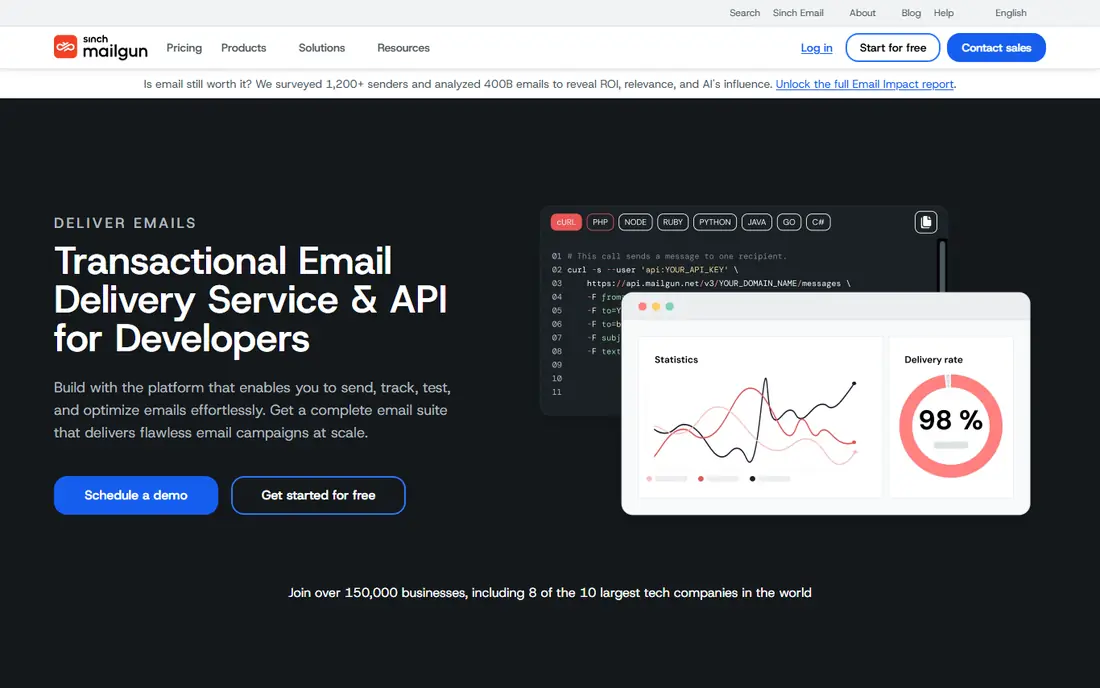
Mailgun is a developer-focused email API and SMTP service for transactional and marketing mail at scale. It offers sending, tracking, routing and deliverability tools in one account.
Teams that build email into a product like its API docs, webhooks and region choice. Mailgun Optimize adds inbox placement testing and validation for teams that need deeper checks.
Basic plans have short log retention, and some features are add-ons. Mailgun fits engineering teams that want control and scale, and can manage setup themselves.
- API and SMTP sending
- Deliverability tools
- EU and US regions
- Log retention is short on basic plans
- Validation costs extra

SendGrid, part of Twilio, handles both marketing and transactional email at high volume. Its API, templates and analytics suit firms that send many campaigns and product messages from one vendor.
Integration depth is a plus, with links to CRMs, ecommerce tools and developer frameworks. Large senders can add dedicated IPs and advanced support on higher plans.
SendGrid no longer offers a permanent free plan, and pricing has moved toward sales-led plans for larger accounts. It fits high-volume teams that want one vendor for both mail types.
- Large scale
- Marketing and transactional in one
- Many integrations
- No permanent free plan
- Support tiers vary
Resend is a modern email API built for product teams, especially those using React and Next.js. Setup is fast, docs are clear, and React Email support makes template building easier.
Developers like its simple API and clean dashboard, which cut the time from signup to first send. The free tier covers 3,000 emails a month, which suits a side project or early startup.
Resend is newer than Postmark or SendGrid, so its ecosystem is smaller. Billing counts every recipient, so large CC lists cost more. It fits modern product teams that value developer experience.
- Clean API
- React Email support
- Fast setup
- Newer ecosystem
- Billing counts every recipient
Mailtrap started as an email testing tool and now offers production sending as well. Its test inboxes let teams catch broken templates before real users see them.
Production sending uses separate pools for bulk and transactional mail, with analytics by mailbox provider. That detail helps a team spot a Gmail or Outlook problem early.
Mailtrap is less established as a huge enterprise sender than SendGrid or Mailgun. It fits product teams that want testing and sending in one account, with clear delivery data.
- Separate bulk and transactional pools
- Per-provider analytics
- Test inboxes
- Less known for huge enterprise scale
- Pricing tiers need review
GlockApps is a diagnostic tool, not a sender. It sends test mail to seed inboxes and reports whether it lands in the inbox, spam or promotions, with spam score and authentication checks.
Marketers use it before a campaign and after a deliverability drop to find the cause. DMARC analytics and blacklist checks add context that a single spam score cannot give.
GlockApps does not warm domains or send your campaigns, so you still need a sender. It fits teams that need clear diagnosis, with a free tier for occasional tests.
- Seed placement tests across providers
- Spam score
- DMARC tools
- No warmup
- Paid plans can add up with frequent tests
Warmbox warms email inboxes by exchanging mail within its network and building a positive sending history. It suits a new domain or mailbox that needs a gradual ramp before outreach.
Its starting price is low for one inbox, and analytics show warmup progress and deliverability signals. Small agencies and solo senders often start here.
Per-mailbox pricing adds up with many inboxes, and warmup cannot fix scraped lists or misleading content. Warmbox fits a careful warmup plan paired with clean data.
- Low starting price
- Warmup network
- Deliverability analytics
- Per-mailbox pricing adds up
- Warmup alone does not fix bad lists
MailReach combines warmup with inbox placement testing and blacklist checks. It warms a mailbox, then tests where mail lands across major providers, so progress is visible.
That combination helps outbound teams that need both reputation building and regular checks. Its dashboard keeps warmup, placement and blacklist status in one view.
There is no free plan, and per-mailbox pricing grows with team size. MailReach fits outbound and sales teams that want warmup and testing together.
- Warmup network
- Spam test
- Blacklist monitoring
- No free plan
- Per-mailbox cost at scale
Folderly offers deliverability diagnostics, inbox placement insights and guided fixes for teams with spam folder problems. Its tools cover authentication, content, domain health and placement.
For a funded team or agency, the guided approach can save time versus piecing together several tools. Folderly also offers team features and alerts for ongoing monitoring.
Pricing is premium, especially per mailbox at scale. Folderly fits teams with a real deliverability problem and a budget for a managed diagnostic suite, not a casual sender.
- Deep diagnostics
- Guided remediation
- Team features
- Premium pricing
- Per-mailbox costs can be high
How we picked these
We compared official feature pages, pricing pages, app store listings, privacy and support pages, and public reviews for each product. We checked that each product exists and works today, that it fits the topic, and that its pricing or free tier could be stated honestly. Where a vendor does not publish a price, we wrote See website rather than guessing.
We also weighed who each product suits best, not only which one has the longest feature list. A tool that fits a small team can beat a larger platform for that buyer, even if the larger platform has more features. That is why our picks mix well-known leaders with strong smaller options.
We also checked free tiers and trial terms, because a tool that cannot be tested before purchase is a harder buy for a small team. Where a free plan was limited, we said so in the table and in the product write-up, so the starting price does not mislead a reader about what is actually included at that level.
How to improve email deliverability
Start with authentication: SPF, DKIM and DMARC, plus a dedicated sending domain. Then clean your list, remove bounces and unengaged contacts, and send content people asked for. A tool can test and monitor, but it cannot rescue a list built on scraped addresses.
Use seed tests before a large campaign, watch bounce and complaint rates, and warm new domains slowly. Separate marketing and transactional streams so a promo problem does not block password resets. Review placement by provider, because Gmail, Outlook and Yahoo can behave differently.
FAQ
What is the best email deliverability tool?
Postmark is a strong pick for transactional email, while GlockApps is strong for inbox placement testing. Warmbox and MailReach suit warmup. The best tool depends on whether you need sending, testing or reputation repair.
How can I test inbox placement?
Use a seed list test that sends to test inboxes at major providers and reports where mail lands. GlockApps and Folderly offer this, and MailReach includes placement checks with warmup.
Does warmup really help deliverability?
Warmup can help a new domain build a sending history, but it is not a cure for spam complaints or bad data. Pair warmup with clean lists, proper authentication and content people want.
Why are my emails going to spam?
Common causes are poor authentication, a damaged sender reputation, high bounce rates, spam complaints and content that looks like spam. Check authentication first, then list quality and placement test results.
Should transactional and marketing email share a domain?
No, in most cases. Separate streams and domains protect critical mail such as password resets from marketing problems. Postmark and Mailtrap both support stream separation.