Best Electronic Signature Software in 2026: 8 Tools Compared
We compared the best electronic signature software on price, envelope limits, templates and audit trails to help small teams sign contracts faster in 2026.
- Editor's choice
 DocuSign
Client familiarity
Starts at$15 per monthVisit docusign.comFull review - Great alternative
 Adobe Acrobat Sign
PDF workflows
Starts atSee websiteVisit adobe.comFull review - Also consider
 Dropbox Sign
Simple sending
Starts at$15 per monthVisit sign.dropbox.comFull review
TL;DR:
- DocuSign remains the safest choice when clients expect a familiar signing link, but envelope limits need close attention.
- Adobe Acrobat Sign fits teams that already live in PDF files and Microsoft or Adobe tools.
- Dropbox Sign, signNow and Zoho Sign offer strong value for small teams that send a modest number of documents each month.
- Free plans help for occasional signing, but most teams outgrow them once templates, reminders and team seats matter.
Quick comparison
| Tool | Best for | Starts at | Free plan? | |
|---|---|---|---|---|
| DocuSign | Client familiarity | $15 per month | Free trial | Visit |
| Adobe Acrobat Sign | PDF workflows | See website | Free trial | Visit |
| Dropbox Sign | Simple sending | $15 per month | Yes | Visit |
 signNow | Low cost teams | $8 per user per month | Free trial | Visit |
 PandaDoc | Documents and proposals | $19 per month | Yes | Visit |
 Zoho Sign | Zoho users | $10 per month | Yes | Visit |
 Documenso | Open source option | Free | Yes | Visit |
 Jotform Sign | Forms plus signatures | See website | Yes | Visit |
The best electronic signature software
Electronic signature software lets a sender prepare a document, place signature and date fields, send it to one or more signers, and keep a tamper evident audit trail. The best electronic signature app for a given team depends on volume, not just price, since envelope limits, template counts and signer authentication vary widely. We compared official pricing pages, feature lists, audit trail details and public reviews for the tools below.
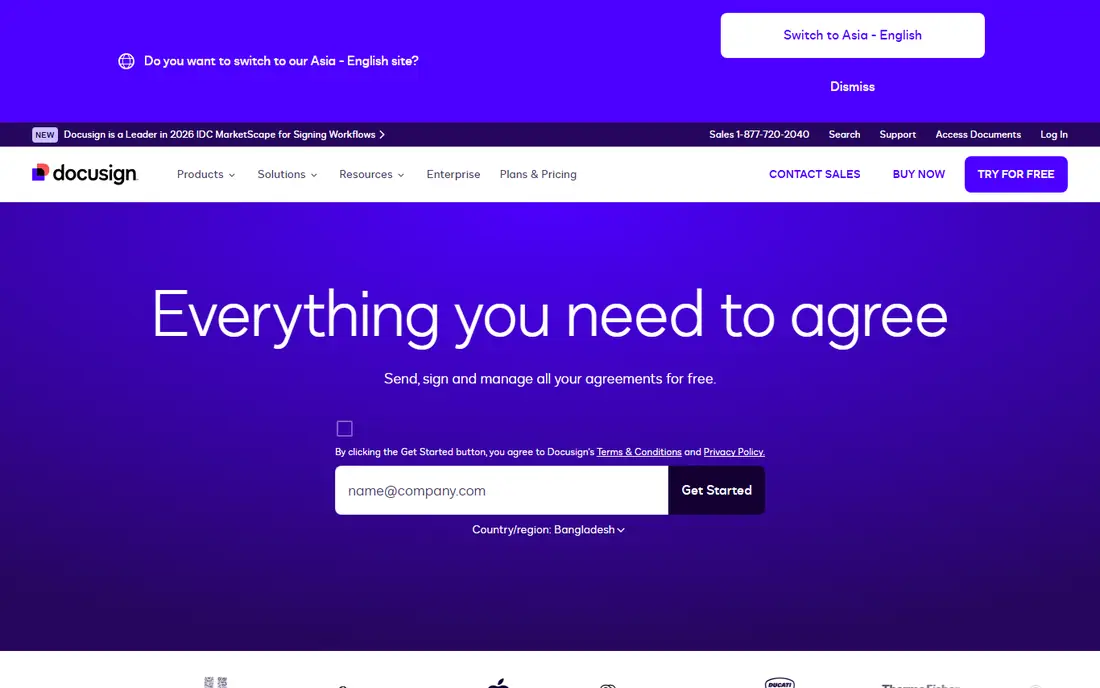
DocuSign is the name most clients already know, and that familiarity cuts down on confused emails and missed signatures. Senders can build reusable templates, set signing order, add reminders and collect payments on some plans, while the certificate of completion records who signed, when and from which device. Integrations with Salesforce, Google Workspace and Microsoft 365 help larger teams fit signing into work they already do.
The catch is the envelope model. Lower plans cap how many envelopes a user can send each year, so a busy team can hit the limit sooner than expected. Personal pricing starts around $15 per month in the pricing we checked, with team plans higher, and features such as bulk send and advanced authentication sit on upper tiers. DocuSign fits businesses that send contracts to outside clients and need the signing link to inspire trust at first glance.
- Widely recognised by clients
- Strong templates
- Detailed audit trail
- Envelope limits on lower plans
- Price rises fast with team seats
- Add-ons cost extra
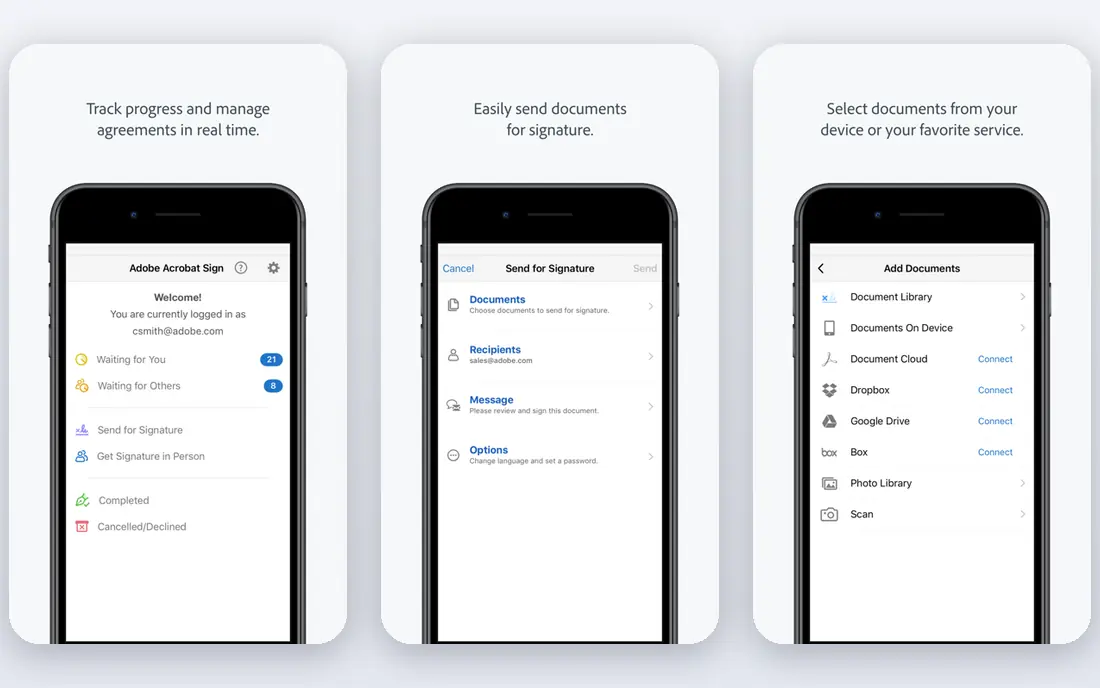
Adobe Acrobat Sign grows naturally out of Acrobat, so teams that already edit, combine and protect PDFs will feel at home. Senders can prepare forms, collect signatures in order, track status and store signed copies with an audit trail, and the tool works well inside Microsoft Teams, Outlook and SharePoint. For regulated work, Adobe offers identity verification and compliance features that smaller tools may not match.
Pricing is the awkward part, since Adobe sells Sign in several bundles and regional plans, so two buyers can see different prices for similar features. The interface also carries more options than a light user needs, which can slow down a first send. Adobe fits teams that already pay for Acrobat or Microsoft 365, and that need PDF control as much as a signature.
- Deep PDF editing
- Strong compliance options
- Microsoft 365 integration
- Pricing varies by region and bundle
- Advanced automation needs higher tiers

Dropbox Sign, formerly HelloSign, keeps the signing process short: upload a document, add fields, send, and watch the status update. Signers do not need an account to sign, and the finished document lands back with a full audit trail. That simplicity makes it a good pick for landlords, freelancers and small firms that send the same few forms again and again.
The free account is genuinely useful for occasional use, but it caps sends per month, so regular users will need the Essentials plan, listed around $15 per month. Teams that want proposals, quotes and document analytics will find Dropbox Sign thinner than PandaDoc. Dropbox Sign fits small teams that value a calm, fast signing experience over a full document suite.
- Very easy to learn
- Clean signer experience
- Unlimited sending on paid plans
- Free plan limited to a few sends per month
- Fewer document tools than PandaDoc
signNow wins on price for teams that send documents every week but do not need a big brand name on the link. The entry plan, around $8 per user per month when billed yearly, includes templates, reminders and a mobile app, and higher tiers add bulk send, conditional fields and stronger authentication. For a small business, that covers most real contract work without a large monthly bill.
The trade off is polish. Some screens feel older than DocuSign or Dropbox Sign, and support answers can take longer on lower plans. signNow also limits some advanced features to upper tiers, so a team that needs single sign-on or detailed admin controls should check the plan table first. signNow fits cost conscious teams that want core signing done well and do not mind a plainer interface.
- Low entry price
- Unlimited templates on paid plans
- Mobile signing
- Interface feels dated in places
- Advanced compliance features cost more
PandaDoc is more than a signing tool: it helps a team build a proposal, add pricing tables, send it for approval and then collect a signature in the same document. That combined flow suits agencies, sales teams and freelancers who send quotes that turn into contracts. The free plan covers unlimited uploads and e-signatures, which is generous for a solo user testing the tool.
The catch is that PandaDoc is priced as a document platform, not as a bare signing app, so a team that only needs signatures may pay for features it never opens. Tracking and analytics are also limited on the free plan. PandaDoc fits teams that draft, negotiate and sign in one place, and that want to see when a client opens and reads a proposal.
- Proposal and quote builder
- Content library
- Document analytics
- E-signature alone costs more than simpler tools
- Free plan limits tracking
Zoho Sign is the natural pick for businesses already using Zoho CRM, Books or Workplace, since documents and contacts flow between apps without extra setup. The free plan covers five documents per month, which suits a very small business, and paid plans start around $10 per month with unlimited sending on some tiers. Templates, reminders, bulk send and audit trails cover the basics well.
Outside the Zoho world, Zoho Sign has less pull: clients may not recognise the name, and the template library is smaller than DocuSign. The signer screens work fine but lack the polish of Dropbox Sign. Zoho Sign fits Zoho users, accountants and small firms that want a low monthly cost and a simple signing flow.
- Low cost
- Five free documents per month
- Works with Zoho CRM and Books
- Smaller template library than DocuSign
- Signer experience is functional rather than polished
Documenso is an open source signing platform with a hosted cloud version and a self hosted option for teams that want full control of their documents and data. The core signing flow covers fields, recipients, signing order and audit trails, and the open code lets a technical team check how documents are handled. For privacy minded teams, self hosting removes a third party from the storage path entirely.
The hosted version is simpler than DocuSign, with fewer templates, integrations and automation options, and self hosting adds maintenance work that a small team may not want. Support is community led in places, rather than a large vendor help desk. Documenso fits developers, startups and privacy focused teams that value openness and control over a polished enterprise suite.
- Open source code
- Self hosting option
- No vendor lock in for the core tool
- Hosted features lag larger rivals
- Setup needs technical comfort for self hosting
Jotform Sign pairs e-signatures with Jotform forms, so a team can collect intake details and a signature in one step. A clinic, school or rental business can send an application form, gather the needed fields, and finish with a signed agreement without stitching two tools together. The template library covers common agreements, and the free tier helps a small team test the flow.
The limit is that signing volume ties to Jotform account limits, and pure document editing is weaker than in PandaDoc or Adobe. Teams that send long negotiated contracts with redlines will find Jotform Sign too simple. Jotform Sign fits businesses that collect information and signatures together, and that already use forms in their daily work.
- Strong form builder
- Many ready templates
- Free tier for light use
- Signing features are tied to form limits
- Document editing is weaker than PandaDoc
How we picked these
We compared official pricing pages, free tier limits, envelope or document caps, template and reminder features, audit trail details and integrations. We kept only tools that offer legally valid electronic signatures in the US under the ESIGN Act, a clear audit trail, and a signer flow that does not force every signer to create an account. We favoured tools with transparent pricing and a free tier or trial, since small teams need to test signing before they pay.
How to choose the right signing tool
Start by counting how many documents you send each month and how many people sign each one. A solo freelancer sending three contracts a month can live on a free plan, while a team sending fifty will hit envelope caps fast and should compare yearly envelope limits, not just the monthly price. Check whether you need templates, signing order, bulk send or payment collection, since those features move quickly to higher tiers.
Legal weight and signer trust
Electronic signatures are legally valid for most business contracts in the US, but some documents, such as wills and certain court filings, have special rules, so check local law for sensitive paperwork. A full audit trail, with signer identity, timestamps and document hash, matters far more than a pretty signature image. If clients are wary of a new tool, a widely known brand or a clear signer guide in your email can reduce failed sends.
Security and storage
Look for encryption in transit and at rest, access controls for team members, and a clear way to download signed copies with the audit trail attached. Avoid storing signed contracts only inside a signing tool: download final copies to your own document store as well. Turn on two factor authentication for admin accounts, and limit who can create templates or change signer settings.
FAQ
What is the best e signature software for small business?
For most small businesses, Dropbox Sign or signNow offer the best balance of price and ease, while DocuSign is the safer pick when clients expect a familiar brand. Count your monthly documents first, since envelope limits can matter more than the monthly fee. A free plan is enough only for very light use.
What is the best electronic signature app for occasional use?
Dropbox Sign and Zoho Sign both offer free tiers for a few documents per month, and Documenso offers a free hosted tier for simple signing. Occasional users should check the monthly cap and whether templates carry over, since a free plan that blocks templates can still slow you down. For one off personal signing, Adobe offers free self signing inside Acrobat.
What is the best signing app for teams?
DocuSign and Adobe Acrobat Sign lead for larger teams, thanks to admin controls, integrations and compliance options. PandaDoc fits sales teams that also need proposals, while signNow fits teams that want team seats at a lower price. Compare seat pricing and envelope limits together, since both drive the real yearly cost.
Are electronic signatures legally binding?
In most US business cases, yes, under the federal ESIGN Act and state laws based on the Uniform Electronic Transactions Act, provided the signer consents and the signature is linked to the record with an audit trail. Some documents have special requirements, so check the rules for wills, family law filings and certain government forms before relying on an e-signature. This guide is general information, not legal advice.
What is the best online contract signing software for proposals?
PandaDoc is the strongest pick when a proposal, quote and contract live in one document, since it adds pricing tables and analytics to the signing flow. DocuSign also handles proposals through templates and integrations, but it is less of a document builder. Choose PandaDoc if the document itself is the sales tool, and a simpler signer if the contract is already final.
How do envelope limits work?
An envelope is usually one sending event, even if it contains several documents or signers, but vendors define it differently, so read the plan page carefully. Lower plans cap envelopes per user per year, and extra envelopes cost more or require an upgrade. Teams with seasonal spikes should ask about rollover, overage pricing and whether a higher tier is cheaper than paying overage fees.