6 Strong Dock Scheduling Software Options in 2026
Need the best dock scheduling software? We compare 6 tools on cost, free access and who each suits. Each entry gets a plain verdict. Straight answers.
- Editor's choice
 FourKites
Enterprises already using FourKites for supply chain visibility that want appointments tied to live ETAs
Starts atSee website (custom quote)Visit fourkites.comFull review - Great alternative
 C3 Reservations
Enterprise distribution centers with complicated dock constraints and high appointment volumes
Starts atSee website (custom quote)Visit c3solutions.comFull review - Also consider
 YardView
Operations where the yard itself is the problem: lost trailers, gate backups, spotter chaos
Starts atSee websiteVisit yardview.comFull review
Direct answer
If you need enterprises already using FourKites for supply chain visibility, FourKites is the first tool to look at here. C3 Reservations fits enterprise distribution centers with complicated dock constraints and high appointment volumes; YardView fits operations where the yard itself is the problem: lost trailers. The other 3 tools in the list cover narrower or pricier cases.
TL;DR:
- Number one here is FourKites, a fit for enterprises already using FourKites for supply chain visibility that want appointments tied to live ETAs.
- GoRamp suits logistics teams that want dock scheduling and yard management as one orchestrated workflow.
- FourKites, GoRamp and the 4 others all need a premium plan or a trial, since no free plan is listed.
- No starting price is shown for any of the 6 tools, FourKites and GoRamp included, so plan time for sales calls.
Quick comparison
| Tool | Best for | Starts at | Free plan? | |
|---|---|---|---|---|
| FourKites | Enterprises already using FourKites for supply chain visibility that want appointments tied to live ETAs | See website (custom quote) | No | Visit |
| C3 Reservations | Enterprise distribution centers with complicated dock constraints and high appointment volumes | See website (custom quote) | No | Visit |
| YardView | Operations where the yard itself is the problem: lost trailers, gate backups, spotter chaos | See website | No | Visit |
 DataDocks | Food manufacturers, 3PLs and mid-sized warehouses that want dock plus yard in one view | See website (quote-based) | No | Visit |
 Opendock | Warehouses that want carriers booking dock appointments online with minimal setup | See website | Free trial (14 days) | Visit |
 GoRamp | Logistics teams that want dock scheduling and yard management as one orchestrated workflow | See website | No | Visit |
Dock Scheduling Software compared in detail
LinkVetted compared 6 tools for dock scheduling software. The goal is a practical shortlist: published prices, free plan facts, best-fit use cases and honest limits for every entry.
FourKites
Best for: Enterprises already using FourKites for supply chain visibility that want appointments tied to live ETAs
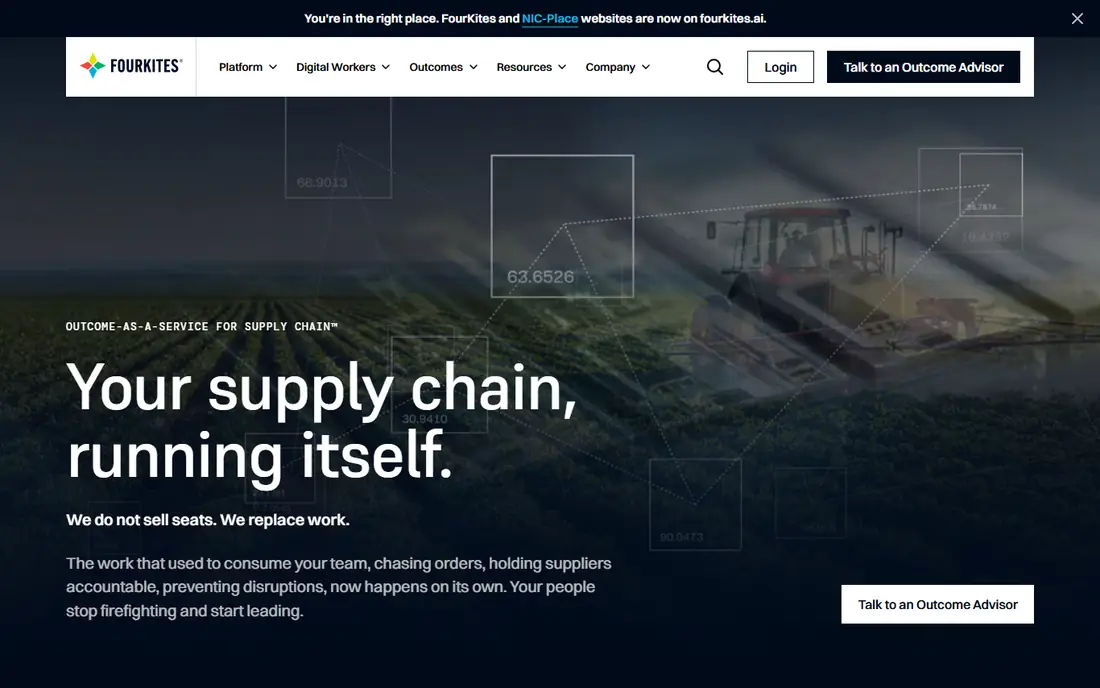
FourKites is aimed squarely at enterprises already using FourKites for supply chain visibility that want appointments tied to live ETAs. FourKites is primarily a supply chain visibility system, but its facility operations capability handles exactly this job: scheduling, rescheduling and confirming dock appointments based on live ETAs, resolving conflicts and keeping docks utilized.
Points against: Enterprise pricing with no public numbers.
Beyond that, since the product already tracks millions of loads across its carrier network, appointments can react to reality, a delayed truck can trigger a reschedule automatically rather than a phone call. The fit is narrow but capable: if your company already runs FourKites for visibility, adding appointment management keeps everything on one network with one set of ETAs. FourKites shows no starting price here, so confirm the cost on the vendor site. FourKites has no free tier.
- Massive carrier network already on the system
- Appointment scheduling connected to live shipment visibility and predictive ETAs
- The appointment product is one module inside a much bigger product
C3 Reservations
Best for: Enterprise distribution centers with complicated dock constraints and high appointment volumes

Pick C3 Reservations if this describes you: enterprise distribution centers with complicated dock constraints and high appointment volumes. Pricing is quote-based, deployment is guided, and the buyer profile is a high-throughput distribution center running dozens of dock doors and hundreds of appointments a day. Industries served bundle retail, grocery, manufacturing and parcel.
This is not software you trial on a Friday afternoon. Worth adding: if that describes your operation, C3's depth in constraint modeling is the reason to talk to them. Check the vendor site for C3 Reservations pricing; none is listed in this comparison. There is no free plan with C3 Reservations.
What to check first: Likely overkill and overpriced for a single small warehouse.
- Designed for complicated constraint modeling
- 24/7 carrier portal with live communication
- Enterprise sales process with no published prices
YardView
Best for: Operations where the yard itself is the problem: lost trailers, gate backups, spotter chaos

YardView works best for operations where the yard itself is the problem: lost trailers, gate backups, spotter chaos. YardView comes at the problem from the yard side. If your costly problem is not appointments but everything around them, trailers lost in the yard, gate congestion, spotters running blind, its digital yard map, gate check-in and live move tracking address that straight.
The tradeoff is focus. Choose YardView when the yard is the bottleneck; choose a scheduling-first tool when the phone calls about appointments are the bottleneck. YardView shows no starting price here, so confirm the cost on the vendor site. YardView has no permanent free option.
Honest limits: No published prices and a demo-led sales process.
Reasons to shortlist it: Gate check-in.
- Purpose-built yard management since 1998 with a drag-and-drop digital yard map
- Spotter tasking and trailer tracking in one system
- Pricing likely reflects the enterprise YMS positioning
DataDocks
Best for: Food manufacturers, 3PLs and mid-sized warehouses that want dock plus yard in one view
DataDocks is a good fit for food manufacturers, 3PLs and mid-sized warehouses that want dock plus yard in one view. The vendor is upfront that pricing is quote-based, which a minimum of sets expectations.
Pricing for DataDocks is not stated here, so ask the vendor for current figures. DataDocks has no free plan.
Limits to weigh: Pricing is quote-based (the vendor's own FAQ says to talk to them for a quote).
- TMS and ERP systems
- Merges dock scheduling with yard management and load tracking
- Smaller vendor, so check support coverage for your region
Opendock
Best for: Warehouses that want carriers booking dock appointments online with minimal setup
Where Opendock fits: warehouses that want carriers booking dock appointments online with minimal setup. The main limit is pricing opacity.
Beyond that, Opendock is the name that comes up most in dock scheduling conversations, and the concept is straightforward: warehouses publish their schedules online and carriers, brokers and dispatchers book appointments themselves. Treat Opendock as the ease-of-use benchmark: get the quote, run the 14-day trial with two or three real carriers, and compare the per-facility cost against the detention fees you premium last quarter. Opendock does not show a starting price in this comparison, so check the vendor site for current pricing. Free options: Free trial (14 days).
Limits to weigh: Restricted yard management depth next to YMS-first tools.
- Warehouse floor TV mode and two-way SMS for driver communication
- API available for integrations
- No published prices, so the per-facility cost only comes out on a sales call
GoRamp
Best for: Logistics teams that want dock scheduling and yard management as one orchestrated workflow
GoRamp works best for logistics teams that want dock scheduling and yard management as one orchestrated workflow. Drivers check in on mobile, the system tracks dock occupancy live, and integrations with ERP and TMS systems keep loads, docks and yard moves in sync.
Where it is weaker: The all-in-one positioning means less depth in any single module than specialists.
Customer quotes on the site credit it with cutting truck wait times and admin time substantially. GoRamp shows no starting price here, so confirm the cost on the vendor site. GoRamp has no free tier.
- ERP and TMS integrations to keep data in sync
- Driver self-check-in and mobile arrival confirmation
- No published pricing
Dock Scheduling Software: more detail
Every unscheduled truck that displays up at your gate costs money twice: once in detention fees and driver waiting time, and again in the overtime your receiving team burns catching up. They differ in how much of the yard they include, how they deal with exceptions like late trucks, and whether they fit a single warehouse or a hundred-site network.
Our selection method
LinkVetted used vendor pricing pages and product documentation as the base, then compared plans, free access and documented limits for 6 tools. Figures are shown as the vendors publish them. Billing terms, seat minimums and add-ons can change the real cost. The order reflects how well each tool fits the most common buying scenario for dock scheduling software, then price clarity, then free plan access. It is a starting point, not a verdict.
Things to verify first
- Ask each vendor, from FourKites to GoRamp, for a written quote; none of them publishes a starting price.
- Take the trial from Opendock and push a live task through it before you pay.
- Before choosing FourKites, weigh its main limit: enterprise pricing with no public numbers.
- Ask YardView about contract length, onboarding fees and user minimums before you sign.
- Ask whether Opendock integrates with your current software, and whether that comes standard or as an add-on.
FAQ
Can I try these options before paying?
Often, yes. Opendock offers a free trial. Use your own data and a real task during the test, and check what the free tier or trial limits before you rely on it.
Do these tools publish their prices?
No. None of the tools, from FourKites to GoRamp, shows a fixed starting price here, so budget time for quotes.
How are the tools for dock scheduling software ordered?
The order follows typical fit for dock scheduling software, with FourKites first and GoRamp last, then price clarity and free access. It is editorial judgement, not a score, so another team could rank the tools differently.
Does any tool for dock scheduling software here have a free plan?
No tool in this list, FourKites and GoRamp included, has a permanent free plan. Opendock offer a trial. Trials and quotes are the usual route, so plan a short evaluation period.