Best Digital Experience Platform in 2026: 9 Platforms Compared
We compared the best digital experience platform options for content, commerce and personalization, with pricing, strengths and honest limits for each.
- Editor's choice
 Adobe Experience Manager
Large enterprises in the Adobe ecosystem
Starts atSee websiteVisit adobe.comFull review - Great alternative
 Optimizely
Experimentation and personalization at scale
Starts atSee websiteVisit optimizely.comFull review - Also consider
 Sitecore
Large, multi-site content operations
Starts atSee websiteVisit sitecore.comFull review
TL;DR:
- A digital experience platform (DXP) bundles content management, personalization, search and analytics into one system, so you can run websites, apps and campaigns without stitching together many separate tools.
- Enterprise DXPs such as Adobe Experience Manager and Sitecore are priced by quote and need specialist help to set up, while Contentful and other composable options start much lower.
- If your team is small, start with the free or low-cost tier and prove the workflow first, since the biggest cost is usually implementation, not the license.
- Headless and hybrid platforms suit teams that publish to many channels, while all-in-one DXPs suit large marketing teams that want one vendor for content and commerce.
Quick comparison
| Tool | Best for | Starts at | Free plan? | |
|---|---|---|---|---|
| Adobe Experience Manager | Large enterprises in the Adobe ecosystem | See website | No | Visit |
| Optimizely | Experimentation and personalization at scale | See website | No | Visit |
| Sitecore | Large, multi-site content operations | See website | No | Visit |
 Acquia | Drupal-based digital experiences | See website | No | Visit |
 Contentful | Composable content for many channels | $300 per month | Yes | Visit |
 Bloomreach | Commerce personalization and search | See website | No | Visit |
 Liferay | Portals and intranets for large teams | See website | No | Visit |
 Xperience by Kentico | Mid-market teams on .NET | See website | No | Visit |
 Magnolia | Flexible hybrid headless publishing | See website | No | Visit |
The best digital experience platforms
A good DXP should make publishing faster, not add a new bottleneck. We compared official feature pages, pricing pages and public documentation for the platforms below, and we weighed content modeling, personalization, commerce support, governance and total effort to run each one.
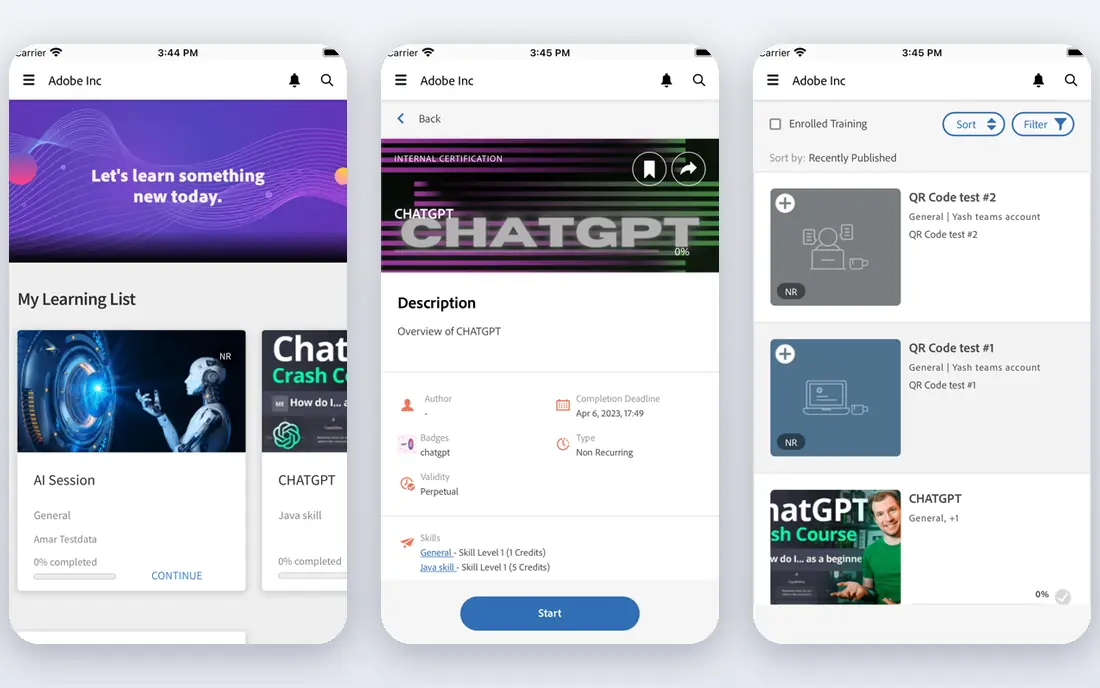
Adobe Experience Manager is the default choice for very large organizations that already use Adobe tools. Its content management, digital asset management and personalization features sit in one suite, which helps global teams keep branding and permissions consistent across many sites and languages. Teams that publish thousands of pages with strict approval steps will find the governance controls reassuring.
The catch is cost and complexity. Pricing is by quote, implementation often takes months, and you will likely need an agency or a dedicated internal team. Smaller companies will find it far more platform than they need. For a large enterprise with Adobe already in the stack, though, the fit is hard to beat.
- Deep content and asset management
- Strong personalization
- Tight links to Adobe Analytics and Creative Cloud
- Quote-only pricing
- Long implementation
- Needs specialist developers

Optimizely pairs a content platform with testing, personalization and commerce, which makes it a natural pick for teams that run frequent experiments. Marketers can change page content, test variants and tailor offers without waiting on developers for every small change. That speed matters when conversion work is a weekly habit rather than a quarterly project.
Pricing is by quote and aimed at mid-market and enterprise buyers, so small teams should expect a sales conversation before they see a number. Implementation is lighter than the heaviest enterprise DXPs, but it still rewards a clear content model and a named owner on your side.
- Built-in testing and experimentation
- Strong content and commerce tools
- Clear marketer controls
- Quote-only pricing
- Enterprise focus
- Some features need add-on modules
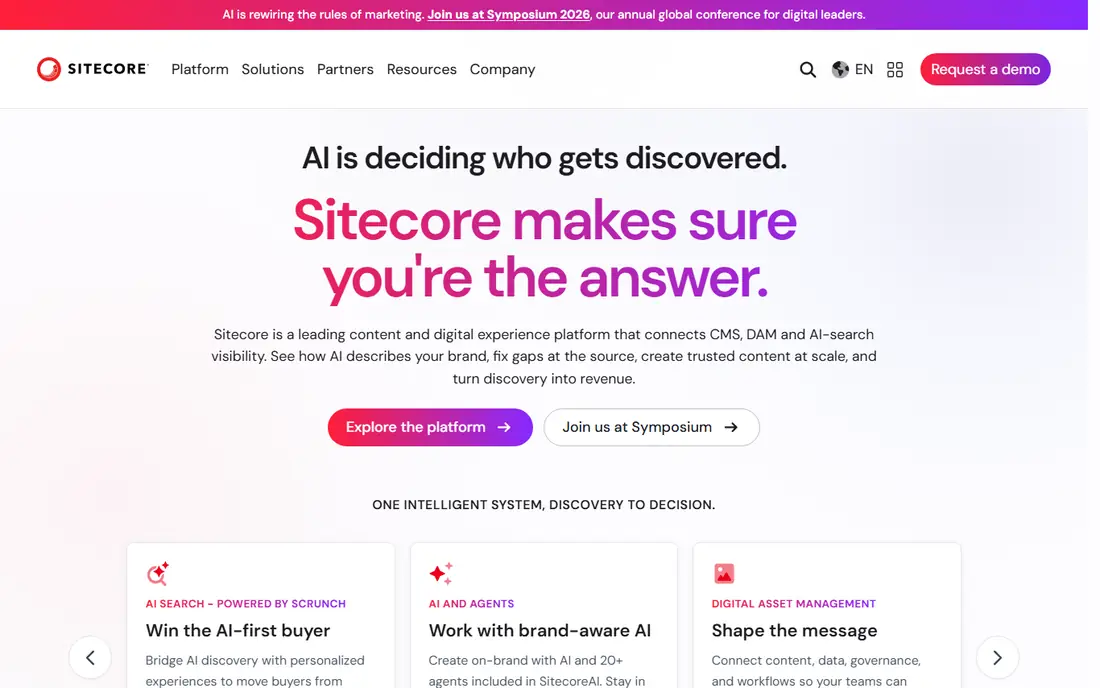
Sitecore has served large, complex websites for years, and its newer cloud products keep that focus on scale and governance. It handles many brands, regions and languages from one platform, with personalization rules that target content by visitor behavior. Organizations in regulated industries often value its permissions, workflows and audit controls.
The trade-off is the same as with other enterprise DXPs. Costs are quoted per project, setup takes time, and the platform rewards teams that already have .NET skills or a trusted partner. If you run a single small site, this is too much machine. If you run a portfolio of sites, it starts to make sense.
- Mature personalization and content tools
- Multi-site and multilingual support
- Large partner network
- Quote-only pricing
- Complex setup
- Specialist skills needed
Acquia is the managed cloud and DXP layer around Drupal, the open source content system. It gives Drupal teams hosting, security, site management and optional personalization and search tools without running their own infrastructure. Teams that already know Drupal can move faster here than on a platform that forces a new content model.
The limits follow from that strength. If your team does not know Drupal, the learning curve is real, and the personalization and search pieces are add-ons rather than part of the base price. Still, for organizations that want open source foundations with enterprise support, Acquia is a sensible middle path between a plain CMS and a fully proprietary DXP.
- Built on open source Drupal
- Managed cloud hosting
- Personalization and search add-ons
- Quote-only pricing
- Best for Drupal teams
- Add-ons raise the total price
Contentful is a headless content platform, which means content lives in a structured model and is delivered by API to websites, mobile apps, kiosks and other channels. Developers like the clean APIs and webhooks, and content teams like the ability to reuse one piece of content in many places. The free plan, with up to 10 users and set API limits, is genuinely useful for learning and small projects.
The pricing step from free to the $300 per month Lite plan is steep for a small team, and the next tier is a custom enterprise quote. Editors who want drag-and-drop page building may find the experience less visual than a traditional DXP. For teams with developer support and many channels to feed, Contentful is one of the most proven composable choices.
- API-first content model
- Free plan for small projects
- Large app marketplace
- Paid plan jumps to $300 per month
- Editors may miss visual page building
- Usage caps matter at scale
Bloomreach combines content management with product discovery, search and personalization built for online stores. Retail teams can tune search results, merchandising rules and recommendations from the same platform that holds their content, which shortens the loop between a campaign idea and a live storefront change. Its AI-driven search helps shoppers find products even when they use vague or misspelled queries.
Because pricing is by quote and the suite is aimed at mid-market and enterprise retailers, small stores should look at simpler search tools first. Non-retail sites may also find that much of the value sits in commerce features they will not use. For a retailer that lives on product discovery, Bloomreach is a strong contender.
- Strong product discovery and search
- Personalization for commerce
- Content plus commerce in one suite
- Quote-only pricing
- Commerce focus may not suit non-retail sites
- Enterprise sales process
Liferay is a digital experience platform with a long history in portals, intranets and customer self-service sites. It suits organizations that need logged-in experiences, document sharing, workflows and personalized dashboards, not just public marketing pages. The platform can be run in the cloud or self-hosted, which gives IT teams more control over deployment.
That breadth is also the drawback. Liferay can feel heavy for a simple marketing site, and setup benefits from Java and portal experience. For a large organization building an employee intranet or a customer portal alongside its public site, it offers more out of the box than a plain CMS.
- Portal, intranet and customer site tools
- Flexible content and workflow
- Self-hosted or cloud options
- Quote-only pricing
- Broad feature set can feel heavy
- Needs technical setup
Xperience by Kentico is a hybrid DXP that lets teams use it as a traditional CMS, as a headless content source, or as a mix of both. It bundles content management, digital marketing, email and commerce tools, which suits mid-market companies that want one vendor rather than five integrations. Teams working in .NET will feel at home, and the platform is less sprawling than the largest enterprise DXPs.
The ecosystem of agencies and add-ons is smaller than Adobe or Sitecore, so check that your needed integrations exist before committing. Pricing is typically quoted, though self-managed options have historically started at a lower level than full enterprise suites. For a .NET shop that wants a complete DXP without enterprise sprawl, Kentico is worth a demo.
- Content, commerce and marketing in one .NET platform
- Hybrid headless option
- Clear mid-market fit
- Pricing by quote for many buyers
- Smaller ecosystem than Adobe or Sitecore
- .NET skills help
Magnolia is a hybrid DXP that tries to give editors visual page building while still delivering content headlessly to apps and other channels. That combination appeals to teams whose marketers want to see a page as they build it, while developers want API access for other front ends. Content modeling is flexible, and the Java-based platform can be extended for custom workflows.
Magnolia is less widely known than Adobe, Sitecore or Contentful, so the talent pool and third-party add-on library are smaller. Pricing is by quote, and you should budget for developer time. If visual editing matters to your editors and headless delivery matters to your developers, Magnolia bridges that gap well.
- Visual editing with headless delivery
- Flexible content modeling
- Java-based and extensible
- Quote-only pricing
- Smaller community than the biggest DXPs
- Needs developer support
How we picked these
We compared official product pages, pricing pages and public documentation, and we looked for platforms that are actively sold and supported in 2026, cover content management plus at least one of personalization, search or commerce, and serve a distinct buyer, from small composable teams to global enterprises. We left out plain website builders and single-purpose tools that do not cover the full digital experience brief. Prices shown are starting prices or quote status from vendor material at the time of writing, and we used See website where a vendor does not publish a price.
What to check before you sign a DXP contract
Start with your content model, not the demo. List your sites, languages, brands and channels, and ask each vendor to show how one piece of content moves from draft to every channel with approvals. A demo that looks fast on one page can hide slow work when you have 50 pages and three approval stages.
Total cost, not just the license
Ask for implementation, migration, hosting, add-on and support costs in writing, and ask what happens to your bill when traffic or content volume grows. Many DXP quotes look close on license price and far apart once services are added. A pilot with real content, even on a small site, will reveal more than a slide deck.
Who will run it day to day
A DXP fails when no one owns it. Confirm who builds pages, who manages permissions, who handles integrations and how much developer time each release needs. If your team has no developers, favor platforms with strong visual editing and managed hosting. If you have developers, a composable platform may give you more control for less license cost.
FAQ
What is a digital experience platform?
A digital experience platform is software that combines content management, personalization, search, analytics and often commerce so one system can run websites, mobile apps and other digital channels. It differs from a simple CMS because it also manages how content is tailored and delivered to different audiences.
What is the best digital experience platform for a small business?
A small business will usually do better with a composable tool such as Contentful on its free or Lite plan, or with a simpler CMS, than with an enterprise DXP. Enterprise platforms bring governance and scale that small teams rarely need, and their implementation costs can exceed the license price.
How much does a digital experience platform cost?
Costs range from free for small headless projects to $300 per month for a paid composable plan, and from tens of thousands to hundreds of thousands of dollars per year for enterprise DXPs. Most enterprise vendors quote per project, based on traffic, sites, users and add-on modules, so ask for a full first-year total.
What are the best digital experience tools for personalization?
Optimizely, Sitecore, Bloomreach and Adobe Experience Manager all offer personalization, with Optimizely and Bloomreach standing out for testing and commerce recommendations. The right pick depends on whether you personalize marketing pages, product listings or logged-in portals.
Is a headless DXP better than a traditional DXP?
A headless approach suits teams that publish to websites, apps and other channels from one content model, while a traditional DXP suits teams that mainly run websites and want visual page editing in one place. Hybrid platforms such as Xperience by Kentico and Magnolia try to offer both, which can be a good compromise.
How long does it take to launch a DXP?
A small composable project can launch in weeks, while a large enterprise DXP rollout often takes several months and may take longer with migration and integrations. A pilot site with real content is the best way to get a realistic timeline for your team.