Best Digital Analytics Software in 2026: 8 Tools Compared
Compare the best digital analytics software for websites and products in 2026, with free tiers, privacy options and picks for marketing and product teams.
- Editor's choice
 Google Analytics 4
Free website and marketing analytics
Starts atFreeVisit marketingplatform.google.comFull review - Great alternative
 Mixpanel
Product funnels, cohorts and retention
Starts atFreeVisit mixpanel.comFull review - Also consider
 Amplitude
Large product teams and experimentation
Starts atSee websiteVisit amplitude.comFull review
TL;DR:
- The best digital analytics tool depends on the question: marketing attribution favors GA4, product behavior favors Mixpanel and Amplitude, privacy favors Plausible and Fathom.
- GA4 is free and powerful, but its learning curve and data retention limits push many teams to add a second tool.
- Privacy first tools cost money, but they simplify cookie consent and give clearer, less blocked traffic numbers.
- Decide your event plan before you buy, because messy tracking costs more in rework than any subscription.
Quick comparison
| Tool | Best for | Starts at | Free plan? | |
|---|---|---|---|---|
| Google Analytics 4 | Free website and marketing analytics | Free | Yes | Visit |
| Mixpanel | Product funnels, cohorts and retention | Free | Yes | Visit |
| Amplitude | Large product teams and experimentation | See website | Yes | Visit |
 Plausible Analytics | Privacy first website analytics | $9 per month | No | Visit |
 Fathom Analytics | Simple reports for content and business sites | $15 per month | No | Visit |
 Matomo | Teams that want data ownership | See website | Yes | Visit |
 PostHog | Startups that want analytics plus replay | Free | Yes | Visit |
 Heap | Teams that want automatic event capture | See website | Yes | Visit |
The best digital analytics software
Digital analytics covers website traffic, marketing attribution, product usage and user behavior, and no single tool does all of those jobs equally well. We compared official pricing pages, documentation and public reviews for tools actively sold in October 2026, and we favored tools with clear free tiers or published pricing where possible.
Google Analytics 4
Best for: Free website and marketing analytics

Google Analytics 4, or GA4, remains the default for website analytics because it is free, widely supported, and deeply linked to Google Ads and Search Console. It tracks traffic sources, engagement, conversions and audiences, and its event based model lets teams define the actions that matter, from signups to purchases. For most small and mid sized sites, GA4 covers marketing questions without a subscription.
The honest drawbacks are complexity and retention. GA4 reports can confuse new users, custom event setup often needs developer help, and free properties limit data retention to 2 or 14 months depending on settings. Large enterprises may need Analytics 360, which is sold through Google sales at a high annual price. Start with GA4, and add a second tool only when you have a question GA4 answers poorly.
- Free for most businesses
- Deep Google Ads integration
- Flexible event based model
- Steep learning curve
- Limited data retention on free properties
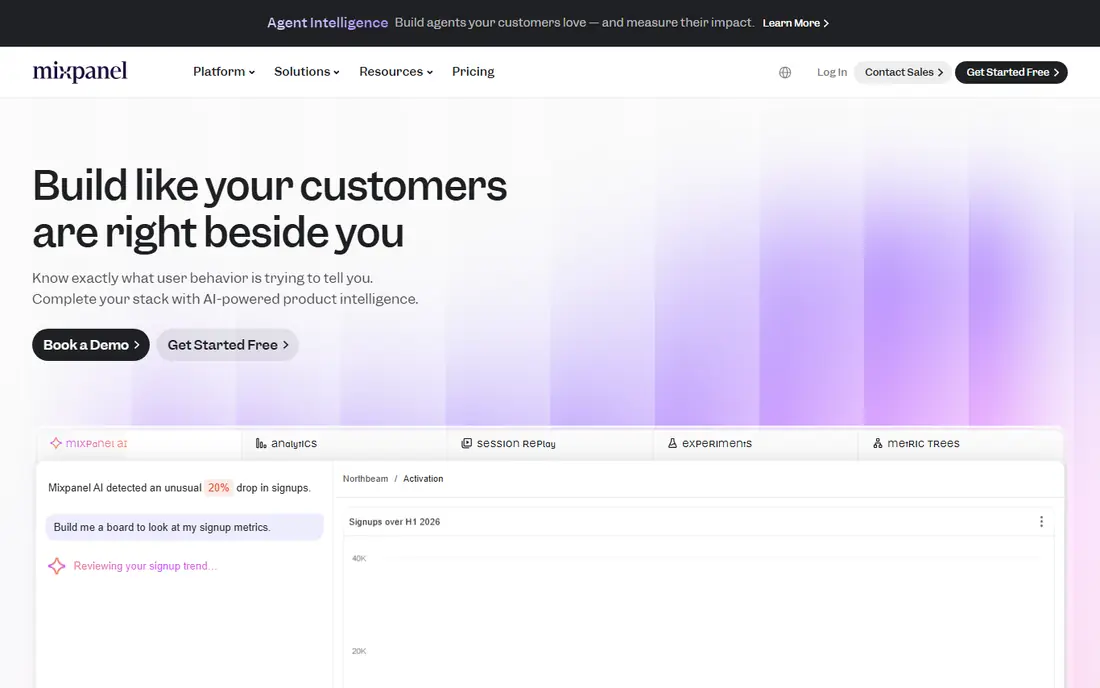
Mixpanel is built for product teams that want to know what users do inside an app or website, not just how they arrived. Funnels show where users drop off, cohorts compare groups over time, and retention reports show whether people come back. The free tier covers a useful volume for startups, and paid plans scale with monthly tracked users.
The catch is discipline. Mixpanel rewards a clear event and property plan, and teams that track everything without naming conventions end up with messy reports. Pricing also rises with users, so model growth before you commit. If product behavior is your main question, Mixpanel is a top pick.
- Strong funnel and retention reports
- User level analysis
- Generous free tier
- Costs scale with tracked users
- Needs a clear event plan

Amplitude serves product and growth teams that need deeper analysis than basic funnels, including behavioral cohorts, path analysis and experimentation. It also offers guides and surveys in some plans, which help teams act on data without a separate tool. Governance features help larger companies keep event data consistent across teams.
Amplitude is not a casual purchase. Paid pricing is custom for larger use, and getting full value takes a data owner, an event taxonomy and regular review. Smaller teams may find Mixpanel or PostHog simpler and cheaper. For a scaling product organization, Amplitude is a strong enterprise choice.
- Deep behavioral analysis
- Experimentation and guides
- Strong governance tools
- Enterprise pricing is custom
- Setup takes product and data time
Plausible is a lightweight, privacy focused alternative to GA4 for website owners who want clear traffic reports without cookie banners in most cases. It tracks pageviews, sources, devices and goals with a simple dashboard, and it does not use cookies or collect personal data by default. Starting at $9 per month, it is affordable for small sites and blogs.
The limit is scope. Plausible does not do user level product analytics, session replay or deep funnel work, so product teams will still need another tool. If your main need is honest website traffic without privacy complexity, Plausible is an excellent pick.
- Lightweight script
- No cookies by default
- Simple, clear reports
- No product level user analysis
- Pageview based pricing
Fathom offers a clean, privacy focused dashboard for site owners who find GA4 overwhelming. It shows traffic, sources, pages, goals and events without the maze of GA4 menus, and it is designed to avoid personal data collection. Pricing starts at $15 per month for up to 100,000 pageviews in the commonly listed tier, with higher tiers for larger sites.
Fathom is not a product analytics tool, and it will not replace Mixpanel for funnel or retention work. It is best for marketing sites, blogs, agencies and small businesses that want a number they can trust and a report they can read in a minute. If simplicity is the priority, Fathom is hard to beat.
- Very simple dashboard
- Privacy focused by design
- Fast loading script
- Limited advanced analysis
- Pricing rises with pageviews
Matomo gives teams a choice that most analytics tools do not: host it yourself for free, or pay for Matomo Cloud. The self hosted version offers web analytics, goals, funnels in higher plans, heatmaps as an add on, and full control over where data lives. That ownership appeals to EU focused companies, government sites and privacy conscious firms.
Self hosting is not free in practice, because your team owns servers, updates and backups. Matomo Cloud removes that work but charges by traffic, so compare cloud pricing for your pageviews. If data ownership is a hard requirement, Matomo is the most flexible option here.
- Self hosted free option
- Full data ownership
- Strong privacy controls
- Self hosting needs IT time
- Cloud pricing varies by traffic
PostHog bundles product analytics, session replay, heatmaps, feature flags and surveys, which makes it popular with startups that want one tool instead of four. The free tier covers a generous event volume, and the open source version lets teams self host. For a product team on a budget, that combination is compelling.
The trade off is complexity and usage costs. Turning on everything at once can create noisy data and higher bills, especially for session replay at scale. Start with analytics and one extra feature, set usage limits, and expand only when a team owns each feature. PostHog is a strong all in one pick when used with discipline.
- Product analytics, replay and feature flags in one tool
- Generous free tier
- Open source option
- Breadth can feel complex
- Costs scale with events and replay volume
Heap automatically captures clicks, taps, form submissions and pageviews, so teams can define events after the fact instead of waiting for a developer to add tracking code. That retroactive analysis helps product and marketing teams answer questions they did not think to track in advance. A free tier lets small teams test the approach.
Automatic capture is also the risk. Without naming rules and regular cleanup, Heap data can become noisy, and paid pricing for larger volumes is custom. If your team struggles to get tracking implemented, Heap removes a real bottleneck. If you already have clean tracking, Mixpanel or Amplitude may give clearer reports.
- Captures clicks and pageviews automatically
- Retroactive analysis
- Good for teams without tracking help
- Paid pricing is custom for larger use
- Data can get noisy without cleanup
How we picked these
We compared official pricing pages, documentation and public reviews for digital analytics tools sold in October 2026. We favored tools with a clear free tier or published starting price, active development, and a distinct job: marketing analytics, product analytics, or privacy first web analytics. Tools that were discontinued, merged away, or lacked a current product page were excluded. Prices are starting prices where published, and See website marks custom or traffic based pricing that needs a quote.
How to choose in one afternoon
Write down the five questions you need answered every week, such as which channel drives signups, where checkout drops off, or whether new users return after seven days. Match each question to a tool type, not a brand. Marketing questions point to GA4 or a privacy tool, product questions point to Mixpanel, Amplitude or PostHog, and data ownership questions point to Matomo.
Then check three practical limits: cookie consent rules for your audience, data retention needs, and who will own tracking. If you sell to EU visitors, a privacy tool may save consent work. If you need data older than 14 months, check retention before you build reports on it. If no one owns tracking, choose the simplest tool your team will actually maintain.
FAQ
What is the best digital analytics tool?
GA4 is the best free starting point for websites, Mixpanel is our pick for product funnels, and Plausible or Fathom are the picks for privacy first site analytics. Many teams use two tools for different questions.
What is the best website analytics tool for small businesses?
GA4 if you want free depth and Google Ads links, or Plausible or Fathom if you want simple, privacy focused reports. Both privacy tools cost money, but they save time on setup and consent handling.
Is Google Analytics free?
Yes, GA4 is free for most businesses, with Analytics 360 as a paid enterprise tier sold through Google. Free properties have data retention limits and no service level agreement, which is the main reason larger firms upgrade.
Do privacy analytics tools need a cookie banner?
In many cases, no banner is needed for default cookieless tracking, but rules vary by region and by how you configure the tool. Check your local privacy rules and the vendor documentation for your setup.
How is product analytics different from web analytics?
Web analytics focuses on traffic, sources and pages. Product analytics focuses on what users do inside a product, such as funnels, retention and feature use. That is why teams often run GA4 plus Mixpanel or PostHog.
How much does digital analytics software cost?
From free for GA4, Mixpanel and PostHog free tiers, to $9 per month for Plausible and $15 per month for Fathom, up to custom enterprise pricing for Amplitude, Heap and Analytics 360. Model your traffic or user volume before comparing.