5 Best Desktop Finance Software for 2026, Vetted and Compared
Weighing the best desktop finance software? We lined up 5 products by cost, free access and fit. Price notes and drawbacks come with each one. Quick to scan.
- Editor's choice
 Xero
Cloud accounting for small firms and accountants
Starts at$7 a monthVisit xero.comFull review - Great alternativeWave Accounting
Straightforward invoicing and payments for small companies
Starts at$19 a monthVisit waveapps.comFull review - Also consider
 Zoho Books
Cloud accounting with tax and reconciliation tools
Starts atSee websiteVisit zoho.comFull review
Direct answer
Xero leads the list, best for cloud accounting for small companies and accountants. Listed starting prices: Xero from $7 a month, Wave Accounting from $19 a month and FreshBooks from $23.00 a month. Alternatives: Wave Accounting for straightforward invoicing and payments for small firms, and Zoho Books for cloud accounting with tax and reconciliation tools. The full list of 5 tools follows, with prices and free plan facts.
TL;DR:
- Xero sits first on this list: cloud accounting for small companies and accountants.
- Starting prices begin at $7 per month with Xero.
- QuickBooks Desktop Pro suits full-featured desktop accounting for small firms.
- Wave Accounting is the only tool of the 5 with a free plan.
Last checked November 2026. Prices and plan details were read from the vendors' own pages in November 2026; vendors change plans often, so confirm the current price on the vendor site before you buy.
Quick comparison
| Tool | Best for | Starts at | Free plan? | |
|---|---|---|---|---|
| Xero | Cloud accounting for small firms and accountants | $7 a month | Free trial | Visit |
| Wave Accounting | Straightforward invoicing and payments for small companies | $19 a month | Yes | Visit |
| Zoho Books | Cloud accounting with tax and reconciliation tools | See website | Not stated | Visit |
 FreshBooks | Invoicing and time tracking for service firms | $23.00 a month | Free trial | Visit |
| QuickBooks Desktop Pro | Full-featured desktop accounting for small firms | See website | Free trial | Visit |
Desktop Finance Software, one by one
This LinkVetted guide covers 5 options for desktop finance software. Each profile lists a starting price, free plan details, strengths and drawbacks, so you can drop poor fits quickly.
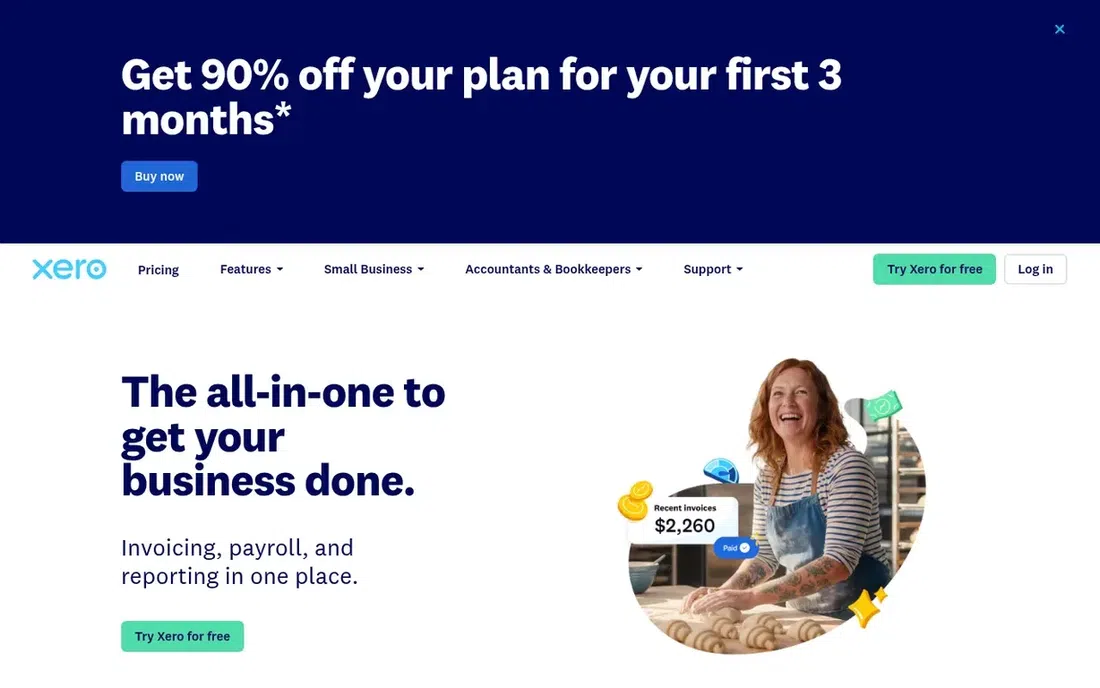
Xero targets cloud accounting for small firms and accountants. Xero is cloud-based accounting software for small companies that links you to your bank, accountant, bookkeeper, and other business apps.
It fits companies that want live collaboration and the adaptability of accessing financial data online. Price to start with Xero: $7 per month. Free access: Free trial.
The main drawbacks: Needs internet connection.
- Plugs into plenty of business apps
- Connects to bank and accountant
- May be less suited for purely desktop workflows
Wave Accounting
Best for: Straightforward invoicing and payments for small companies
Choose Wave Accounting for straightforward invoicing and payments for small firms. Wave Accounting supplies a suite of money management tools that make it simple to build invoices, accept online payments, and deal with basic accounting in one place.
Also, companies with those needs might consider QuickBooks Desktop Pro or Xero. From a buyer's view, Wave may not offer the depth required for complicated inventory, payroll, or multi-company management. Price to start with Wave Accounting: $19 per month. Free access exists with Wave Accounting.
Watch-outs: Restricted advanced accounting features.
- Merges money management tools
- Accepts online payments
- Cloud-based only
Zoho Books makes the most sense for cloud accounting with tax and reconciliation tools. As a cloud product, Zoho Books needs internet access and may not satisfy users who want a desktop installation.
The main drawbacks: May require extras for advanced features.
From a buyer's view, Zoho Books is cloud-based accounting software that eases invoicing, expenses, tax management, bank reconciliation, and financial reporting for small firms. For desktop needs, QuickBooks Desktop Pro remains a solid alternative. Zoho Books shows no starting price here, so confirm the cost on the vendor site. Free options: Not stated.
- Manages tax management and bank reconciliation
- Eases invoicing and expenses
- Cloud-based only
FreshBooks is built with invoicing and time tracking for service firms in mind. Firms with complicated inventory needs might need a different option.
Where it is weaker: Cloud-based only.
FreshBooks is cloud-based accounting software geared toward small firms, particularly service providers. What you pay to start with FreshBooks: $23.00 per month. Free plan details: Free trial.
- Accepts credit card payments
- Built-in time tracking
- Restricted inventory features
QuickBooks Desktop Pro
Best for: Full-featured desktop accounting for small firms
QuickBooks Desktop Pro makes the most sense for full-featured desktop accounting for small companies. QuickBooks Desktop Pro is a desktop accounting platform aimed at small firms that require solid bookkeeping, payroll, inventory tracking, and multiple company management. It also gives you cloud hosting and industry editions, making it right for firms that prefer an installed option with room to grow.
From a buyer's view, the software needs local installation and may need extra services for remote access. Companies seeking a fully cloud-based experience with automatic updates might consider Xero or FreshBooks instead. Check the vendor site for QuickBooks Desktop Pro pricing; none is listed in this comparison. Trial and free access: Free trial.
Where it falls short: May need extras for cloud access.
- Industry-specific editions available
- Supports several company management
- Desktop installation required
How we chose
For each of the 5 tools we noted price, free plan or trial, fit for desktop finance software and the main limit, using vendor pages and documentation. Plan names, prices and limits change often. Treat the figures here as a starting point and verify them with the vendor. The sequence is a judgement call: typical use case first, then pricing transparency, then free access. Use the profiles to check fit.
What to check before you buy
- Get a written quote from Zoho Books and QuickBooks Desktop Pro; the list shows no starting price for them.
- Look at the free plan from Wave Accounting closely: its caps decide whether it is usable for real work.
- Use real work to test the free trial from Xero, FreshBooks and QuickBooks Desktop Pro, rather than a demo project.
- Read the limits listed for Xero first: needs internet connection.
- Pick one real project and run it in Zoho Books first; a small pilot shows fit faster than a checklist.
- Ask Wave Accounting about contract length, onboarding fees and user minimums before you sign.
FAQ
Do these tools publish their prices?
Not all of them. Zoho Books and QuickBooks Desktop Pro publish no starting price, so expect a quote request for those. The rest, Xero included, show a starting price, though seats and billing terms still change the final cost.
Is Xero the right pick for everyone comparing desktop finance software?
No single tool suits every team. Xero comes first because it fits cloud accounting for small businesses and accountants, while Wave Accounting suits simple invoicing and payments for small businesses and Zoho Books suits cloud accounting with tax and reconciliation tools. Match the tool to your own size, budget and workflow before deciding.
What is the cheapest option for desktop finance software in this list?
On published monthly entry prices, Xero is the lowest here at $7 per month. Entry price is only part of the cost, because seats, add-ons and billing terms can change the total. All 5 picks in this desktop finance software comparison list a starting price, free plan details and the main limits on their cards above.
Which options for desktop finance software have a free plan?
Wave Accounting is the only tool in this list with a free plan. Free plans usually cap users, projects or features, so check the limits on the vendor page. Several others offer a trial instead. For the full picture, the cards above cover all 5 entries of this desktop finance software list, including price, free plan and limits.
Can I use Excel for small business accounting?
Excel can be adapted for entry-level bookkeeping and financial tracking, but it lacks automatic features like bank reconciliation and invoicing. For more solid accounting, dedicated software for example QuickBooks Desktop Pro or Zoho Books is recommended.
Sources
- https://www.xero.com
- https://www.waveapps.com
- https://www.zoho.com/books
- https://www.freshbooks.com
- https://quickbooks.intuit.com/desktop