Best Demo Automation Software in 2026: 9 Tools Compared
Compare the best demo automation software in 2026 for interactive product demos, from HTML capture and sandboxes to video-led buyer enablement for SaaS teams.
- Editor's choice
 Storylane
Cross-functional B2B SaaS demos
Starts at$40 per user per monthVisit storylane.ioFull review - Great alternative
 Navattic
Enterprise HTML cloning
Starts atSee websiteVisit navattic.comFull review - Also consider
 Arcade
Polished visual storytelling
Starts atFreeVisit arcade.softwareFull review
TL;DR:
- Demo automation software lets prospects try a guided, clickable version of your product without a live call, which helps buyers who research before talking to sales.
- Storylane is our pick for most B2B SaaS teams, because it combines HTML, screenshot, and video demos at transparent pricing.
- Navattic leads for enterprise HTML cloning, Arcade leads for polished visual storytelling, and Supademo leads on budget and speed.
- Sandbox tools such as Reprise and Demostack suit complex products that need a live, data-driven environment, but they cost far more and need more setup.
- Pick by demo type first. HTML capture, screenshot tours, video demos, and sandboxes solve different problems, and the wrong type will frustrate buyers.
Quick comparison
| Tool | Best for | Starts at | Free plan? | |
|---|---|---|---|---|
| Storylane | Cross-functional B2B SaaS demos | $40 per user per month | Yes | Visit |
| Navattic | Enterprise HTML cloning | See website | Yes | Visit |
| Arcade | Polished visual storytelling | Free | Yes | Visit |
 Supademo | Budget-friendly quick demos | $38 per creator per month | Yes | Visit |
 Walnut | Enterprise sales personalization | See website | No | Visit |
 Reprise | Sandbox demo environments | See website | No | Visit |
 Consensus | Video-led buyer enablement | See website | No | Visit |
 Demostack | Full product cloning | See website | No | Visit |
 Guideflow | Guided tours for onboarding | See website | Yes | Visit |
The best demo automation software
Demo automation software creates interactive, self-guided product demos that prospects can explore on your website, in sales emails, or in onboarding flows. We compared official pricing pages, feature pages, and public reviews to build this list.
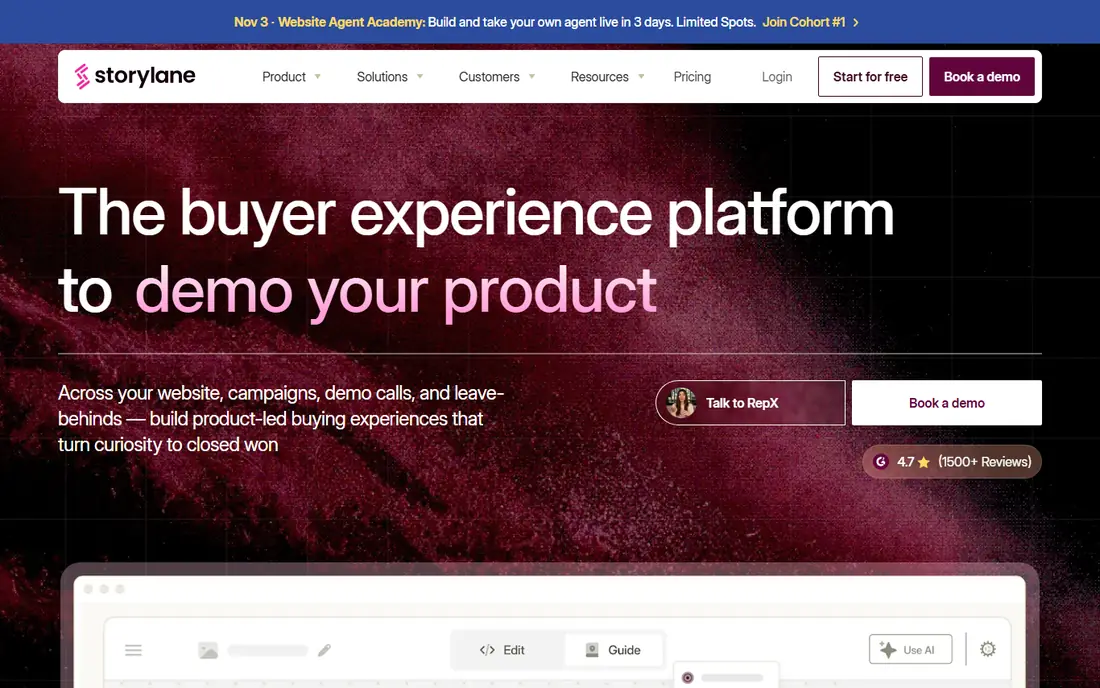
Storylane is our pick for most B2B SaaS teams because it covers several demo formats without forcing a single approach. Teams can capture HTML demos, build screenshot tours, add video, and organize demos into hubs for different audiences, all from one editor. Pricing is transparent, with Starter at $40 per seat per month billed annually, which makes budgeting easier than quote-only rivals.
The limits are tier-based. The full HTML editor starts on Growth, and sandbox demos sit on Enterprise, so check which format you need before choosing a plan. For sales and marketing teams that want one tool for website demos, sales follow-ups, and onboarding, Storylane offers the best balance.
- HTML, screenshot, and video demos in one editor
- Transparent pricing
- Strong analytics and hubs
- HTML editor starts on higher tiers
- Sandbox demos need Enterprise
- AI features vary by plan
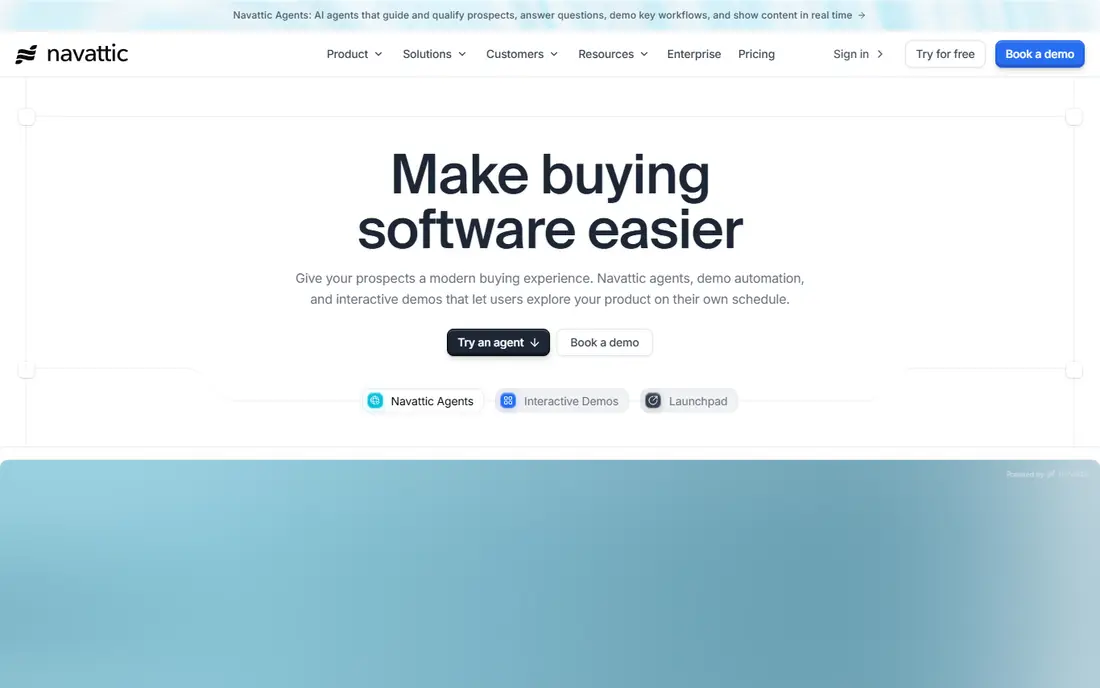
Navattic is the enterprise standard for HTML demos. It clones your actual product interface into a clickable demo that looks and feels real, with deep customization for branding, data, and flows. Marketing teams can embed demos on product pages, while sales teams can share personalized versions through its launchpad.
Pricing is less transparent than Storylane, and advanced features such as sandbox, SSO, and translation start on higher tiers. Navattic is also heavier to set up than a screenshot tool. For enterprise teams that need full HTML fidelity, that depth is worth it.
- Strongest enterprise HTML cloning
- Deep customization
- Sales launchpad and analytics
- Paid pricing is not published clearly
- Sandbox and SSO features start on higher tiers
- Heavier than screenshot tools

Arcade is the design-led choice for marketing and product-led growth teams. Demos look polished with little effort, AI-assisted production speeds up creation, and exports to video and GIF make the same demo useful in social posts, emails, and docs. The free plan lets small teams start quickly.
HTML capture starts on Growth plans, and native Salesforce, SSO, and role controls are Enterprise features, so larger buyers should check tiers. For teams that need beautiful demos fast, especially for launches and marketing, Arcade is hard to beat.
- Fast, polished demo creation
- AI-assisted production
- Good video and GIF exports
- HTML capture starts on Growth tiers
- Enterprise features such as SSO sit higher
- Less sandbox depth
Supademo is the budget and speed pick for cross-functional teams. The free tier covers several demos, and Scale starts at $38 per creator per month billed annually, covering screenshot demos plus video and other formats. Sales, onboarding, support, and marketing teams can all build demos without an enterprise contract.
HTML demos start on Business, and sandbox demos need Growth, so check format needs against tiers. Supademo will not match Reprise on sandbox depth or Navattic on enterprise HTML cloning. For teams that want quick, affordable demos across many use cases, Supademo is excellent value.
- Low entry price
- Generous free tier
- Screenshot, HTML, video, and Figma demo options
- HTML demos start on Business tier
- Sandbox demos need Growth
- Less enterprise depth than Navattic
Walnut is built for sales-led teams that personalize demos for each prospect. Reps can tailor flows, data, and branding to a specific buyer, build playlists for buying committees, and track engagement in Salesforce-centered workflows. Sandbox demos add a live environment option for complex products.
Pricing is enterprise-level and quoted, with no free plan, so Walnut suits companies with a clear sales-led motion and budget to match. Smaller teams will get similar screenshot and HTML demos cheaper elsewhere. For enterprise sales personalization, Walnut remains a strong, focused platform.
- Personalized demos for each prospect
- Sandbox options
- Salesforce-centered sales workflows
- Enterprise pricing
- No free plan
- Sandbox features sit in higher tiers
Reprise is the sandbox specialist for complex enterprise products. It clones the product at code level, so prospects can explore a realistic environment with injected data, rather than a guided screenshot tour. That realism matters when buyers need to test workflows, permissions, or integrations before committing.
Setup is heavier than capture tools, and pricing is quoted at enterprise levels. Teams that only need a guided tour should not pay for Reprise. For presales teams selling complex software where a fake tour would be spotted instantly, Reprise offers depth few rivals match.
- Code-level product cloning
- Realistic sandbox environments
- Data injection for live demos
- Quoted enterprise pricing
- Heavier setup than capture tools
- Overkill for simple tours
Consensus focuses on video-led demo automation for buying groups. Sales teams create video demos that multiple stakeholders can watch, share, and comment on, while analytics show who engaged and what they watched. That group view helps sellers understand committee interest, not just a single champion's clicks.
Consensus is quoted and video-first, so teams that want fully interactive HTML demos should compare it with Navattic or Storylane first. For enterprise sales teams that run video demo programs and need buyer intent data, Consensus is a distinctive and useful platform.
- Video demos for buying groups
- Buyer intent analytics
- Live demo and tour options
- Pricing by quote
- Video-first model differs from interactive HTML
- No free plan
Demostack, like Reprise, clones the full product for demo use, giving presales teams a live environment they can customize for each prospect. That approach suits complex enterprise software where screenshots cannot convey integrations, data, or workflows convincingly. Customization for different buyers and use cases is a core strength.
Pricing is quoted at enterprise levels, and implementation needs presales and engineering time. Marketing teams that need a quick website tour should choose a lighter tool. For enterprise presales teams, Demostack is a serious sandbox option.
- Full product cloning for demos
- Strong presales customization
- Supports complex enterprise products
- Quoted enterprise pricing
- Implementation effort
- Overkill for simple marketing demos
Guideflow is a good fit for product and onboarding teams building guided tours. It supports screenshot, mobile, and HTML demos, with a free plan to start, and tours can guide new users through setup, features, and workflows without a live walkthrough. That onboarding focus sets it apart from sales-first tools.
HTML capture starts on higher tiers, and sandbox demos sit on Advanced, so check pricing for your format. Guideflow is smaller than Storylane or Navattic, but for onboarding-led teams it offers a focused, affordable path.
- Screenshot, mobile, and HTML demos
- Good for onboarding and product tours
- Free plan to start
- HTML capture starts on higher priced tiers
- Sandbox only on Advanced
- Smaller vendor than Storylane
How we picked these
We compared official pricing pages, feature pages, and public reviews, and we checked that each product is sold and supported in October 2026. We favored tools that truly automate demos, meaning capture, editing, sharing, and analytics for self-guided product experiences, and we included HTML, screenshot, video, and sandbox types. Where pricing was not published, we wrote See website rather than guessing.
What to check before you buy demo automation software
Start with the buyer journey, not the tool. Decide where demos will live, whether on your website, in sales emails, or in onboarding, and what action you want after the demo, such as a booked meeting, a trial signup, or a completed setup step. That journey decides which demo type and analytics you need.
Test capture on your real product
Run a capture on your actual product, not a vendor sample, and check how faithfully it reproduces complex screens, modals, and data. Test editing, branching, personalization, and mobile viewing, and ask how demos update when your product changes. A demo that breaks every release will cost more in maintenance than it saves in sales time.
Check analytics and CRM fit
Confirm what engagement data you get, including who watched, which steps they completed, and where they dropped off, and how that data flows into your CRM or marketing automation. Demo analytics only help if sales can act on them, so test the Salesforce or HubSpot connection in a trial.
FAQ
What is demo automation software?
Demo automation software creates interactive, self-guided product demos that prospects can explore without a live sales call. It includes capture tools, editors, sharing options, and analytics, and it covers HTML, screenshot, video, and sandbox demo types.
What is the best demo automation tool?
Storylane is our pick for most B2B SaaS teams, because it combines HTML, screenshot, and video demos at transparent pricing. Navattic leads for enterprise HTML cloning, Arcade leads for visual storytelling, and Supademo leads on budget.
How much does demo automation software cost?
Prices range from free tiers and $38 to $40 per user per month for mid-tier tools to quoted enterprise pricing for sandbox platforms such as Reprise and Demostack. Check which demo formats sit in each tier, since HTML and sandbox features often cost more.
What is the difference between HTML demos and screenshot demos?
HTML demos clone your live product interface into a clickable experience, while screenshot demos use captured images linked into a guided tour. HTML demos feel more real and support deeper interaction, while screenshot demos are faster to build and easier to maintain.
Do I need a sandbox demo tool?
Sandbox tools suit complex products where buyers need to test workflows, data, or integrations in a live environment. Most SaaS products do fine with HTML or screenshot demos, which are cheaper and faster to maintain. Choose a sandbox only if guided tours fail to convince your buyers.
Can demo automation software replace live demos?
It complements live demos rather than replacing them. Self-guided demos qualify buyers and answer early questions, while live demos handle complex needs, objections, and closing. Teams that use both usually convert better than teams that rely on only one.