Best DDoS Tools in 2026: 8 Protection Services Compared
Compare the best DDoS tools for protection in 2026, with Cloudflare, Akamai, AWS Shield, Imperva and more for defence and authorised testing only today.

- Editor's choice
 Cloudflare DDoS Protection
Most websites and APIs
Starts atFreeVisit cloudflare.comFull review - Great alternative
 Akamai Prolexic
Large enterprise mitigation
Starts atSee websiteVisit akamai.comFull review - Also consider
 AWS Shield Advanced
AWS-hosted applications
Starts at$3,000 per monthVisit aws.amazon.comFull review
TL;DR:
- This guide lists only legitimate DDoS protection and mitigation services and authorised stress-testing tools. It does not list tools designed to launch attacks against others.
- Unauthorised DDoS attacks are illegal, and the tools below are for defence and authorised testing only, on systems you own or have written permission to test.
- Cloudflare is the best starting point for most websites, with a free tier and a $20 per month Pro plan, while AWS Shield Advanced and Azure protection suit teams already on those clouds.
- Akamai Prolexic and Imperva suit large enterprises that need managed response, while Fastly and Google Cloud Armor suit developer and cloud-native teams.
- For authorised load testing, use your provider's own testing tools or a contracted test firm, with written scope, dates and limits agreed in advance.
Quick comparison
| Tool | Best for | Starts at | Free plan? | |
|---|---|---|---|---|
| Cloudflare DDoS Protection | Most websites and APIs | Free | Yes | Visit |
| Akamai Prolexic | Large enterprise mitigation | See website | Free trial | Visit |
| AWS Shield Advanced | AWS-hosted applications | $3,000 per month | No | Visit |
 Azure DDoS Protection | Azure-hosted applications | See website | No | Visit |
 Imperva DDoS Protection | Web apps and APIs with WAF | See website | Free trial | Visit |
 Fastly DDoS Mitigation | Edge performance and media | See website | Free trial | Visit |
 Google Cloud Armor | Google Cloud applications | See website | No | Visit |
 Radware Cloud DDoS Protection | Hybrid and data centre defence | See website | Free trial | Visit |
The best DDoS protection tools
DDoS protection is about absorbing or filtering flood traffic before it takes a website, API or game server offline. The services below do that job at network scale, with detection, filtering and, on enterprise plans, human response teams. They are defence tools, and any testing of them must be authorised in writing for systems you control.

Cloudflare is our pick for most teams because it offers real protection at zero cost for a basic website, and a Pro plan from $20 per month for stronger features. Its anycast network absorbs volumetric attacks across many locations, and its dashboard lets a site owner turn on protection, set firewall rules and view attack traffic without specialist help. For a small business, blog, SaaS site or API, that combination is hard to beat.
The catch is tier depth. Basic volumetric protection is included widely, while advanced application-layer rules, dedicated support and custom contracts sit on Business and Enterprise plans. Teams with high-value APIs or regulated data should check those higher tiers, but most small sites will find Free or Pro enough to start.
- Free tier includes basic protection
- Huge network capacity
- Fast setup for websites
- Advanced Layer 7 and enterprise features need higher plans
- Support depth varies by tier
Akamai Prolexic suits large enterprises, gaming platforms and financial services that need guaranteed human response during a live attack. Its scrubbing centres handle very large attacks, and its security operations team can tune defences in real time while an incident runs. That human layer matters when an attack adapts hour by hour and automation alone is not enough.
The trade-off is cost and setup. Prolexic is an enterprise contract, often well into six figures per year, and onboarding takes planning around routing, DNS and failover. Small teams should start with Cloudflare, while large teams with high attack risk will value Prolexic's managed model.
- Very large scrubbing capacity
- Managed security operations centre
- Strong for gaming and finance
- Enterprise pricing
- Onboarding is a project, not a quick signup
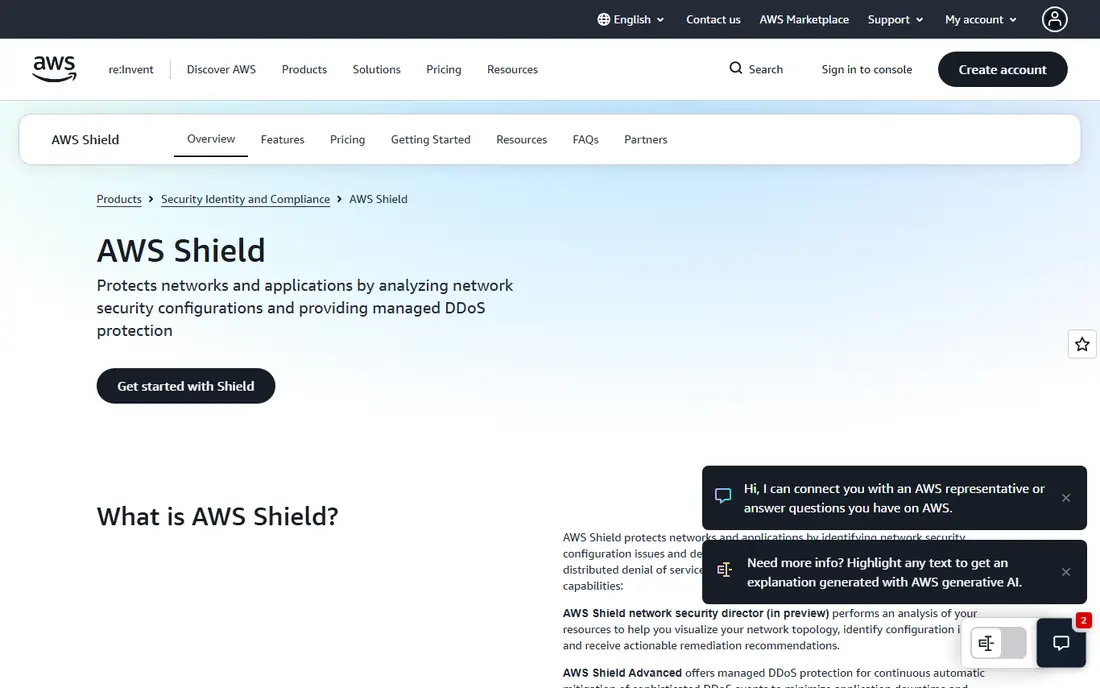
AWS Shield Advanced is the natural pick for teams already running on AWS. Shield Standard, included at no extra cost, covers common network and transport layer attacks, while Advanced adds larger protection, cost protection against scaling during an attack, and access to a response team. Its flat $3,000 per month price makes budgeting predictable for larger AWS accounts.
The limit is scope. Shield Advanced protects AWS resources, not sites hosted elsewhere, and $3,000 per month is too much for a small AWS account. Small AWS teams should rely on Shield Standard plus Cloudflare in front, and move to Advanced when AWS spend and attack risk justify it.
- Flat monthly price for AWS workloads
- Integrated with AWS services
- Managed response team
- Only helps AWS-hosted resources
- Price is high for small AWS accounts
Azure DDoS Protection suits teams standardised on Microsoft Azure. Its Network Protection tier covers virtual networks with always-on monitoring, attack analytics and mitigation, and it integrates with Azure Firewall and Application Gateway for a fuller defence. For an Azure-first team, that native fit shortens setup and keeps logs in one place.
Pricing for Network Protection is around $2,944 per month in published comparisons, while a lighter IP Protection option costs far less per IP for small workloads. Check which tier fits your virtual network count, and add a web application firewall for application-layer attacks, since DDoS protection alone does not cover every Layer 7 trick.
- Native Azure integration
- Network protection for virtual networks
- Attack analytics
- Higher tiers are costly
- Layer 7 protection needs a separate web application firewall
Imperva suits teams that need DDoS protection and web application firewall protection in one service. Its network filters volumetric attacks, while its firewall rules block application-layer attacks, bots and API abuse that volume filters miss. That pairing helps complex web apps and APIs where the threat is not just traffic size, but crafted requests that look normal.
Pricing is quote based, and a full deployment needs time to tune firewall rules without blocking real users. Teams that only need basic volumetric cover will find Cloudflare cheaper, while teams with high-value APIs will value Imperva's combined approach.
- Combines DDoS protection with web application firewall
- Strong API protection
- Global network
- Quote-based pricing
- Full setup needs planning
Fastly suits media, streaming and developer teams that need protection without slowing delivery. Its edge cloud handles large traffic at low latency, and its controls let developers set rules, inspect traffic and tune responses through APIs. For a streaming launch or a high-traffic media site, that performance focus matters as much as raw capacity.
The catch is pricing clarity and managed response. Fastly pricing is usage based and often quote driven, and its model is less of a fully managed security operations service than Akamai Prolexic. Teams that want a hands-off SOC should compare both before signing.
- Edge network built for media and streaming
- Low latency
- Developer friendly controls
- Pricing is usage based and quote driven
- Less of a managed SOC model than Akamai
Google Cloud Armor suits teams running on Google Cloud Platform. It works with Cloud Load Balancing to filter traffic, apply firewall rules and block attacks before they reach backends, and its pricing starts low for basic policies. For a GCP-native team, that integration keeps defence inside the same console and billing as the rest of the stack.
Like other cloud-native tools, it does not protect workloads hosted elsewhere, and it needs correct load balancer setup to work well. Small GCP teams can start with basic policies and scale rules as traffic and risk grow, while larger teams should pair Cloud Armor with logging and alerting.
- Native Google Cloud integration
- Flexible firewall rules
- Pay for what you use
- Only helps Google Cloud workloads
- Needs Cloud Load Balancing setup
Radware suits enterprises and data centres that need both cloud scrubbing and on-premise defence. Its behavioural detection looks for attack patterns rather than relying only on signatures, and its hybrid model lets a team keep sensitive traffic on site while sending large floods to the cloud for scrubbing. That mix helps organisations that cannot move everything to the cloud.
Pricing is quote based, and a hybrid deployment needs network planning around routing and failover. Teams with a simple website will find Cloudflare simpler, while data centre operators with complex networks will value Radware's hybrid depth.
- Hybrid cloud and on-premise options
- Behavioural detection
- Strong for data centres
- Quote-based pricing
- Appliance and cloud mix needs planning
How we picked these
We compared official product pages, pricing pages and public comparisons for services that were available in October 2026. We included only defence and mitigation services, plus cloud-native protection, and we left out any tool whose purpose is to launch attacks against others. Prices are from vendor pages or published comparisons where public, and See website where pricing is quote based.
How to choose DDoS protection
Start with where your site lives. If it is on AWS, Azure or Google Cloud, start with that cloud's native protection, then add an edge service such as Cloudflare if you need broader cover. If it is on a traditional host or multi-cloud, start with Cloudflare or Imperva at the edge, because they sit in front of any origin.
Then think about attack type. Volumetric floods need capacity, while application-layer attacks need smart filtering, rate limits and a web application firewall. A plan that only promises unmetered absorption may still leave an API open to low-volume crafted attacks. Test your setup with an authorised test, agreed in writing with your provider, before a real attack tests it for you.
Authorised testing only
Never test DDoS protection by attacking a live site you do not own, and never use a stresser service against a third party. Unauthorised attacks are illegal and can cause real harm to businesses and users. For your own systems, use your provider's testing guidance, a contracted security firm, or a load-testing tool run inside your own test environment, with written scope, dates, rate limits and a stop condition agreed before the test starts.
FAQ
What is the best DDoS tool for protection?
For most websites, Cloudflare is the best starting point, with a free tier and a $20 per month Pro plan. AWS Shield Advanced suits AWS teams, Azure DDoS Protection suits Azure teams, and Akamai Prolexic suits large enterprises that need managed response. The best tool depends on hosting, traffic and attack risk.
What is the best DDoS attack tool?
We do not list attack tools in this guide, because unauthorised DDoS attacks are illegal. The tools here are for defence and for authorised testing only, on systems you own or have written permission to test. If you need to test your own defences, use your provider's guidance or a contracted security firm with a written scope.
Is DDoS protection free?
Basic protection can be free. Cloudflare offers a free tier, and AWS Shield Standard is included at no extra cost for AWS resources. Paid plans add stronger application-layer rules, managed response and support. Enterprise managed services are quote based and far more costly.
How much does DDoS protection cost?
It ranges from free to $20 per month for Cloudflare Pro, around $3,000 per month for AWS Shield Advanced, and around $2,944 per month for Azure Network Protection. Enterprise services such as Akamai Prolexic are quote based and can exceed $100,000 per year. Small businesses can usually start under $30 per month.
Do I need DDoS protection for a small website?
Most small sites benefit from at least basic protection, because attacks can hit any public site, not just large brands. Cloudflare Free or your cloud provider's standard protection covers common volumetric attacks at no extra cost. Larger or high-profile sites should add paid tiers and a web application firewall.
How do I test my DDoS protection legally?
Test only systems you own or have written permission to test, with a clear scope, dates and limits. Use your provider's testing process, a contracted firm, or a load test inside your own staging environment. Never run a test against a third-party site, and stop the test if it affects real users.