Best Data Protection Software in 2026: 8 Tools Compared
We compared the best data protection software for small businesses and larger teams, covering backup, recovery, ransomware protection, storage and pricing.
- Editor's choice
 Veeam Data Platform
Virtual and hybrid workloads
Starts atSee websiteVisit veeam.comFull review - Great alternative
 Acronis Cyber Protect
Backup plus endpoint security in one console
Starts atSee websiteVisit acronis.comFull review - Also consider
 Commvault Cloud
Large and regulated estates
Starts atSee websiteVisit commvault.comFull review
TL;DR:
- The best data protection software for most teams pairs backup with ransomware recovery, not backup alone.
- Small teams should start with a simple cloud backup tool and add endpoint protection only if they need it.
- Larger teams should check workload coverage first, since some platforms license servers, cloud apps and SaaS apps separately.
- Immutable copies and tested restores matter more than a long feature list, because a backup you cannot restore is not protection.
- Prices vary from a few dollars per device to custom enterprise contracts, so get a quote for your exact workload mix.
Quick comparison
| Tool | Best for | Starts at | Free plan? | |
|---|---|---|---|---|
| Veeam Data Platform | Virtual and hybrid workloads | See website | Free trial | Visit |
| Acronis Cyber Protect | Backup plus endpoint security in one console | See website | Free trial | Visit |
| Commvault Cloud | Large and regulated estates | See website | Free trial | Visit |
 Rubrik Security Cloud | Ransomware-focused recovery | See website | Free trial | Visit |
 Druva Data Resiliency Cloud | Cloud-delivered SaaS and endpoint backup | See website | Free trial | Visit |
 Cohesity DataProtect | Consolidating backup across sites | See website | Free trial | Visit |
 Backblaze Computer Backup | Simple unlimited computer backup | See website | Free trial | Visit |
 IDrive | Low-cost backup for several devices | See website | Yes | Visit |
The best data protection software
Data protection now means more than copying files to another drive. It covers backup, recovery, encryption, access control and a plan for getting back online after ransomware or a failed server. The tools below cover that range, from simple computer backup to platforms built for data centers.
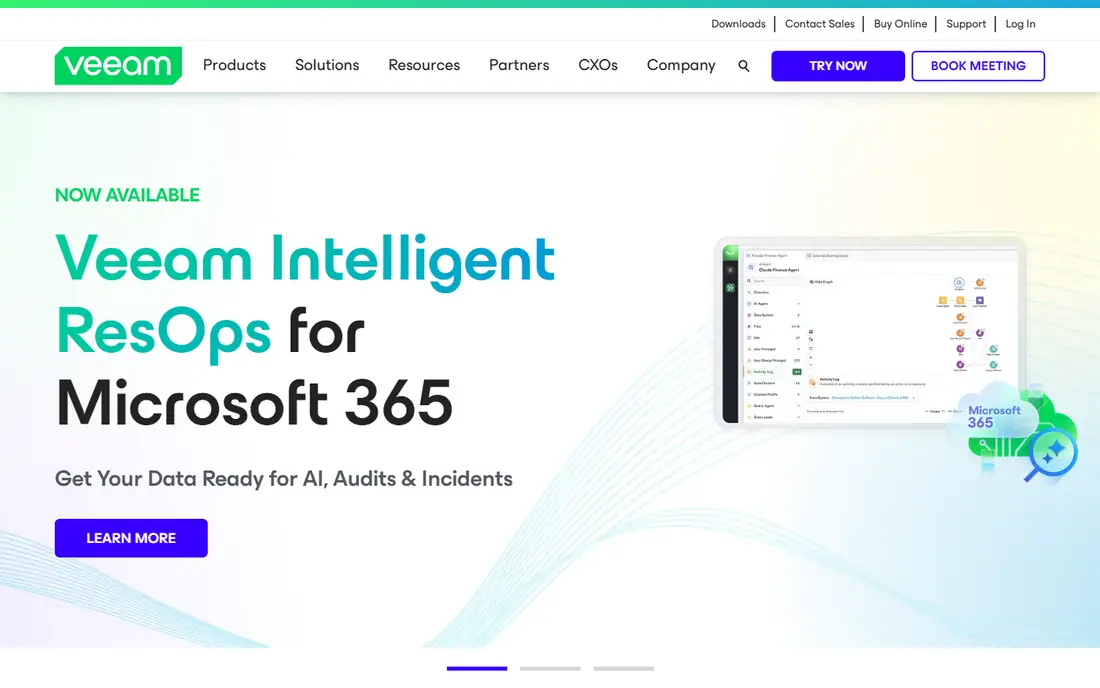
Veeam is our pick for teams with a mix of virtual machines, physical servers and cloud workloads. Its licensing moves between workload types as your mix changes, which helps when a company is partway through a move to the cloud or a change of hypervisor. Recovery options include instant VM recovery and granular restores, so a team does not always need to restore a whole machine to fix one problem.
The honest catch is scope. Microsoft 365, Salesforce and some other SaaS workloads sit outside the main platform license, so check the full bill before you compare prices. Veeam also expects you to run and protect the backup infrastructure itself unless you choose its hosted vault or cloud options. For teams that want a proven, widely used platform and can staff it, that trade is worth it.
- Broad workload coverage
- Portable workload licensing
- Strong instant recovery options
- Separate licensing for some SaaS apps
- Setup takes planning at larger scale

Acronis suits small and midsize teams that want backup, anti-malware, patching and remote management without buying four separate tools. One console covers endpoints and servers, and image-based backup makes full machine recovery possible after a disk failure or a serious infection. That consolidation is the main reason to choose it over a backup-only tool.
The downside is complexity in the other direction. A one-person business may not need the security extras, and the edition and pricing choices take care to compare. Still, for an IT team supporting many laptops and a few servers, having backup and endpoint protection in one place saves time on setup, updates and incident response.
- Backup and security in one agent
- Central management
- Image and file backup
- Feature depth can feel heavy for very small teams
- Pricing varies by edition

Commvault is built for large, complex estates where a restore must be application-consistent, not just a copy of files. It covers databases and enterprise applications in depth, and its cleanroom option gives teams an isolated place to test a recovery before bringing systems back online. Regulated teams also benefit from detailed reporting and policy controls.
That depth comes with a sales-led buying process and no public price, so budgeting takes a quote and a scoping call. Application agents add setup work, and smaller teams may find the platform larger than they need. For a large company with SAP, Oracle or many database types, however, that depth is the point.
- Deep application coverage
- Isolated cleanroom recovery
- Broad platform support
- Quote-only pricing
- Agent-based setup for some applications
Rubrik starts from the ransomware problem: backups must survive an attack and be clean enough to restore. Its append-only storage design keeps backup copies from being changed, and it adds anomaly detection to flag suspicious changes in data. Recovery workflows are built to find a clean point in time, which matters when an attack has been sitting quietly for days.
The trade is price transparency and fit. Rubrik is priced by quote, often on multi-year terms, and it is aimed at midsize and large companies rather than home users. A small business will likely find it too costly. A larger team that treats recovery as a security control, not just an IT task, will find the design matches that priority.
- Immutable backups by design
- Anomaly detection
- Fast recovery workflows
- Quote-only pricing
- Enterprise focus and contract terms
Druva takes the hardware out of backup. There is no backup server to patch or scale, because the platform runs as a cloud service and covers endpoints, servers and SaaS apps such as Microsoft 365 and Google Workspace. Policies control retention and locking, and the central console gives a clear view of what is protected and what is not.
The main limit is the model itself. Teams that need an on-premises backup target for legal or latency reasons should check whether Druva fits, since it is cloud-first by design. Pricing is also quoted for many deployments, so a small team should ask for a clear per-workload price before committing. For distributed teams with many laptops and SaaS apps, the lack of infrastructure is a real advantage.
- No backup hardware to run
- SaaS and endpoint coverage
- Per-policy data locking
- Quote-based pricing for many plans
- Cloud-only model may not suit every team
Cohesity is a good fit for companies that have backup sprawl: several tools, several sites and several storage targets doing the same job. DataProtect brings those workloads under one platform, with deduplication to cut storage use and options for locking copies against change. It also supports a wide range of virtual, physical and cloud workloads, which helps during consolidation.
As with other enterprise platforms, pricing is by quote and the product rewards a team that can invest in setup and training. It is not a quick install for a single office. For a midsize or large company trying to cut the number of backup tools it runs, that consolidation can lower long-term effort even if the first project takes weeks.
- Consolidates backup and data management
- Global deduplication
- Broad workload support
- Quote-only pricing
- Platform breadth takes time to learn
Backblaze is the simplest option on this list, and that is its strength. Install it, let it back up continuously, and restore files from a web browser when a drive fails or a laptop is lost. There is no backup server to manage and no storage math to do, since each license covers unlimited storage for one computer.
The limits are clear. It is computer backup, not a full business platform for servers, databases or SaaS apps, and each computer needs its own license. Teams that need central policy control across many machines should look at a business product instead. For freelancers, families and small offices that just need computers protected, Backblaze is hard to beat on simplicity.
- Very simple setup
- Unlimited storage per computer
- Continuous backup
- One computer per license
- Limited control over advanced retention settings
IDrive covers computers, phones and tablets under one account, which makes it useful for a household or a very small team with several devices. Plans are priced by storage rather than per device, so a user with a laptop, a desktop and a phone does not pay three separate backup bills. A free tier lets you test the service before paying.
The interface is functional rather than beautiful, and first backups and large restores take time, as with any online backup service. It also lacks the server and database depth of the enterprise tools on this list. If your main need is protecting personal devices and files at a low cost, IDrive gives good value without the complexity of a business platform.
- Covers many devices on one plan
- Free tier to try
- File sync and sharing included
- Interface is less polished than some rivals
- Restore speed depends on data size
How we picked these
We compared official feature pages, pricing pages and public documentation for each vendor, and checked that each product is still sold and supported in October 2026. We favored tools with clear workload coverage, encryption, retention controls and a recovery story, not just a backup schedule. We also mixed simple consumer tools with enterprise platforms so the list fits a one-person business and a large IT team.
What to check before you buy
Start by listing what you must protect: computers, servers, virtual machines, databases and SaaS apps. A tool that covers laptops well may not cover a database, and that gap only shows up during a restore. Next, ask how restores work. Test a file restore, a full machine restore and, if relevant, a database restore during a trial, and time each one.
Ransomware and retention settings
Look for immutable or locked copies, so a backup cannot be changed or deleted by an attacker who reaches your network. Set retention long enough to cover a slow-moving attack, and keep at least one copy separate from your main network. Ask the vendor how it detects encrypted or changed data in backups, and how you find a clean recovery point.
Cost and effort over three years
Compare the full three-year cost, including licenses, storage, support and staff time. A low headline price can grow with storage or with each new workload type. Also check whether you will run the backup system yourself or use a hosted service, since staffing is often the largest hidden cost. A short trial with your real data gives a better answer than any feature table.
FAQ
What is data protection software?
Data protection software backs up data, controls who can access it, and helps you restore it after deletion, hardware failure or an attack. Some tools focus on backup alone, while others add security, encryption and compliance reporting. Choose based on what you need to recover and how fast you need it back.
How much does data protection software cost?
Prices range from a low monthly fee per computer to custom enterprise contracts based on workload and storage. Consumer tools are the cheapest entry point, while enterprise platforms charge by workload, capacity or subscription tier. Always get a quote for your exact mix of devices, servers and SaaS apps.
Is cloud backup safe?
Cloud backup can be safe when data is encrypted in transit and at rest, access is controlled, and copies are locked against change. Check the vendor privacy policy and security documentation, and keep a local or separate copy for your most critical data if your policy requires it. No backup method is safe if restores are never tested.
What is immutable backup?
Immutable backup means a backup copy cannot be changed or deleted until its retention period ends. That stops ransomware and insider mistakes from destroying the copy you need for recovery. Not every product makes copies immutable by default, so confirm the setting for each storage target you use.
Do I need data protection software if I use cloud apps?
Yes, in most cases. Cloud providers protect their own infrastructure, but they do not always restore a file you deleted months ago or data lost to a misconfigured app. A separate backup for Microsoft 365, Google Workspace or Salesforce gives you an independent recovery path. Check each app retention limit before you decide.
How often should backups run?
Backups should run often enough that losing the gap between copies is acceptable to your business. Continuous or hourly backup fits active work, while daily backup may be enough for files that change rarely. Test restores at least once a quarter, because an untested backup is only a hope.