Best Data Preparation Software in 2026: 8 Tools Compared
Compare the best data preparation software for cleaning, joining and shaping messy data, from free open tools to enterprise prep platforms for analysts.
- Editor's choice
 KNIME
Free visual prep and analytics
Starts atFreeVisit knime.comFull review - Great alternative
 Tableau Prep
Tableau dashboard teams
Starts at$75 per monthVisit tableau.comFull review - Also consider
 Alteryx
Low-code analyst workflows
Starts atSee websiteVisit alteryx.comFull review
TL;DR:
- KNIME is our pick for most analysts on a budget because the desktop platform is free and covers cleaning, joining, and modeling in visual workflows.
- Tableau Prep is the best choice for teams already using Tableau, since prep flows feed dashboards directly.
- Alteryx suits business analysts who want a polished, low-code workflow tool and can justify a premium price.
- The right prep tool depends on data size, coding comfort, and where the cleaned data needs to land.
Quick comparison
| Tool | Best for | Starts at | Free plan? | |
|---|---|---|---|---|
| KNIME | Free visual prep and analytics | Free | Yes | Visit |
| Tableau Prep | Tableau dashboard teams | $75 per month | Free trial | Visit |
| Alteryx | Low-code analyst workflows | See website | Free trial | Visit |
 Talend Data Preparation | Enterprise data integration | See website | Free trial | Visit |
 Dataiku | Collaborative data teams | See website | Free trial | Visit |
 OpenRefine | Free messy data cleanup | Free | Yes | Visit |
 Power Query | Excel and Power BI users | Free | Yes | Visit |
 Altair RapidMiner | Visual data science prep | See website | Free trial | Visit |
The best data preparation software
Data preparation is the unglamorous work before analysis: fixing dates, removing duplicates, joining tables, handling missing values, and shaping messy files into clean tables. The tools below do that work with different mixes of visual design, code, and automation.

KNIME Analytics Platform is free, open source in its desktop form, and covers the full prep job: reading files and databases, cleaning text and dates, joining and pivoting tables, handling missing values, and building repeatable workflows. Workflows are visual, so a colleague can follow each step and see how a raw file became a clean table, which matters for audit and handover. Extensions add machine learning, text processing, and database tools without extra licenses.
The catch is learning time. KNIME is powerful, but a beginner will need time to learn nodes, data types, and workflow design, and the interface is less polished than Alteryx. Enterprise scheduling and collaboration need the paid Business Hub. For an analyst or small team that wants serious prep power at no license cost, KNIME is our pick.
- Free desktop platform
- Visual workflows that are easy to audit
- Large node library and extensions
- Learning curve for complex workflows
- Enterprise server is a separate paid product
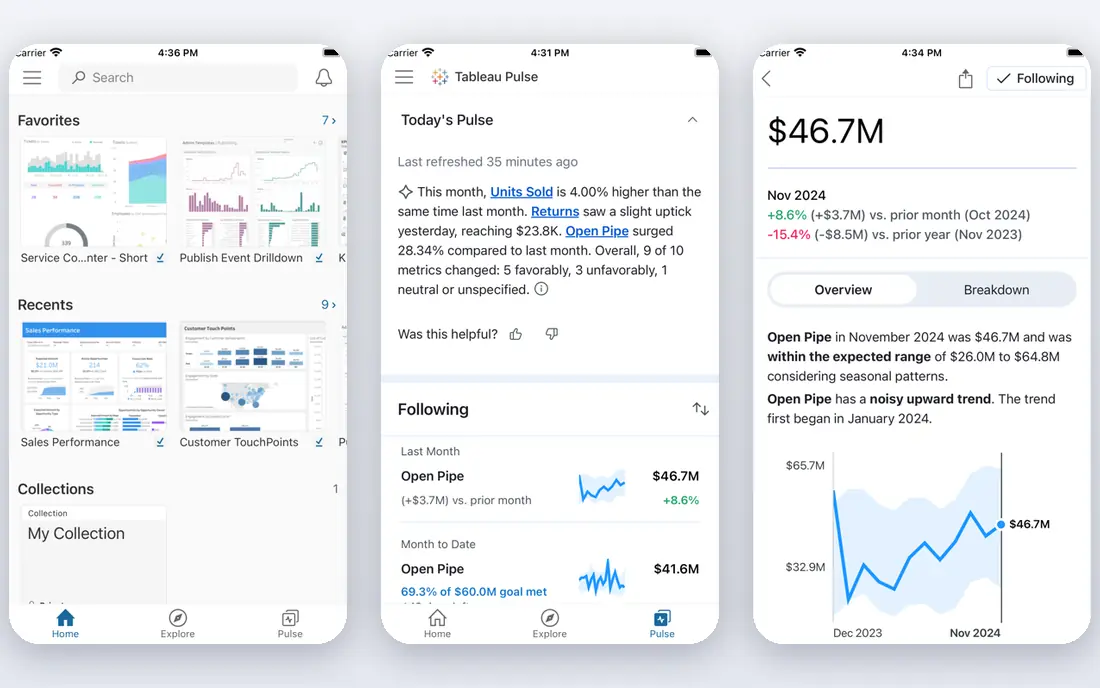
Tableau Prep is the natural prep tool for a team that already reports in Tableau. Cleaning steps are visual, with profiles that show value distributions, missing data, and outliers at a glance, and flows publish directly to Tableau Server or Cloud for scheduled refresh. A business analyst can fix a messy spreadsheet without writing code, and the flow itself documents each cleaning step.
The limit is ecosystem. Prep comes with a Tableau Creator license, listed at 75 dollars per user per month on standard terms, so a team that does not use Tableau pays for a dashboard platform it may not need. Heavy data engineering or complex statistical modeling also fits better in KNIME or Alteryx. For Tableau shops, Prep is the clearest path from messy source to clean dashboard.
- Visual cleaning with instant previews
- Direct flow into Tableau dashboards
- Good for business users
- Tied to Tableau licensing
- Less suited to heavy coding or complex modeling

Alteryx Designer is built for business analysts who need to blend, clean, and automate data work without writing code. Drag-and-drop tools handle joins, parsing, geospatial work, and predictive steps, and workflows can be scheduled and shared across a team. The interface is more polished than most open tools, and onboarding is faster for a non-technical analyst, which is why many large companies standardize on it.
The honest catch is price. List pricing for Designer has been reported around 5,195 dollars per user per year, with server automation quoted separately, so a small team should price carefully and use the trial to confirm value. For a larger analytics team where analyst time is the scarce resource, Alteryx can justify its cost in faster, repeatable prep.
- Polished drag-and-drop workflows
- Strong data blending and automation
- Good for business analysts
- Premium pricing
- Server automation is a separate cost
Talend Data Preparation sits inside a wider data integration platform, which suits companies that need prep plus pipelines, data quality, and governance in one place. Business users can clean and shape data with guided suggestions, while data engineers can turn those steps into governed pipelines that feed warehouses and analytics tools. That combination helps when prep is not a one-off task but part of a daily data flow.
The trade-off is complexity and cost. Pricing is quoted, implementation benefits from data engineering help, and a solo analyst with a few spreadsheets will find Talend more than needed. For an enterprise team that already moves data through Talend, the prep tool is a natural extension.
- Strong data integration and quality tools
- Cloud and on-prem options
- Enterprise governance
- Quote-based pricing
- Setup needs data engineering input
Dataiku gives analysts, data scientists, and engineers one workspace for prep, modeling, and deployment. Visual recipes handle cleaning and joining, code notebooks handle custom logic, and projects track who changed what, which helps a team keep prep work auditable. That mix suits a data team where business analysts and engineers share the same datasets and need a common record of how data was shaped.
The limit is scope and price. Dataiku is quoted for enterprise teams, and a solo analyst will find it heavy. Small teams should start with KNIME or Power Query and move to Dataiku when collaboration, governance, and deployment become daily needs rather than occasional ones.
- Visual and code prep in one workspace
- Collaboration for analysts and engineers
- Strong governance
- Quote-based pricing
- More platform than a solo analyst needs
OpenRefine is a free, open source tool that excels at the messiest part of prep: inconsistent text, duplicate records, split cells, and reconciling names against reference lists. It runs locally, handles large spreadsheets and CSV files well, and records every transformation so the work can be replayed on new data. For journalists, researchers, and analysts cleaning one-off datasets, it is a remarkably capable free option.
The catch is that OpenRefine is a desktop cleanup tool, not a scheduled pipeline platform. There is no built-in team collaboration, scheduling, or dashboard link, so cleaned data still needs to move to another tool for reporting. Pair it with a spreadsheet, database, or BI tool, and it earns its place for messy data work.
- Free and open source
- Excellent for messy text, duplicates, and reconciliation
- No license cost
- No built-in scheduling or team collaboration
- Interface is utilitarian
Power Query is the prep engine inside Excel and Power BI, and for many office teams it is the only prep tool they need. Steps are recorded visually, queries refresh when source files update, and cleaned tables feed straight into spreadsheets or dashboards. Because it is already included for most Microsoft users, there is no new license, no new install, and a short learning curve for anyone who knows Excel.
The limit is ecosystem and depth. Power Query shines with Excel and Power BI sources, and complex transformations need the M language, which takes learning. Teams outside Microsoft, or teams needing visual workflow governance, will prefer KNIME or Tableau Prep. For a Microsoft-centered team, start here before buying anything else.
- Built into Excel and Power BI
- Visual steps with reusable queries
- No extra license for most users
- Best inside the Microsoft ecosystem
- Complex logic needs M code
Altair RapidMiner, formerly RapidMiner, offers visual workflows that cover data prep, modeling, and scoring in one environment. Analysts can clean, join, and transform data, then test models without switching tools, which makes it useful for prototyping and teaching. Automated modeling options help a team test ideas quickly before committing to a production pipeline.
The trade-off is pricing and polish. Full commercial use is quoted, and the interface can feel busy next to KNIME or Alteryx. For a team that wants prep plus modeling in one visual tool, and that values rapid prototyping, RapidMiner is a credible alternative to the leaders.
- Visual workflows for prep and modeling
- Automated machine learning options
- Good for teaching and prototyping
- Pricing is quoted for full use
- Interface can feel busy
How we picked these
We compared official feature pages, pricing, free plans, and public reviews for tools whose core job is cleaning, joining, and shaping data for analysis. We favored tools that record prep steps for reuse, handle common messy data problems, and are actively supported in 2026. General BI dashboards and pure ETL pipeline tools were included only where prep is a clear, usable feature, and we noted where a tool needs coding or a wider platform to shine.
What to check before you buy
Start with your sources and your destination. List the files, databases, and cloud apps your data comes from, and where cleaned data must land, whether that is a dashboard, a warehouse, or a spreadsheet. Test the tool on a real messy file, not a clean demo set, and check how it handles missing values, duplicate keys, date formats, and text inconsistencies. Those four problems cause most prep pain.
Check reuse and audit. Prep steps should be saved, replayed on new data, and readable by a colleague, or you will redo the same cleanup every month. Price the team, not just one user, and confirm whether scheduling, collaboration, or server features need a separate license. Finally, match the tool to coding comfort: a visual tool helps a business analyst, while a code-friendly tool helps an engineer who needs custom logic.
FAQ
What is data preparation software?
Data preparation software cleans, joins, and shapes raw data into tables ready for analysis. It fixes missing values, inconsistent formats, and duplicates, combines data from several sources, and records each step so the same cleanup can be repeated on new data.
What is the best data preparation software?
KNIME is our pick for most analysts because the desktop platform is free and covers visual prep and modeling. Tableau Prep is best for Tableau teams, Alteryx suits business analysts who can justify a premium price, and Power Query is best for Excel and Power BI users.
Is there free data preparation software?
Yes. KNIME Analytics Platform and OpenRefine are free, and Power Query is included with Excel and Power BI for most users. Free tools cover most cleaning and joining work, while paid platforms add scheduling, collaboration, and governance for larger teams.
Do I need to know code to prepare data?
Not always. KNIME, Tableau Prep, Alteryx, and Power Query all offer visual steps that cover most cleaning work without code. Code helps for complex logic, custom parsing, or large-scale automation, and tools such as Dataiku and KNIME let you mix visual steps with code when needed.
How is data preparation different from ETL?
Data preparation focuses on cleaning and shaping data for analysis, often by analysts working interactively. ETL, short for extract, transform, and load, focuses on moving data through pipelines into warehouses on a schedule. Many tools do both, but prep tools emphasize interactive cleaning and preview, while ETL tools emphasize scheduled pipelines.
What data preparation tool works with Tableau?
Tableau Prep is built for Tableau and publishes flows directly to Tableau Server or Cloud. KNIME and Alteryx can also prepare data for Tableau by writing clean tables or extracts, but Prep gives the tightest link between cleaning steps and Tableau dashboards.