Best Daily Pay Job Apps in 2026: 8 Apps Compared
Best daily pay job apps compared for 2026: earned wage access, fees, transfer speed and employer rules across 8 apps, so you can choose well with fee notes.
- Editor's choice
 DailyPay
Large employer coverage
Starts atFreeVisit dailypay.comFull review - Great alternative
 Payactiv
Low instant fees
Starts atFreeVisit payactiv.comFull review - Also consider
 EarnIn
No employer needed
Starts atFreeVisit earnin.comFull review
TL;DR:
- DailyPay and Payactiv are the leading employer-based options, but your employer chooses the provider, not you.
- EarnIn and Dave work without an employer partnership, yet they collect from your bank account on payday, which needs care.
- Branch, Rain, Tapcheck and Instant Financial are also employer-based, so check which one your workplace offers first.
- Free transfers are usually slow, while instant transfers carry a small fee that adds up if used often.
- Daily pay is access to wages you have already earned, not extra income, so use it sparingly and plan for payday.
Quick comparison
| Tool | Best for | Starts at | Free plan? | |
|---|---|---|---|---|
| DailyPay | Large employer coverage | Free | Yes | Visit |
| Payactiv | Low instant fees | Free | Yes | Visit |
| EarnIn | No employer needed | Free | Yes | Visit |
 Branch | Wallet and pay access | Free | Yes | Visit |
 Dave | Cash advances and banking | Free | Yes | Visit |
 Rain | Simple employer pay access | Free | Yes | Visit |
 Tapcheck | Flexible pay access | Free | Yes | Visit |
 Instant Financial | Same-day pay access | Free | Yes | Visit |
The best daily pay job apps
Daily pay apps fall into two groups. Employer-based apps, such as DailyPay and Payactiv, connect to your payroll and let you access wages you have already earned before the normal payday. Direct apps, such as EarnIn and Dave, work from your bank account and pay history instead. Both groups can help in a tight week, but neither creates new money, and fees matter when use becomes regular.
Disclaimer: This is general information, not financial advice. Earned wage access and cash advances are not extra income, and frequent use can leave a smaller payday. Check fees, transfer times and your employer terms before you use any app, and consider a small emergency buffer as a longer-term fix.
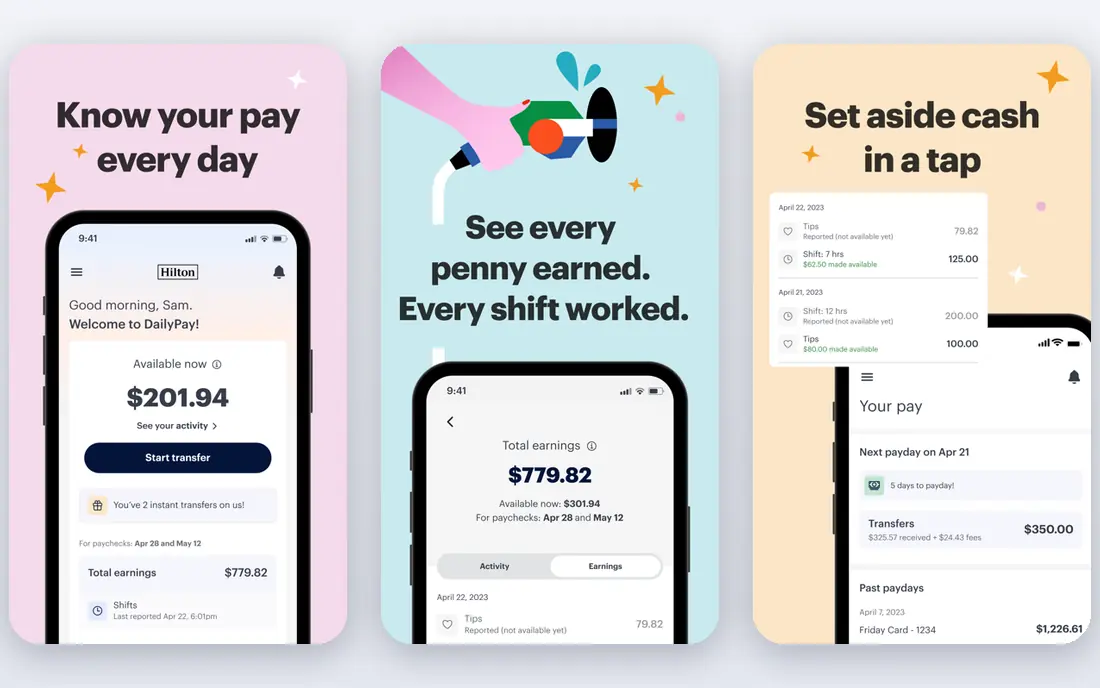
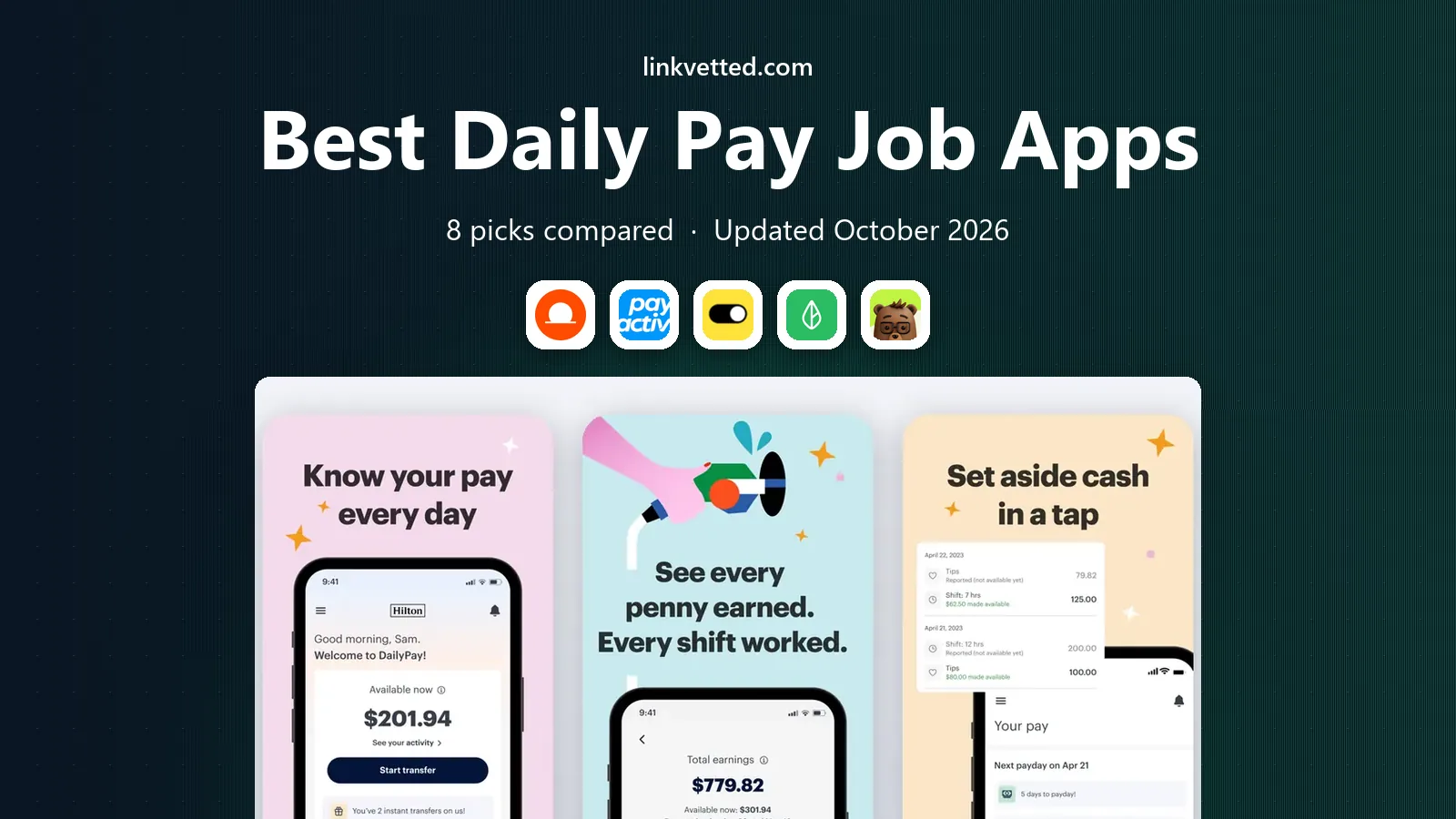
DailyPay is the best-known employer-based daily pay app, and coverage is its main strength. If your employer offers it, you can see your available earned balance, transfer money to your bank, and in many cases receive a free next-day transfer. That slow, free path is the sensible default for a non-urgent need.
The catch is the instant option. Instant transfers usually cost a fee, often a few dollars, and that fee adds up if you transfer several times a month. Your employer also sets the access limit, so the balance you see may not be your full earned pay. Use the free transfer when you can wait a day, and treat instant transfers as an exception.
- Wide employer coverage
- Next-day free bank transfer in many cases
- Clear available balance in the app
- Instant transfers carry a fee
- Access limits and timing depend on your employer settings
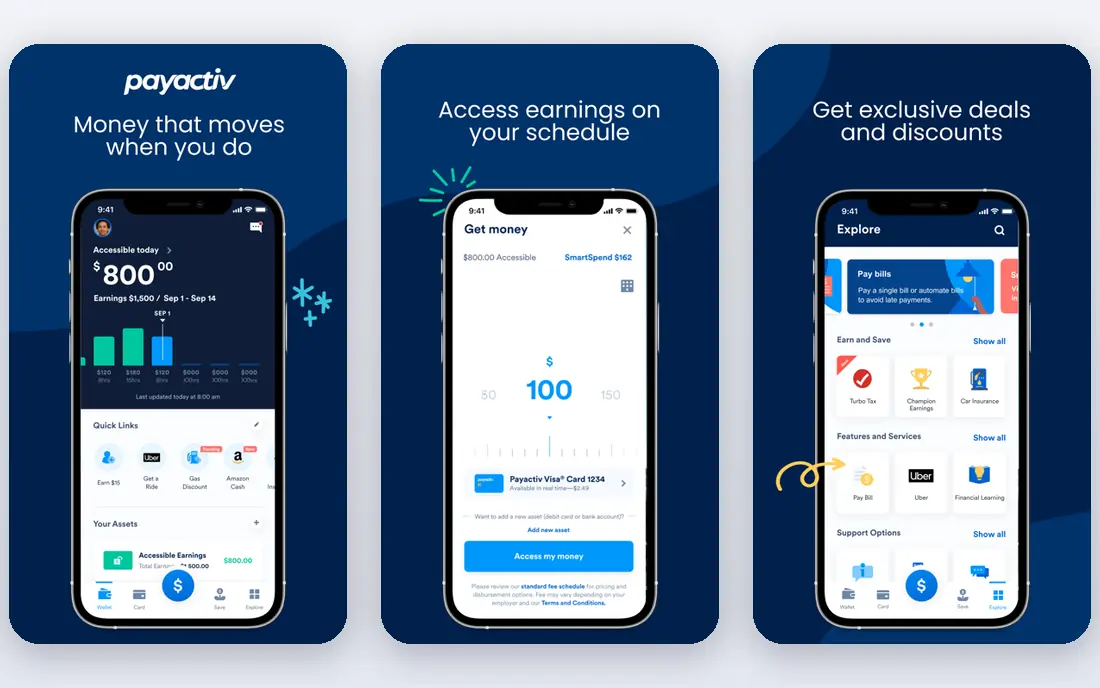
Payactiv suits workers whose employer offers it and who value a cheaper instant transfer. Published comparisons put its instant fee at $2.49 to its card and $3.49 elsewhere in many cases, with a free ACH path that takes one to three days. Access is often up to 50 percent of earned wages, with a cap per pay period, though employer settings decide the final figure.
The limit is choice. You cannot sign up for Payactiv on your own if your employer does not offer it, and the cap may be lower than DailyPay in some workplaces. Still, if your employer offers both, Payactiv often wins on instant fee alone. Compare the free path first, since a one-day wait usually beats paying a fee.
- Low instant transfer fees in many cases
- Free ACH transfer path
- Bill pay and savings tools in the app
- Employer-based, so you cannot choose it alone
- Access is often capped at part of earned pay
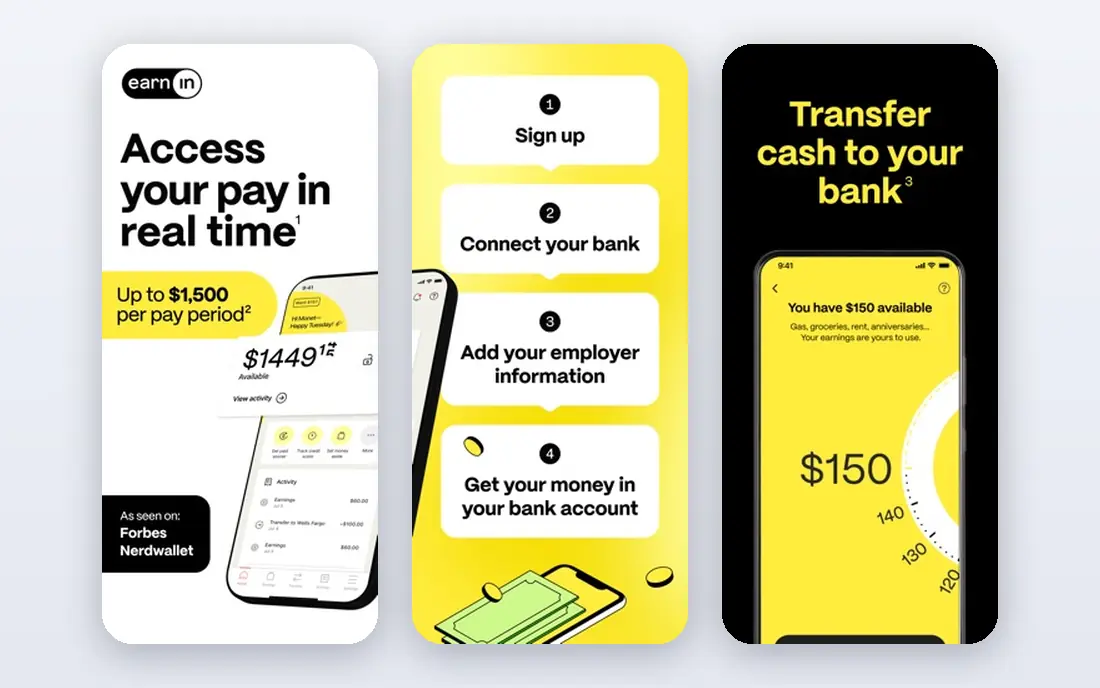
EarnIn is the most useful option when your employer offers no daily pay app. It checks your work and pay history, lets you access part of your earned pay early, and collects the amount from your bank account on payday. Standard transfers in one to two days can be free, which keeps the cost down for a planned need.
The risk is timing. Because EarnIn collects from your bank, a payday that moves, a smaller check, or another automatic payment can leave you short. Keep a buffer, use the standard transfer when possible, and avoid stacking early access with other advances. EarnIn is a bridge, not a regular pay schedule.
- Works without an employer partnership
- Standard transfers can be free
- Links to your bank and pay history
- Instant transfers carry a fee
- Collection from your bank on payday can risk an overdraft if timing slips
Branch combines a wallet with earned wage access, which suits workers who want one place to receive, spend and track pay. For partner employers, you can access part of projected wages early, move money to the wallet, and use budgeting tools in the same app. That single view can help if you are trying to stretch a paycheck.
The downside is variation. Instant transfer fees and access limits depend on your employer plan, and the wallet features are not the same for every worker. Check your employer terms in the app before you rely on Branch for a bill, and use the slower free path when the timing allows it.
- Branch Wallet for spending and transfers
- Earned wage access for partner employers
- Savings and budgeting tools
- Employer-based for wage access
- Instant transfer fees vary
- Some features depend on your employer plan
Dave is a banking app with a cash advance feature, rather than a pure earned wage access app. It looks at your bank history, offers an advance when you qualify, and collects it on your next payday. The banking tools, including budgeting views and alerts, can help you spot a shortfall before it becomes urgent.
The catch is that Dave is not free in every sense. Some features sit behind a paid plan, and advance limits start small, so it may not cover a large bill in the first month. Use it for a small, short gap, check the total cost including any optional tips or fees, and avoid treating an advance as a regular part of your budget.
- Works without an employer
- Banking and budgeting tools in one app
- Advances based on bank history
- Some features need a paid plan
- Advance limits start small and grow with history
Rain keeps the employer model simple: if your employer offers it, you can access earned wages early and transfer them to your bank. The app focus is narrow, which makes it easy to use, and you do not need to open a new bank account to use it. That simplicity suits workers who want one clear action, not a full banking suite.
The limit, as with other employer apps, is that you cannot choose Rain alone. Your employer agreement sets the limit, the fee and the transfer speed, so two workers at different companies may see different terms. Check those terms in the app, use the free transfer path when you can, and keep early access occasional.
- Simple earned wage access for partner employers
- Clear balance and transfer options
- No separate bank account needed
- Employer-based only
- Limits and fees depend on your employer agreement
Tapcheck offers earned wage access through employers, with access often up to 70 percent of net pay in published comparisons. That higher share can help when a bill falls mid-cycle, and a gift card payout option in some cases gives an alternative to a bank transfer. The setup is employer-based, so your workplace must offer it.
The downside is fee clarity. Instant fee details are less clearly published than DailyPay or Payactiv, so read the terms in your employer version of the app before you transfer. A higher access share is not a benefit if it leaves too little on payday, so take only what the bill needs and leave the rest for the normal pay date.
- Access to a share of net pay before payday
- Gift card payout option in some cases
- Employer-based setup
- Employer-based only
- Instant fee details are less clear than some rivals
- Limits depend on employer
Instant Financial, as the name suggests, focuses on same-day access to earned pay for partner employers. Workers can receive pay on the day they earn it, through a card or bank payout depending on the employer plan. That speed can help with an urgent expense that cannot wait for the normal payday.
The trade-off is the same employer limit as the rest of this list. You cannot sign up alone, and the fee, limit and payout method depend on your employer agreement. Read those terms carefully, compare the free and instant paths, and remember that same-day pay still comes out of the same paycheck.
- Same-day pay access for partner employers
- Card and bank payout options
- Simple employer onboarding
- Employer-based only
- Fee and limit details depend on your employer plan
How we picked these
We compared official app and employer pages, fee disclosures, transfer speeds, access limits and signup models for each app, and we checked that each service is still operating in the United States in October 2026. We favoured apps with clear fee paths, a free slow transfer option, and honest limits, and we separated employer-based apps from direct apps so readers can see which group they can actually use. We did not test payroll access ourselves, since that depends on an employer agreement.
How to use daily pay without a smaller payday trap
Start by asking whether the need is urgent or just early. If a bill can wait a day, use the free transfer path and avoid the instant fee. If it cannot wait, take only the amount the bill needs, not the maximum the app allows, and write down the new payday balance before you confirm.
Next, count how often you use it. One early transfer in a tight month is different from three transfers every month, which usually means the budget, not the timing, needs attention. Look at the fees over a month, compare them with the cost of a small emergency buffer, and set a personal rule, such as no more than one instant transfer per pay period.
Finally, build a buffer in small steps. Even a small amount set aside each payday, in a separate savings pocket or account, reduces the need for early access over time. Daily pay apps are useful tools for timing, but a buffer is the tool that actually changes the pattern.
FAQ
What is a daily pay job app?
A daily pay job app lets you access wages you have already earned before the normal payday. Employer-based apps connect to payroll, while direct apps use your bank and pay history. In both cases, the money comes out of your next paycheck, so it is early pay, not extra pay.
Can I use DailyPay or Payactiv without my employer?
No, in most cases. DailyPay, Payactiv, Branch, Rain, Tapcheck and Instant Financial are employer-based, so your workplace must offer them. If your employer offers none of them, direct apps such as EarnIn or Dave are the alternatives, though they work differently and collect from your bank.
How much does daily pay cost?
Many apps offer a free slow transfer, usually by bank transfer in one to three days, and charge a small fee for instant transfers. Published instant fees for DailyPay and Payactiv are often a few dollars per transfer, while other apps vary by employer plan. Check the fee in your version of the app before you transfer.
How fast do I get the money?
It depends on the transfer path. Free bank transfers usually take one to three business days, while instant transfers can arrive in minutes, subject to a fee and your bank. Employer-based apps may also have a cutoff time, so a transfer made late in the day may land the next business day.
Is daily pay a loan?
Earned wage access is not a traditional loan, since it is based on wages you have already earned, but it still reduces your next paycheck and can carry fees. Cash advance apps work differently, since they advance money against future deposits. Read the terms, check the total cost, and use either option sparingly.