Top 8 CX Software Options for 2026, Compared
Shortlisting the best CX software? 8 products compared on cost, free access and ideal buyer. Strengths and weak spots are spelled out. See which fits.
- Editor's choice
 Intercom
Conversation-first support with AI that resolves before humans get involved
Starts at$29/seat/month (Essential, billed yearly; $39 per month)Visit intercom.comFull review - Great alternative
 HubSpot Service Hub
Support teams already running on HubSpot CRM
Starts at$20/seat/month (Starter)Visit hubspot.comFull review - Also consider
 Nextiva
Phone-first support with a built-in contact center
Starts at$15/user/month (Core, billed yearly; $23 monthly)Visit nextiva.comFull review
Direct answer
Our first pick is Intercom, best for conversation-first support with AI that resolves before humans get involved. HubSpot Service Hub fits support teams already running on HubSpot CRM; Nextiva fits phone-first support with a built-in contact center. Details, prices and limits for the rest of the 8 tools are below.
TL;DR:
- Top of the list is Intercom, which targets conversation-first support with AI that resolves before humans get involved.
- Medallia suits enterprise feedback collection across every touchpoint.
- What to know about HubSpot Service Hub first: the Customer Agent AI needs Professional at $100 per seat and meters resolutions at $0.50 each.
- The cheapest monthly starting price in the list is $15/user/month, offered by Nextiva.
Quick comparison
| Tool | Best for | Starts at | Free plan? | |
|---|---|---|---|---|
| Intercom | Conversation-first support with AI that resolves before humans get involved | $29/seat/month (Essential, billed yearly; $39 per month) | Free trial (14 days) | Visit |
| HubSpot Service Hub | Support teams already running on HubSpot CRM | $20/seat/month (Starter) | Yes | Visit |
| Nextiva | Phone-first support with a built-in contact center | $15/user/month (Core, billed yearly; $23 monthly) | Free trial | Visit |
 Zendesk | Omnichannel help desk for expanding support teams | $19/agent/month (Support Team, billed annually; $25 per month) | Free trial (14 days) | Visit |
 Freshdesk | Budget ticketing that sets up quick | $19/agent/month (Growth, billed yearly; $23 per month) | Free trial (14 days) | Visit |
 Salesforce Service Cloud | Enterprises already standardized on Salesforce | $25/user/month (Starter Suite) | Free trial | Visit |
 Qualtrics XM | Enterprise experience measurement across customers, employees and brand | See website (custom quote) | No | Visit |
 Medallia | Enterprise feedback collection across every touchpoint | See website (custom quote) | No | Visit |
CX Software profiles
Short on time? The summary and table above give the quick view of 8 tools for CX software, and the profiles that follow give the detail behind each entry.
Intercom
Best for: Conversation-first support with AI that resolves before humans get involved
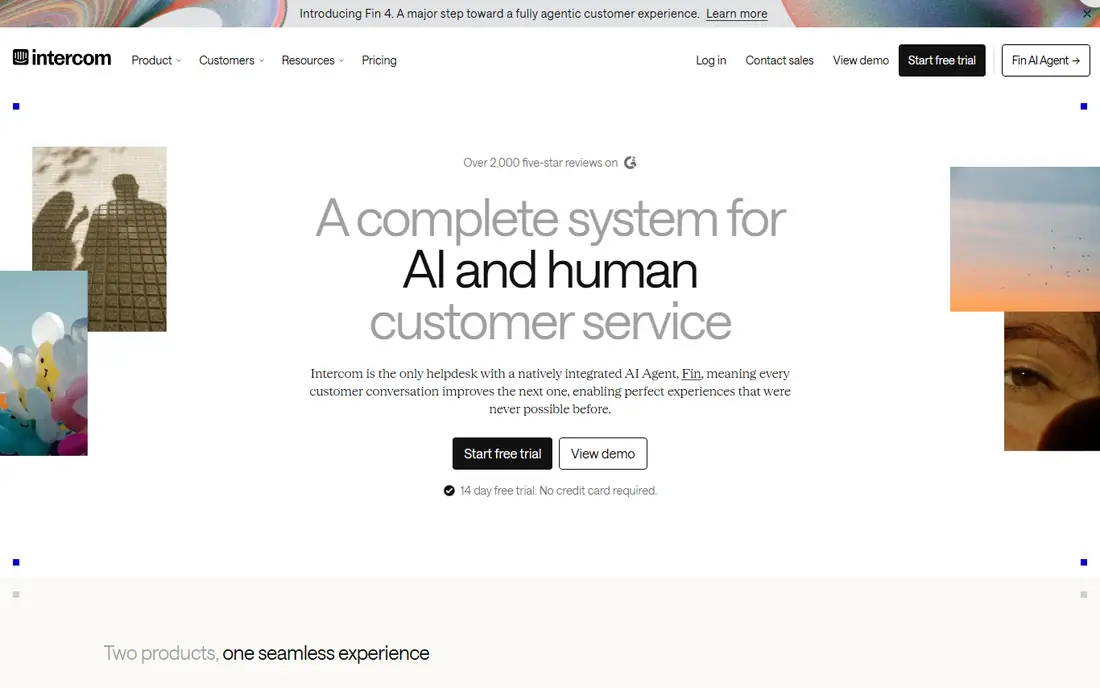
Intercom serves conversation-first support with AI that resolves before humans get involved. Intercom redesigned support around conversation. On top of that, expert at $132 annually layers on SSO, HIPAA, SLAs and multibrand support.
Watch-outs: The Fin line frequently exceeds the seat line at volume.
Fin costs $0.99 per resolved conversation on top of every plan, with a 50-outcome monthly minimum when Fin runs on a non-Intercom help desk. Essential at $29 per seat per month annually includes the Messenger, shared inbox, ticketing, a public help center and Fin access. Beyond that, the honest catch is the two-meter bill. More specifically, a team that celebrates a 50 percent AI resolution rate can watch Fin charges pass the seat charges. Intercom pricing: $29/seat/month. Free options: Free trial (14 days).
- Built around the Messenger
- The best conversational support interface in the category
- Two pricing layers (seats plus Fin outcomes) make the bill hard to forecast

HubSpot Service Hub works best for support teams already running on HubSpot CRM. Starter at $20 per seat per month includes ticketing, live chat, shared team email and entry-level reporting. Also, the honest catch is the Pro jump.
Worth adding: enterprise at $150 annually layers on 5,000 credits and advanced controls. If your company already runs HubSpot CRM, the unified contact record is worth the premium. More specifically, the free plan spans 2 users. On top of that, starter is a genuinely handy small-team tool, but real automation, AI and reporting cost $100 per seat plus a $1,500 onboarding fee. HubSpot Service Hub cost at the entry level: $20/seat/month. You can start on HubSpot Service Hub without paying.
Points against: The Customer Agent AI needs Professional at $100 per seat and meters resolutions at $0.50 each.
- A real free plan for up to 2 users
- Pricing stays seat-based and published
- Serious automation waits for the $100 level
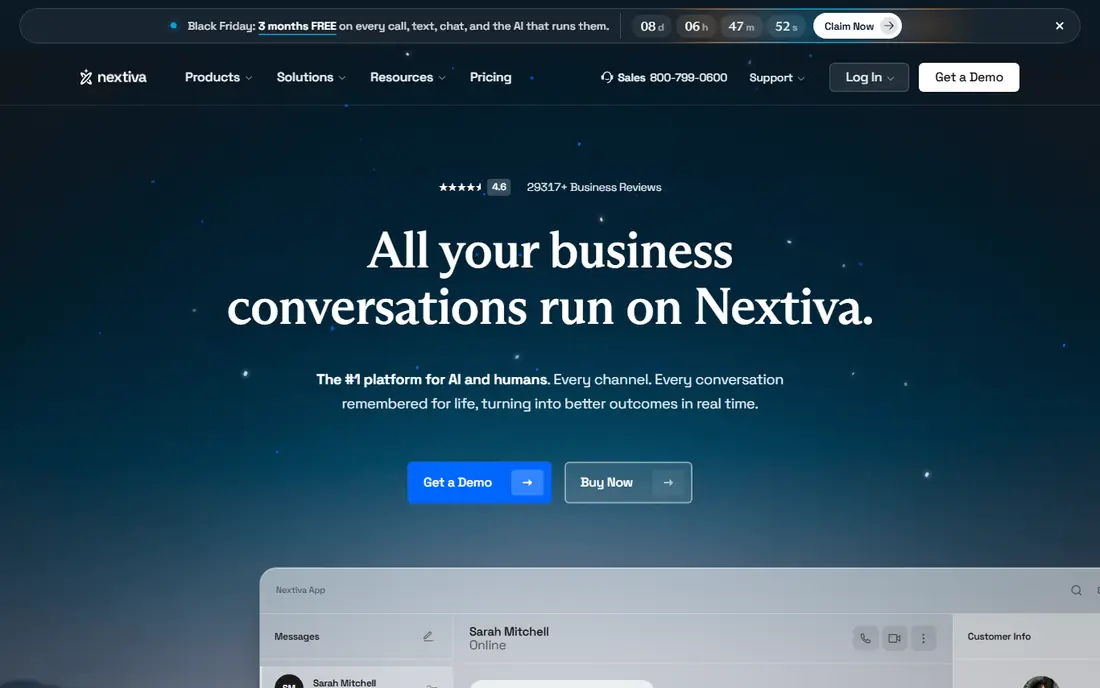
Nextiva is a good fit for phone-first support with a built-in contact center. Nextiva is the phone company that became a CX product. In daily use, power Suite CX at $75 annually adds the real contact center: skills-based routing, AI transcription and summaries, omnichannel support.
From a buyer's view, Nextiva wins for small firms where the phone is still the central support channel and every user needs calling anyway. As for the details, the honest catch is that Core is a phone system, not a contact center. More specifically, core at $15 a user per month annually handles unlimited voice and video, 100 SMS per user per month, call routing and auto-attendant. As for the details, support teams that require queues, routing rules and quality management land on Engage or Power Suite CX at two to five times the entry price. Nextiva starts at: $15/user/month. Free access: Free trial.
Points against: Real contact-center features (skills-based routing, AI summaries) wait for Power Suite CX at $75 a user.
- Voice, video
- SMS and team messaging in one app with a 99.999 percent uptime SLA
- Per-user pricing punishes large agent teams
In short, Zendesk is for omnichannel help desk for expanding support teams. The honest catch is the add-on bill. Suite Professional at $115 annually layers on skills-based routing, HIPAA, SLAs and custom reporting.
Where it shines: AI agents billed per verified resolution, so you pay for outcomes.
Worth adding: a team that begins at $55 per seat can land at $150 all-in. Worth adding: Copilot for agents costs $50 per agent per month, Contact Center voice costs $83, and AI resolutions run $1.50 committed or $2.00 pay-as-you-go. From a buyer's view, support Team at $19 per agent per month annually handles email and ticketing. Suite Team at $55 annually ($69 monthly) is where the product becomes Zendesk: messaging, live chat, voice, one help center, AI agents and omnichannel routing. Entry price for Zendesk: $19/agent/month. As for free access: Free trial (14 days).
Watch-outs: The real entry point is Suite Team at $55 per agent; not the $19 ticketing-only plan.
- Voice and help center in one workspace
- The deepest integration marketplace and most mature automation in the category
- Onboarding a complicated instance needs real admin effort
Freshdesk was built for budget ticketing that sets up quick. Pro at $55 annually layers on intelligent routing, several SLA policies and custom dashboards. Worth adding: the honest catch is the level ladder.
Budget Pro at $55 as the realistic cost for a team that takes support seriously. The $19 plan looks excellent until you need SLAs, advanced routing or Copilot, and each step doubles the seat price. In practice, Freshdesk Omni bundles them: Growth at $29, Pro at $79, Enterprise at $119 per agent annually. For everyday use, Freshdesk wins when you want the cheapest credible help desk and can live with the upsell path. Freshdesk cost at the entry level: $19/agent/month. As for free access: Free trial (14 days).
Where it falls short: Reporting is shallow on lower levels; messaging and phone cost additional through Freshdesk Omni (Growth at $29). Highlights: The cheapest credible help desk from a major vendor.
- Setup genuinely takes hours
- Freddy AI Copilot at $29 per agent undercuts Zendesk's $50 equivalent
- Chat
Salesforce Service Cloud
Best for: Enterprises already standardized on Salesforce
Salesforce Service Cloud works best for enterprises already standardized on Salesforce. Unlimited at $330 annually brings chat and 24/7 support. The honest catch is that Service Cloud is a Salesforce commitment, not a help-desk purchase.
Honest limits: Meaningful features start at Pro Suite $100 or Enterprise $165 per user.
Everyone else should buy a help desk, not a product. Starter Suite at $25 per user per month handles the basics for small teams. Starting cost for Salesforce Service Cloud: $25/user/month. Free access: Free trial.
- Knowledge and omnichannel routing in one console
- AI and automation scale to the most complicated support operations
- Every add-on and edition compounds the per-user cost
Qualtrics XM
Best for: Enterprise experience measurement across customers, employees and brand
Qualtrics XM serves enterprise experience measurement across customers, employees and brand. The honest catch is that Qualtrics is an enterprise purchase. The product's text analytics and Stats iQ turn open-ended feedback into quantified insight at a scale no survey tool matches.
Brand XM handles tracking and reputation. Worth adding: a 20-person company should buy a survey tool and a help desk instead. Employee XM handles engagement and lifecycle surveys. A 200-person company can justify it when customer experience is a board metric. Qualtrics XM does not show a starting price in this comparison, so check the vendor site for current pricing. Qualtrics XM has no free plan.
What works well: Statistical rigor that stands up to board-level reporting; research panels in one system.
What to check first: Implementation and survey design need specialists.
- 30,000-plus customer base means deep industry benchmarks
- The most complete experience-management product: surveys
- Quote-only pricing that starts in the five figures annually
Medallia is a good fit for enterprise feedback collection across every touchpoint. Where Qualtrics leads on research rigor, Medallia leads on signal breadth: it ingests feedback from digital, voice, social and operational sources, then applies AI analytics to find the themes driving satisfaction and churn. Industry options for hospitality, retail, banking and healthcare come prebuilt with relevant metrics.
Limits to weigh: Deployment is a multi-month project with professional services.
The honest catch mirrors Qualtrics: custom pricing, enterprise contracts, and an implementation project measured in months. As for the details, smaller teams get more value from a help desk's built-in CSAT plus a survey tool. Pricing for Medallia is not stated here, so ask the vendor for current figures. No free plan comes with Medallia.
- Capable in hospitality
- Retail and financial services
- Reporting depth needs trained analysts
How we built this list
LinkVetted looked at what each vendor publishes: pricing, plan limits, feature coverage for CX software and stated drawbacks. No hands-on testing is claimed. Treat prices as a snapshot: vendors change plans often, so check the vendor site for the figure that applies today. Order on the page follows fit for the typical buyer first, then price transparency and free access. Your own requirements should decide the final pick.
What to check before you buy
- Ask Qualtrics XM and Medallia for a written quote, since no starting price is shown.
- Look at the free plan from HubSpot Service Hub closely: its caps decide whether it is usable for real work.
- Use real work to test the free trial from Intercom, Nextiva, Zendesk and others, rather than a demo project.
- Before choosing Intercom, weigh its main limit: two pricing layers (seats plus Fin outcomes) make the bill hard to forecast.
- Ask Salesforce Service Cloud about contract length, onboarding fees and user minimums before you sign.
- Involve the people who will use Nextiva daily; a short pilot beats a long feature checklist.
FAQ
Is Intercom the right pick for everyone comparing CX software?
No single tool suits every team. Intercom comes first because it fits conversation-first support with AI that resolves before humans get involved, while HubSpot Service Hub suits support teams already running on HubSpot CRM and Nextiva suits phone-first support with a built-in contact center. Match the tool to your own size, budget and workflow before deciding.
Can I try these options before paying?
Often, yes. HubSpot Service Hub has a free plan and Intercom, Nextiva, Zendesk and others offer a free trial. Use your own data and a real task during the test, and check what the free tier or trial limits before you rely on it.
Do I need AI extras for customer support?
Every vendor now sells AI on a second meter, and the AI line commonly exceeds the seat line at volume. Start with the base plan, measure your repeat-question volume, then add AI where the math works: Intercom's Fin at $0.99 per outcome and HubSpot's Customer Agent at $0.50 per resolution are the cheapest credible choices.
What is the cheapest option for CX software in this list?
On published monthly entry prices, Nextiva is the lowest here at $15/user/month. Entry price is only part of the cost, because seats, add-ons and billing terms can change the total.
How are the tools for CX software ordered?
The order follows typical fit for CX software, with Intercom first and Medallia last, then price clarity and free access. It is editorial judgement, not a score, so another team could rank the tools differently.