Best Collaborative Learning Software for Study Groups for 2026: Our 5 Vetted Picks
Best collaborative learning software for study groups: 5 tools compared on price, free plans and fit. Costs and caveats sit beside each pick. No filler.

- Editor's choice
 Kahoot.
Game-based review and engagement
Starts at$3 per monthVisit kahoot.comFull review - Great alternative
 Slack
Organized team chat and workflows
Starts at$4.38 per user a monthVisit slack.comFull review - Also consider
 Notion
Shared notes and knowledge base
Starts at$10 per member a monthVisit notion.soFull review
Direct answer
Kahoot. Listed starting prices: Kahoot. from $3 per month, Slack from $4.38 per user a month and Notion from $10 per member a month. Is the first pick on this list for game-based review and engagement. Look at Slack for organized team chat and workflows, and at Notion for shared notes and knowledge base. The full list of 5 tools follows, with prices and free plan facts.
TL;DR:
- Top of the list is Kahoot., which targets game-based review and engagement.
- One limit worth knowing about Notion: can need setup time to structure.
- For the cheapest start, look at Kahoot.: $3 per month.
- 4 of 5 tools offer a free plan: Kahoot., Slack, Notion, Miro.
Last checked November 2026. Prices and plan details were read from the vendors' own pages in November 2026; vendors change plans often, so confirm the current price on the vendor site before you buy.
Quick comparison
| Tool | Best for | Starts at | Free plan? | |
|---|---|---|---|---|
| Kahoot. | Game-based review and engagement | $3 per month | Yes | Visit |
| Slack | Organized team chat and workflows | $4.38 per user a month | Yes | Visit |
| Notion | Shared notes and knowledge base | $10 per member a month | Yes | Visit |
 Miro | Visual brainstorming and whiteboarding | $8 per member per month | Yes | Visit |
 Microsoft Teams | All-in-one hub for group chat and files | See website | Not stated | Visit |
Every option for collaborative learning software for study groups explained
This LinkVetted guide covers 5 collaborative learning software for study groups. Each profile lists a starting price, free plan details, strengths and drawbacks, so you can drop poor fits quickly.
Kahoot. Is a good fit for game-based review and engagement. Kahoot. Is a game-based learning system that brings engagement and fun to players at school, work, and home. Its homepage emphasizes making learning awesome.
Limits to weigh: Not a full collaboration suite.
Kahoot. Is centred on quizzes and games, so it does not provide video meetings, file storage, or long-form discussion. Study groups can use Kahoot. To produce and play quizzes that reinforce material before exams, making review sessions more interactive. Price to start with Kahoot.: $3 per month. A free plan is available with Kahoot.
- Engaging for group study sessions
- Or home
- Restricted to quiz-style interaction
Slack targets organized team chat and workflows. Slack is an AI work system for managing projects, automating workflows, and connecting teams securely. If your priority is face-to-face sessions or visual brainstorming, a video or whiteboard system may be a better primary choice.
The main drawbacks: Message history limits on some plans.
Slack is chat-centric and lacks built-in video meetings or whiteboards, so you will need to add other tools for those needs. Beyond that, study groups can use channels to separate topics, share files, and keep conversations searchable. Starting cost for Slack: $4.38 per user per month. Slack has a free plan.
- Channels keep discussions organized
- Plugs into numerous other tools
- Can feel busy for small groups
In short, Notion is for shared notes and knowledge base. Notion is an AI workspace that lets teams build custom agents, search across apps, and automate busywork.
Its homepage describes it as a place where teams get more done quicker. If your group needs immediate, low-effort collaboration like a whiteboard or quiz, consider a more specialized product. Notion starts at: $10 per member per month. You can start on Notion without paying.
Trade-offs to know: Can need setup time to structure.
- Adaptable pages and databases
- AI search across connected apps
- Not designed for live video or quizzes
Miro was built for visual brainstorming and whiteboarding. Miro is an AI innovation workspace that helps teams align, break tool silos, and ship ideas from ideation to launch. Its homepage flags speeding up product development in a visual product.
For everyday use, the open canvas can feel unstructured for groups that require clear agendas. Study groups can use Miro for mind mapping, diagramming concepts, and collaborative brainstorming on a shared canvas. Entry price for Miro: $8 per member per month. A free plan is available with Miro.
Watch-outs: Needs learning to use effectively.
- AI-powered innovation workspace
- Well suited to diagramming and ideation
- Can be overwhelming for straightforward tasks
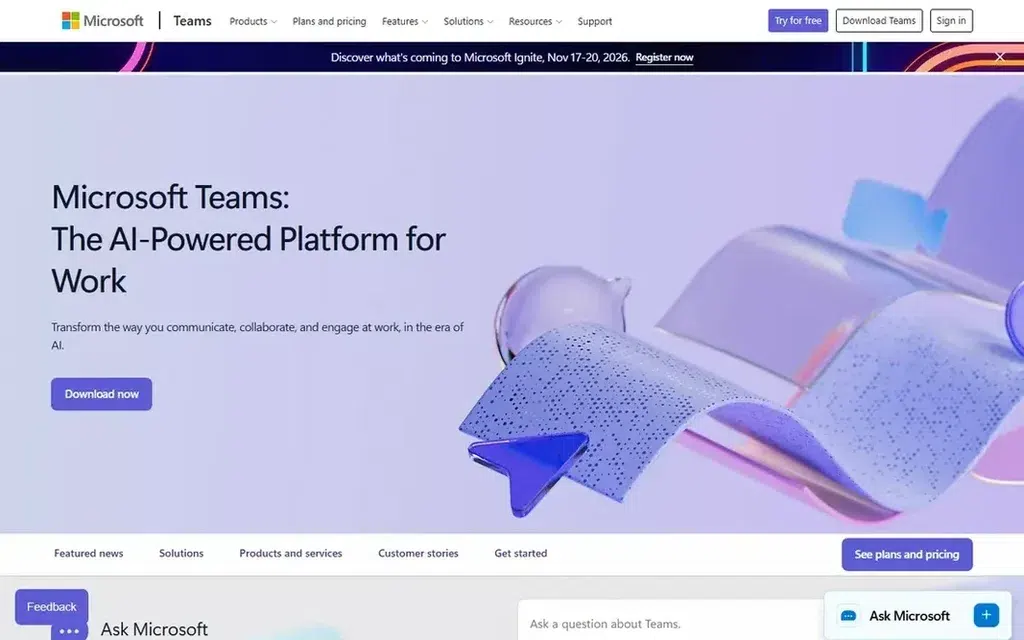
Microsoft Teams works best for all-in-one hub for group chat and files. Microsoft Teams is a collaboration system that brings chat, video meetings, and file sharing into a single workspace.
The main drawbacks: Interface can feel complicated for casual study groups.
For study groups that meet on a regular basis and share documents, Teams supplies a persistent space where conversations and materials live together. For everyday use, setting up channels and permissions takes some effort. Microsoft Teams shows no starting price here, so confirm the cost on the vendor site. Free options: Not stated.
- File storage
- Does well for continuing group projects
- Needs a Microsoft account
Selection criteria
We compared the tools on published pricing, free plan or trial availability, feature coverage for collaborative learning software for study groups, and the limits each vendor documents. Where a price is missing, the vendor does not list one publicly or ties it to a quote. Always confirm before budgeting. Order on the page follows fit for the typical buyer first, then price transparency and free access. Your own requirements should decide the final pick.
A buyer's checklist
- Confirm the entry price on the vendor page. For Microsoft Teams that means a quote rather than a fixed price.
- Read the fine print on the free plans from Kahoot., Slack, Notion and Miro; seat, project and feature caps differ.
- Read the limits listed for Kahoot. first: restricted to quiz-style interaction.
- Check how data leaves Slack: formats, limits and whether exports are available on every plan.
- Confirm that Miro connects to the apps your team already uses, on the plan you would actually buy.
FAQ
How are the tools for collaborative learning software for study groups ordered?
The order follows typical fit for collaborative learning software for study groups, with Kahoot. First and Microsoft Teams last, then price clarity and free access. It is editorial judgement, not a score, so another team could rank the tools differently.
Do these tools publish their prices?
Not all of them. Microsoft Teams publishes no starting price, so expect a quote request for it. The rest, Kahoot. included, show a starting price, though seats and billing terms still change the final cost.
What is the best collaborative learning software for study groups?
Start with Kahoot. If you need game-based review and engagement. Slack is the better match for organized team chat and workflows, and Notion for shared notes and knowledge base. The best choice depends on budget, team size and workflow.
What is the cheapest option for collaborative learning software for study groups in this list?
On published monthly entry prices, Kahoot. Is the lowest here at $3 per month. Entry price is only part of the cost, because seats, add-ons and billing terms can change the total. For the full picture, the cards above cover all 5 entries of this collaborative learning software for study groups list, including price, free plan and limits.
Which options for collaborative learning software for study groups have a free plan?
Kahoot., Slack, Notion and Miro offer a free plan in this list. Free plans usually cap users, projects or features, so check the limits on the vendor page.
Sources
- https://kahoot.com
- https://slack.com
- https://www.notion.so
- https://miro.com
- https://www.microsoft.com/en-us/microsoft-teams/group-chat-software