Best Charting Platform in 2026: 8 Platforms Compared
Compare the best charting platform in 2026 for stocks, day trading, and technical analysis, with free plans, prices, and backtesting options reviewed.
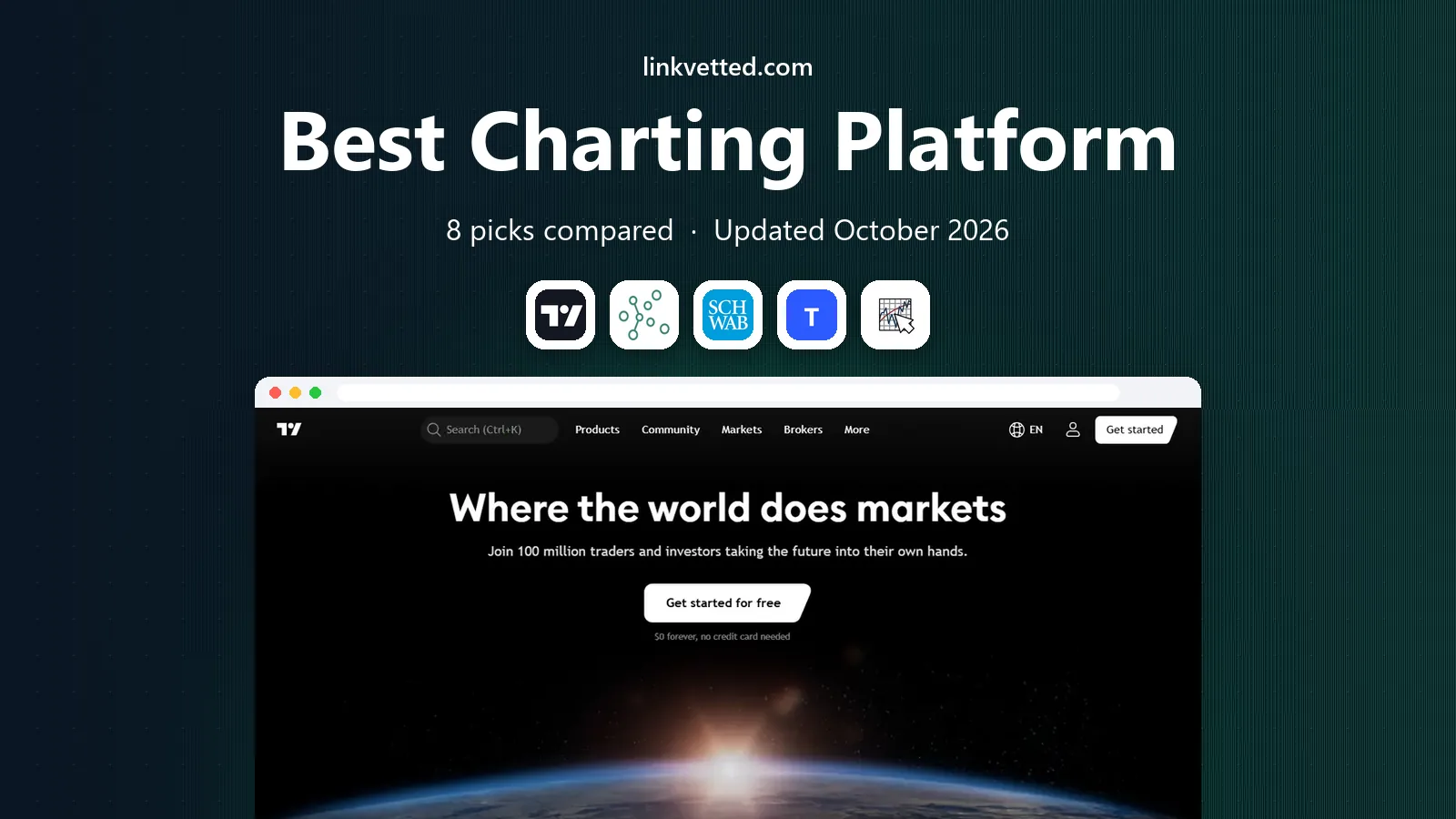
- Editor's choice
 TradingView
General charting for most traders
Starts atFreeVisit tradingview.comFull review - Great alternative
 TrendSpider
Automated technical analysis
Starts at$59 per monthVisit trendspider.comFull review - Also consider
 thinkorswim
Schwab clients and options traders
Starts atFreeVisit schwab.comFull review
TL;DR:
- TradingView is the best general starting point for most chart readers.
- thinkorswim and MetaTrader 5 are free with a broker account and suit active traders.
- TrendSpider leads for automated pattern and strategy work.
- Free tiers often use delayed data, so check data speed before trading on a chart.
Quick comparison
| Tool | Best for | Starts at | Free plan? | |
|---|---|---|---|---|
| TradingView | General charting for most traders | Free | Yes | Visit |
| TrendSpider | Automated technical analysis | $59 per month | No | Visit |
| thinkorswim | Schwab clients and options traders | Free | Yes | Visit |
 TC2000 | Budget charting and scanning | $24.99 per month | No | Visit |
 StockCharts.com | Classic technical charting | $19.95 per month | Yes | Visit |
 Finviz Elite | Screening first, charting second | $39.50 per month | Yes | Visit |
 MetaTrader 5 | Forex and futures charting | Free | Yes | Visit |
 NinjaTrader | Futures charting and automation | Free | Yes | Visit |
The best charting platforms
A charting platform should draw clean charts, update fast enough for your style, and let you save layouts and alerts without friction. The platforms below cover free browser charts, broker platforms, and automation-heavy tools, so match the choice to how often you trade and how much automation you need. This is not financial advice; trading carries risk, and past chart patterns do not guarantee future results.
For many readers, this is the first option worth a close look. TradingView works in a browser on any computer, with layouts, watchlists, and Pine Script indicators that many traders share. Use it as a first charting platform for stocks, crypto, and forex study.
The free plan is limited, and paid tiers rise in price as you add charts, indicators, and alerts. Before you commit, check the plan limits against the volume you actually expect, and confirm that the features you need most are included at the price shown rather than on a higher tier. That one check prevents most of the disappointment readers report after signing up, because a headline price rarely tells the full story on its own.
- Clean browser charts
- Huge indicator library
- Active community scripts
- Free plan limits indicators and alerts
- Real-time data varies by market
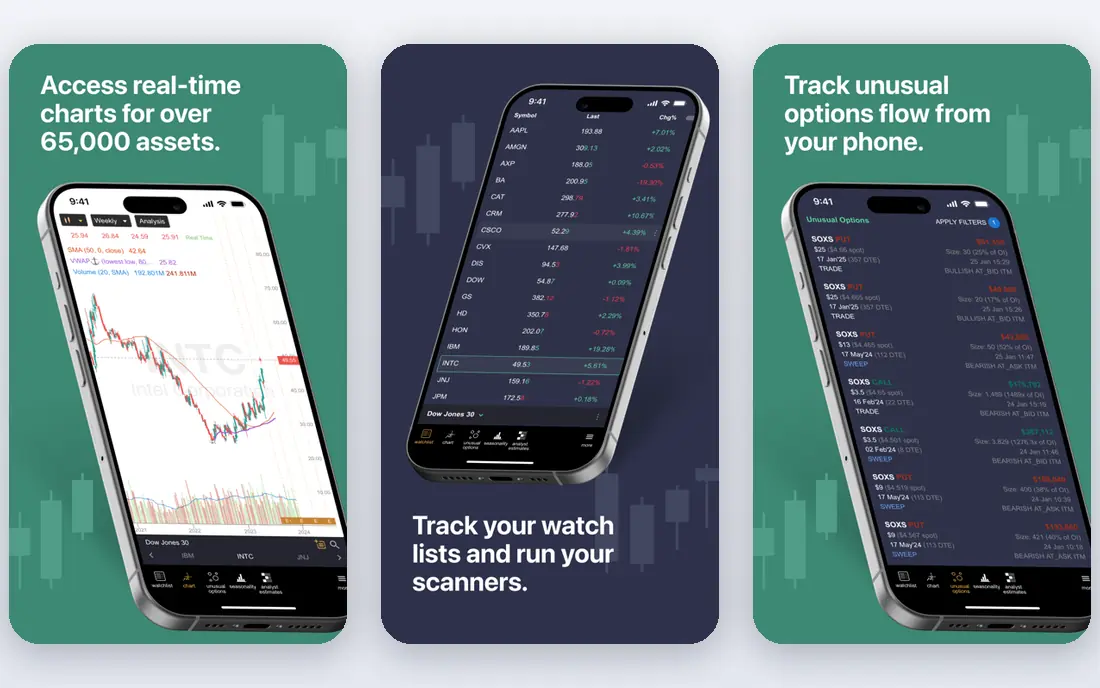
This one earns its place through a clear, focused job it does well. TrendSpider automates much of the routine chart work, from trendlines to scans and backtests, which saves time for systematic traders. Use it for traders who test rules rather than eyeball every chart.
It is pricier than a simple chart tool, and its power only pays off if you actually use the automation. Before you commit, check the plan limits against the volume you actually expect, and confirm that the features you need most are included at the price shown rather than on a higher tier. That one check prevents most of the disappointment readers report after signing up, because a headline price rarely tells the full story on its own.
- Automated trendlines and patterns
- Multi-timeframe scans
- Strategy backtesting
- No free plan beyond trial
- Learning curve for automation features
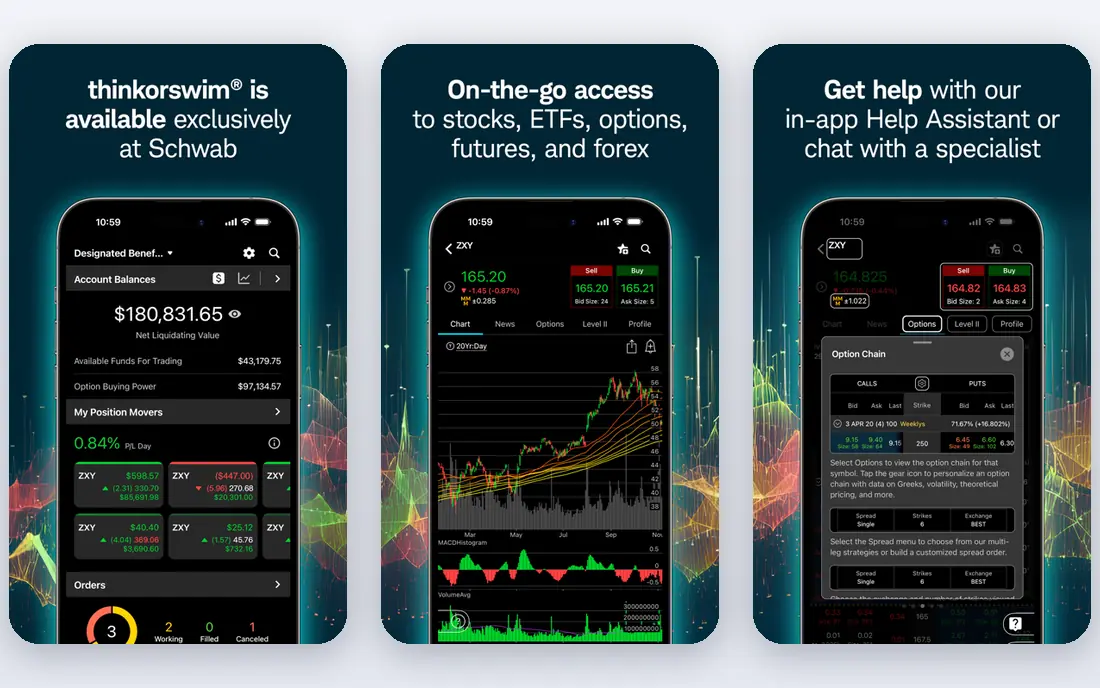
If you want a dependable starting point, start here. thinkorswim, from Schwab, pairs strong charting with options analysis, scanning, and paper trading in one desktop platform. Use it if you already trade with Schwab or trade options often.
Its depth is also its drawback for new traders, who may need time to learn the layout and tools. Before you commit, check the plan limits against the volume you actually expect, and confirm that the features you need most are included at the price shown rather than on a higher tier. That one check prevents most of the disappointment readers report after signing up, because a headline price rarely tells the full story on its own.
- Deep options tools
- ThinkScript studies
- Paper trading
- Requires a Schwab account
- Interface can overwhelm beginners
This option suits readers who know what they need and want it without fuss. TC2000 balances charting, scanning, and watchlists at a lower entry price than many automation platforms. Use it for US stock traders who want solid charts without a large bill.
Add-on data fees can push the total higher, so price the data you need, not only the base plan. Before you commit, check the plan limits against the volume you actually expect, and confirm that the features you need most are included at the price shown rather than on a higher tier. That one check prevents most of the disappointment readers report after signing up, because a headline price rarely tells the full story on its own.
- Good scanning and charting
- Clean layout
- Options data options
- Real-time data add-ons raise cost
- No free plan
A strong choice when the priority is getting a good result quickly. StockCharts.com is a long-running chart site with clear technical tools and helpful education for chart readers. Use it for classic technical analysis and learning.
It lacks the automation depth of newer rivals, so systematic traders may want a second tool. Before you commit, check the plan limits against the volume you actually expect, and confirm that the features you need most are included at the price shown rather than on a higher tier. That one check prevents most of the disappointment readers report after signing up, because a headline price rarely tells the full story on its own.
- Clear chart styles
- ChartSchool education
- Scanning tools
- Interface feels older
- Fewer automation features than TrendSpider
This is the pick to shortlist when budget and ease matter in equal measure. Finviz Elite is best when discovery comes first, with screening, heatmaps, and news that lead you to a chart worth studying. Use it for traders who screen for ideas, then chart the shortlist.
Its charts are useful but not as deep as TradingView or TrendSpider for complex layouts. Before you commit, check the plan limits against the volume you actually expect, and confirm that the features you need most are included at the price shown rather than on a higher tier. That one check prevents most of the disappointment readers report after signing up, because a headline price rarely tells the full story on its own.
- Fast stock screener
- Heatmaps
- Real-time data on Elite
- Charting is simpler than dedicated platforms
- Free tier is delayed
Readers who like a guided setup will find this one comfortable. MetaTrader 5 is free through many brokers and supports custom indicators and automated strategies for forex and futures. Use it for forex and futures traders who want a free, flexible platform.
The design feels dated, and the broker you choose affects data and execution quality. Before you commit, check the plan limits against the volume you actually expect, and confirm that the features you need most are included at the price shown rather than on a higher tier. That one check prevents most of the disappointment readers report after signing up, because a headline price rarely tells the full story on its own.
- Multi-asset charts
- Automated trading support
- Many broker choices
- Broker account needed for live trading
- Interface is dated
This option stands out for a specific strength that is easy to overlook at first glance. NinjaTrader suits futures traders, with simulation, advanced charting, and automation for those who code strategies. Use it for futures traders who want simulation and automation.
Stock and options traders will find its focus narrower than a general platform such as TradingView. Before you commit, check the plan limits against the volume you actually expect, and confirm that the features you need most are included at the price shown rather than on a higher tier. That one check prevents most of the disappointment readers report after signing up, because a headline price rarely tells the full story on its own.
- Free simulation
- Strong futures tools
- Strategy automation in C#
- Live data and some features need paid plans
- Futures focus limits stock use
How we picked these
We compared official feature pages, pricing pages, app store listings, privacy pages, and public reviews for each option, and we kept only products that exist, work today, and fit the topic directly. Where a price could not be confirmed on the vendor site at the time of writing, we wrote See website instead of guessing. We also weighed who each product is really built for, because the best choice for a solo user is often a poor choice for a team, and the reverse is just as true. We did not claim hands-on testing that did not happen. Instead, we focused on facts you can check yourself: what is included, what costs extra, what the free option covers, and where the limits sit. That approach keeps the comparison honest and lets you test the shortlist with your own real project before you pay.
How to choose a charting platform
Start with your market and your trading frequency. A casual stock watcher needs clean charts and a watchlist, while a day trader needs fast data, hotkeys, and alerts that fire reliably. Do not pay for automation until you have a rule you actually want to automate.
Check data speed and market coverage
Delayed data is fine for study, but not for active trading. Confirm that your markets are covered in real time on the plan you buy, and check exchange fees that may sit on top of the platform price.
Test alerts and layouts before you pay
Save a layout, set an alert, and open the platform on a second device. If that routine feels awkward on a trial, it will feel worse during a busy market session.
Separate charting from brokerage
A free broker platform can be excellent, but it ties your charts to one broker. A standalone platform costs more yet keeps your layouts if you change brokers later.
FAQ
What is the best charting platform?
TradingView is the best general choice for most readers, while thinkorswim suits Schwab clients and TrendSpider suits automation. MetaTrader 5 suits forex and futures, and TC2000 suits budget-conscious US stock traders.
What is the best free stock charting software?
TradingView, thinkorswim with a Schwab account, MetaTrader 5 through a broker, and NinjaTrader simulation all offer free routes. Free tiers may use delayed data or limit indicators, so check those limits first.
What is the best charting software for day trading?
Day traders need fast data, reliable alerts, and a layout they can read at a glance. TradingView, thinkorswim, and TrendSpider all meet that bar, with TrendSpider adding the most automation.
Do I need to pay for a charting platform?
Not always. Free plans cover study and casual tracking well, but active traders often pay for real-time data, more indicators, and more alerts. Start free, then pay only for the limit you actually hit.
Is charting software financial advice?
No. Charting tools show price history and indicators, but they do not advise you to buy or sell. This is not financial advice; trading carries risk, and you should only risk money you can afford to lose.