Best CDN for Ecommerce Speed (2026): 5 Picks Checked on Vendor Pages
5 tools for the best CDN for ecommerce speed, compared on pricing, free plans and best-fit use. Each listing flags where it falls short. Budget notes included.

- Editor's choice
 Fastly
Frequent content updates at the edge
Starts at$2.50 per 10,000 requestsVisit fastly.comFull review - Great alternative
 Google Cloud CDN
Teams on Google Cloud infrastructure
Starts atSee websiteVisit cloud.google.comFull review - Also consider
 Cloudflare
All-around delivery plus security
Starts at$7 a monthVisit cloudflare.comFull review
Direct answer
Start with Fastly if you need frequent content updates at the edge. Listed starting prices: Fastly from $2.50 per 10,000 requests, Cloudflare from $7 a month and Bunny CDN from $1 per month. Google Cloud CDN is the stronger choice for teams on Google Cloud infrastructure, while Cloudflare suits all-around delivery plus security. All 5 tools are compared below on price, free plan and limits.
TL;DR:
- Top of the list is Fastly, which targets frequent content updates at the edge.
- Bunny CDN is the one to check for straightforward delivery at any scale.
- Google Cloud CDN comes with a trade-off: assumes cloud networking knowledge.
- Free plans exist at 3 of 5 tools (Fastly, Cloudflare, Amazon CloudFront).
- The cheapest monthly starting price in the list is $1 per month, offered by Bunny CDN.
Last checked November 2026. Prices and plan details were read from the vendors' own pages in November 2026; vendors change plans often, so confirm the current price on the vendor site before you buy.
Quick comparison
| Tool | Best for | Starts at | Free plan? | |
|---|---|---|---|---|
| Fastly | Frequent content updates at the edge | $2.50 per 10,000 requests | Yes | Visit |
| Google Cloud CDN | Teams on Google Cloud infrastructure | See website | Not stated | Visit |
| Cloudflare | All-around delivery plus security | $7 a month | Yes | Visit |
 Amazon CloudFront | Keeps already on Amazon Web Services | See website | Yes | Visit |
| Bunny CDN | Straightforward delivery at any scale | $1 per month | Free trial | Visit |
CDN for Ecommerce Speed profiles
If you are comparing CDN for ecommerce speed, this page covers 5 tools in one place: what each is best for, what it costs to start, whether it has a free plan, and the main limit to know about.
Fastly is aimed squarely at frequent content updates at the edge. Fastly describes itself as powering the best of the internet. Its system is noted for giving developers fine control over how content is cached and served.
More specifically, pick Fastly when agility and edge control outweigh ease of setup. On top of that, keeps wanting minimal configuration may prefer a more straightforward provider. The starting price for Fastly: $2.50 per 10,000 requests. You can start on Fastly without paying.
Watch-outs: Steeper ramp-up time.
- Solid developer controls
- Quick cache purging
- Configuration favors technical teams
Choose Google Cloud CDN for teams on Google Cloud infrastructure. Google Cloud CDN gives content hosted on-premises or in another cloud over Google's distributed infrastructure. As for the details, teams outside Google Cloud get less benefit from the integration.
More specifically, configuration assumes familiarity with cloud networking concepts, so smaller merchants may find it indirect compared to standalone CDNs. Choose it when your infrastructure already centers on Google Cloud. Check the vendor site for Google Cloud CDN pricing; none is listed in this comparison. Free plan details: Not stated.
Where it falls short: Less plug-and-play for beginners.
- Connects with Google Cloud services
- Uses Google's global infrastructure
- Assumes cloud networking knowledge

Cloudflare is designed for all-around delivery plus security. Cloudflare is a widely used product that merges content delivery with security and performance tooling.
Drawbacks to consider: Advanced tuning can get complicated.
For ecommerce keeps, it can cache static assets, absorb traffic spikes and add protection in front of the origin. Its breadth means settings can feel layered, and fine tuning caching rules takes time. The starting price for Cloudflare: $7 per month. Cloudflare has a free plan.
- Wide edge network
- Bundled security features
- Some features need deeper configuration
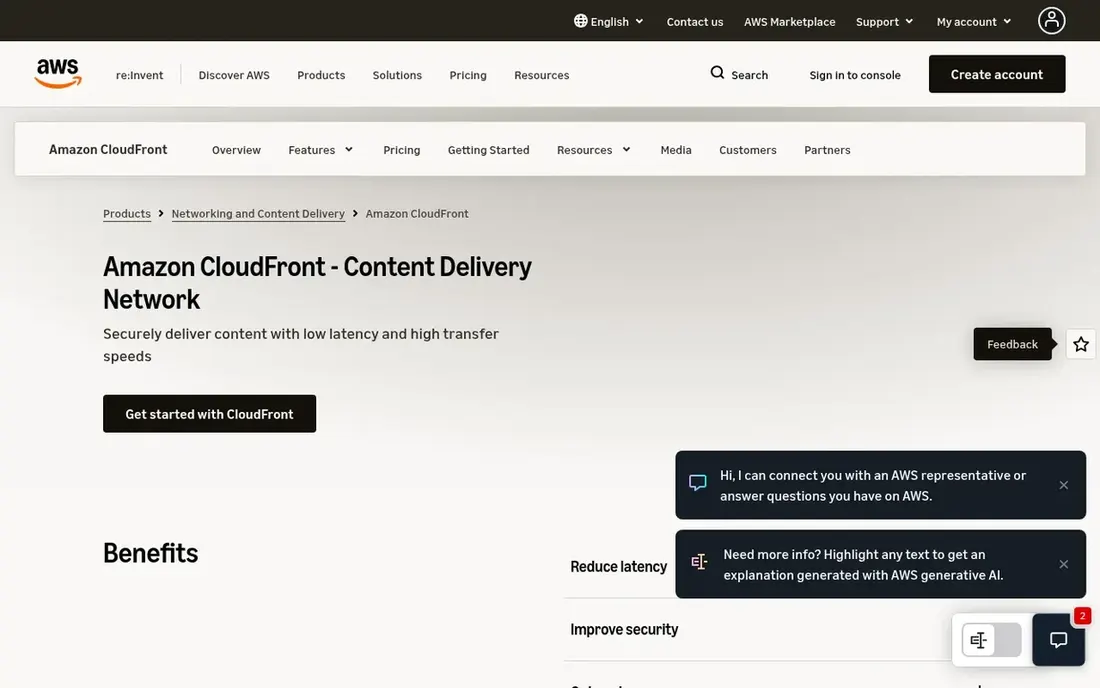
Amazon CloudFront is a good fit for keeps already on Amazon Web Services. From a buyer's view, developers get programmatic control over cache behavior and headers.
On top of that, merchants outside that ecosystem may prefer a more straightforward standalone CDN. Amazon CloudFront shows no starting price here, so confirm the cost on the vendor site. Amazon CloudFront includes a free tier.
The main drawbacks: Console can feel dense.
- Tight integration with Amazon Web Services
- Deals with static and dynamic content
- Best value inside the Amazon ecosystem
Bunny CDN
Best for: Straightforward delivery at any scale
Choose Bunny CDN for straightforward delivery at any scale. Its feature set is narrower than the large cloud systems, and teams needing deep security suites may look elsewhere.
In practice, pick Bunny CDN when simplicity and fast onboarding are the primary goals. Price to start with Bunny CDN: $1 per month. Trial and free access: Free trial.
Trade-offs to know: Advanced security is more restricted.
- Scales from small to large
- Straightforward setup
- Smaller feature breadth than major clouds
How we compared the tools
Selection started from tools commonly considered for CDN for ecommerce speed, then narrowed to 5 that have clear pricing information or a clear quote process. Where a price is missing, the vendor does not list one publicly or ties it to a quote. Always confirm before budgeting. We ordered the tools by general fit, then by how clearly pricing is shown, then by free access. A buyer with unusual needs may reorder them.
A buyer's checklist
- Get a written quote from Google Cloud CDN and Amazon CloudFront; the list shows no starting price for them.
- Check what the free option really includes: Fastly, Cloudflare and Amazon CloudFront offer a free plan, and usage caps differ.
- Use real work to test the free trial from Bunny CDN, rather than a demo project.
- Before choosing Fastly, weigh its main limit: steeper ramp-up time.
- Check whether the features you need in Google Cloud CDN sit on the entry plan or only on higher tiers.
- Look at the renewal terms for Amazon CloudFront: auto-renewal, notice periods and price changes can matter more than the first-year price.
FAQ
Is Fastly the right pick for everyone comparing CDN for ecommerce speed?
No single tool suits every team. Fastly comes first because it fits frequent content updates at the edge, while Google Cloud CDN suits teams on Google Cloud infrastructure and Cloudflare suits all-around delivery plus security. Match the tool to your own size, budget and workflow before deciding.
Can I try these tools before paying?
Often, yes. Fastly, Cloudflare and Amazon CloudFront have a free plan and Bunny CDN offers a free trial. Use your own data and a real task during the test, and check what the free tier or trial limits before you rely on it.
Do these tools publish their prices?
Not all of them. Google Cloud CDN and Amazon CloudFront publish no starting price, so expect a quote request for those. The rest, Fastly included, show a starting price, though seats and billing terms still change the final cost.
Which options for CDN for ecommerce speed have a free plan?
Fastly, Cloudflare and Amazon CloudFront offer a free plan in this list. Free plans usually cap users, projects or features, so check the limits on the vendor page. One other tool offers a trial instead.
Does a CDN really boost store speed?
A CDN serves cached assets from locations closer to shoppers, which can cut load times for images, scripts and pages. The actual gain relies on your origin setup and how well caching is configured.
What should an ecommerce store look for in a CDN?
Focus on edge locations near your shoppers, quick cache invalidation for changing prices and stock, and integration with your system. Security features that absorb traffic spikes also matter during promotions.
Sources
- https://www.fastly.com
- https://cloud.google.com/cdn
- https://www.cloudflare.com
- https://aws.amazon.com/cloudfront
- https://bunny.net