Best Automotive Software in 2026: 8 Tools Compared
Compare the best automotive software in 2026 for repair shops, from estimates and digital inspections to scheduling, invoicing, payments, and inventory control.
- Editor's choice
 Tekmetric
Independent shops, all-in-one
Starts atSee websiteVisit tekmetric.comFull review - Great alternative
 Shop-Ware
Visual digital inspections
Starts atSee websiteVisit shop-ware.comFull review - Also consider
 Shopmonkey
Modern cloud shop workflow
Starts atSee websiteVisit shopmonkey.ioFull review
TL;DR:
- Tekmetric is our pick for most independent shops because it combines repair orders, inspections, payments, and reporting in one cloud system.
- Shop-Ware suits shops that sell through visual digital inspections, while Shopmonkey suits shops that want a modern all-in-one workflow.
- Mitchell 1 and ALLDATA remain best for shops that need deep OEM repair data and labor guides.
- Published prices vary by billing term, so compare monthly and annual costs plus add-ons for texting, marketing, and multi-shop use.
- Test the inspection flow and the accounting link with your real workflow before you migrate a live shop.
Quick comparison
| Tool | Best for | Starts at | Free plan? | |
|---|---|---|---|---|
| Tekmetric | Independent shops, all-in-one | See website | No | Visit |
| Shop-Ware | Visual digital inspections | See website | No | Visit |
| Shopmonkey | Modern cloud shop workflow | See website | No | Visit |
 Mitchell 1 | OEM repair data depth | See website | No | Visit |
 AutoLeap | Tech-forward shops and AI tools | See website | No | Visit |
 ALLDATA | Repair data and diagnostics | See website | No | Visit |
 RO Writer | Veteran shop management | See website | No | Visit |
 Workshop Software | International cloud shops | See website | Free trial | Visit |
The best automotive software
For most readers, automotive software means shop management: repair orders, estimates, digital inspections, scheduling, invoicing, and customer communication. It can also include repair data, which tells technicians how to fix a vehicle and how long a job should take. The tools below cover those jobs in different mixes, so the best choice depends on shop size, repair data needs, and how your team already works.

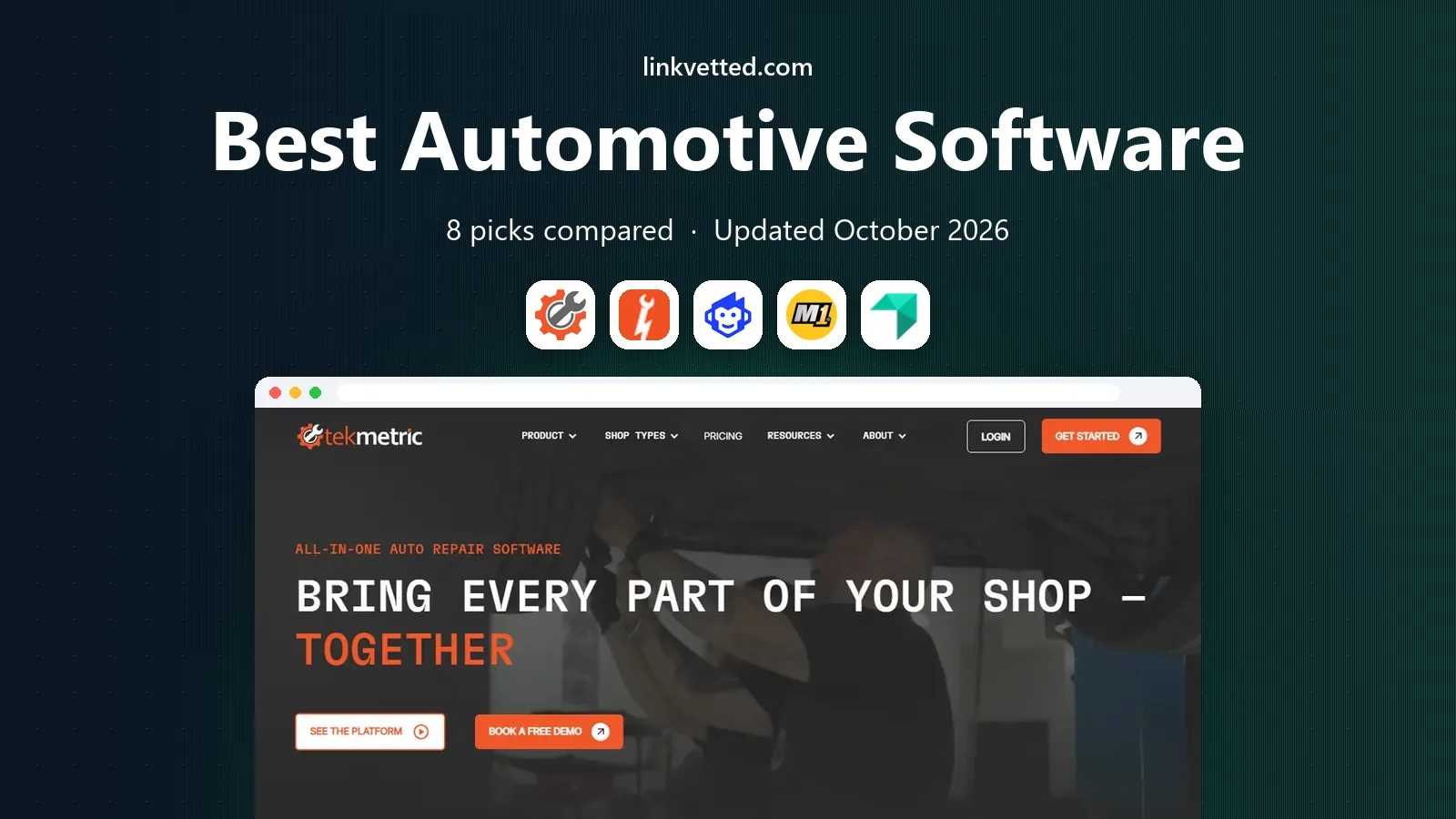
Tekmetric is a cloud shop management system built around the daily flow of a repair shop. Advisors create repair orders, technicians complete digital inspections with photos, customers approve work from their phones, and the shop can take payment without a separate system. That end-to-end flow is why many independent shops choose it as their main system.
Reporting and integrations are also strong, with tools for tracking advisor performance, technician output, and shop revenue. The trade-off is cost: add-ons for multi-shop use, tires, and marketing can raise the monthly bill. Check the full plan price for your shop size, and test the inspection approval flow with a real customer journey during a demo.
- Cloud repair orders
- Digital inspections
- Payments and reporting in one place
- Some add-ons cost extra
- Accounting sync needs a third-party link for some setups
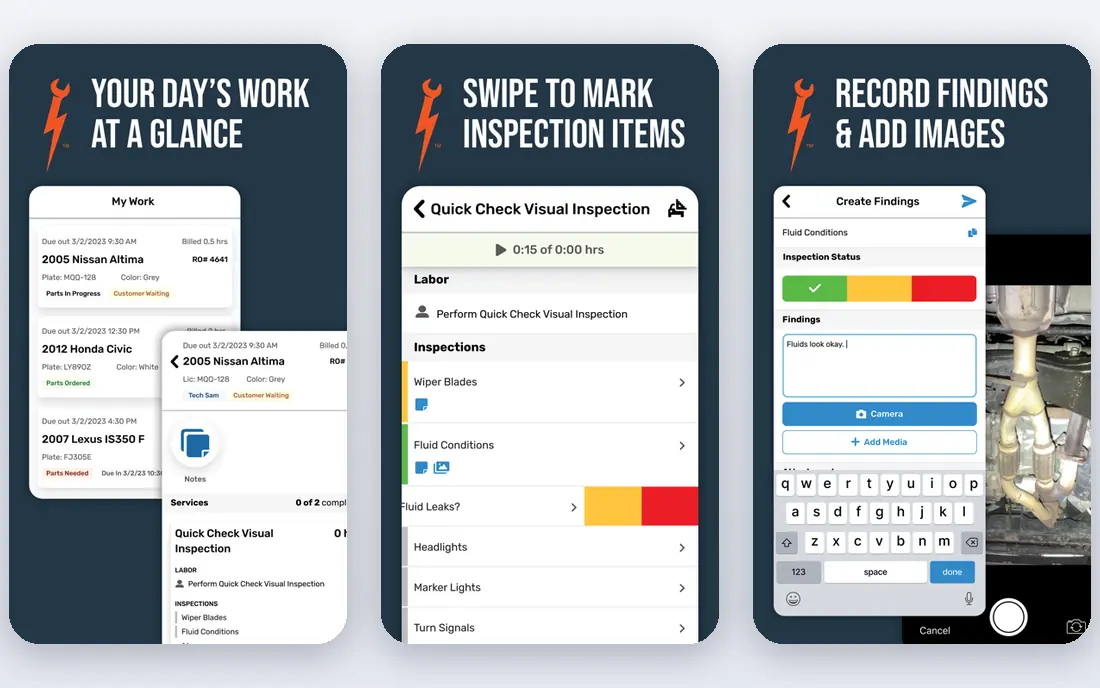
Shop-Ware built its reputation on how inspections look to customers. Technicians build a visual inspection, advisors send a clear estimate, and customers approve work from a phone without a confusing PDF. That clarity can raise approval rates, since customers see photos and explanations rather than a bare parts list.
The workflow-first design suits shops that want advisors and technicians working from the same live board. Smaller shops may find the entry price high compared with budget tools, so compare it against Tekmetric and Shopmonkey at your team size. If customer experience is your main selling point, Shop-Ware is a strong contender.
- Clear visual workflow
- Strong customer-facing estimates
- Cloud-based
- Higher entry cost for small shops
- Migration help varies by plan
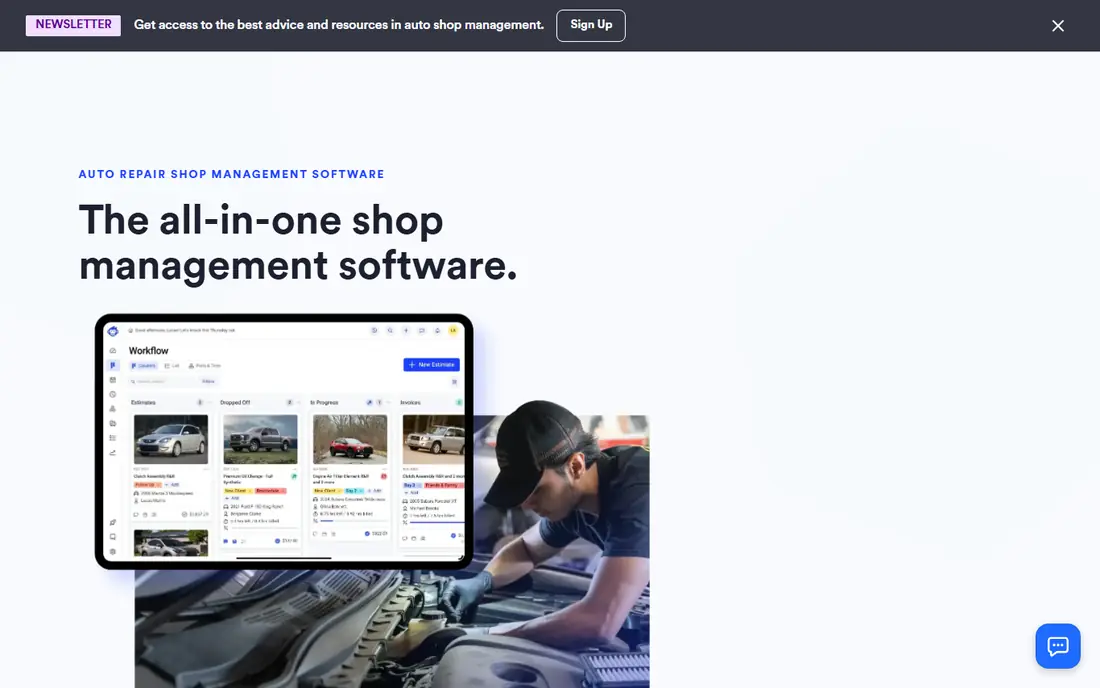
Shopmonkey combines shop management, customer records, estimates, invoicing, and accounting links in a modern cloud interface. Advisors can build estimates, message customers, and track jobs without jumping between tools. That breadth suits shops that want one login for most daily work.
Pricing depends on users and billing term, so a low annual price can look different on monthly billing. Extra users can add cost, which matters for larger teams. Test how your advisors handle a busy day in Shopmonkey, including texting, approvals, and end-of-day invoicing, before you commit.
- Estimates, invoicing, CRM, and accounting links
- Modern interface
- Good communication tools
- Per-user charges on some plans
- Annual billing lowers the listed price
Mitchell 1 is best known for ProDemand, its repair information database with OEM procedures, diagrams, labor times, and technical service bulletins. Shops that already rely on that data often choose Mitchell 1 Manager SE for shop management too, since the two sides connect. That depth matters for complex repairs where a generic guide is not enough.
The management side is less modern than cloud-first rivals, and pricing often requires a quote or lease discussion. Shops that value repair data above interface polish will accept that trade. Shops that want a sleek cloud workflow may prefer Tekmetric plus a separate repair data subscription.
- Deep ProDemand repair data
- Labor guides
- Long industry history
- Interface feels dated in places
- Pricing is quote-based for many setups
AutoLeap covers repair orders, scheduling, inspections, invoicing, CRM, and marketing in one platform, with newer AI features such as an AI receptionist for calls. That automation appeals to shops that miss calls during busy hours or want follow-up messages handled without extra staff time.
The platform is newer than Mitchell 1 and RO Writer, so shops with deep legacy workflows should test data migration carefully. Annual terms on some plans also deserve a close read. If you want modern automation and you are willing to learn a new system, AutoLeap is worth a demo beside Tekmetric.
- All-in-one shop platform
- Automation and CRM tools
- AI receptionist features
- Some plans need annual terms
- Add-ons can raise the total cost
ALLDATA is a repair information leader, offering OEM procedures, wiring diagrams, labor times, and diagnostic support. Technicians use it to find the right fix, check specifications, and avoid guesswork on complex vehicles. For shops that already run a management system, ALLDATA Manage Online adds shop tools, but data remains its core strength.
As a standalone manager, ALLDATA is less complete than Tekmetric or Shopmonkey, so many shops pair it with a separate workflow tool. That pairing can cost more overall, but it gives you the best data and the best workflow at once. Check bundle pricing if you need both sides.
- Industry-leading OEM repair data
- Diagnostic help
- Wide vehicle coverage
- Less complete as a standalone shop manager
- Best paired with a management tool
RO Writer has served repair shops for decades, and its cloud version brings repair orders, digital inspections, scheduling, and customer communication into a familiar system. Shops that have used it for years often value its stability and its understanding of shop workflows.
Newer shops may find the interface less polished than Tekmetric or Shopmonkey, and setup can take longer if you migrate years of customer and vehicle history. That history is also a strength: RO Writer handles long-term shop records well. If your team values proven tools over new design, RO Writer deserves a look.
- Long track record
- Repair orders and inspections
- Cloud options
- Less modern feel than cloud-first rivals
- Setup can take time
Workshop Software is a cloud platform for independent garages, with repair orders, bookings, invoicing, inspections, and customer messaging. It suits shops outside the United States or multi-country groups that need flexible currency, tax, and invoice formats. The free trial makes it easy to test without a sales call.
US shops that need deep OEM data may still need Mitchell 1 or ALLDATA beside it. For general service shops, tire shops, and smaller garages, Workshop Software covers the daily workflow at a fair price. Check whether its parts catalog and supplier links fit your local market before you switch.
- Cloud shop management
- Invoicing and inspections
- International currency and tax options
- Less US repair data depth than Mitchell 1 or ALLDATA
- Support hours vary by region
How we picked these
We compared official feature pages, pricing pages, and public user reviews for automotive shop software that works in October 2026. We favored tools with repair orders, digital inspections, estimates, invoicing, and customer messaging, plus repair data depth where relevant. We also weighed cloud access, accounting links, multi-shop support, and total cost including add-ons. We did not claim hands-on testing we did not do, and we left out tools that lacked a working official site or a clear fit for repair shops.
What to test before you switch
Run a real repair order end to end
Do not judge a system from a sales demo alone. Create a repair order, build an inspection with photos, send an estimate to a test customer, get approval, invoice the job, and take a payment. Watch where advisors get stuck, how customers see the inspection on a phone, and how long each step takes. That single test reveals more than a feature list.
Check parts, labor, and accounting links
Confirm that parts catalogs, labor guides, and supplier ordering work for the vehicles you service most. Test the accounting link with your bookkeeper, including how invoices, payments, and tax post to your chart of accounts. A shop system that creates extra manual accounting work each week will cost more than its monthly fee suggests.
Plan migration and training
Ask how customer, vehicle, and history data will move, what the migration fee covers, and how long training takes for advisors and technicians. Schedule the switch for a slower week, keep the old system readable for a month, and train on real jobs rather than sample data. Staff buy-in matters: a system your advisors avoid will not improve approvals, no matter how good its features look.
FAQ
What is the best automotive software for a small repair shop?
Tekmetric and Shopmonkey are strong small-shop choices because they cover repair orders, inspections, invoicing, and messaging in one cloud system. Budget tools exist, but they often lack inspection quality or reporting depth. Start with a demo that uses your real workflow, and compare total cost including users and add-ons.
How much does auto repair shop software cost?
Entry prices for major cloud systems often run from about $179 to $279 per month for a single shop on monthly or annual billing, with higher tiers for larger teams. Repair data subscriptions, texting, marketing, and multi-shop add-ons can raise that total. Always ask for the full monthly cost for your shop size before signing.
Do I need repair data separate from shop management?
It depends on the vehicles you service and the complexity of repairs. Mitchell 1 and ALLDATA offer deep OEM data that general management tools may not match. Many shops pair a management system with a repair data subscription to get both workflow and data depth, so check bundle options.
Does automotive software integrate with QuickBooks?
Most major systems offer QuickBooks links, either native or through a connector, but the quality varies. Test invoice, payment, and tax posting with your accountant before you commit. Ask whether the link syncs automatically, how errors are shown, and what happens if a payment is edited after posting.
What is a digital vehicle inspection?
A digital vehicle inspection is a photo and video inspection a technician builds on a tablet, which the customer reviews and approves from a phone. It shows what needs repair, what can wait, and what is in good shape, with clear explanations. Shops use it to raise approval rates because customers see the issue instead of only reading a parts list.
Can I switch shop software without losing customer history?
In most cases, yes, but migration quality varies by vendor and by how clean your old data is. Ask for a written migration plan, a test import, and a check of customer, vehicle, and invoice history before go-live. Keep the old system accessible during the first month in case a record needs checking.