Best Audio Streaming Service in 2026: 9 Services Compared
Compare the best audio streaming service in 2026, from Spotify and Apple Music to Tidal, Qobuz and Amazon Music, on sound quality, price and libraries.
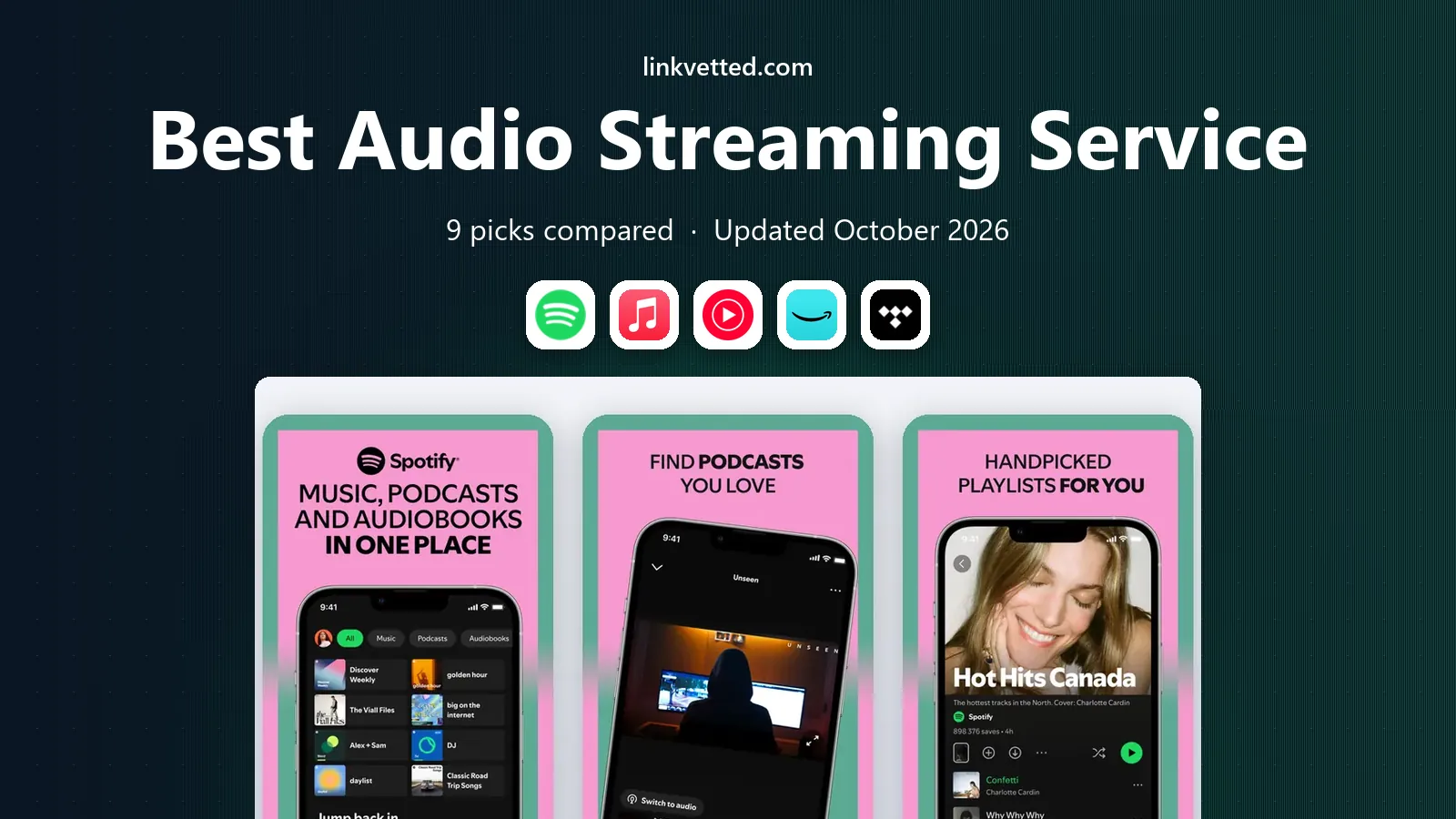
- Editor's choice
 Spotify
Most listeners
Starts atFreeVisit spotify.comFull review - Great alternative
 Apple Music
Apple device owners
Starts atSee websiteVisit music.apple.comFull review - Also consider
 YouTube Music
Music videos and YouTube fans
Starts atFreeVisit music.youtube.comFull review
TL;DR:
- Spotify is our pick for most listeners because of its large library, playlists and podcast mix, while Apple Music suits Apple device owners who want a clean, ad free library.
- Tidal and Qobuz are best for listeners who care about high resolution sound and artist payouts, but their libraries and prices differ.
- Amazon Music is strong value for Prime members, and YouTube Music suits people who already watch a lot of music videos on YouTube.
- Free plans from Spotify, Pandora and iHeartRadio are useful for casual listening, but offline playback and ad free listening need a paid plan.
Quick comparison
| Tool | Best for | Starts at | Free plan? | |
|---|---|---|---|---|
| Spotify | Most listeners | Free | Yes | Visit |
| Apple Music | Apple device owners | See website | Free trial | Visit |
| YouTube Music | Music videos and YouTube fans | Free | Yes | Visit |
 Amazon Music | Prime members | Free | Yes | Visit |
 Tidal | High resolution sound | See website | Free trial | Visit |
 Deezer | Music discovery and Flow | See website | Yes | Visit |
 Pandora | Radio style listening | Free | Yes | Visit |
 Qobuz | Audiophile downloads and streaming | See website | Free trial | Visit |
 iHeartRadio | Live radio and podcasts | Free | Yes | Visit |
The best audio streaming service
The best audio streaming service depends on how you listen. Some people want playlists and podcasts, others want the highest sound quality, and others mainly want live radio or music videos. The nine services below cover those styles, with libraries, sound quality, offline options and prices compared in plain terms.
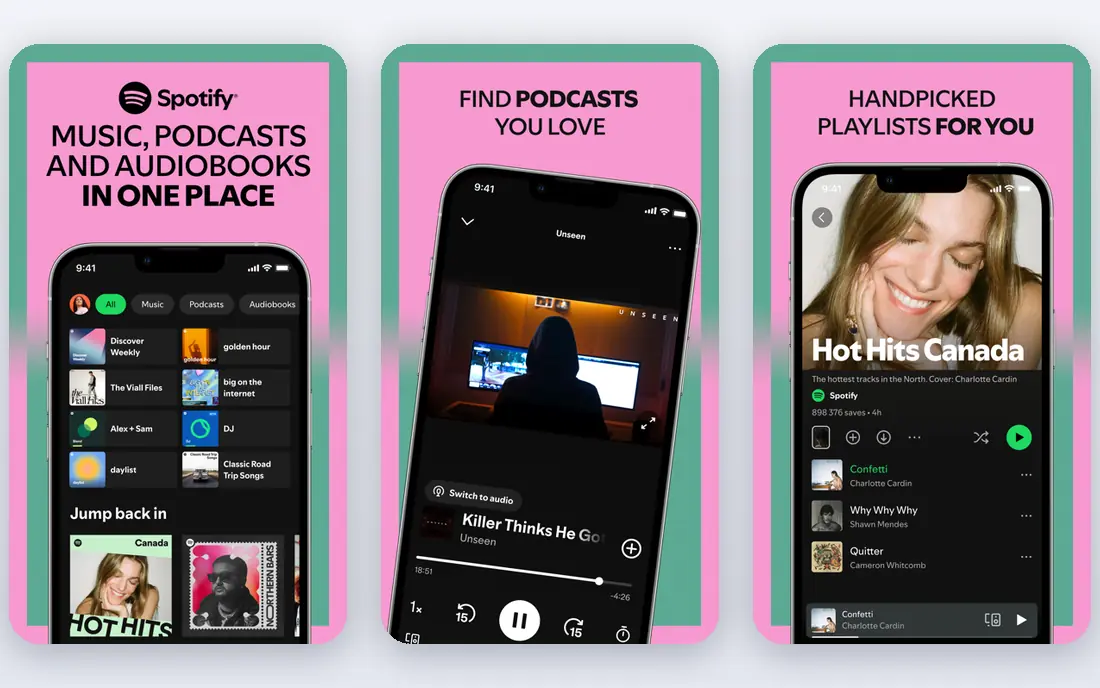
Spotify is our pick for most people because it does the everyday job well. The library covers most popular music and a large podcast catalog, playlists and recommendations help you find new songs, and the app works on phones, tablets, computers, speakers and cars. Cross device playback is smooth, so you can move from phone to speaker without losing your place.
The free plan is useful for casual listening, but it has ads and limits mobile playback to shuffle on many playlists. Premium removes ads, adds offline downloads and gives full playback control. If you listen daily and want podcasts in the same app, Spotify is the easiest default.
- Huge music and podcast library
- Strong playlists and recommendations
- Works on almost every device
- Free plan has ads and mobile shuffle limits
- Highest sound tier varies by plan and region
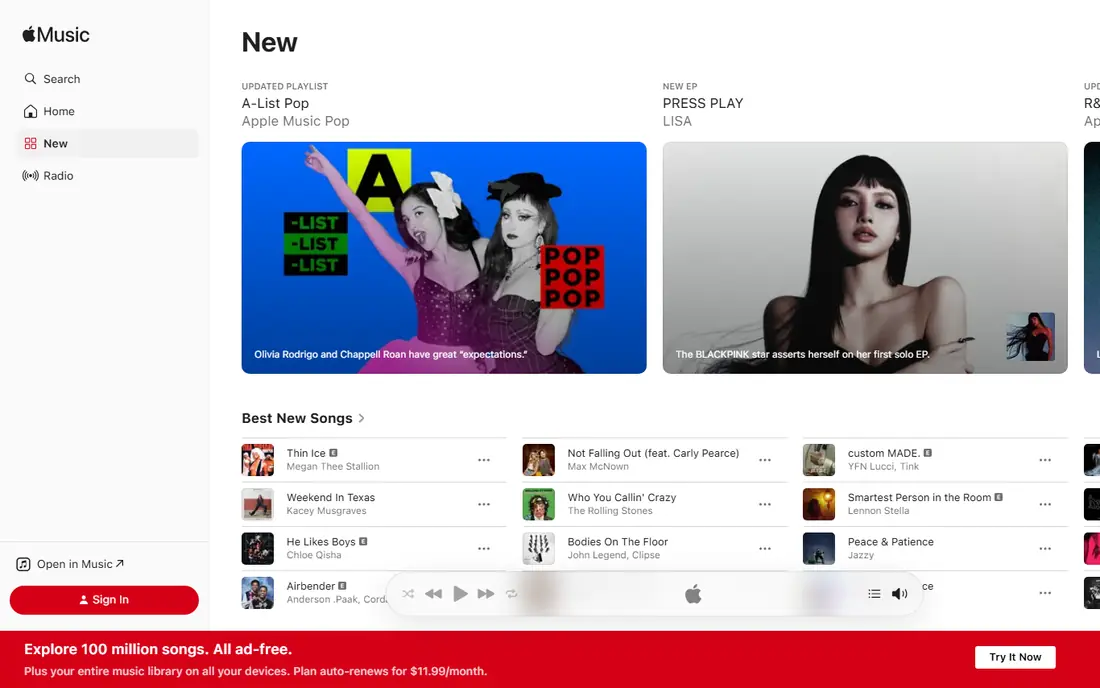
Apple Music suits people who live inside Apple devices. The library is large and ad free, lossless and spatial audio are available on supported tracks, and integration with iPhone, iPad, Mac, Apple Watch and HomePod is tight. Siri control and shared family plans add convenience for Apple households.
There is no permanent free tier, only a trial, so you need a subscription to keep listening. Android users can use Apple Music, but the experience is less central than on Apple devices. If you use Apple products daily and want high quality sound without ads, Apple Music is a strong choice.
- Large ad free library
- Lossless and spatial audio on supported plans
- Deep Apple device integration
- No permanent free tier
- Android and web experience is less central than Apple devices
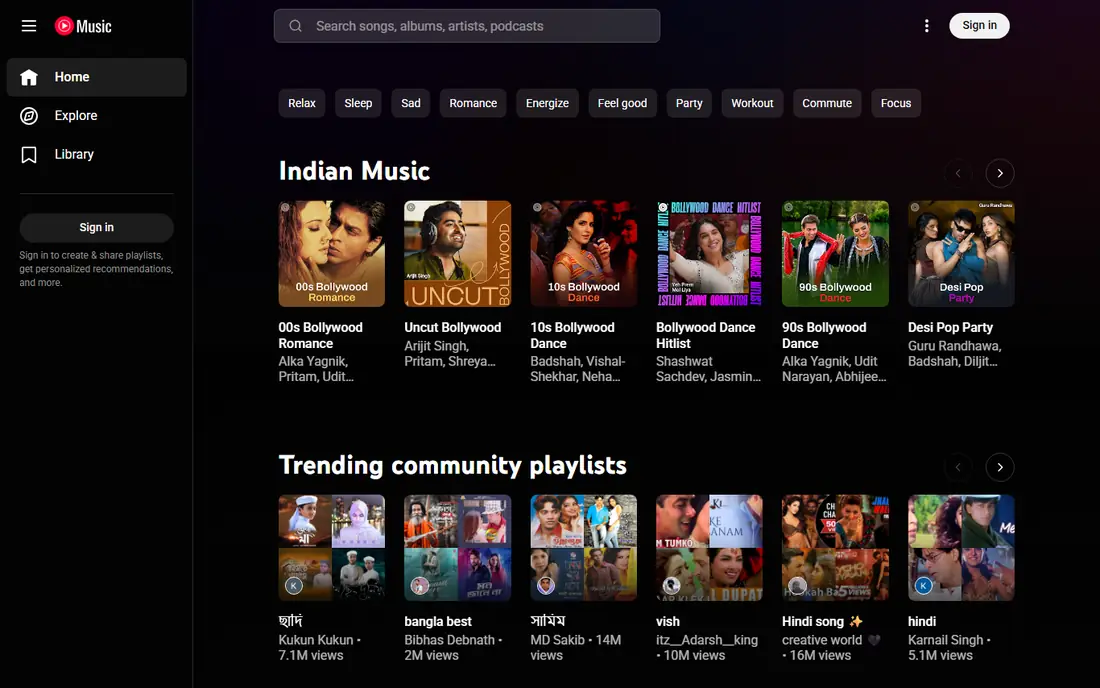
YouTube Music is best for listeners who already spend time on YouTube. Alongside studio albums, you get official videos, live performances, covers and remixes that other services may not carry. Recommendations draw on your YouTube history, which can surface songs you would not find in a standard catalog.
The free plan has ads and does not allow background play on mobile, which limits use while driving or working. A paid plan removes ads, adds offline downloads and background play, and YouTube Premium bundles ad free YouTube video as well. If music videos matter to you, YouTube Music is hard to replace.
- Music videos, covers and live versions alongside studio tracks
- Good recommendations
- Bundled with YouTube Premium on some plans
- Free plan has ads and no background play on mobile
- Library organization can feel messy
Amazon Music offers good value for Prime members, who get a music service included with Prime, with a larger catalog on Amazon Music Unlimited. Alexa integration makes it easy to play music on Echo speakers by voice, and the app covers phones, tablets and desktops.
The tier structure can confuse. Prime Music has a smaller catalog than Unlimited, and some songs and features need the Unlimited plan. Check which tier covers the artists you listen to most before you subscribe. For Prime members who already use Alexa, Amazon Music is the lowest friction choice.
- Included music for Prime members
- Unlimited adds a larger catalog
- Works well with Alexa and Echo devices
- Catalog tiers can confuse
- Full Unlimited catalog needs a separate subscription
Tidal is built for listeners who care about sound quality. Lossless and high resolution tracks are central to the service, and the app includes music videos, editorial playlists and artist focused features. For a listener with good headphones or a home system, the difference over a standard compressed stream can be noticeable.
Pricing is higher than a basic Spotify or Amazon plan in some regions, and the library, while large, can have gaps in niche genres. A trial with your own headphones is the best test. If sound quality is your main priority, Tidal is one of the two best options here, alongside Qobuz.
- High resolution and lossless audio
- Artist focused features
- Music videos and editorial content
- Higher price than basic plans on some services
- Library gaps for some niche genres
Deezer offers a large library, podcasts and a standout discovery feature called Flow, which mixes your favorites with new songs in a personalized radio stream. Lyrics, offline listening on paid plans and a clean interface make it easy to use daily. The free plan lets you test the library and Flow before you pay.
Deezer is less deeply integrated with some speakers, cars and smart devices than Spotify or Apple Music, and plans vary by country. If discovery matters more than device integration, and you like a radio style mix that learns your taste, Deezer is worth a trial.
- Flow personalized radio
- Large library
- Lyrics and podcasts in one app
- Less widely integrated with speakers and cars than Spotify
- US availability and plans vary
Pandora is best for listeners who want radio, not a library to manage. Start a station from a song or artist, and Pandora builds a stream of similar music, with thumbs up and down controls that shape future picks. That simplicity suits driving, work and background listening.
On demand album listening and offline playback need a paid plan, and the free tier has ads. If you mainly want to discover music without choosing every track, Pandora is a relaxing choice. If you want full albums on demand, Spotify or Apple Music will suit you better.
- Strong radio stations based on songs and artists
- Simple to use
- Free tier for casual listening
- On demand control is limited on free plans
- Library depth is less than Spotify for album listening
Qobuz is the audiophile choice for listeners who want high resolution streaming and the option to buy and download albums. Album pages include detailed credits, liner notes and booklets, which appeal to listeners who care about artists, producers and recording details. There are no ads, and sound quality is a central selling point.
The price is higher than basic streaming plans, and Qobuz has less of the playlist and social culture that makes Spotify fun for casual discovery. If you buy albums, listen on good equipment and value sound quality and credits, Qobuz is excellent. If you mainly want playlists and podcasts, Spotify is a better fit.
- High resolution streaming and downloads
- Detailed album credits and booklets
- No ads
- Higher price
- Smaller mainstream playlist culture than Spotify
iHeartRadio is best for live radio lovers. It streams thousands of live AM and FM stations, alongside podcasts, news and music stations, all in one free app. That mix suits listeners who want local radio, talk shows and music without managing a library.
On demand music control is more limited than on Spotify or Apple Music, and some features are US focused. Paid plans add more on demand options and offline listening. If live radio and podcasts are your main audio habit, iHeartRadio is a free and simple starting point.
- Live AM and FM radio stations
- Podcasts and news
- Free tier for casual listening
- On demand music is limited compared with Spotify
- Some features are US focused
How we picked these
We compared official pricing pages, free plan limits, library size, sound quality tiers, offline options and device support, plus public reviews about app quality and recommendations. We favored services that are actively available in the United States in October 2026, that offer a real streaming library rather than radio alone, and that cover different listening styles. Where pricing varies by region or plan, we used See website rather than a single misleading number.
What to check before you pay
Start with how you listen. If you listen on a phone with headphones, sound quality and offline downloads matter. If you listen on a smart speaker, check integration with that speaker first. If you listen in a car, check CarPlay, Android Auto and offline support, because a service that works well at home may frustrate you on the road.
Next, check the library for the artists you actually play. Most major services cover popular music well, but niche genres, local artists and older catalogs can vary. Use a free tier or trial to search for ten artists you love, then check whether live versions, covers or podcasts you want are included.
Finally, check family and student plans. A family plan can cut the per person cost sharply, and student plans often include extras. Also check whether a bundle, such as YouTube Premium or Amazon Prime, already gives you a music service you are not using.
FAQ
What is the best audio streaming service?
Spotify is best for most listeners because of its library, playlists and podcasts, while Apple Music is best for Apple device owners and Tidal or Qobuz are best for high resolution sound. Amazon Music is best value for Prime members, and YouTube Music is best for music video fans.
What is the best free music streaming service?
Spotify Free, Pandora and iHeartRadio offer useful free tiers for casual listening, with ads and some playback limits. YouTube Music Free also works well if you do not need background play on mobile. For offline and ad free listening, a paid plan is needed.
Which streaming service has the best sound quality?
Tidal and Qobuz lead on high resolution and lossless sound, and Apple Music also offers lossless and spatial audio on supported tracks. Sound quality also depends on your headphones, speakers and connection, so test a trial with your own equipment.
Can I listen offline?
Paid plans from Spotify, Apple Music, YouTube Music, Amazon Music Unlimited, Tidal, Deezer and Qobuz support offline downloads on mobile. Free plans generally do not, so offline listening is a key reason to pay.
Is Spotify or Apple Music better?
Spotify is better for playlists, podcasts and cross device use, while Apple Music is better for a clean ad free library and Apple device integration. Both have large libraries, so the best choice depends on your devices and whether podcasts matter to you.