Best Apps to Exercise in 2026: 8 Products Compared
We compared the best apps to exercise on workout types, coaching, tracking and price, so you can find the best fitness app for home, gym or outdoor training.
- Editor's choice
 Nike Training Club
Free, varied workouts at home or in the gym
Starts atFreeVisit nike.comFull review - Great alternative
 FitOn
Free classes across cardio, strength, yoga, and Pilates
Starts atFreeVisit fitonapp.comFull review - Also consider
 Peloton App
Instructor-led classes and a motivating class schedule
Starts atSee websiteVisit onepeloton.comFull review
TL;DR:
- Nike Training Club and FitOn offer strong free workout libraries for home training without a subscription.
- Strava is our pick for runners and cyclists who want route tracking and a social training record.
- Peloton App and Apple Fitness Plus suit people who like instructor-led classes and a regular schedule.
- This guide is general fitness information only, not medical advice, so check with a clinician before starting a new intense programme.
- Pick by workout style first, then check equipment, space, and whether you like live classes or self-paced sessions.
Quick comparison
| Tool | Best for | Starts at | Free plan? | |
|---|---|---|---|---|
| Nike Training Club | Free, varied workouts at home or in the gym | Free | Yes | Visit |
| FitOn | Free classes across cardio, strength, yoga, and Pilates | Free | Yes | Visit |
| Peloton App | Instructor-led classes and a motivating class schedule | See website | Limited | Visit |
 Strava | Runners and cyclists who want tracking and community | Free | Yes | Visit |
 Apple Fitness Plus | Apple Watch and iPhone owners who want guided classes | See website | Limited | Visit |
 Freeletics | Bodyweight training with adaptive coaching plans | See website | Yes | Visit |
 JEFIT | Gym lifters who want detailed strength tracking | Free | Yes | Visit |
 Down Dog | Yoga, Pilates, and related home practices | See website | Limited | Visit |
The best apps to exercise
We compared official feature pages, pricing pages, app store listings, and public reviews for the best apps to exercise. The list covers home workouts, gym training, running, cycling, and yoga, since the best exercise app depends on how you like to move. All apps here are available in 2026, and prices should be checked on vendor sites before you subscribe.
Nike Training Club gives you a large library of workouts without a subscription, which makes it an easy first download. Sessions cover strength, cardio, mobility, and yoga, with trainer guidance and clear cues for form and pacing. You can filter by equipment, time, and level, so a 20-minute bodyweight session and a longer gym session are both easy to find. The app is less social than Strava and less class-driven than Peloton, so motivation must come mainly from your own routine. That is fine for self-directed exercisers, and the free price removes the main barrier to trying it. Start with a short plan, build a weekly habit, and add a tracking app only if you want deeper stats.
- Large free library, trainer-led sessions, plans for many levels
- Less live class energy than Peloton, some users want more tracking detail
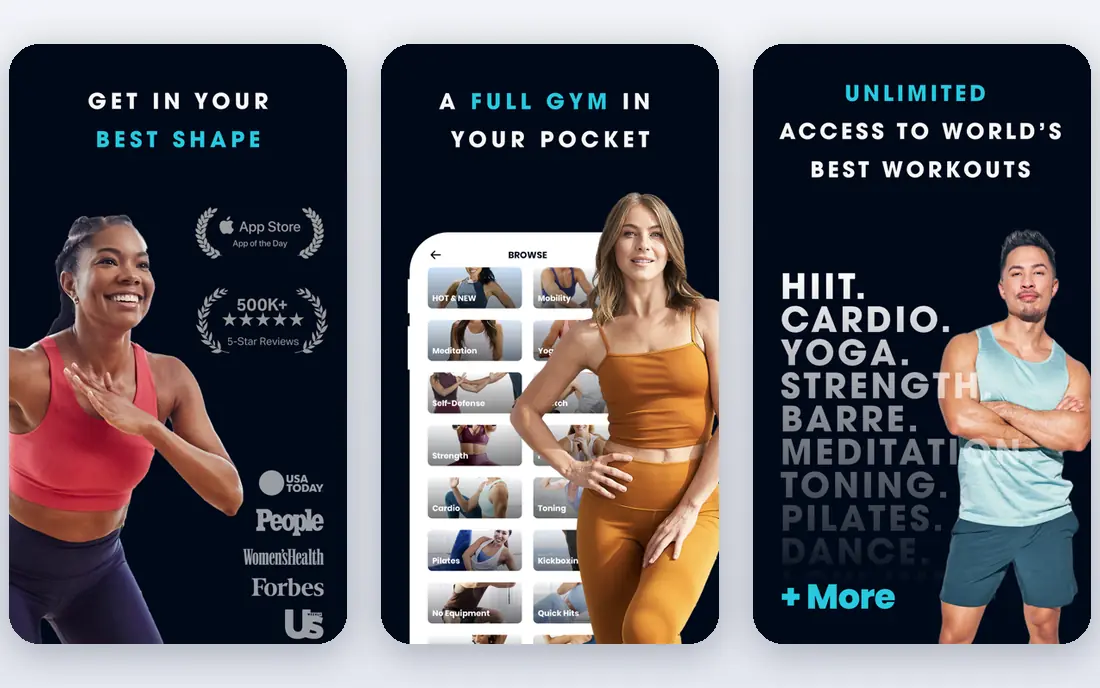
FitOn offers a wide range of free classes, from high-intensity cardio to Pilates and yoga, with well-known trainers and a clean class browser. The free tier is genuinely usable, not only a trial, which makes FitOn a strong choice for people who want variety without paying each month. Short sessions fit busy days, while longer classes suit weekend training. The paid tier adds meal plans, more personalisation, and offline access in some listings, so check current features on the official site. Class quality varies by trainer, as with any large library, so save favourite trainers once you find a style you like. FitOn works best as a home workout library, rather than a detailed running or lifting tracker.
- Many free classes, celebrity trainers, short and long sessions
- Paid tier adds features some users expect free, class quality varies by trainer
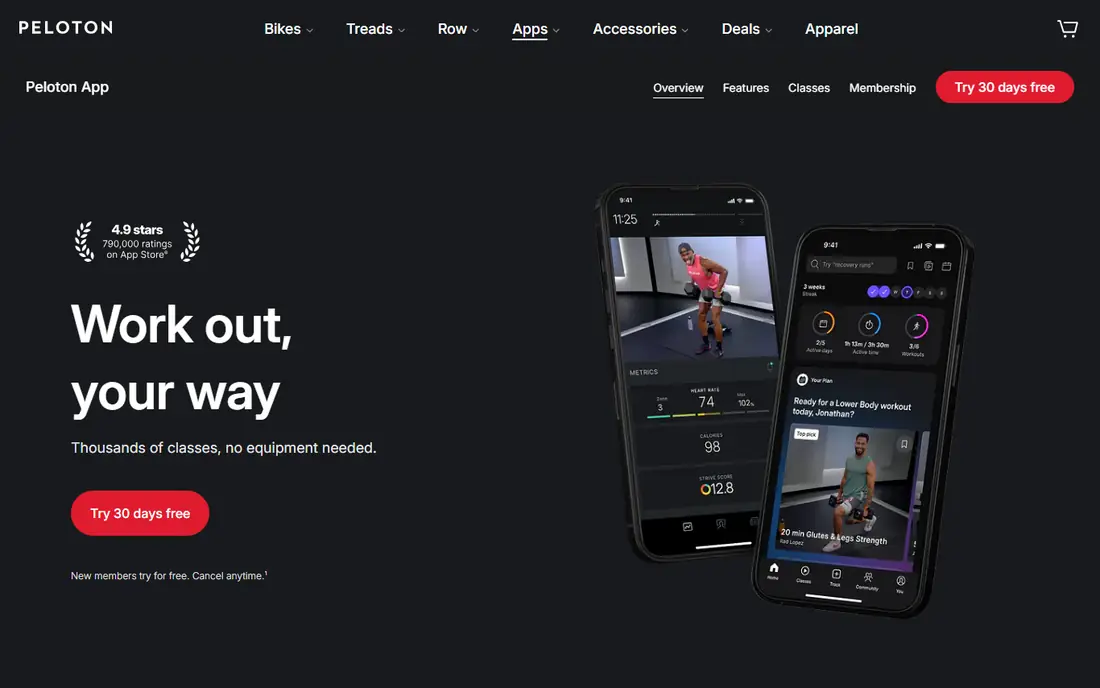
Peloton App brings the Peloton class experience to a phone or TV without needing a Peloton bike or treadmill. Classes cover cycling, running, strength, yoga, meditation, and more, with live schedules, leaderboards, and instructor energy that many users find motivating. If you like being told what to do and when, the structure helps a lot. The subscription cost should be checked on the official site, since Peloton pricing and tiers change. Equipment owners get extra metrics, while app-only users still get full classes but fewer bike or treadmill integrations. Peloton suits people who train regularly and value instructor-led sessions over self-designed workouts.
- Large live and on-demand class library, strong instructors, many workout types
- Subscription cost, best experience still favours Peloton equipment owners
Strava is the standard training record for many runners and cyclists. GPS tracking, route planning, segment times, and a social feed let you see your own progress and follow friends, clubs, and local athletes. That social layer helps on days when motivation is low, since a planned group run or a friend's activity can prompt you to get out. The free plan covers core tracking well, while paid features add route planning tools, training plans, and deeper analytics. Check current subscription pricing on the official site. Strava does not replace a workout class app, so many users pair it with Nike Training Club or a strength app for cross-training and mobility work.
- Accurate GPS tracking, routes, segments, social training feed
- Training plans and deeper analytics sit behind a paid tier
Apple Fitness Plus shows your Apple Watch heart rate, calories, and rings on screen during classes, which makes effort easy to read at a glance. Classes cover strength, HIIT, yoga, Pilates, dance, cycling, and more, with new sessions added weekly and trainers who cue form clearly. The integration with Apple Watch is the main reason to choose it over a generic class app. The limit is ecosystem: full value needs an Apple Watch and an Apple device, and there is no Android version. Pricing and trial offers should be checked on the Apple site, since bundles and trials vary. If you already own an Apple Watch, Fitness Plus is a natural, low-friction choice for guided home training.
- Watch metrics on screen, many class types, new sessions weekly
- Needs Apple devices for full value, no Android app
Freeletics builds adaptive plans around bodyweight training, with a digital coach that adjusts sessions based on your feedback and progress. That structure suits people who want a plan without designing workouts themselves, and who train at home or in a park with little equipment. Sessions are often intense, with a focus on functional strength and conditioning. The free tier lets you try basic workouts, while the coach and full plans require a subscription, so check current pricing on the official site. The high-intensity style is not ideal for everyone, especially beginners or people returning after injury, so start with easier sessions and build up slowly. This guide is general information only, not medical advice.
- Adaptive training plans, bodyweight focus, clear progression
- Coaching features need a paid plan, high-intensity style may not suit everyone
JEFIT is built for people who lift weights and want a clear record of sets, reps, and weights over time. The exercise database is large, routines are easy to customise, and progress charts show strength gains across weeks and months. That detail matters for progressive training, where small weekly increases add up. The interface is more functional than stylish, and some users prefer a cleaner app for general workouts. The free plan covers core logging well, with a paid tier for extra features, so check the official site for current pricing. JEFIT pairs well with a class app for cardio, since its strength is tracking, not instructor-led sessions.
- Large exercise database, custom routines, detailed lifting logs
- Interface can feel dated, some advanced features need a paid plan
Down Dog lets you customise yoga sessions by level, focus, duration, and voice, and it generates a new sequence each time so practice does not feel repetitive. Related apps from the same maker cover Pilates, barre, HIIT, and meditation, which helps if you want a gentle home routine across several styles. The guidance is calm and clear, with options for beginners. Full access requires a subscription, with pricing on the official site, and a limited free or trial period lets you test the style first. Down Dog is not a replacement for cardio or strength training, but it is a strong choice for flexibility, mobility, and recovery work. Use it alongside a walking, running, or strength routine for balanced training.
- Highly customisable sessions, many practice styles, calm guidance
- Subscription needed for full access, less suited to cardio or lifting goals
How we picked these
We compared official feature pages, pricing pages, app store listings, and public reviews, and we favoured apps that are actively maintained, clear about free limits, and honest about equipment needs. We looked at workout variety, coaching quality, tracking depth, and whether an app works in a small space with little equipment. We did not claim hands-on testing that did not happen. This guide is general fitness information only, not medical advice. If you have a health condition, an injury, or you are starting intense exercise after a long break, speak to a clinician or a qualified trainer before you begin. Prices change, so check the vendor site before you subscribe, and use free trials to test class style before paying.
Building a routine you will keep
Choose movement you enjoy
The best exercise for apps in this list is the one you will repeat. If you dislike HIIT, a HIIT-heavy app will not last, however good its reviews are. Try two or three free apps for a week each, note which sessions you look forward to, and keep the winner. Enjoyment is not a soft factor here, since it decides whether you train in month three.
Plan around space and equipment
Check what each app needs before you subscribe. Bodyweight apps need little space, strength apps may need dumbbells or gym access, and cycling classes need a bike. A small flat, a shared house, or a noisy floor can change which app works. Pick sessions that fit your real space, not your ideal space, and keep equipment needs low at the start.
Mix cardio, strength, and mobility
A balanced week usually includes some cardio, some strength work, and some mobility or yoga, even if the balance shifts by goal. Use one main app for your core training and a second app for the missing piece, rather than trying to find one app that does everything perfectly. Strava plus a strength app, or Peloton plus Down Dog, are common pairings.
Track progress without obsession
Log workouts, weights, or distances so you can see progress over weeks, but avoid checking stats every hour. Progress in fitness is slow and uneven, with plateaus and busy weeks. Review your record monthly, adjust one variable at a time, such as session length or weekly frequency, and keep rest days in the plan.
FAQ
What is the best app for exercise at home?
Nike Training Club and FitOn are strong free choices for home workouts, since both offer large libraries without a subscription. Down Dog suits yoga at home, while Peloton App and Apple Fitness Plus suit people who want instructor-led classes. Pick by workout style, then test the free tier for a week before paying.
What is the best fitness app for beginners?
Nike Training Club and FitOn are good beginner choices, since both offer short sessions, clear cues, and varied levels. Start with beginner filters, keep sessions short, and build frequency before intensity. If you have a health condition or an injury, speak to a clinician first, since this guide is not medical advice.
Is Strava free?
Strava offers a useful free plan for GPS tracking, activity recording, and social features. Paid features add route planning, training plans, and deeper analytics, with current pricing on the official site. Many runners and cyclists use the free plan for months before deciding whether paid analytics are worth it.
Do I need equipment for these apps?
No, many apps here work with bodyweight only, including Nike Training Club, FitOn, Freeletics, and Down Dog. JEFIT and some Peloton classes work best with gym equipment or a bike, so check each class or routine before you start. Start with bodyweight sessions, then add equipment only when a routine feels too easy.
Which app is best for running?
Strava is our pick for running, thanks to GPS tracking, routes, segments, and a large running community. Peloton App also offers guided outdoor runs, while Nike Training Club includes running-related strength and mobility sessions. Pair a tracking app with strength work to support running form and reduce injury risk.
Can exercise apps replace a gym?
For many people, yes, especially for general fitness, bodyweight strength, yoga, and cardio classes at home. A gym still helps for heavy lifting, specialised equipment, and in-person coaching. If your goal is general health and consistency, a good home app plus walking or running can be enough, with a gym added later if goals change.
Sources
https://www.nike.com/ntc-app https://fitonapp.com https://www.onepeloton.com/app https://www.strava.com https://www.apple.com/apple-fitness-plus/ https://www.freeletics.com https://www.jefit.com https://www.downdogapp.com