Best Apps for Tracking Teenage Drivers in 2026: 9 Apps Compared
We compared the best apps for tracking teenage drivers on location, driving reports, crash alerts and price, for parents tracking their own teen with consent.

- Editor's choice
 Life360
Driving reports and crash alerts
Starts atFreeVisit life360.comFull review - Great alternative
 Bark
Content plus location safety
Starts at$14 per monthVisit bark.usFull review - Also consider
 Verizon Smart Family
Verizon family controls
Starts at$4.99 per monthVisit verizon.comFull review
TL;DR:
- Life360 leads on driving reports and crash alerts for families on any carrier.
- Bark adds content and screen-time controls beside location, for families who want broader safety.
- Carrier apps suit families already on Verizon, AT&T or T-Mobile, but they lock you to that carrier.
- Tell your teen what is tracked and why, since open tracking works better than secret monitoring.
Quick comparison
| Tool | Best for | Starts at | Free plan? | |
|---|---|---|---|---|
| Life360 | Driving reports and crash alerts | Free | Yes | Visit |
| Bark | Content plus location safety | $14 per month | Free trial | Visit |
| Verizon Smart Family | Verizon family controls | $4.99 per month | No | Visit |
 AT&T Secure Family | AT&T family controls | $7.99 per month | Free trial | Visit |
 T-Mobile Family Controls | T-Mobile family controls | See website | No | Visit |
 Google Family Link | Free Android family controls | Free | Yes | Visit |
 Apple Find My | Free iPhone family location | Free | Yes | Visit |
 Qustodio | Screen time plus location | See website | Yes | Visit |
 OnStar | In-car safety and location | See website | No | Visit |
The best apps for tracking teenage drivers
We compared official feature pages, pricing, app store listings and public reviews. These tools are for parents tracking their own teen drivers with the teen's knowledge, using family safety tools. They are not for secret monitoring of adults. Here are our picks.
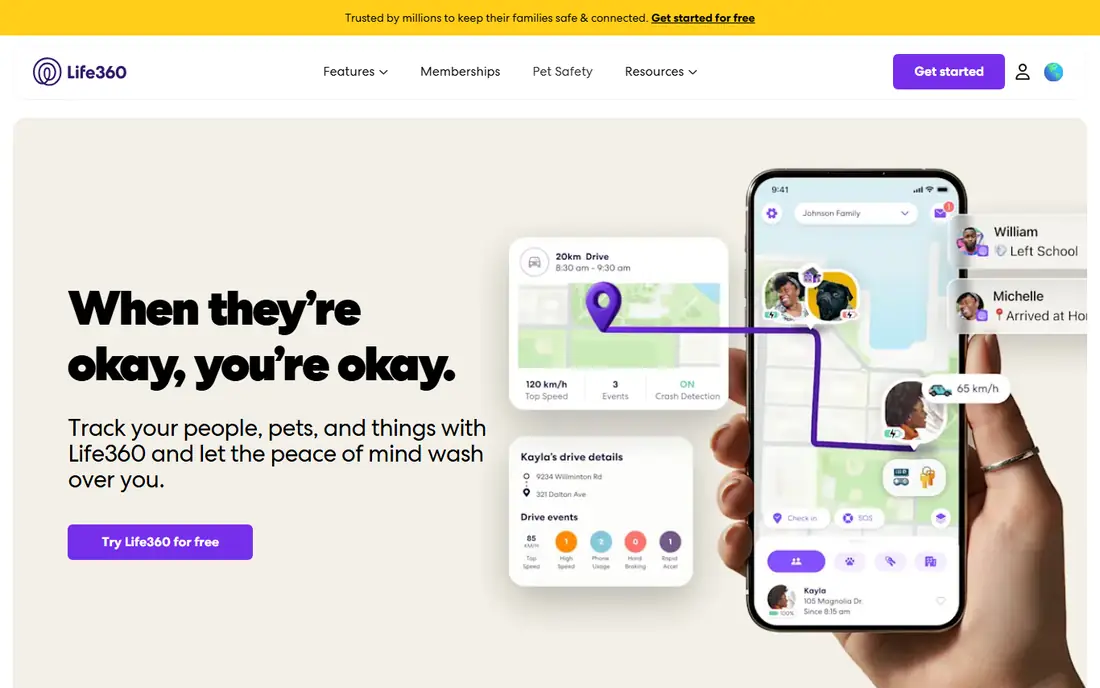
Life360 is our top pick for teen drivers because driving safety is its core. Family circles share real-time location, place alerts show arrivals and departures, and driving reports track speed, hard braking, rapid acceleration and phone use. Paid plans add crash detection with emergency dispatch, roadside help and longer location history.
The free plan covers basic location, two place alerts and SOS in our checks, which is enough to test the app. Paid plans start at 9.99 dollars a month for Silver in our checks, rising to 24.99 dollars for Platinum. Battery drain is the main complaint, so set location to always allow and exclude the app from battery optimization where your phone allows it.
- Detailed driving reports with speed and phone use
- Crash detection and dispatch on paid plans
- Works on any carrier
- Battery use can rise with driving features
- Paid plans cost more than carrier basics
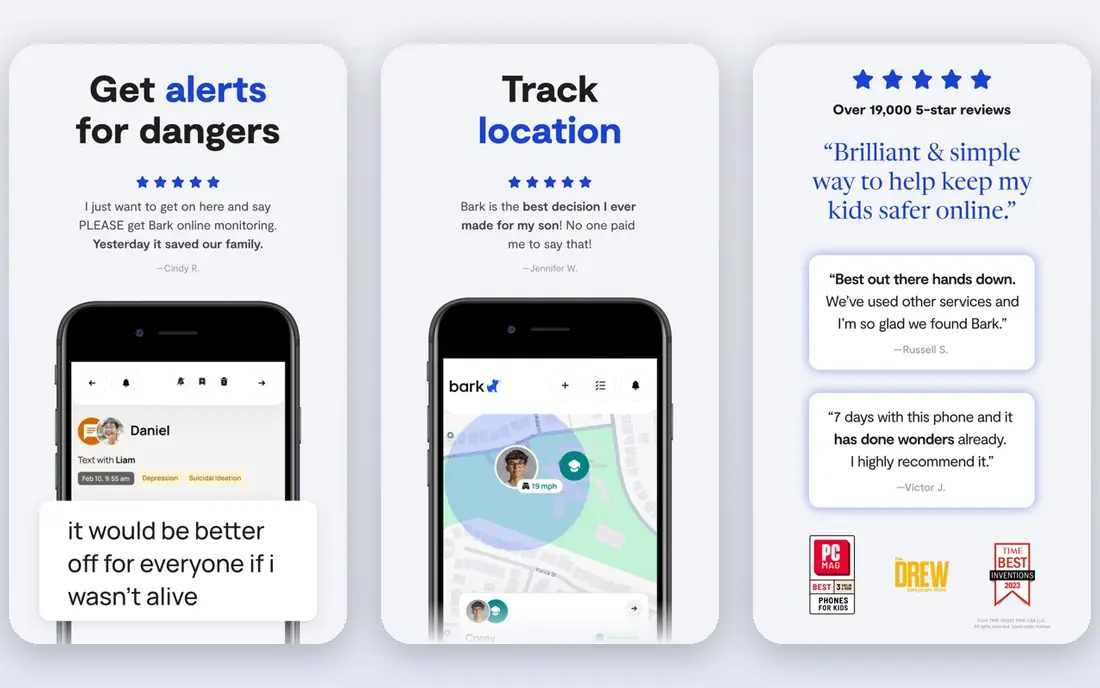
Bark suits families who want driving location plus online safety in one app. Premium monitors texts, email, photos and many social platforms for risks like bullying and explicit content, and alerts parents without showing every message. Location tracking, screen-time schedules and web filters round out a broad family safety package.
Driving features are not Bark's strength. It tracks location and can show driving-related alerts through its phone options, but it does not match Life360's detailed driving reports. Premium at 14 dollars a month covers unlimited devices in our checks, with a seven-day trial. Pair Bark with Life360 if driving reports matter most, or use Bark alone if online safety is the bigger worry.
- Content monitoring for texts and social apps
- Location tracking
- Screen-time routines for the whole family
- Driving reports are thinner than Life360
- No permanent free plan

Verizon Smart Family is the best value for Verizon families who want controls without a separate app subscription for each child. Basic at 4.99 dollars a month covers content filters, screen-time schedules and contact controls. Plus at 9.99 dollars a month adds location tracking, driving insights, crash detection and roadside help in our checks.
The limit is carrier lock-in. If you switch carriers, you lose the service, and location quality can vary by phone and signal. For Verizon households, though, the price and integration are hard to beat. Check that your teen's phone model supports driving insights, since features vary by device.
- Carrier-level content filters and screen time
- Location and driving insights on Plus
- Roadside help on Plus
- Requires Verizon service
- Location features need the Plus plan
AT&T Secure Family gives AT&T and Cricket families location tracking, driving insights, content filters and screen-time controls under one subscription. Driving insights show trip views, end-of-trip alerts and potential collision alerts, which help parents talk with teens about specific trips rather than general worries. The plan covers up to 30 devices in our checks.
Pricing varies by channel, with 7.99 dollars a month on AT&T in our checks and a higher price on some Cricket listings, so confirm the price in your account before subscribing. The interface is plainer than Life360, and accuracy can feel less precise than GPS-first apps. For AT&T families who want one bill, it is a practical choice.
- Location, content filters and driving insights in one plan
- Supports up to 30 devices
- First 30 days free in many cases
- Requires AT&T or Cricket service
- Interface is simpler than Life360
T-Mobile Family Controls suit T-Mobile families who want basic location and content controls tied to their plan. Features include location sharing, content filters and screen-time tools, managed from the T-Mobile account rather than a separate service. That integration keeps billing simple for families already on T-Mobile.
The trade-off is depth. Driving reports, crash dispatch and detailed trip history are thinner than on Life360, and feature availability varies by plan and phone. Check the current T-Mobile family features page for your plan, since carrier tools change often. Use it as a base layer, and add Life360 if driving reports are your priority.
- Carrier family controls for T-Mobile lines
- Location and content tools for family plans
- No separate app account in some cases
- Features vary by plan and device
- Driving reports are thinner than Life360
Google Family Link is the best free starting point for Android families. Parents can see location for family group members, set screen-time limits, approve apps and manage content filters, all without a subscription. That makes it a good base layer before paying for a driving-focused app.
Driving features are limited to location and basic trip context, not detailed speed or braking reports. iPhone support is also more limited than Android. Family Link works well as a free companion to Life360: Family Link handles app and screen-time rules, while Life360 handles driving reports and crash alerts.
- Free
- Location sharing for family group
- App and screen-time controls for Android
- Works with Google accounts
- Driving reports are basic
- Best on Android, with limits on iPhone
Apple Find My is the simplest free location tool for iPhone families. Through Family Sharing, parents and teens can share location, set arrival and departure alerts for home, school and work, and find a lost phone. There is no subscription, and location sharing is easy to turn on and off with consent.
Find My does not track driving behavior, speed or phone use while driving, so it cannot replace Life360 for driving coaching. It also works best when everyone uses Apple devices. For iPhone families who mainly want to know where a teen is, Find My is free, private and easy, and it pairs well with a driving app for deeper reports.
- Free for Apple devices
- Precise location sharing in Family Sharing
- Arrival and departure alerts
- No driving behavior reports
- Apple devices only for full features
Qustodio suits families who want screen-time control and location in one dashboard. Parents can set time limits, block apps and sites, and see location and activity reports across devices. That breadth helps families who worry about phone use in general, not just driving.
Driving-specific reports are basic compared with Life360, and pricing depends on devices and plan length, so check the current page for your family size. Qustodio works best as a digital safety layer beside a driving app, especially for younger teens who are still building phone habits. For older teen drivers, Life360's driving reports matter more.
- Strong screen-time and web filtering
- Location tracking for family devices
- Detailed activity reports
- Driving reports are basic
- Pricing varies by device count and plan
OnStar is different because it lives in the car, not just on a phone. Compatible GM vehicles offer automatic crash response, roadside assistance, stolen vehicle help and vehicle location, plus teen driver features on some models that limit speed and audio volume and report driving data. That car-based view works even if a teen's phone battery dies.
The limit is hardware. OnStar requires a compatible vehicle and a paid plan, with pricing varying by plan and vehicle, so check your car's eligibility first. It is not a replacement for a phone app for families without a GM car. For families with a compatible car, OnStar adds a safety layer that phone apps cannot match in a crash.
- In-car crash response and roadside help
- Vehicle location through the car, not just the phone
- Teen driver controls on some vehicles
- Requires a compatible GM vehicle and subscription
- Not a phone-only solution
How we picked these
We compared official feature pages, pricing pages, app store listings and public reviews, focusing on location accuracy, driving reports, crash alerts, battery use and price. We favored tools that support open family tracking with the teen's knowledge, with clear privacy settings and the ability to review or pause sharing as teens grow older. Secret monitoring of adults, or tracking someone without their knowledge, is not what these tools are for, and it can break trust and, in some cases, the law. Talk with your teen about what is tracked, why, and when tracking will ease as they gain experience.
Talking with your teen about tracking
Tracking works best when it is a safety agreement, not surveillance. Explain that driving reports help you coach, not punish, and agree on which alerts matter, such as speeding, late-night driving or phone use. Review reports together weekly at first, then less often as driving improves.
Set clear rules and an end point
Agree on curfews, passenger limits and phone rules, and write them down so expectations are clear. Tell your teen when tracking will change, such as after six months of safe driving or at age 18, when adult privacy expectations apply. A clear end point makes tracking feel fair, and it gives teens a goal to work toward.
Check battery and accuracy
Location apps drain battery faster, especially with driving features on. Teach your teen to keep location set to always allow, exclude the app from battery optimization, and charge the phone before long drives. If location looks wrong, check signal, permissions and whether the phone is in low-power mode before assuming the app failed.
FAQ
Is it legal to track my teenage driver?
Parents can generally track their own minor children using family safety tools, with the teen's knowledge, but laws vary by state and age. Once a child turns 18, they are an adult, and tracking without consent raises serious privacy and legal issues. Check your state rules, tell your teen what is tracked, and ease tracking as they become adults.
Which app is best for teen driving reports?
Life360 is our top pick for driving reports, with speed, braking, acceleration and phone-use data, plus crash detection on paid plans. Verizon Smart Family Plus and AT&T Secure Family offer driving insights for carrier families. For the most detailed coaching data, Life360 leads this list.
Do these apps drain phone battery?
Yes, location and driving features use extra battery, often a noticeable amount per day. Keep the phone charged, set location permissions correctly, and exclude the app from aggressive battery saving where possible. If battery drain is a major issue, try a carrier app or Find My, which can be lighter than a full driving app.
Should I tell my teen they are being tracked?
Yes, and we recommend it strongly. Open tracking builds trust and lets you coach driving together, while secret tracking damages trust when it is discovered. Explain what is tracked, why, and when it will ease, and invite your teen to review reports with you.
Can my teen turn off tracking?
Teens can turn off location permissions or delete apps, and most apps alert parents when sharing stops. That is a good reason to agree on rules together rather than relying on the app alone. If tracking stops, talk about it calmly and revisit the agreement, rather than adding stricter controls without discussion.