Best App for Direct Deposit in 2026: 9 Apps Compared
Compare the best app for direct deposit, from Chime and Cash App to SoFi and Varo, with early pay access, fees, limits, and account details, updated for 2026.

- Editor's choice
 Chime
Early direct deposit
Starts atFreeVisit chime.comFull review - Great alternative
 Cash App
Payments plus deposit
Starts atFreeVisit cash.appFull review - Also consider
 SoFi
Full banking and saving
Starts atFreeVisit sofi.comFull review
TL;DR:
- Chime and SoFi are our top picks for most workers, with early direct deposit and broad banking features.
- Cash App and PayPal suit people who already use those apps for payments and want deposit in the same place.
- Varo, Current, and Dave suit people who want budgeting help or a low-fee account alongside direct deposit.
- This is not financial advice. Check fees, deposit timing, and account terms on the vendor site before switching.
Quick comparison
| Tool | Best for | Starts at | Free plan? | |
|---|---|---|---|---|
| Chime | Early direct deposit | Free | Yes | Visit |
| Cash App | Payments plus deposit | Free | Yes | Visit |
| SoFi | Full banking and saving | Free | Yes | Visit |
 Varo | Low-fee banking | Free | Yes | Visit |
 Current | Budgeting and teen accounts | Free | Yes | Visit |
 PayPal | Deposit into a payment account | Free | Yes | Visit |
 Dave | Small advances and budgeting | Free | Yes | Visit |
 Wise | International workers | Free | Yes | Visit |
 Revolut | Multi-currency accounts | Free | Yes | Visit |
The best apps for direct deposit
The best app for direct deposit is the one that gets your paycheck into an account you actually use, without surprise fees or long holds. Most apps here offer a routing and account number you can give to an employer, plus early access to pay when the deposit is sent. This is not financial advice, and deposit timing, fees, and account protection vary by provider, so read the current terms before you switch your paycheck.
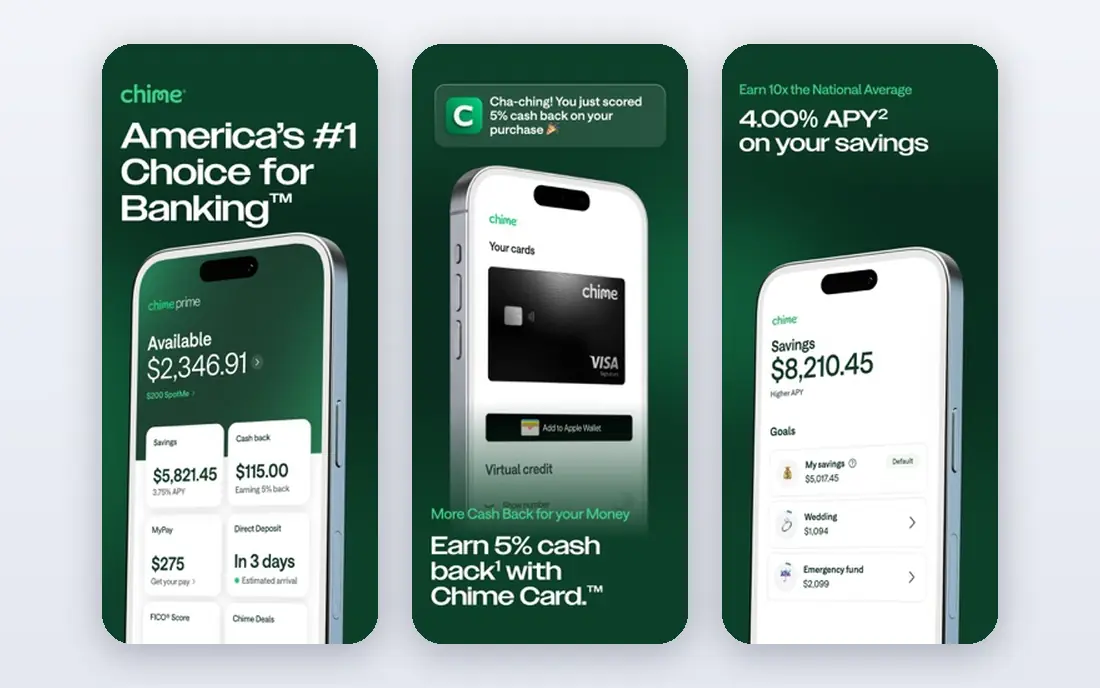
Chime is our pick for most workers because direct deposit is central to how the account works. You get a routing and account number to give your employer, and Chime offers early access to direct deposits when the payer sends the funds early. The core checking account has no monthly fee, and the app makes it simple to check a deposit, set up savings, and track spending. That combination suits people who want pay to land early without paying for a bank branch they rarely visit.
The limits are typical for an online bank. There are no physical branches, so cash deposits and in-person help work differently than at a traditional bank. Some features, such as higher limits or extra tools, may need a qualifying direct deposit. Chime accounts are provided through partner banks, so check the current partner and protection details on the site before you open an account.
- Early direct deposit when available
- No monthly fees on core accounts
- Easy employer setup
- No physical branches
- Some features need a qualifying direct deposit
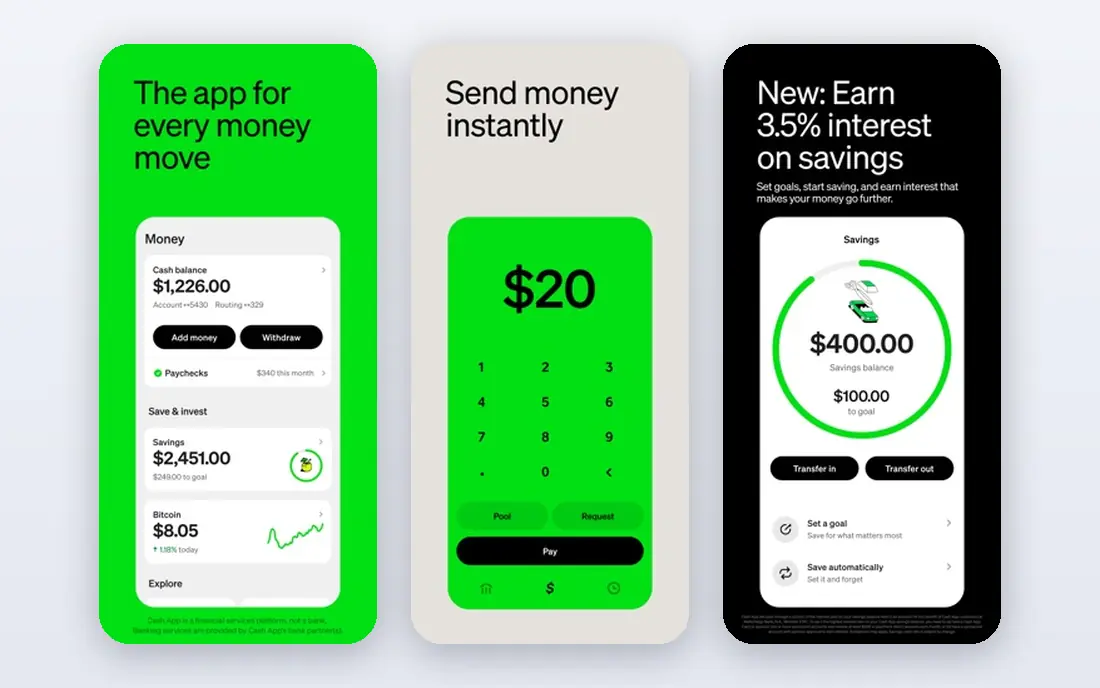
Cash App suits people who already send and receive money there and want their paycheck in the same place. You can set up direct deposit with a routing and account number, receive pay, and then send money, pay bills, or use the optional Cash Card. That single-app flow is handy for splitting rent or paying a friend right after payday, without moving money between banks first.
Account status matters. Some features, limits, and deposit options depend on verification, so check your account settings before giving the details to an employer. Instant transfers to a bank also carry a fee, while standard transfers are usually free but slower. For a payment-first user, Cash App is a practical deposit choice, but it should not replace a full bank account for everyone.
- Direct deposit into an account many people already use
- Instant peer payments
- Optional card
- Deposit features vary by account status
- Instant transfer fees may apply
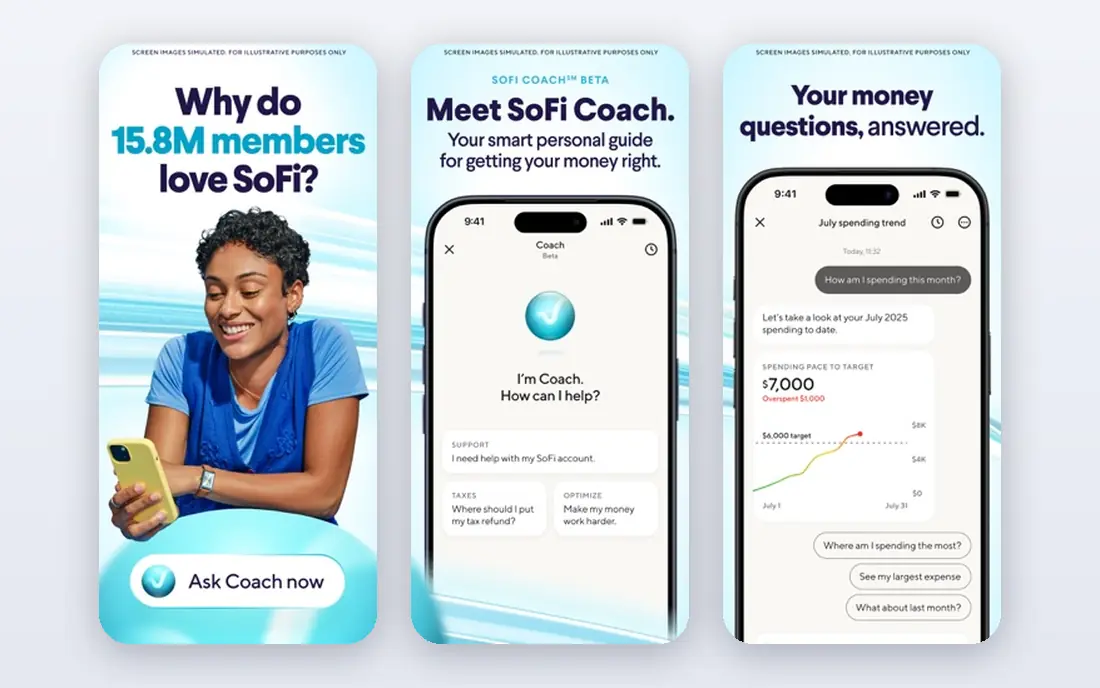
SoFi is the best app for direct deposit if you want banking, saving, and investing in one place. The checking and savings accounts work together, and direct deposit can bring early pay access and higher savings rates on qualifying accounts. The app also covers loans, investing, and credit tools, which suits a worker who wants to build savings from each paycheck without juggling several apps.
Investing is the area to treat with care. This is not financial advice, and investing carries risk, including loss of money. SoFi's best account terms may also depend on direct deposit or a minimum balance, so read the current offer before switching. If you want one financial home for pay, savings, and long-term goals, SoFi is a strong pick.
- Early direct deposit
- Checking and savings in one app
- Strong tools for saving and investing
- Best rates and features may need direct deposit
- Investing carries risk
Varo is a good fit for workers who want a simple, low-fee bank account with direct deposit. You get a routing and account number for your employer, early access to pay when available, and savings tools that help you set money aside each payday. The app is clean, the core account has no monthly fee, and customer support is available in the app and by phone.
As with other online banks, there are no branches, so cash handling needs a plan. Some savings rates and perks also depend on qualifying direct deposit activity, so check the current terms. For a straightforward account that puts pay first and fees last, Varo is a solid, low-drama choice.
- No monthly fees on core accounts
- Early direct deposit
- Savings tools in the app
- No branches
- Some savings rates need qualifying direct deposit
Current suits households that want budgeting help alongside direct deposit. The app offers early pay access, savings pods for goals, and spending insights that make payday planning easier. It also offers teen accounts with parental controls, which helps families who want a teen's first paycheck to land in a supervised account. The basic account is free, with a premium plan adding extra features.
Paid features are the main catch, since some tools sit behind Current Premium. Check which budgeting and savings features are free before you rely on them. Current is also an online account without branches, so cash deposits work through partner networks. For families and budget-focused workers, it is a thoughtful pick.
- Early direct deposit
- Budgeting tools and savings pods
- Teen accounts with parental controls
- Some features need a paid plan
- No physical branches
PayPal is useful for direct deposit if you already earn, shop, or get paid online through PayPal. You can set up direct deposit into a PayPal balance account, receive pay, and then spend, send, or transfer funds. That flow suits freelancers and gig workers who already keep money in PayPal, since it avoids an extra transfer step after payday.
PayPal is not a traditional bank, and fees vary by transaction, so read the fee schedule for transfers, currency conversion, and instant moves. Account protection and deposit timing also differ from a bank checking account. If PayPal is already your payment hub, direct deposit there makes sense. If you need full banking, pair it with a bank account from this list.
- Widely used for online payments
- Direct deposit into a PayPal balance account
- Easy transfers
- Not a full traditional bank account
- Fees vary by transaction type
Dave combines a spending account with budgeting tools and small cash advances for eligible members. Direct deposit into a Dave account can bring early pay access and helps with advance eligibility, since regular deposits show steady income. The app also tracks upcoming bills and spending, which helps workers who live paycheck to paycheck plan the gap between paydays.
Advances are the area to use with care. Eligibility, limits, and optional express fees vary, and an advance is not free money. This is not financial advice, and borrowing against future pay can create a cycle if used often. For a worker who wants budgeting help and occasional short-term help, Dave is useful, but it works best as a backup, not a habit.
- Direct deposit into a Dave account
- Budgeting tools
- ExtraCash advances for members
- Advances have eligibility rules and optional fees
- Not a full bank replacement for everyone
Wise suits workers who get paid across borders or keep money in more than one currency. You can get local account details for several currencies, receive pay like a local, and convert or send money with clear fees shown upfront. That is valuable for remote workers, freelancers with overseas clients, and people who support family abroad, since traditional banks often hide conversion costs.
Wise is not a traditional US bank account, and features vary by country and currency. Fees also vary by route, so compare the total cost for your exact transfer before committing. For international pay, Wise is our pick. For a purely domestic paycheck, a US bank app such as Chime or SoFi is simpler.
- Local account details in several currencies
- Clear transfer fees
- Good for cross-border pay
- Not a full US bank account for everyone
- Fees vary by currency and route
Revolut offers a US account with direct deposit, plus multi-currency features that suit travelers and remote workers. You can receive pay, budget by category, set savings goals, and hold or exchange currencies in the app. The free Standard plan covers basic banking, while paid plans add travel, lounge, and higher limits. That range makes Revolut flexible for people whose money crosses borders.
Paid plans are the catch, since the most useful travel and limit features sit behind a subscription. US account terms also differ from Revolut accounts in other countries, so read the US terms specifically. For a worker who wants domestic deposit plus travel and currency tools, Revolut is a strong all-in-one option.
- Direct deposit in the US
- Multi-currency accounts
- Budgeting and saving tools
- Some features need a paid plan
- Account terms vary by region
How we picked these
We compared official account pages, fee schedules, and app store listings, and we favored apps that offer a clear routing and account number for employers, early pay access where stated, and a usable free account. We left out apps that only move money between friends without a deposit account, and apps without clear US terms. Prices and fees change often, so confirm deposit timing, limits, and protection details on the vendor site before switching your paycheck.
How to switch direct deposit safely
Do not close your old account on day one. Give your employer the new routing and account number, then watch for one full pay cycle to confirm the deposit lands correctly. Keep a small buffer in the old account until the switch is proven, and update any bills tied to the old account only after the new deposit is confirmed.
Check timing, fees, and protection
Ask when early pay actually arrives, since early access depends on when the payer sends funds, not just on the app. Check monthly fees, ATM fees, instant transfer fees, and overdraft rules, and confirm which partner bank holds deposits and what protection applies. A free account that charges for every transfer can cost more than a simple bank account.
FAQ
What is the best app for direct deposit?
Chime is our pick for most workers, with early direct deposit and no monthly fee on its core account. SoFi is better if you want banking, saving, and investing in one app, while Cash App suits people who already use it for payments.
What are the best direct deposit apps for early pay?
Chime, SoFi, Varo, Current, and Dave all advertise early direct deposit, but early access depends on when your employer or payer sends the funds. Test with one pay cycle before relying on early pay for bills.
Can I use Cash App for direct deposit?
Yes. Cash App offers a routing and account number for direct deposit, subject to account verification and limits. Check your account status in the app before giving the details to your employer.
Is direct deposit safe in an app?
Direct deposit through a reputable app and partner bank is generally safe, but you should still check fees, protection details, and privacy settings. Never share your full account details by email or message, and give them only to your employer through a secure payroll form.
How long does it take to switch direct deposit?
Most employers take one to two pay cycles to process a change, so keep your old account open until the new deposit is confirmed. If a paycheck goes to the wrong account, contact payroll and the app support team right away.