Best AI Text to Video Services Online in 2026: 9 Services Compared
Compare the best ai text to video services online for 2026, from avatar presenters to short generative clips, with pricing, free plans and honest limits.
- Editor's choice
 Synthesia
Scripted avatar explainers
Starts atSee websiteVisit synthesia.ioFull review - Great alternative
 HeyGen
Multilingual avatar videos
Starts at$29 per monthVisit heygen.comFull review - Also consider
 Runway
Directed generative clips
Starts at$15 per monthVisit runwayml.comFull review
TL;DR:
- Avatar services such as Synthesia and HeyGen suit scripted explainers, while Runway and Pika suit short generative clips.
- Most services charge by credits or video minutes, so the headline monthly price is not the full cost of a finished project.
- Free plans are useful for a first test, but exports often carry a watermark or a low resolution limit.
- If you need captions, voiceover and editing in one place, Pictory, InVideo AI and Veed are easier starting points than a raw clip generator.
- Check commercial use terms before you publish client work, because free and low tiers often restrict it.
Quick comparison
| Tool | Best for | Starts at | Free plan? | |
|---|---|---|---|---|
| Synthesia | Scripted avatar explainers | See website | Yes | Visit |
| HeyGen | Multilingual avatar videos | $29 per month | Yes | Visit |
| Runway | Directed generative clips | $15 per month | Yes | Visit |
 Pika | Fast stylised social clips | See website | Yes | Visit |
 Pictory | Turning text into edited videos | See website | Free trial | Visit |
 InVideo AI | Prompt-based marketing videos | See website | Yes | Visit |
 Veed | Editing plus AI video tools | See website | Yes | Visit |
 Lumen5 | Blog and article videos | See website | Yes | Visit |
 Colossyan | Workplace training videos | See website | Free trial | Visit |
The best ai text to video services online
We compared official feature pages, pricing pages and public documentation for services that turn written text into finished video. The list covers avatar presenters, generative clip tools and text-to-edited-video editors, so you can match the tool to the job rather than forcing one tool to do everything.
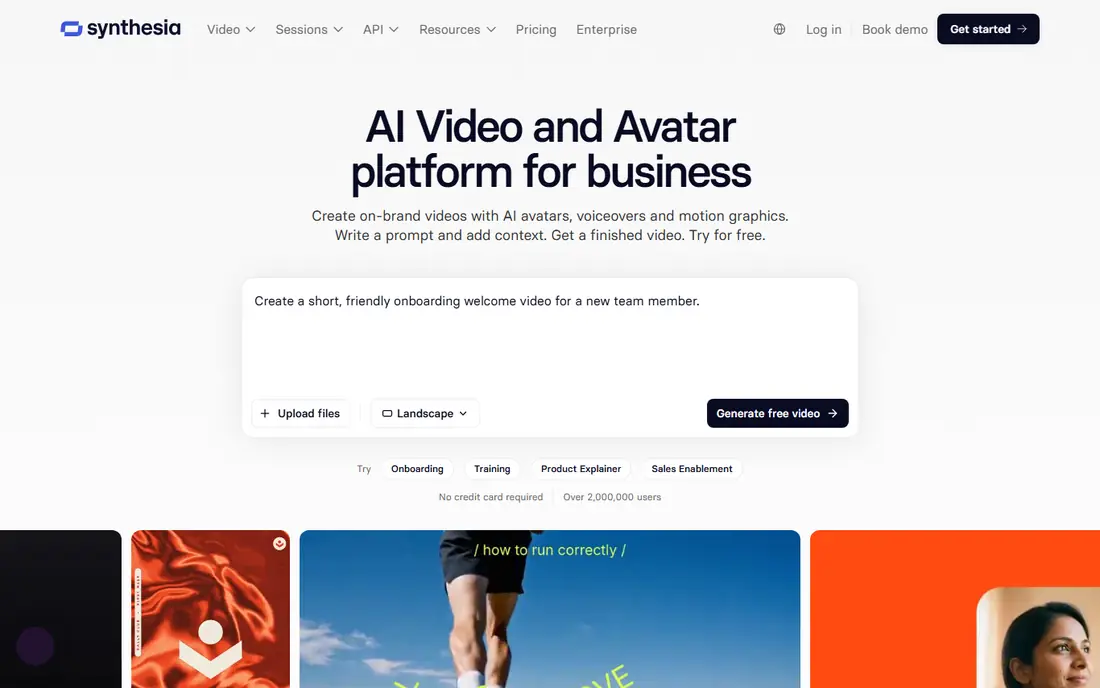
Synthesia turns a written script into a presenter-led video without a camera or a studio. You pick an avatar, paste or type the script, choose a voice and language, and the service renders a talking presenter over slides or on-screen text. That structure works well for onboarding, compliance training and product explainers where clarity matters more than cinematic flair.
The trade-off is tone. An avatar presenter reads cleanly and stays consistent, but it will not replace a real person for a heartfelt testimonial or a lively brand film. We would start here when a team needs many similar videos in several languages and wants a repeatable format. Check the minute allowance on your plan before you commit to a full course library.
- Large avatar and voice range
- Simple script-to-video workflow
- Useful for training and internal updates
- Avatar delivery can feel flat for emotional stories
- Higher tiers are needed for larger video minute allowances
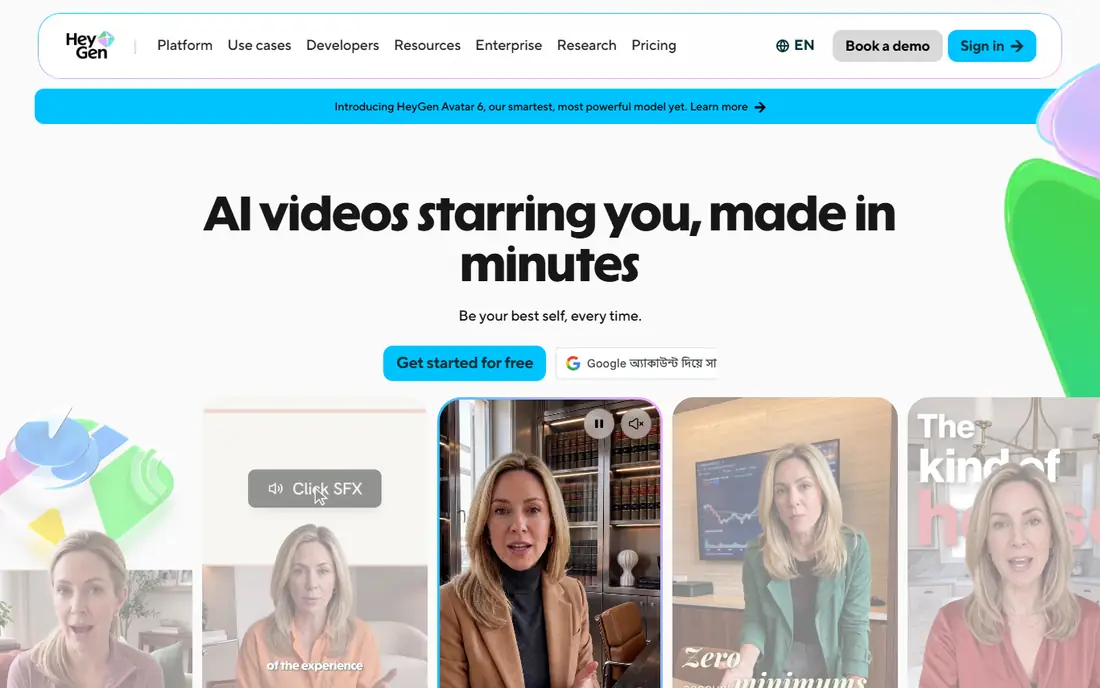
HeyGen covers a similar job to Synthesia, with a stronger emphasis on marketing clips and social formats alongside presenter videos. Its avatar library and voice options make it a practical choice for teams that publish in more than one language and want the same script delivered in several voices. The editor is approachable for people who do not edit video every day.
Watch the credit balance on longer projects. Short clips feel generous, but a series of five-minute videos will use credits faster than a single test suggests. We would use HeyGen when language range and avatar variety are the main deciding factors, and we would run one full-length test in the target language before buying a larger plan.
- Strong avatar and voice cloning options
- Wide language support
- Photo-to-video features for short clips
- Credit use can rise quickly on longer videos
- The best avatar quality sits on higher plans
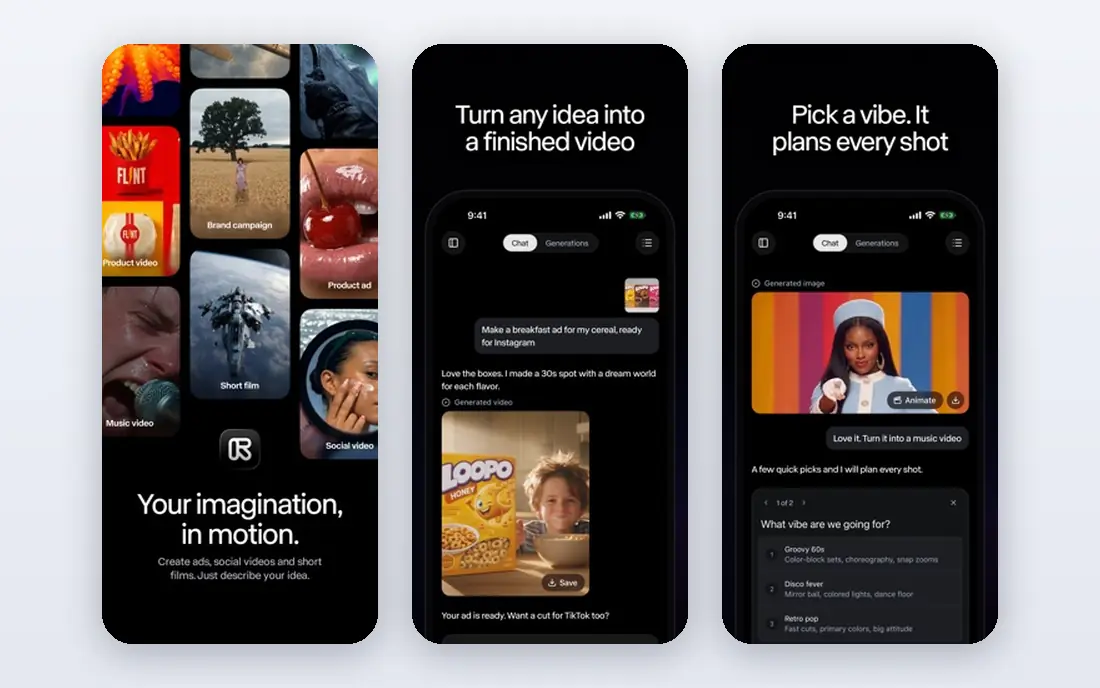
Runway is for people who want to direct a shot, not just type a sentence and accept whatever appears. You can start from text or an image, adjust motion and style, and then extend or restyle a clip inside the same workspace. That control makes it a better fit for ads, title sequences and short brand films than for a full narrated explainer.
The honest limit is length and consistency. Characters and objects can drift across generations, and you should expect to discard takes. Budget for retries, and keep prompts specific about subject, setting, camera move and lighting. For most small teams, Runway works best as a shot maker inside a larger edit, rather than as a one-click video factory.
- Strong control over camera and style
- Editing tools sit beside generation
- Useful for brand and film-style shots
- Clips are short, so longer stories need many generations
- Credit costs vary by model and settings
Pika feels like the quick sketchbook of this list. It is easy to open, type a prompt, and get a short moving clip for a social post, a meme-style idea or a visual test. That speed is valuable when you are checking whether an idea works before you spend time on a polished edit. The interface does not demand much video knowledge.
Do not judge a whole campaign on one good Pika clip. Faces, hands and complex motion can still look odd, and the tool suits stylised or abstract shots better than photorealistic people. We would keep Pika for short, fun and experimental content, and pair it with an editor when captions or a voiceover are needed.
- Quick generation for social ideas
- Playful effects and styles
- Low friction for first-time users
- Short clips only
- Realism varies by prompt and subject
Pictory takes a different route from the clip generators above. It builds an edited video from your text, matching sentences to stock footage, adding captions and offering AI voiceover. That makes it useful for turning a blog post, a newsletter or a script into a watchable video without filming anything. Small marketing teams often value that speed.
The catch is originality. When several users pick similar stock clips, the finished videos can feel familiar. Spend time swapping in your own images, tightening the script and choosing a voice that fits the brand. Pictory is strongest when the text is already strong and the goal is distribution, not a unique visual world.
- Turns articles and scripts into captioned videos
- Large stock library
- Simple timeline editing
- Stock-based results can look generic
- Voiceover quality varies by voice choice
InVideo AI asks for a prompt and an audience, then drafts a video with scenes, narration and captions that you can edit. It is a practical middle ground between a blank editor and a fully automatic generator. If you know the message and the format, such as a product launch clip or a short explainer, you can reach a draft faster than by building each scene by hand.
Review every draft closely. AI narration can mispronounce names, and stock choices can miss the point of a sentence. The editing tools matter here, because the first draft is rarely the published version. We would use InVideo AI for regular marketing output where speed matters and a human editor still checks each video.
- Prompt-to-video workflow with editing controls
- Templates for common formats
- Stock and voice options included
- Free exports carry limits
- Generated footage still needs review for errors
Veed is best understood as an online editor that also offers AI help, rather than as a pure text-to-video generator. You can record or upload footage, generate captions, clean up audio, add an AI voice and create avatar clips inside the same project. That breadth suits creators and small teams who already have some footage and need to finish it quickly.
If your only need is a fully generated clip from a sentence, a specialist generator may give you more control. Veed wins when the job includes captions, trimming, branding and export in one browser tab. Test the free tier with a real project, because export resolution and watermark rules affect whether the result is usable for publication.
- Full browser editor with captions and subtitles
- AI voice and avatar options
- Easy sharing and export
- AI generation is one part of a larger editor, not its sole focus
- Some features need a paid plan
Lumen5 is built around repurposing. Paste an article link or text, and it suggests a storyboard with scenes, text overlays and matching media. Teams with a content library can turn older posts into social videos without starting each project from a blank timeline. The templates keep formatting consistent across a series.
That consistency is also the limit. Without custom footage and careful text choices, output can look like many other Lumen5 videos. Use your own brand colours, fonts and images where the plan allows, and cut any scene that does not add meaning. For steady repurposing work, it is a dependable choice. For a one-off hero film, look elsewhere.
- Clear article-to-video workflow
- Templates for social formats
- Helpful for repurposing written content
- Videos can feel template-driven
- Custom visual identity needs extra work
Colossyan focuses on workplace learning, with avatars that present training scripts, explain procedures and walk through slides. It also offers ways to turn documents into video drafts, which helps teams that must update training often. For internal communications, the calm and consistent delivery is a benefit, not a flaw.
Creative teams looking for bold social content may find the style too formal. That is a fair trade for training, where learners need clear steps and repeatable wording. We would shortlist Colossyan when the audience is employees or students, the content changes often, and translation across offices matters more than visual novelty.
- Presenter-led training workflow
- Document-to-video options
- Translation features for global teams
- Less suited to cinematic or social-first creative work
- Avatar style is corporate by design
How we picked these
We compared official feature and pricing pages, free plan terms and public documentation, and we checked that each service was still operating in October 2026. We favoured services that clearly state what a plan includes, whether exports carry a watermark, and whether commercial use is allowed. We left out tools that only edit existing footage with no text-to-video path, and tools that had no clear official homepage.
What to check before you pay
Start with the finished format
Decide whether you need a presenter video, a short generative clip or a captioned edit. Avatar tools suit training and explainers. Generative tools suit short visual shots. Editors suit repurposed articles and social cuts. Picking the format first prevents paying for a tool that generates the wrong kind of video well.
Count credits, minutes and retries
Read how credits map to seconds or minutes, and whether failed generations still use credits. A plan that looks cheap can become costly once you allow for two or three takes per shot. Keep a small test project and track how many credits one finished minute actually uses.
Check voices, languages and rights
Listen to voices in your target language, and read the commercial use and content rules before client work. Some plans limit use, require attribution or restrict certain topics. If you plan to use a cloned voice, confirm consent and the service rules for that feature.
FAQ
What is the best ai text to video service online for beginners?
Pictory, InVideo AI and Veed are the easiest starting points, because they guide you from text to a captioned draft and let you edit the result. Generative tools such as Runway and Pika give more visual control, but they need more prompting skill and patience with retries.
What is the best ai video generator software for training videos?
Synthesia and Colossyan are strong for training, because avatar presenters deliver scripts consistently and support multiple languages. They suit courses and internal updates better than short clip generators, which are made for visual shots rather than long narration.
What are the best ai video generator apps for social clips?
Pika and InVideo AI suit short social clips, with HeyGen useful when an avatar or a multilingual version is needed. Keep clips short, add captions for muted viewing, and check the export size for each social platform before you publish.
Is there a best ai video creation tool that is free?
Most services on this list offer a free plan or trial, but free exports often include a watermark, a resolution cap or a credit limit. Runway, Pika, HeyGen and Veed let you test the core workflow without paying, which is enough to judge style and ease of use.
How much does a best ai video creation app usually cost?
Prices vary by credits, minutes and features, so check the vendor pricing page for the plan that matches your output volume. Short social work may fit a low plan, while a training library or frequent marketing output usually needs a mid-tier plan. Use See website in our tables where a price could not be confirmed at writing time.
Can AI video tools replace a human presenter?
They can replace a presenter for routine explainers, updates and training, where consistency and speed matter. They are less convincing for emotional stories, interviews and brand films that rely on real presence. Use AI video where it saves time, and keep human filming for moments that need trust and personality.