8 Best AI SDR Tools for Smarter Outbound in 2026
We compared the best AI SDR tools for prospecting, outreach, and replies, so you can pick a platform that fits your team size, budget, and sales process.
- Editor's choice
 Artisan
Full outbound work with an AI agent
Starts atSee websiteVisit artisan.coFull review - Great alternative
 11x
Always on autonomous prospecting
Starts atSee websiteVisit 11x.aiFull review - Also consider
 AiSDR
Transparent priced AI outbound
Starts at$250 per monthVisit aisdr.comFull review
TL;DR:
- Artisan and 11x lead for full autonomous outbound, while AiSDR gives the clearest entry price for a smaller team.
- Apollo.io and Clay are the strongest pair when data quality matters more than sending volume alone.
- Deliverability, list quality, and human review matter more than raw message count for most teams.
- Quote based enterprise pricing makes a demo on your own list essential before you compare total cost.
Quick comparison
| Tool | Best for | Starts at | Free plan? | |
|---|---|---|---|---|
| Artisan | Full outbound work with an AI agent | See website | Free trial | Visit |
| 11x | Always on autonomous prospecting | See website | No | Visit |
| AiSDR | Transparent priced AI outbound | $250 per month | Free trial | Visit |
 Regie.ai | AI assisted sales engagement | See website | Free trial | Visit |
 Apollo.io | Data plus outreach in one tool | Free | Yes | Visit |
 Clay | Deep prospect enrichment | Free | Yes | Visit |
 Instantly | High volume cold email sending | See website | Free trial | Visit |
 Smartlead | Deliverability focused cold outreach | See website | Free trial | Visit |
The best AI SDR tools
AI SDR tools now range from full agents that run outreach on their own to helpers that enrich lists and draft messages for a human to send. The best AI SDR tools below cover that range, so you can match the level of automation to the control your team wants to keep.
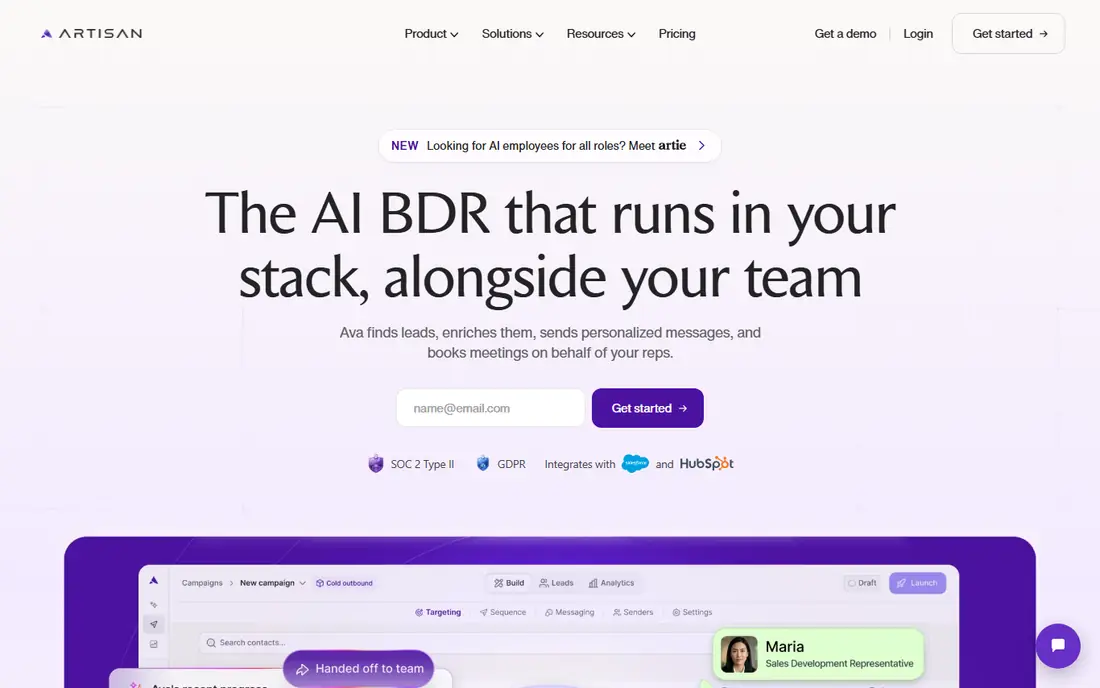
Artisan fits teams that want one agent to handle research, personalization, and follow up across outbound, with a human able to review messages. We checked how it works in daily use, what it costs to start, and what limits show up after the first few weeks, so the notes below reflect practical trade offs.
The agent, Ava, can work through prospect lists, draft outreach, and handle replies within rules you set, which can keep follow up moving when a human team is busy. Controls for review let a team start with more checks and loosen them only when message quality holds up.
Results still depend on list quality, offer clarity, and deliverability, and a weak target list will produce weak replies at higher volume. Start with a narrow segment, review early messages closely, and set clear rules for when a human must step in.
- End to end outbound agent for prospecting and messaging
- Human review controls
- Inbound and outbound workflows in one place
- Enterprise style pricing can be high for small teams
- Setup needs clear targeting and data rules
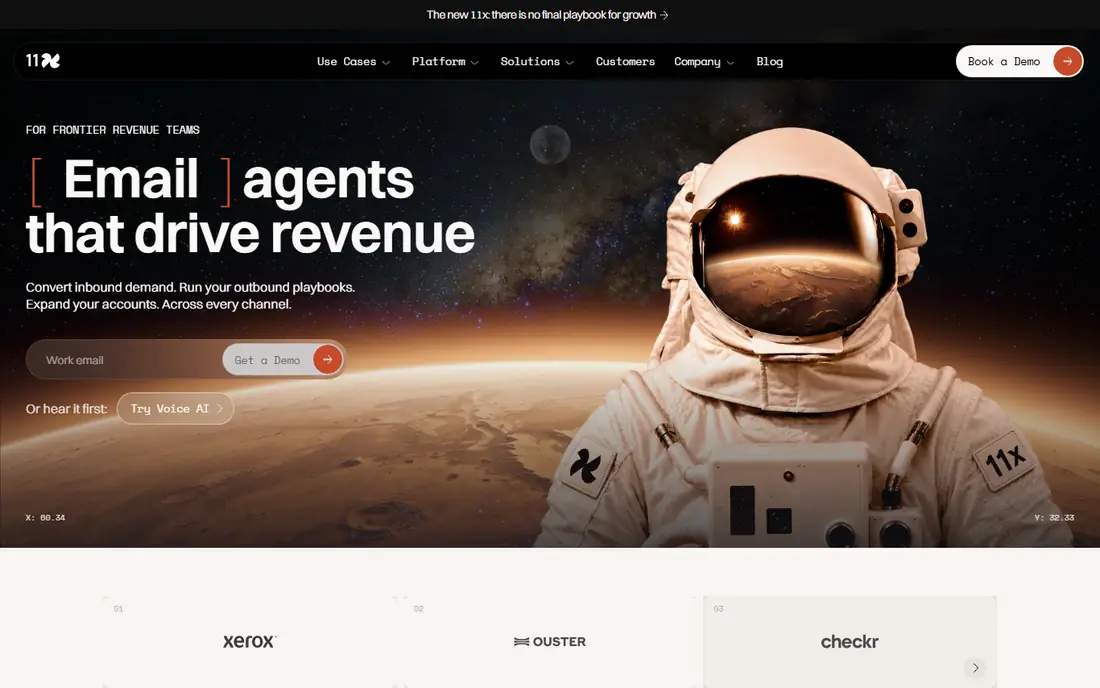
11x fits larger teams that need steady prospecting coverage and have a clear ideal customer profile to feed the system. The notes below focus on the core job first, then on costs, coverage, and the small frictions that matter when you use it every day.
Its digital workers can research accounts, send outreach, and book meetings, with phone support in some plans, so coverage does not stop at the end of the workday. For a team with a proven message and a large market, that coverage can fill calendars faster than manual prospecting alone.
The cost and the implementation effort make it a poor fit for a very small team or an untested offer. Confirm what is included in the quoted plan, how phone work is handled, and how meetings are handed to a human before you sign.
- Digital workers for prospecting and outreach
- Phone and email coverage in higher plans
- Continuous coverage outside work hours
- High entry cost for small teams
- Needs strong CRM and data hygiene to work well
AiSDR fits small and mid size teams that want AI outbound with a published entry price and a simple setup path. We weighed the main benefit against coverage, price, and setup effort, since a strong feature in one area does not fix a gap in another.
The platform can run outreach, qualify replies, and pass warm prospects to a human, which keeps a small team from chasing every reply by hand. The entry plan gives a low cost way to test whether AI outreach fits your market before you commit to a larger spend.
AiSDR is not a full sales platform with deep data, dialing, and analytics in every plan, so teams with complex needs may outgrow it. Check the message limits, the channels included, and the escalation rules on the pricing page before you start.
- Clear entry pricing
- Qualification and reply handling
- Human escalation for warm replies
- Smaller feature set than large platforms
- Best results need a focused market
Regie.ai fits sales teams that already run sequences and want AI help with research, writing, and calling inside the same system. The summary below covers who gains most, what the tool does well, and where you should pause before you commit.
RegieOne brings prospecting, sequencing, and an AI dialer together, so a rep can move from research to a call or email without switching tools. The mix of human and agent modes lets a team automate routine steps while keeping a person in charge of key accounts.
Teams without a clear sequence process may find the platform broad at first, and pricing needs a sales conversation for some tiers. Ask for a demo on your own list, and confirm which AI features sit in each tier before you compare it with a simpler tool.
- Sequencing plus AI prospecting and dialer
- Human and agent modes in one platform
- Research and enrichment for outreach
- Pricing can be complex across tiers
- Best value needs an existing sales process
Apollo.io fits teams that need prospect data and basic outreach together, without buying a separate database and sequencer. We looked at the official feature and pricing pages, plus public reviews, to keep the strengths and limits grounded in what the vendor actually offers.
You can search contacts, enrich records, and run email sequences from one account, which cuts tool switching for a small sales team. The free plan lets a team test search and outreach at low volume before paying for more credits and sending capacity.
Contact data is never perfect, so verify key details for high value accounts and watch bounce rates as you scale sending. Check credit limits, sequence limits, and data rules on the pricing page, since those limits shape the real monthly cost.
- Large contact database
- Email sequencing and enrichment
- Free plan for small teams to start
- Data accuracy varies by market
- Higher plans needed for larger sending volumes
Clay fits teams that spend too much time on manual research and want richer, cleaner prospect lists for outreach. The write up below starts with fit, then moves to a concrete strength, then to an honest limit you should check in advance.
Clay pulls data from many providers into one table, so you can enrich, score, and filter prospects with rules you control. That depth helps when a simple title search is not enough, such as when you need tech, hiring, or funding signals for a target account.
The flexibility is also the challenge, since building a good table takes time and credits can add up at scale. Start with one clear use case, test the providers for your market, and set credit limits before you roll it out to the whole team.
- Multi source enrichment and waterfalls
- Flexible tables for research
- Integrations with CRMs and outreach tools
- Learning curve for new users
- Credits and data costs can grow with volume
Instantly fits teams that run cold email at volume and need inbox management, warm up, and campaign control in one place. We compared the stated features with the price and plan limits, so you can see where the value holds and where it thins out.
The platform helps you manage many sending inboxes, warm up new domains, and run campaigns with tracking for opens, replies, and bounces. That setup matters for deliverability, since sending from a cold domain without warm up can harm results fast.
Instantly is mainly an email tool, so teams that need LinkedIn and phone work in the same flow will need another tool or integration. Set up sending domains correctly, keep lists clean, and watch reply quality, not just send volume.
- Email infrastructure and warm up
- Campaign management for many inboxes
- Deliverability tools for cold email
- Email focused, not a full multichannel platform
- Needs careful domain and inbox setup
Smartlead fits agencies and sales teams that manage many clients or campaigns and need strong deliverability controls. The detail below aims to help you decide in one read, with fit first, proof second, and a clear warning about the main drawback.
Unlimited mailbox support on many plans, automated warm up, and a central reply inbox help a team run many campaigns without losing track of replies. Deliverability features such as inbox rotation and spam checks aim to protect domain health as volume grows.
The focus is email, so LinkedIn outreach and calling need other tools, and the setup for many mailboxes takes care. Compare mailbox limits, warm up rules, and support terms on the pricing page, and test with a small campaign first.
- Unlimited mailboxes on many plans
- Automated warm up
- Central inbox for replies across campaigns
- Interface can feel dense at first
- Email only focus for core outreach
How we picked these
We compared official feature pages, pricing pages, app store listings, privacy policies, and public reviews for each product. We looked for a clear core job, current availability in October 2026, and a pricing model a reader can check without a sales call where possible.
We did not claim hands on testing, lab use, or months of daily use, since this guide is based on public vendor material and user feedback. Where a price was not clearly published, we wrote See website rather than guess, and we note limits that could change the value for a specific reader.
How to choose an AI SDR platform without wasting budget
Decide how much control you want to keep
Full agents can run research, messaging, and follow up with little input, while copilot tools keep a rep in charge of each send. Start with more review if your market is small or your message is still being tested. Loosen controls only after reply quality and meeting quality hold steady for several weeks.
Check data, deliverability, and CRM fit first
A tool is only as good as its list, its sending setup, and its link to your CRM. Ask how contacts are sourced, how domains are warmed up, and how meetings and replies sync back to your CRM. Poor data or weak deliverability will hurt results even if the AI writing looks strong in a demo.
Compare total cost, not just the headline price
Some of the best AI SDR platforms publish a clear monthly price, while others quote by contract. Add credits, seats, phone minutes, and implementation fees to the quote before you compare. A lower headline price can cost more once message limits and data credits are included.
Run a small test before a yearly deal
Pick one segment, one message, and one success measure, such as qualified meetings or positive replies. Run the test for long enough to see reply quality, not just send volume. If the tool cannot show clean results on a small test, a larger contract will not fix that gap.
FAQ
What is the best AI SDR platform for a small team?
AiSDR and Apollo.io are strong starting points for a small team, since AiSDR publishes an entry price and Apollo.io offers a free plan with data and outreach. Clay can add depth to lists, while Instantly or Smartlead help if email volume is the main need. Pick the tool that solves your biggest bottleneck first, rather than the largest platform.
What are the best AI SDR tools for full automation?
Artisan and 11x are the leading options for teams that want a full agent to run outbound with limited daily input. Both need a clear target market and a proven message to work well, and both are priced for teams that can commit to a larger contract. Start with a controlled pilot and review early messages closely.
How much do the best AI SDR software plans cost?
Costs range from free plans and low monthly tiers to enterprise contracts that run into thousands per month. Published prices in this guide include AiSDR from $250 per month and free entry tiers for Apollo.io and Clay. For quote based tools, ask for the full scope, including credits, seats, and phone use.
Can the best tools for AI SDR replace a human SDR team?
In most cases, AI SDR tools work best as a complement to human judgment, not a full replacement. They handle research, drafting, and follow up at scale, while humans handle complex replies, key accounts, and meeting quality. Teams that keep a human review step tend to protect brand trust and reply quality.
What should I check before buying an AI SDR tool?
Check data sources, deliverability setup, CRM integration, message review controls, and the full price including credits. Ask for a demo on your own list, and read the privacy and data terms for prospect data. A short pilot on one segment will tell you more than a feature list.