Best AI Contract Review Software in 2026: 8 Tools Compared
Compare the best AI contract review software for 2026, from Ironclad and Kira to Spellbook and LegalOn, with uses, limits, and pricing notes for teams.
- Editor's choice
 Ironclad
Full contract lifecycle
Starts atSee websiteVisit ironcladapp.comFull review - Great alternative
 Kira by Litera
Due diligence extraction
Starts atSee websiteVisit litera.comFull review - Also consider
 Luminance
Portfolio and anomaly review
Starts atSee websiteVisit luminance.comFull review
TL;DR:
- Dedicated review tools such as Kira and Luminance suit high-volume analysis, while full lifecycle platforms suit teams that also manage approvals and renewals.
- Word-native tools such as Spellbook suit lawyers and contract managers who negotiate inside Microsoft Word every day.
- Every tool on this list needs human review for high-stakes clauses, and none should replace legal judgment on its own.
- Pricing is often by quote for enterprise tools, so run a pilot on your own contracts before committing to a long contract.
Quick comparison
| Tool | Best for | Starts at | Free plan? | |
|---|---|---|---|---|
| Ironclad | Full contract lifecycle | See website | No | Visit |
| Kira by Litera | Due diligence extraction | See website | No | Visit |
| Luminance | Portfolio and anomaly review | See website | No | Visit |
 LawGeex | Playbook-based review | See website | No | Visit |
 Spellbook | Word-native drafting and review | See website | Free trial | Visit |
 LegalOn | Fast playbook reviews | See website | No | Visit |
 LinkSquares | Contract analytics and tracking | See website | No | Visit |
 Juro | Growing teams and standard contracts | See website | No | Visit |
The best AI contract review software
AI contract review software reads a contract, flags risky or unusual language, extracts key terms, and compares drafts against your standard positions. The right tool depends on whether you review other parties' paper, manage your own templates, or analyze hundreds of signed contracts at once.
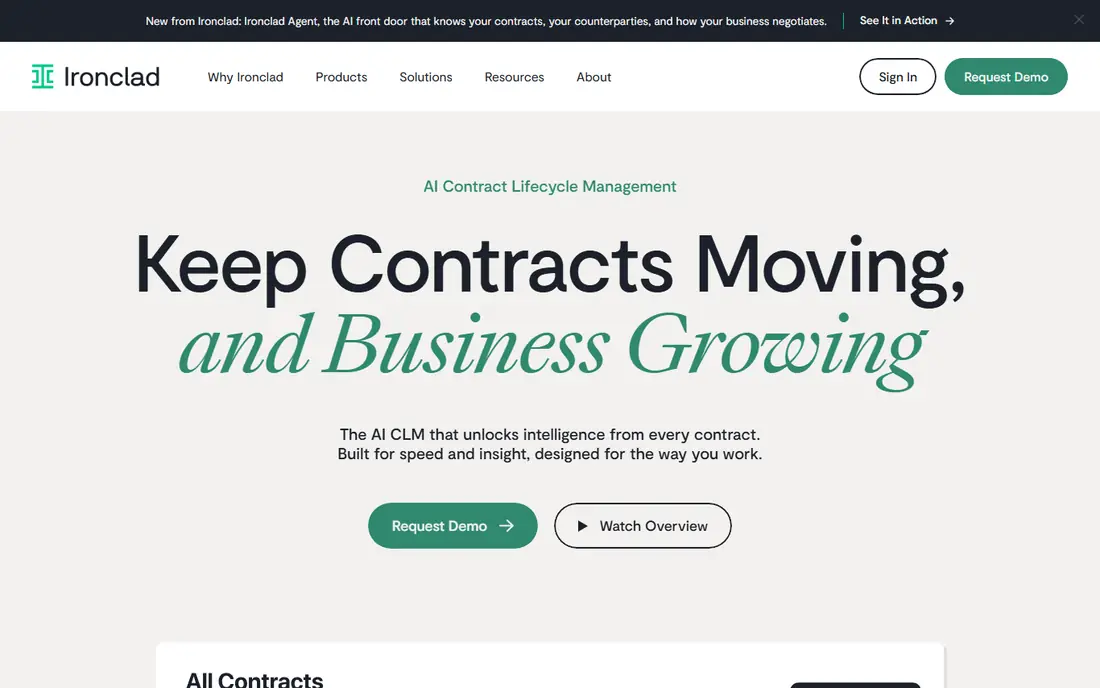
Ironclad is a digital contracting platform where AI review is one part of a larger workflow. Teams can start from templates, route approvals, negotiate, sign, and then track obligations and renewals in one place. That breadth matters when contracts get lost between email, shared drives, and inboxes, because the platform becomes the single record.
The trade-off is scope. If you only need to review a few third-party contracts each month, a full lifecycle platform may be more than you need. Implementation also takes planning, especially for approval rules and integrations. Shortlist Ironclad when the problem is the whole process, not just reading one document faster.
- Combines drafting, approval, signature, and tracking
- Strong workflow controls
- Useful analytics
- Enterprise pricing and setup time
- Broader than a pure review tool

Kira, now part of Litera, is known for extracting clauses and data points from large sets of contracts. Law firms and deal teams use it in due diligence, where the task is to find change-of-control clauses, termination rights, or liability limits across hundreds of documents. Built-in models cover many common provisions, and teams can build custom fields for their own needs.
Kira is less of a negotiation tool than a reading and analysis tool. If your main job is redlining a counterparty draft against a playbook, a tool built for that workflow may fit better. For diligence, audits, and portfolio review, though, its extraction focus is exactly the point.
- Strong clause extraction at scale
- Many built-in models
- Suited to diligence and portfolio work
- Not built mainly for redlining
- Enterprise pricing by quote

Luminance uses machine learning to compare documents, surface anomalies, and highlight clauses that differ from the norm in a set. That approach helps when you inherit a large portfolio, review supplier agreements, or need to spot risk without reading every page at the same depth. It also handles documents in multiple languages, which matters for cross-border teams.
As with any AI review tool, unusual drafting still needs a human reader. Luminance is strongest as a first pass that directs attention, not as a final decision maker. Teams should test it on their own contract types, because performance varies by document style and clause complexity.
- Anomaly detection
- Multilingual document handling
- Low setup for portfolio review
- Unusual language can still need human checks
- Enterprise pricing
LawGeex automates review of inbound commercial contracts against a company's own policies and fallback positions. When a clause matches the playbook, it can be approved or redlined automatically. When it falls outside the playbook, it goes to a lawyer with a clear explanation. That design suits in-house teams drowning in routine vendor and customer paper.
The catch is preparation. A vague or outdated playbook produces vague results, so legal teams need to invest time in defining positions before the tool pays off. Once that work is done, routine contracts move faster and lawyers spend more time on genuine exceptions.
- Reviews against your own playbook
- Automates routine approvals
- Clear redlines
- Needs a defined playbook to work well
- Enterprise focus
Spellbook lives inside Microsoft Word, which is where many lawyers and contract managers already negotiate. It can draft clauses, review language, benchmark terms against market practice, and suggest revisions without forcing a move to a new platform. For small teams and solo practitioners, that low friction is a real advantage.
The limit is breadth. Spellbook does not replace a full contract repository, approval workflow, or renewal tracker on its own. It is best for the drafting and review step, paired with whatever system you already use for storage and signatures. Check the trial terms and which features require a paid plan before you rely on it for client work.
- Works inside Microsoft Word
- Drafting and benchmarking help
- Lower entry point than enterprise platforms
- Word-centered workflow
- Less suited to full lifecycle management
LegalOn offers attorney-built playbooks and a review workflow designed to get teams started quickly. Instead of building every position from scratch, in-house teams can start with standard playbooks and adjust them to company policy. Matter tracking helps keep reviews organized when several contracts are moving at once.
LegalOn is a good middle ground between a Word add-in and a full lifecycle suite. It is not the best choice if you need deep enterprise workflow customization or a large-scale portfolio analysis engine. For teams that want faster first-pass reviews without a long implementation, it deserves a pilot.
- Pre-built playbooks for a fast start
- Matter tracking
- Clear review output
- Review depth varies by contract type
- Integration options are narrower than full platforms
LinkSquares combines a searchable contract repository with AI extraction and analytics. After signature, teams can find key dates, obligations, and terms without opening each file. That post-signature value is often overlooked, yet it is where missed renewals and forgotten obligations cost money.
Review features help teams analyze contracts in bulk, but LinkSquares is best understood as an analytics and management platform rather than a pure redlining tool. Teams that already have a negotiation workflow and mainly need visibility after signing will get the most from it.
- Searchable repository
- AI extraction of key terms
- Obligation and renewal tracking
- Review is part of a broader platform
- Setup and pricing need scoping
Juro is built for fast-growing companies that use standard contracts and want business teams to self-serve within legal guardrails. Users can generate contracts from templates, negotiate in the browser, sign, and store the final version in a searchable repository. AI features assist with drafting and review, and the interface is friendlier than many enterprise legal tools.
Very complex or heavily negotiated contracts may still need specialist tools or outside counsel. For standard sales, vendor, and employment paper, Juro reduces back-and-forth and keeps legal in control of templates. It is a practical choice for a team moving from email and shared drives to a structured process.
- Drafting, review, signature, and repository in one place
- Friendly for non-legal users
- Good for standard paper
- Less depth for very complex contracts
- Enterprise pricing for larger teams
How we picked these
We compared official product pages, pricing pages, and public documentation for tools that offer AI contract review or analysis in October 2026. We favored tools with a clear review function, a real customer base, and a distinct use case, rather than listing every lifecycle platform with a minor AI feature. We also checked that each tool fits one of three jobs: reading many contracts, reviewing against a playbook, or managing the full lifecycle.
We did not claim hands-on testing. Our comparison is based on vendor documentation, published feature descriptions, and public reviews. Prices are shown as See website where vendors price by quote, because inventing a number would mislead a buyer who needs an accurate budget.
How to choose an AI contract review tool
Start by naming the contract type you review most. A diligence team needs extraction across many documents. An in-house team needs playbook review of inbound paper. A growing company needs templates and a repository. Buying the wrong category is the most common mistake, and it is hard to fix after implementation.
Run a pilot on real contracts, not samples from the vendor. Pick 15 to 20 agreements that reflect your hardest cases, including scanned PDFs, unusual clauses, and non-standard formatting. Score each tool on missed risks, false flags, and how clearly it explains each finding. A tool that flags everything is not helpful, because lawyers will learn to ignore it.
Check security and data handling before you upload sensitive agreements. Ask where data is stored, whether your documents train shared models, what certifications the vendor holds, and how long data is retained. Also confirm who owns the final decision. AI output should support a lawyer or trained reviewer, never replace that review for material terms.
Pilot checklist
- Use your own contracts, including messy and scanned documents.
- Test playbook accuracy on routine and edge-case clauses.
- Check export, search, and integration with your signature and storage tools.
- Confirm data retention, model training, and access controls in writing.
- Compare total cost, including implementation, seats, and document volume limits.
FAQ
Can AI review a contract without a lawyer?
AI can read a contract, flag deviations, and extract key terms, but it cannot decide whether a deviation is acceptable for your business. A lawyer or trained reviewer should check material clauses, especially liability, indemnity, termination, and payment terms, before you sign.
What is the difference between contract review and contract lifecycle management?
Contract review is the reading step, where a tool analyzes a document you already have. Lifecycle management covers the full process, from request and drafting through approval, signature, storage, and renewal. Some tools do both, while others focus on one step.
Is my contract data used to train AI models?
That depends on the vendor and the plan. Some vendors offer private instances or contractual protections against training on customer data, while others use different defaults. Ask for the policy in writing and check the data processing terms before uploading confidential agreements.
How many contracts do I need to justify AI review software?
Teams reviewing a handful of simple contracts each month may not need a paid tool, since a checklist and careful reading can work. The case strengthens when volume, complexity, or turnaround pressure grows, or when missed renewals and inconsistent terms create real cost.
Can AI contract tools handle scanned PDFs?
Many tools use optical character recognition to read scanned documents, but accuracy varies with scan quality and layout. Test your worst scans in a pilot, and expect a human check on any document where the text extraction looks incomplete or garbled.