Best Active Directory Management Tools in 2026: 8 Tools Compared
We compared the best active directory management tools for automation, auditing, delegation, and password self-service, with pricing and free options noted.
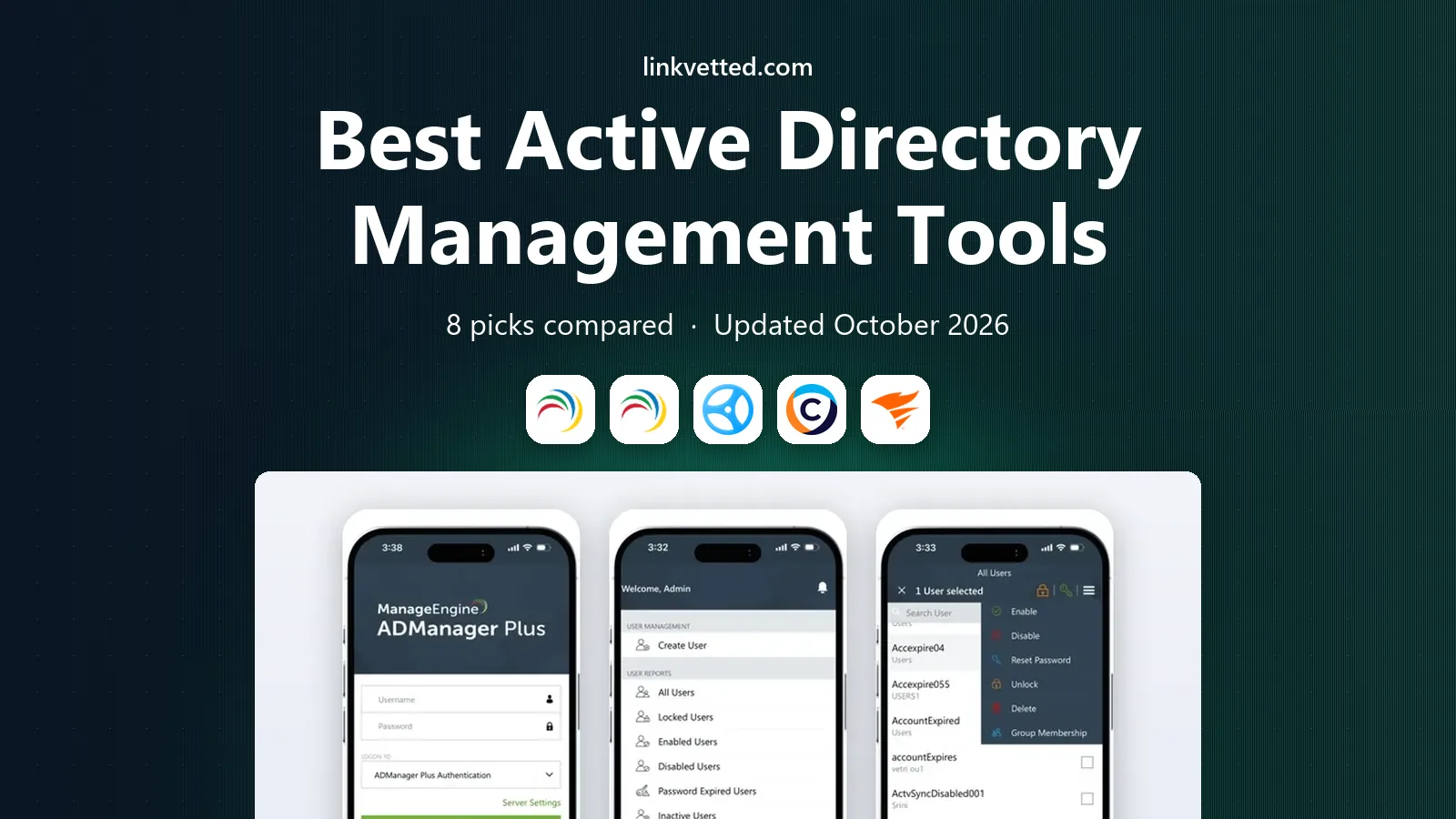
- Editor's choice
 ManageEngine ADManager Plus
Bulk AD automation and delegation
Starts at$595 per yearVisit manageengine.comFull review - Great alternative
 ManageEngine ADAudit Plus
AD change auditing and compliance
Starts at$595 per yearVisit manageengine.comFull review - Also consider
 Softerra Adaxes
Policy-driven provisioning
Starts atSee websiteVisit adaxes.comFull review
TL;DR:
- ManageEngine ADManager Plus is the most complete starting point for bulk user work, delegation, and reports.
- ADAudit Plus and Adaxes cover different needs, with auditing on one side and policy-driven automation on the other.
- Free editions and free utilities suit small domains, but large hybrid setups need paid tiers and careful testing.
- Password self-service alone can cut help desk load, so weigh that feature even when buying a broader suite.
Quick comparison
| Tool | Best for | Starts at | Free plan? | |
|---|---|---|---|---|
| ManageEngine ADManager Plus | Bulk AD automation and delegation | $595 per year | Yes | Visit |
| ManageEngine ADAudit Plus | AD change auditing and compliance | $595 per year | Free trial | Visit |
| Softerra Adaxes | Policy-driven provisioning | See website | Free trial | Visit |
 Cayosoft Administrator | Hybrid AD lifecycle management | See website | Free trial | Visit |
 SolarWinds Access Rights Manager | Access rights visibility and reviews | See website | Free trial | Visit |
 Netwrix Directory Manager | Group and user lifecycle control | See website | Free trial | Visit |
 One Identity Active Roles | Enterprise delegation and policy | See website | Free trial | Visit |
 ManageEngine ADSelfService Plus | Password self-service and resets | $595 per year | Free trial | Visit |
The best active directory management tools
We compared official product pages, pricing, and public admin reviews for tools that manage Active Directory users, groups, computers, and permissions. The list mixes full suites with focused tools for auditing, access reviews, and password help.
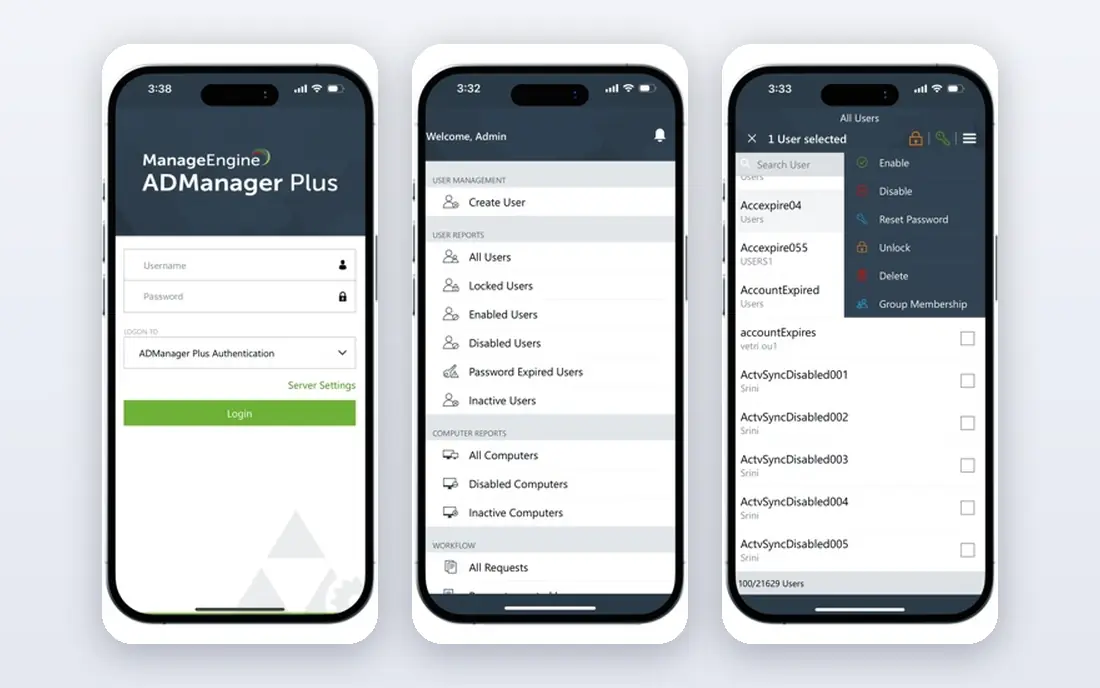
ADManager Plus covers the daily work that takes up most AD admin time. You can create and update many users at once, use templates so new accounts follow the same rules, and delegate routine tasks to help desk staff without giving them full domain admin rights. A free edition covers up to 100 domain objects, while Standard starts at $595 per year and Professional at $795 per year. That free tier lets small teams test bulk work and reports before paying.
The tool also handles Exchange and Microsoft 365 objects from the same console, which helps hybrid shops. Reports for inactive accounts, group membership, and password status support audits and cleanup work. Admins note a learning curve for workflow design, but for routine provisioning and delegation, ADManager Plus is the default shortlist pick.
- Bulk user creation and updates
- Templates and workflows
- Many built-in reports
- On-premises setup needs care
- Interface can feel dense at first

ADAudit Plus answers a different question: who changed what, and when. It tracks changes to users, groups, computers, group policy objects, and organizational units, and it can alert on risky events such as privilege changes. Standard starts at $595 per year and Professional at $945 per year for a small domain controller count, with a free trial. That makes it a practical add-on to ADManager Plus or a standalone audit tool.
The catch is alert tuning. Out of the box, a busy domain can produce many events, so plan time to set thresholds and review rules. Once tuned, the reports support compliance checks and incident review far better than manual event log searches. Teams with audit duties should test it with their own log volume before buying.
- Real-time change tracking
- Alerts for risky changes
- Compliance reports
- Pricing scales with domain controllers
- Needs tuning to cut alert noise

Adaxes automates AD work through rules that run when users join, move, or leave. When a user is added to an organizational unit, Adaxes can update group memberships, set properties, create a mailbox or home folder, and run scripts, all under approval and logging. That policy model suits firms that want consistent provisioning without manual steps for each account.
Pricing is quote-based, so budget planning needs a sales conversation and a clear count of managed objects. The web interface lets non-admin staff handle approved tasks, which cuts tickets. Adaxes rewards careful rule design, and teams should test rules in a lab domain before turning them on in production.
- Business rules automate joins and moves
- Web interface for delegated tasks
- Approval workflows
- Quote-based pricing
- Advanced rules need planning and testing
Cayosoft Administrator manages on-premises AD and Microsoft 365 together, with lifecycle rules for onboarding, moves, and offboarding. Admins can delegate tasks with fine controls, automate group updates, and run reports across hybrid objects. That scope fits firms that still run local AD but have moved mail and collaboration to the cloud.
Because pricing is by quote, small teams should ask for a clear price tied to user count and modules. Cayosoft is less widely discussed than ManageEngine in public forums, so support quality and documentation matter more during a trial. For hybrid lifecycle work, it deserves a place on the shortlist.
- Hybrid AD and Microsoft 365 management
- Lifecycle automation
- Delegation controls
- Quote-based pricing
- Smaller community than ManageEngine
SolarWinds Access Rights Manager
Best for: Access rights visibility and reviews
Access Rights Manager, often called ARM, focuses on permissions rather than just user accounts. It shows effective access to files, folders, and systems, lets business owners review and approve access, and supports provisioning and deprovisioning with templates. That view helps teams enforce least privilege and prepare for audits.
SolarWinds prices ARM by quote, with perpetual or subscription options noted in public comparisons, so confirm the current model on its site. Some admins note that template editing can feel technical. Even so, when the main problem is unclear access rights across AD and Microsoft 365, ARM is a focused and useful choice.
- Clear view of who has access to what
- Access reviews for owners
- Provisioning templates
- Quote-based pricing
- Some template work feels less guided
Netwrix Directory Manager, formerly known by its GroupID roots, gives admins and delegated owners control over groups and user lifecycles. Owners can approve membership changes, users can request access through a portal, and policies can drive joins, moves, and departures. Audit trails record who approved each change, which supports compliance work.
Pricing is by quote, so trial planning should include a count of users, groups, and domains. The product suits firms where group sprawl is the main pain, since unmanaged groups are a common source of excess access. Test owner workflows early, because adoption by group owners decides much of the value.
- Group management and self-service
- Policy-based lifecycle rules
- Audit trails
- Quote-based pricing
- Setup scope needs careful scoping
One Identity Active Roles is built for large, complex directories where delegation must be tight and auditable. It adds policy enforcement, approval workflows, and role-based delegation on top of AD and hybrid directories, so help desk and business teams can act without broad admin rights. That control matters when many admins and owners touch the directory each day.
It is an enterprise product, so price and implementation effort will exceed small-team tools. Firms should budget for design work around policies, roles, and approvals. For large firms with strict governance needs, Active Roles offers a level of control that simpler tools do not match.
- Strong policy and delegation at scale
- Hybrid directory support
- Approval workflows
- Enterprise price and scope
- Longer implementation for large firms
ADSelfService Plus lets users reset passwords and reopen locked accounts without calling the help desk, with multi-factor checks to keep that process safe. It also supports password policy enforcement and single sign-on features on higher tiers. Pricing starts at $595 per year in public listings, with a free trial, though final price depends on scope and edition.
The main work is enrollment. Users must register verification methods before they get locked out, or the tool cannot help them at the moment they need it. Plan a rollout with clear prompts and a fallback for new hires. Done well, self-service is one of the fastest ways to cut routine AD tickets.
- Self-service resets and account recovery
- Multi-factor options
- Help desk load reduction
- Needs enrollment to work well
- Pricing scales with scope
How we picked these
We compared vendor product pages, published starting prices, free edition limits, and public admin reviews for tools that manage Active Directory in October 2026. We favored tools with clear AD management, delegation, auditing, or password features, active vendor support, and a trial or free edition where offered. We left out generic network monitors and tools that only report on AD without managing it, since the topic is management, not monitoring alone.
How to choose the right AD management tool
Start by naming the pain that costs the most time. If bulk provisioning and delegation dominate, start with ADManager Plus or Adaxes. If audit and compliance questions dominate, start with ADAudit Plus or Access Rights Manager. If password tickets dominate, start with ADSelfService Plus. Testing the tool against your top three tasks will tell you more than a long feature grid.
Test in a lab first and check hybrid coverage
Never test a provisioning rule directly on a production domain. Build a small lab domain, run joins, moves, and departures, and check group, mailbox, and folder results. Confirm whether the tool covers on-premises AD only, Microsoft Entra ID, or both, and whether it manages Exchange and Microsoft 365 objects. Hybrid gaps often appear only after purchase, so check them during the trial.
Plan delegation and approvals before rollout
Decide who may reset passwords, create users, and approve group changes, and write those roles down before you configure them. A tool that allows broad delegation without clear roles can create risk fast. Use approvals for sensitive groups, log every delegated change, and review delegated rights each quarter.
FAQ
What is the best active directory management tool for a small business?
For a small domain, ManageEngine ADManager Plus is a strong starting point because its free edition covers up to 100 domain objects and its Standard tier starts at $595 per year. Small teams can also use free utilities for one-off reports. Larger firms should compare Adaxes, Cayosoft, and Active Roles for lifecycle and delegation depth.
What is the best active directory management software for auditing?
ManageEngine ADAudit Plus is built for auditing, with real-time change tracking and compliance reports for AD objects. SolarWinds Access Rights Manager adds access visibility and owner reviews, which helps with least-privilege checks. Use both kinds of evidence together when an audit asks who had access and who changed it.
Do any AD management tools have a free plan?
Yes. ADManager Plus has a free edition for up to 100 domain objects, and SolarWinds offers a free Permissions Analyzer utility for access visibility. Most full suites offer a free trial rather than a permanent free plan, so check the vendor page for current trial length and limits before you plan a rollout.
Can these tools manage Microsoft 365 and Entra ID as well as local AD?
Many can, but coverage varies by product and edition. ADManager Plus, Cayosoft Administrator, and Active Roles describe hybrid management, while some focused tools cover local AD more deeply. Confirm Entra ID, Exchange Online, and group coverage in writing during a trial, since hybrid needs differ from firm to firm.
How much do AD management tools cost?
Entry prices in this list start at $595 per year for ManageEngine tools, while most enterprise tools are quote-based and priced by users, objects, or domain controllers. Small teams may pay under $1,000 a year, while large firms can pay far more once modules and support are added. Always get a quote tied to your object count.
Sources
- https://www.manageengine.com/products/ad-manager/
- https://www.manageengine.com/products/active-directory-audit/
- https://www.adaxes.com
- https://www.cayosoft.com
- https://www.solarwinds.com/access-rights-manager
- https://www.netwrix.com/directory_manager.html
- https://www.oneidentity.com/products/active-roles/
- https://www.manageengine.com/products/self-service-password/