Adverity Alternatives in 2026: 8 Tools Compared
Compare adverity alternatives for marketing data, reporting, and warehouse loading, with pricing, free plans, and the best fit for growing teams in 2026.
- Editor's choice
 Supermetrics
Direct data delivery into reports and warehouses
Starts atSee websiteVisit supermetrics.comFull review - Great alternative
 Funnel
Managed marketing data hub for scaling teams
Starts atSee websiteVisit funnel.ioFull review - Also consider
 Improvado
Enterprise automation and pipeline control
Starts atSee websiteVisit improvado.ioFull review
TL;DR:
- Supermetrics suits teams that want fast data pulls into Sheets or Looker Studio, while Funnel suits teams that want a managed marketing data hub.
- Improvado suits enterprise brands and agencies that need deeper automation and pipeline control.
- Windsor.ai and Coupler.io suit smaller teams that want lower-cost connectors without enterprise pricing.
- Check connector coverage for your exact ad platforms, because a missing connector can force manual work.
- Data governance, naming rules, and metric definitions matter more than connector count once reporting grows.
Quick comparison
| Tool | Best for | Starts at | Free plan? | |
|---|---|---|---|---|
| Supermetrics | Direct data delivery into reports and warehouses | See website | Free trial | Visit |
| Funnel | Managed marketing data hub for scaling teams | See website | Free trial | Visit |
| Improvado | Enterprise automation and pipeline control | See website | No | Visit |
 TapClicks | Agency client dashboards and reporting | See website | Free trial | Visit |
 Windsor.ai | Low-cost connector flows into Sheets, BI, and warehouses | See website | Free trial | Visit |
 Coupler.io | Automated data flows into spreadsheets and BI tools | See website | Free trial | Visit |
 Fivetran | Warehouse-first pipelines for data teams | See website | Free trial | Visit |
 Dataslayer | Spreadsheet reporting for marketers | See website | Free trial | Visit |
The best Adverity alternatives
Adverity helps large teams collect, clean, and harmonise marketing data from many sources. The alternatives below split into connector tools, managed hubs, and warehouse-first platforms, so the best pick depends on where your reporting lives and who maintains it.
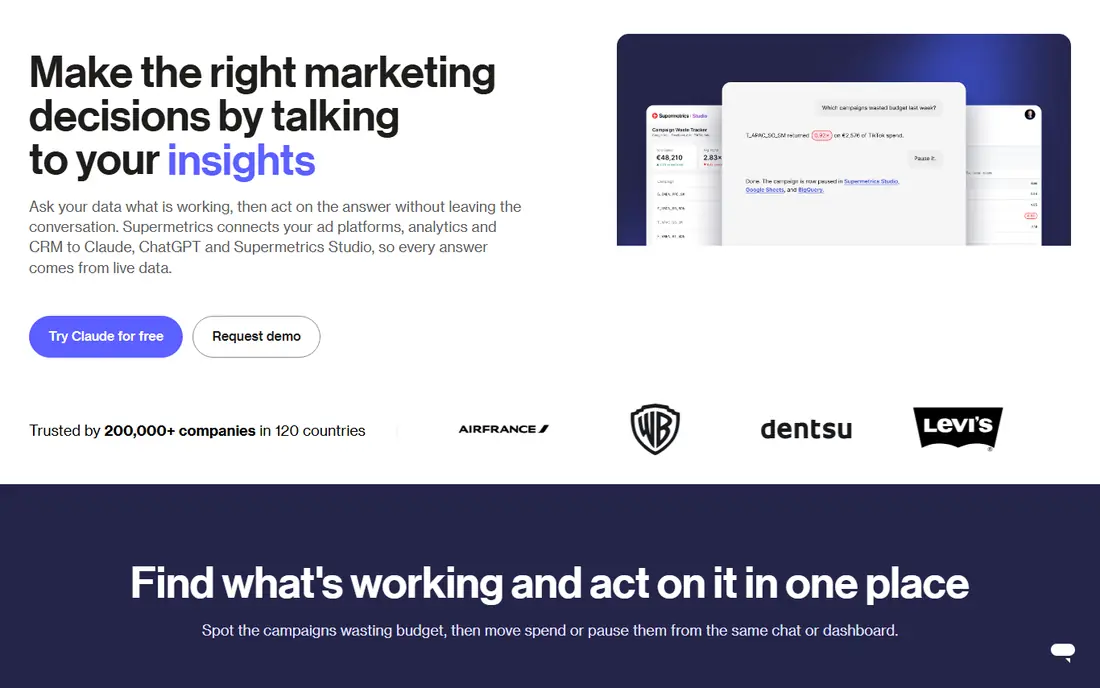
Supermetrics moves marketing data into Google Sheets, Looker Studio, Excel, data warehouses, and other destinations with relatively little setup. That speed helps small and mid-sized teams that need a report this week, not a data project this quarter. Analysts often know the tool already, which reduces training time.
Pricing depends on destination, sources, users, and accounts, so a quote can change quickly as reporting grows. It also focuses more on delivery than on deep harmonisation and governance, so larger teams may still need modelling work elsewhere. Supermetrics is a strong pick when reporting speed and familiar destinations matter most.
- Many marketing connectors
- Fast setup for Sheets and Looker Studio
- Familiar for analysts
- Pricing varies by destination and sources
- Modelling depth is lighter than a hub

Funnel collects marketing data into a central hub, where teams can transform, harmonise, and govern metrics before reporting. That structure helps scaling teams that need consistent definitions across channels, brands, and agencies. It also supports measurement and reporting workflows without forcing every team to build its own pipeline.
Pricing is based on plan and capacity, and some warehouse or advanced features sit on higher plans. Setup is also more involved than a simple connector pull. Funnel suits teams that have outgrown spreadsheet pulls and want owned, governed marketing data.
- Central data hub with transformations
- Broad connector support
- Governance and measurement features
- Pricing is plan and capacity based
- Warehouse features vary by plan
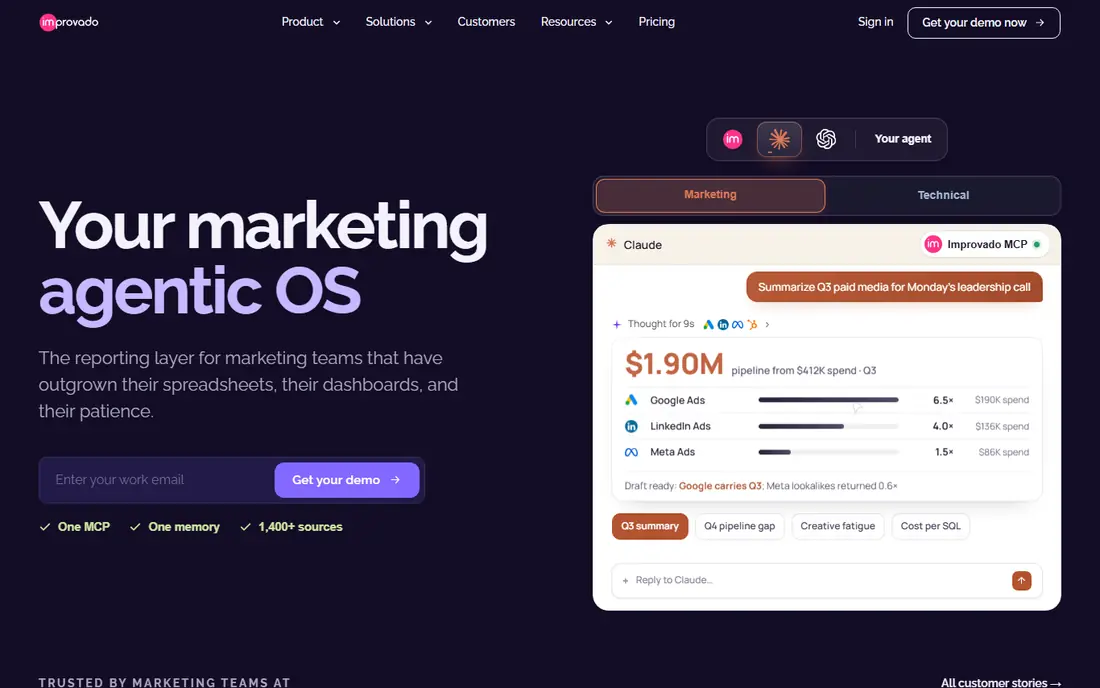
Improvado is built for enterprise brands and agencies that need end-to-end marketing data automation, from collection to transformation to BI delivery. It supports many sources and metrics, and it offers pipeline control that helps larger teams manage many accounts and clients. Support and onboarding are often part of the enterprise package.
The trade-off is cost and complexity. Smaller teams may find the sales-led process and pricing hard to justify for a few channels. Improvado fits when data volume, client count, and reporting complexity are all high, and when a team can own the data model.
- Broad connector coverage
- Pre-built pipelines and transformations
- AI-assisted analysis on some plans
- Enterprise pricing
- Setup needs planning and data ownership
TapClicks helps agencies build white-label dashboards and scheduled reports for clients, with connectors for common ad, social, and analytics platforms. That focus suits agencies that need to show results clearly without building a custom BI setup for each client. Templates and automation also save time on recurring reporting.
It is more dashboard-focused than warehouse-focused, so teams that want deep modelling may need another layer. Pricing is package-based and varies by client count and features. TapClicks is best for agencies whose main need is clear, repeatable client reporting.
- Customisable client dashboards
- Many connectors
- Automated reporting schedules
- Package pricing varies
- Data modelling is lighter than a hub
Windsor.ai moves marketing data into Google Sheets, Looker Studio, BigQuery, and other destinations at a lower entry price than many enterprise tools. That value appeals to small teams and agencies that need reliable pulls without a large contract. Setup is straightforward, and connector coverage covers common ad platforms.
It is mainly a delivery tool, so teams that need deep harmonisation, governance, or complex transformations will need extra work in their BI tool. Support and connector depth also vary by plan. Windsor.ai suits teams that want a cost-effective Supermetrics-style workflow.
- Lower entry pricing than many rivals
- Warehouse loading on some plans
- Simple setup
- Modelling depth is limited
- Some advanced features need higher plans
Coupler.io automates data imports from marketing, sales, and other apps into Sheets, Excel, Looker Studio, and warehouses. Scheduled refreshes keep reports current without manual exports, which helps teams that report weekly or monthly. The interface is approachable for non-technical users.
Like other connector tools, Coupler.io does not replace data modelling. Teams must define metrics and joins in their spreadsheet or BI tool. Pricing also depends on sources, refresh frequency, and destinations. Coupler.io fits teams that want reliable, scheduled pulls with minimal engineering.
- Many sources
- Scheduled refreshes
- Spreadsheet, BI, and warehouse destinations
- Modelling is left to the destination tool
- Pricing rises with refresh and source needs
Fivetran builds automated data pipelines into a warehouse, with schema handling and maintenance that reduce engineering work. That approach suits data teams that want marketing data next to sales, product, and finance data for fuller analysis. Connector breadth is a clear strength, covering many business systems beyond marketing.
It is not a reporting tool on its own, so teams still need a warehouse and a BI tool. Usage-based pricing can also grow with data volume. Fivetran is best when a data team owns the stack and wants reliable pipelines rather than a managed marketing hub.
- Very broad connector library
- Automated schema handling
- Low maintenance pipelines
- Usage-based pricing can grow
- Needs a warehouse and BI layer to be useful
Dataslayer helps marketers pull ad and analytics data into Google Sheets and Looker Studio without heavy engineering. That workflow suits small teams and freelancers who live in spreadsheets and need a reliable, affordable connector. Setup is quick, and the tool focuses on the destinations marketers already use.
Connector breadth is smaller than Fivetran or Improvado, so teams with unusual platforms should check coverage first. It also lacks the governance depth of Funnel. Dataslayer is a practical pick for spreadsheet-first reporting at a lower cost.
- Strong Google Sheets and Looker Studio fit
- Affordable entry options
- Easy for marketers
- Connector count is smaller than enterprise tools
- Warehouse features are limited
How we picked these
We compared official feature and pricing pages, connector coverage, destination options, and data transformation features, and we checked each tool against common Adverity jobs, including collection, harmonisation, reporting, and warehouse loading. We included connector tools, managed hubs, and warehouse-first platforms, so readers can match their data stack rather than only a price. Public reviews helped us note recurring limits, such as pricing models and setup effort.
We did not claim hands-on testing, and we used See website where pricing was quote-based, capacity-based, or usage-based. Connector lists change often, so readers should confirm coverage for their exact platforms before buying.
What to check before you switch
Start with your reporting destination. A team that reports in Sheets needs a different tool from a team that reports from a warehouse, even if both use the same ad platforms. That destination choice will narrow the list quickly.
Connectors, metrics, and freshness
Check each required platform, including smaller or regional ad tools, and confirm which metrics and dimensions are available. Also check refresh frequency, historical backfill, and how the tool handles API changes. A connector that only pulls top-level totals will not support detailed campaign analysis.
Harmonisation and governance
Check naming rules, currency conversion, blending, and metric definitions, and decide who owns those rules. Look at data quality checks, error alerts, and access controls, especially for agencies with many clients. A tool that makes governance easy will save more time than one with a slightly larger connector list.
Cost, migration, and ownership
Compare pricing by destination, sources, accounts, rows, or capacity, and model the cost at your current scale plus expected growth. Check how easily data and definitions move if you switch tools later, and whether historical data can be backfilled. A pilot with two or three real sources will reveal more than a demo with sample data.
FAQ
What is the best Adverity alternative for a small team?
Supermetrics, Windsor.ai, Coupler.io, and Dataslayer suit small teams, because they offer faster setup and lower entry pricing than enterprise hubs. The best pick depends on destination, since Supermetrics and Dataslayer suit Sheets and Looker Studio, while Windsor.ai and Coupler.io also support warehouse loading. Start with the destination your team already uses.
What is the difference between a connector tool and a data hub?
A connector tool moves data from a source to a destination, while a data hub also stores, transforms, harmonises, and governs that data in one place. Connector tools are faster and cheaper, while hubs suit larger teams that need consistent metrics across many brands. Funnel is a hub, while Supermetrics and Windsor.ai are mainly connector tools.
Do I need a data warehouse to use these tools?
No, many tools work directly with Sheets, Excel, or Looker Studio, and a warehouse is optional for smaller teams. A warehouse becomes useful when data volume grows, when many sources must be joined, or when finance and product data must sit beside marketing data. Fivetran and warehouse plans from other tools assume a warehouse already exists.
How do I check connector coverage?
List every ad, social, analytics, and CRM platform you use, including regional or niche tools, and check each one on the vendor connector page. Also check whether the connector pulls the metrics you need, not only whether the platform name appears. A trial with your real accounts is the safest check.
Can these tools replace a BI tool?
No, most tools in this list prepare and deliver data, while a BI tool such as Looker Studio, Power BI, or Tableau visualises it. Some tools include dashboards, especially TapClicks, but a dedicated BI tool still offers deeper analysis. Plan for both layers unless your reporting needs are very simple.
How long does migration usually take?
A simple connector migration can take days, while a hub or warehouse migration can take weeks, depending on sources, metric definitions, and historical data. Allow time for testing, backfill, and report comparison with the old system. Run old and new reporting in parallel until figures match for at least one full reporting period.