Best 3CX Alternatives in 2026: 8 Business Phone Systems Compared
Looking for 3cx alternatives? We compare 8 business phone systems, from RingCentral and Dialpad to Nextiva and 8x8, on price, call features, and setup.

- Editor's choice
 RingCentral
All-in-one cloud communications
Starts at$20 per user per monthVisit ringcentral.comFull review - Great alternative
 Nextiva
Small business phone plus CRM fit
Starts at$15 per user per monthVisit nextiva.comFull review - Also consider
 Dialpad
AI features included at entry price
Starts at$15 per user per monthVisit dialpad.comFull review
TL;DR:
- 3CX is a self-hosted or hosted PBX, so alternatives split into cloud phone systems and other PBX-style options, and setup effort differs a lot between them.
- RingCentral and Nextiva suit teams that want calling, video, and messaging in one cloud app.
- Dialpad is the best value for teams that want AI transcription and summaries included at the entry price.
- Zoom Phone suits companies already paying for Zoom Workplace, since bundling lowers the effective cost.
- Ooma Office and GoTo Connect are strong picks for small businesses that want simple setup and predictable pricing.
Quick comparison
| Tool | Best for | Starts at | Free plan? | |
|---|---|---|---|---|
| RingCentral | All-in-one cloud communications | $20 per user per month | Free trial | Visit |
| Nextiva | Small business phone plus CRM fit | $15 per user per month | Free trial | Visit |
| Dialpad | AI features included at entry price | $15 per user per month | Free trial | Visit |
 Vonage Business | Flexible cloud phone for small teams | See website | Free trial | Visit |
 Ooma Office | Simple small business phone | $19.95 per user per month | Free trial | Visit |
 8x8 | Global calling and contact center | See website | Free trial | Visit |
 Zoom Phone | Teams already on Zoom | $10 per user per month | Free trial | Visit |
 GoTo Connect | Simple cloud PBX replacement | See website | Free trial | Visit |
The best 3cx alternatives
3CX is a phone system you can host yourself or run in the cloud, with call queues, IVR, video, and live chat, and its licensing differs from per-user cloud phone plans. The tools below replace it in different ways: most are fully cloud phone systems that remove server management, while a few keep a PBX feel with simpler administration. We compared official pricing pages, feature docs, and public reviews, and we weighed call quality features, admin effort, and total seat cost.

RingCentral is the most complete cloud replacement for 3CX, and it suits teams that want one vendor for phone, video, and messaging. Core includes unlimited domestic calling, auto-attendant, call queues, voicemail transcription, and video meetings, with AI call transcription included at the entry tier. The 14-day trial covers up to a small team, which is enough to test call quality on your own network.
The limits sit in the details. Core caps SMS at 25 messages per user per month, which a texting-heavy team will burn through quickly, and automatic call recording requires Advanced at $25 per user per month billed annually. Taxes and regulatory fees also add to the bill. If you want a full unified communications suite and can live with those caps, RingCentral is the default pick.
- Calling, video meetings, and team messaging in one app
- Core plan starts at $20 per user per month billed annually
- Broad integration set with CRMs and help desks
- SMS capped at 25 per user per month on Core
- Automatic call recording needs the Advanced plan
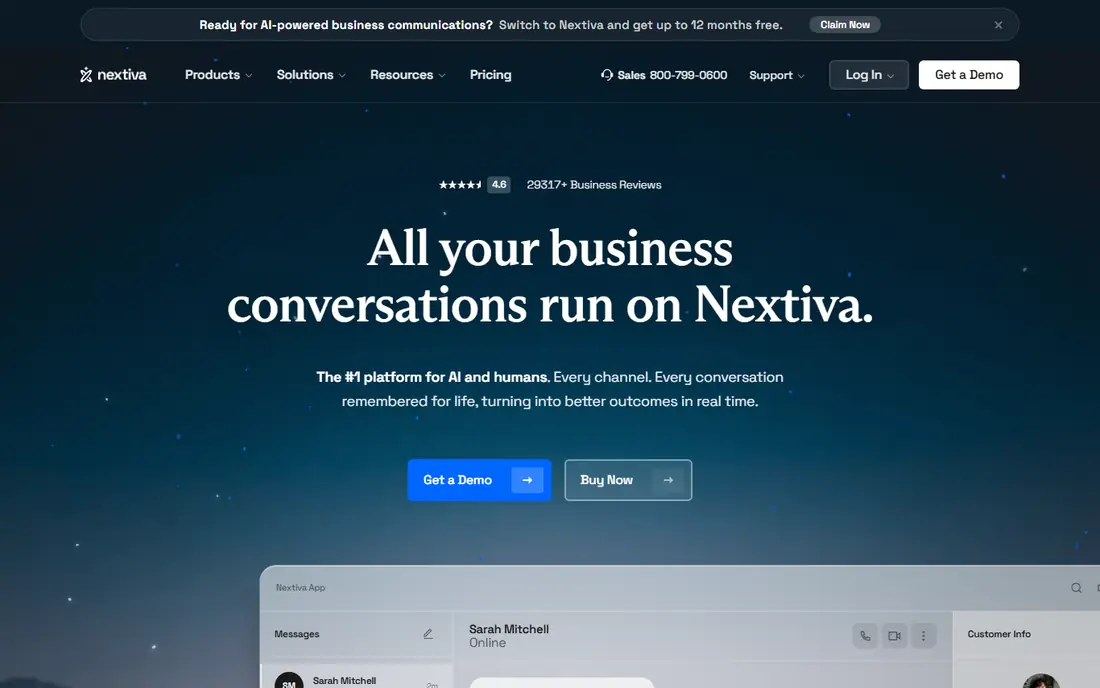
Nextiva is a strong choice for small and mid-size businesses moving from a PBX to the cloud. Its Core plan starts at $15 per user per month billed annually and includes unlimited voice and video calling, voicemail, toll-free numbers, and internet fax, with higher tiers adding SMS, CRM integrations, and call recording. Setup is guided, and the mobile and desktop apps make remote work straightforward.
The tier gaps matter. Call recording, voicemail transcription, and Microsoft Teams integration sit on higher plans, so a team that needs those should price Engage or above rather than Core. Monthly billing also costs more than annual billing, so the headline price assumes a yearly commitment. For a small business that wants a dependable phone system with good support, Nextiva is a solid pick.
- Core plan from $15 per user per month billed annually
- Unlimited voice and video calling on entry plans
- Strong customer support reputation
- Call recording and advanced features need higher tiers
- No free plan, only a trial and demo
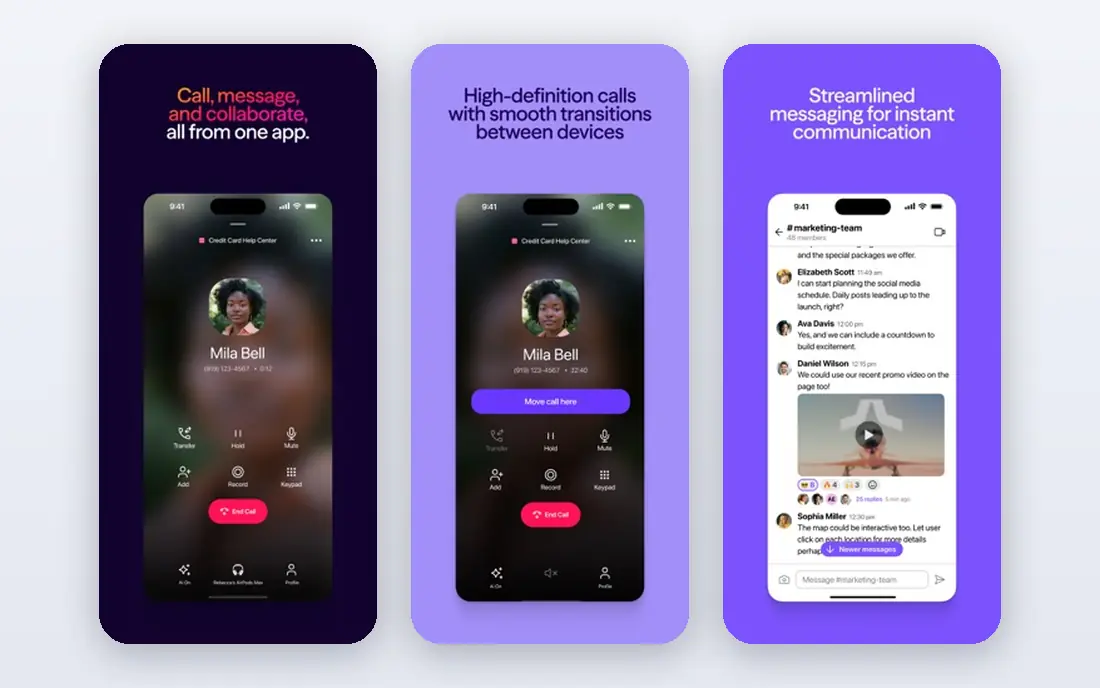
Dialpad is our pick for teams that want AI call features without paying extra for them. Every plan includes live transcription, call summaries, and sentiment analysis, and Standard starts at $15 per user per month billed annually with a 14-day trial. The single app covers voice, video, and messaging, and its Google Workspace integration is among the deepest in this category.
The catches are modest but real. Standard caps SMS at 250 messages per user per month with overage charges, Pro requires at least 3 seats, and the integration catalog is shorter than RingCentral. Advanced AI coaching features also sit on higher tiers. If AI summaries and transcripts are your priority, Dialpad gives you more of them at the entry price than any rival here.
- AI transcription, summaries, and sentiment included on every plan
- Standard starts at $15 per user per month billed annually
- Calling, video, and messaging in one app
- 3-seat minimum on Pro
- SMS capped at 250 per user per month on Standard
- Smaller integration set than RingCentral
Vonage Business suits small teams that want a flexible cloud phone system with room to add video, messaging, and integrations as they grow. Its plans cover unlimited domestic calling, a mobile app for staff who work away from a desk, and integrations with common CRMs and help desks through its app marketplace. Teams that already use Vonage APIs for messaging or video may also prefer keeping voice with the same vendor.
Pricing needs a direct quote for your team size and region, since published figures vary and some features arrive as add-ons rather than in the base plan. Multi-level auto-attendant and toll-free minutes also depend on the tier you choose. Vonage is a good fit for mobile-first small teams that value flexibility, but check the full quote before comparing it with RingCentral or Dialpad.
- Flexible plans for mobile-first teams
- Broad app integrations through the Vonage marketplace
- Video and messaging options alongside voice
- Published entry pricing varies by plan and region
- Some features need marketplace add-ons
Ooma Office is the simplest move from a small PBX to the cloud. Essentials starts at $19.95 per user per month and includes a virtual receptionist, call routing, voicemail, and unlimited calling across the US, Canada, Mexico, and Puerto Rico, while Pro at $24.95 adds recording, voicemail transcription, and more messages. Setup is quick, and the system works with standard IP phones as well as mobile apps.
The limits are messaging volume and AI. Lower tiers cap account-wide SMS at 1,000 messages a month, which a texting-heavy team will exceed, and Ooma offers no conversation AI features even on top tiers. If your team mainly makes and takes calls and wants a system that just works, Ooma is an excellent, low-friction pick.
- Simple setup with a virtual receptionist included
- Essentials starts at $19.95 per user per month
- Unlimited calling in the US, Canada, Mexico, and Puerto Rico
- SMS capped at 1,000 messages per account per month on lower tiers
- No conversation AI at any tier
8x8 suits companies with international teams or a combined phone and contact center need. It covers voice, video, and chat in one platform, supports calling in many countries, and scales from small business phone service to full contact center deployments with omnichannel routing. That breadth makes it a good fit for companies outgrowing a single-country PBX.
Pricing is quote-based for many plans and varies by region, so budget with a written quote rather than a headline figure. Smaller US-only teams may find RingCentral, Dialpad, or Ooma simpler and cheaper. For global teams and companies that want phone and contact center from one vendor, 8x8 deserves a trial.
- Strong international calling coverage
- Integrated contact center options
- Calling, video, and chat in one platform
- Quote-based pricing on many plans
- Feature packaging varies by region
Zoom Phone is the best value for companies already running on Zoom. The metered plan starts at $10 per user per month, unlimited domestic calling sits around $15, and administration lives in the same console as Zoom meetings and chat, which cuts training time. Call quality is generally well regarded, and number porting is handled through the same account team.
The metered plan needs care: outbound minutes are billed per minute, so a high-volume outbound team can pay more than the headline price suggests, and the Power Pack add-on is often needed for advanced queue analytics. AI Companion features are included with Workplace bundles but not with standalone Zoom Phone plans. If your company already pays for Zoom Workplace, adding Zoom Phone is usually the cheapest credible 3CX replacement.
- Metered plan from $10 per user per month
- Tight fit with Zoom Workplace meetings and chat
- Simple admin for existing Zoom customers
- Metered outbound calls add per-minute charges
- AI Companion is free only with the broader Workplace bundle, not standalone phone plans
GoTo Connect is a cloud phone system that keeps the PBX feel many 3CX users like, without the server. It includes auto-attendant, call queues, ring groups, and video meetings, with an admin console that IT teams find easy to learn. Teams moving from an on-premise PBX often find the migration path comfortable, since the call flow concepts carry over directly.
Pricing is quote-based for many setups, so get a written quote for your seat count and call volume. The integration ecosystem is also smaller than RingCentral or Zoom. If you want a PBX-style system with cloud convenience and a gentle learning curve, GoTo Connect is a strong final candidate.
- Cloud PBX features with a straightforward admin console
- Call queues, auto-attendant, and video included
- Good fit for teams replacing an on-premise PBX
- Pricing is quote-based for many configurations
- Smaller integration ecosystem than RingCentral
How we picked these
We compared official pricing pages, feature documentation, and public reviews, and we favored systems that cover the core 3CX job: business calling, auto-attendant, queues, voicemail, and mobile or desktop apps. We included cloud systems and PBX-style systems, entry prices from $10 to $20 per user per month, and options for global and contact center use. Tools that only handle video meetings, or only handle SMS, were left out because they do not replace a phone system.
What to check before you leave 3CX
Start with number porting and call flows. List every number, queue, IVR menu, and ring group in your 3CX setup, then rebuild them in the trial before you port anything, since a missed menu is the most common migration complaint. Test call quality on your real network, including remote workers on home internet, and check emergency calling and compliance needs for your region. Finally, compare the full invoice, not the seat price: taxes, fees, SMS overages, recording storage, and add-ons decide the real cost.
Self-hosted or cloud
If you liked hosting 3CX yourself for control or data residency, be honest about the admin cost: updates, security patches, backups, and uptime were your job. Cloud systems remove that work but move call data to the vendor, so check data residency and security terms if that matters to you. Teams that still want control should look at vendors with private deployment options and get hosting terms in writing.
FAQ
Is 3CX still a good phone system?
Yes, 3CX remains a capable PBX with self-hosted and cloud options, and many businesses use it happily. People usually look for alternatives when they want to stop managing a server, when they need deeper CRM or AI features, or when per-user cloud pricing works out cheaper than their current setup. The right move depends on your admin capacity and feature needs, not on 3CX being a weak product.
Which 3CX alternative is cheapest?
Zoom Phone has the lowest headline entry price at $10 per user per month on its metered plan, but per-minute outbound charges can raise the bill for high-volume teams. Dialpad and Nextiva start at $15 per user per month billed annually, and RingCentral starts at $20. Compare the full invoice for your call and text volume, not just the seat price.
Can I keep my phone numbers when switching?
Yes, in most cases. Cloud phone vendors support number porting from 3CX and other providers, and the process usually takes days to a few weeks depending on number type and carrier. Keep your 3CX system running until porting completes, and test inbound and outbound calls on the new system before canceling the old one.
Do I need new phones to switch from 3CX?
Not necessarily. Many cloud systems work with standard SIP desk phones, including phones already used with 3CX, and all of them offer desktop and mobile apps. Check your exact phone models against the new vendor's supported device list before ordering, since some features may need a firmware update or a newer handset.
Which alternative is best for a call center?
RingCentral and 8x8 are the strongest picks for combined phone and contact center use, since both offer omnichannel routing, analytics, and AI assistance as part of their contact center products. Dialpad also offers a contact center product for teams that want AI included. A basic business phone plan is not a contact center, so price the contact center tier specifically.
What happens to my call recordings when I switch?
Recordings usually stay in the old system unless you export them first. Download or archive recordings you need for compliance or training before canceling 3CX, and check retention limits on the new system, since some plans limit how long recordings are stored. Confirm storage and retention terms in writing if recordings matter to your business.