Best 1Password Alternatives in 2026: 9 Tools Compared
Searching for 1Password alternatives? We compare 9 password managers on price, free plans, passkeys, sharing, and security for families and teams. Read more.
- Editor's choice
 Bitwarden
Best value and free sync
Starts at$1.65 per user per monthVisit bitwarden.comFull review - Great alternative
 Proton Pass
Privacy plus aliases
Starts at$2.99 per user per monthVisit proton.meFull review - Also consider
 Dashlane
Bundled monitoring
Starts at$4.99 per user per monthVisit dashlane.comFull review
TL;DR:
- Bitwarden is the best value alternative, with full sync on its free plan and low paid pricing.
- Proton Pass suits privacy-focused users who want email aliases built in.
- Dashlane and Keeper suit teams that need admin controls, monitoring, or bundled extras.
- NordPass and RoboForm offer low cost paid plans for users who want simple vaults.
- Check passkey support and device limits, since free plans vary widely on both.
Quick comparison
| Tool | Best for | Starts at | Free plan? | |
|---|---|---|---|---|
| Bitwarden | Best value and free sync | $1.65 per user per month | Yes | Visit |
| Proton Pass | Privacy plus aliases | $2.99 per user per month | Yes | Visit |
| Dashlane | Bundled monitoring | $4.99 per user per month | No | Visit |
 NordPass | Simple low cost vault | $1.99 per user per month | Yes | Visit |
 Keeper | Business admin controls | $2.92 per user per month | Yes | Visit |
 LastPass | Familiar interface | $3 per user per month | Yes | Visit |
 RoboForm | Strong form filling | $2.49 per user per month | Yes | Visit |
 Enpass | Offline-first vaults | $1.99 per user per month | Yes | Visit |
 Apple Passwords | Apple users | Free | Yes | Visit |
The best 1Password alternatives
1Password is polished and reliable, but its price rise and lack of a free tier push many users to look elsewhere. These alternatives to 1Password cover free, family, and business needs, with passkey support across most picks.
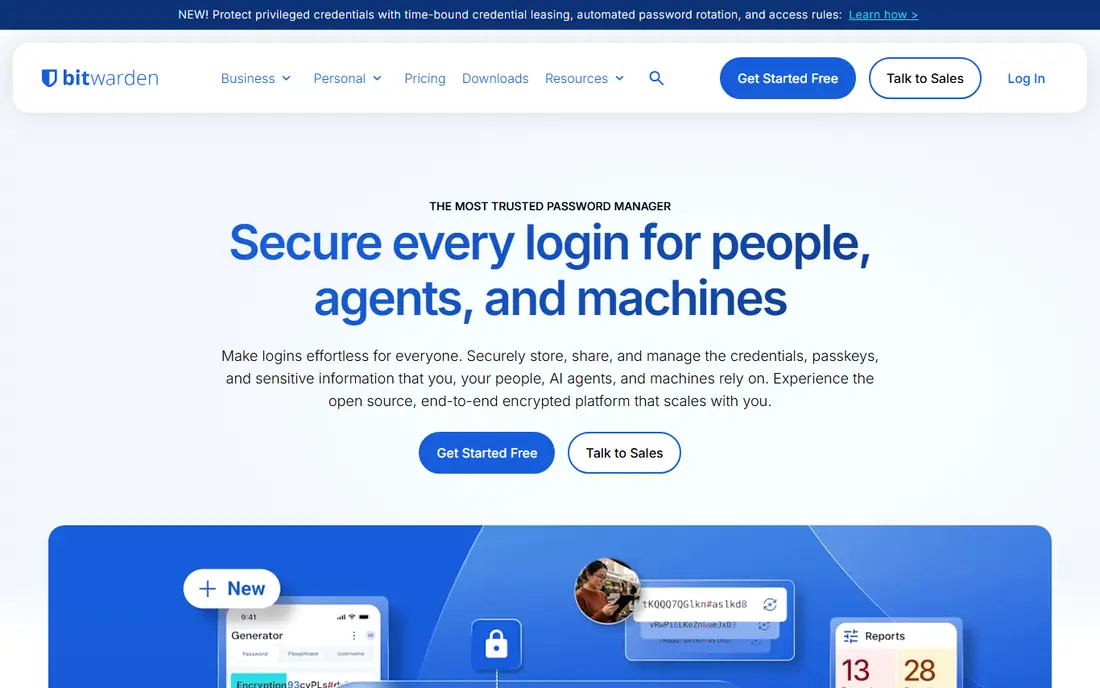
Bitwarden is our pick for most people leaving 1Password. Its free plan covers unlimited passwords and sync across devices, which most rivals restrict, and premium adds encrypted file storage, advanced two-factor options, and emergency access for $1.65 per month billed annually. Being open source also helps security reviewers check its code.
The interface is more functional than polished, and family sharing is clearer on paid plans. For users who want strong security at the lowest sensible price, Bitwarden is hard to beat, and self-hosting is an option for advanced users.
- Free plan syncs across devices
- Open source
- Low premium price
- Interface is plainer than 1Password
- Some features need premium

Proton Pass, from the Proton team behind Proton Mail, pairs a password vault with built-in email aliases that hide your real address from sites. Its free plan covers unlimited logins, and paid plans add more vaults, aliases, and sharing. Passkey support and autofill work across major platforms.
It costs more than Bitwarden for paid use, and business admin tools are less deep than Keeper or Dashlane. For privacy-focused users who already use Proton Mail or VPN, Proton Pass fits naturally into that ecosystem.
- Hide-my-email aliases built in
- Open source
- Strong privacy stance
- Paid price higher than Bitwarden
- Smaller team feature set
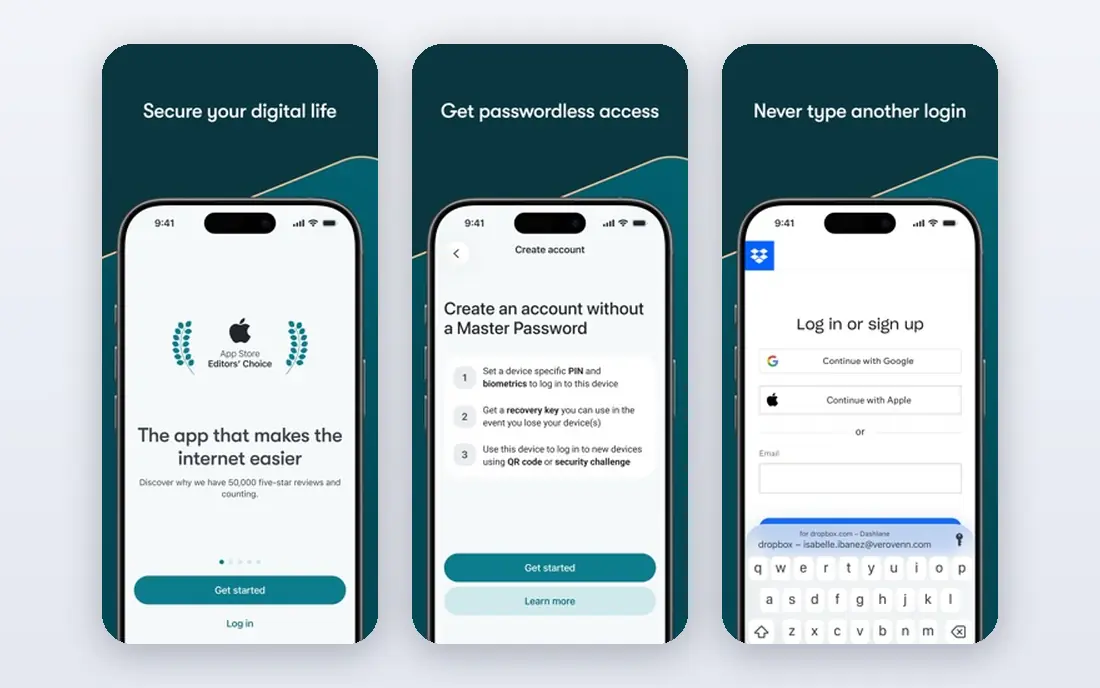
Dashlane offers a polished vault plus dark web monitoring and, on some plans, a VPN, which appeals to users who want one security bundle. Its apps are clean, autofill works well, and business plans add admin controls and SSO options for teams.
The drawback is price and the lack of a free plan, with only a trial for new users. If you value bundled monitoring and a polished experience over lowest cost, Dashlane is worth it. Budget users should start with Bitwarden or Proton Pass instead.
- Dark web monitoring
- Bundled VPN on some plans
- Polished apps
- No free plan
- Higher price than Bitwarden or NordPass
NordPass, from the Nord team, offers a simple vault with a clean interface and XChaCha20 encryption. Its free plan covers unlimited passwords on one device, while paid plans add multi-device sync, sharing, and breach scanning. The one-year price of $1.99 per month makes it a low cost paid pick.
Free users who need sync across phone and computer will need to pay, which makes Bitwarden's free plan stronger for them. For users who want a simple paid vault and already trust Nord products, NordPass is easy to use and affordable.
- Simple interface
- Strong encryption
- Low one-year price
- Free plan limited to one device
- Fewer advanced features
Keeper suits small businesses and families that need admin control. It offers shared folders, role-based access, audit logs, and breach monitoring, with business plans that add SSO and provisioning. Personal plans start at $2.92 per month, with family plans for shared vaults.
The free plan is limited, and the interface feels more business-like than consumer-focused. For teams that need to manage many users and prove compliance, Keeper's admin depth is a clear advantage over simpler vaults.
- Strong admin and audit tools
- Secure sharing
- Breach monitoring
- Free plan is limited
- Interface can feel business focused
LastPass remains familiar to many users, with apps across browsers and mobile, plus family and business plans. Premium starts at $3 per month billed annually, and it supports passkeys, autofill, and secure sharing. For users who already know LastPass, switching costs are low.
The free plan now covers only one device type, so phone plus computer sync needs a paid plan. Some users also remain wary after past security incidents, even though LastPass has since changed practices. Check its current security disclosures before you commit.
- Familiar apps
- Wide platform support
- Family sharing
- Free plan limited to one device type
- Past breaches hurt trust for some users
RoboForm has long been strong at filling web forms, not just passwords, which helps users who fill checkout, registration, and application forms often. Its free plan covers one device, while paid plans add multi-device sync, sharing, and cloud backup for $2.49 per month billed annually.
The interface feels older than Bitwarden or 1Password, and it lacks some modern extras like built-in email aliases. For users who value form filling and low cost over polish, RoboForm remains a practical 1Password alternative.
- Excellent form filling
- Low paid price
- Works on older browsers
- Interface feels dated
- Fewer modern extras than Dashlane
Enpass suits users who want control over where their vault lives. You can store it locally or sync through your own cloud storage, rather than relying only on the vendor's servers. Premium starts at $1.99 per month billed annually and adds unlimited items, multi-vault support, and breach checks.
The free plan caps at 25 items in one vault, so most users will need premium. Sync setup also takes a little more work than Bitwarden's built-in sync. For offline-first users who like that control, Enpass is a distinctive, affordable pick.
- Vaults stored where you choose
- Offline use
- Low premium price
- Free plan limited to 25 items
- Sync setup needs your own cloud
Apple Passwords, built into iOS, macOS, and iPadOS, is the best free 1Password alternative for people fully inside Apple's ecosystem. It stores passwords and passkeys, autofills in Safari and apps, and shares items with family through iCloud. There is no extra cost beyond Apple hardware.
It is less suited to mixed-device households, since Windows support is limited and Android support is absent. For Apple-only users who want a simple, free vault without another subscription, Apple Passwords is an easy choice.
- Free for Apple users
- Built into devices
- Passkey support
- Apple centered
- Windows support is limited to a browser extension
How we picked these
We compared official pricing pages, free plan limits, passkey support, sharing features, and security disclosures. We favored managers that are actively maintained in 2026, support major platforms, and offer clear pricing. Where promotional and renewal prices differ, we used the standard billed-annual figure and noted the need to check checkout.
Choosing the right fit
Start with devices. Apple-only users can use Apple Passwords for free, while multi-device users should favor Bitwarden or Proton Pass for free sync. Next, check passkeys for your key sites, since support varies by browser and app version.
Also test import from 1Password before you cancel. Export, import into the new vault, check that logins, secure notes, and passkeys moved correctly, and keep 1Password active until you confirm. Enable two-factor authentication on the vault itself, and save recovery codes somewhere safe offline.
Security tips
Use a long, unique master password, turn on biometric sign-in only with a strong fallback, and review breach alerts monthly. Sharing should use vault sharing, not copying passwords into chat or email.
A final check worth doing is testing vault recovery before you rely on a new manager for every login. Set up emergency access or a trusted contact where the tool offers it, store recovery codes offline, and try signing in on a second device. Recovery is easy to ignore until you need it, and a manager that is hard to recover from can lock you out of many accounts at once.
FAQ
What is the best alternative to 1Password?
Bitwarden is the best all-round alternative for value and free sync, while Proton Pass suits privacy users and Dashlane suits users who want bundled monitoring. Apple Passwords is best for Apple-only households.
Are there free 1Password alternatives?
Yes. Bitwarden, Proton Pass, NordPass, Keeper, LastPass, RoboForm, Enpass, and Apple Passwords all offer free plans, though device limits and item caps vary. Dashlane offers a trial rather than a free plan.
Is Bitwarden better than 1Password?
Bitwarden is cheaper and offers free multi-device sync, while 1Password offers a more polished interface and features like Travel Mode. Users who prioritize price usually prefer Bitwarden, while users who prioritize polish may stay with 1Password.
What are alternatives to 1Password for families?
Bitwarden, Proton Pass, Keeper, LastPass, and Apple Passwords all offer family sharing, with shared vaults and individual accounts. Compare family prices and user limits before you choose.
Do 1Password alternatives support passkeys?
Most picks here support passkeys, including Bitwarden, Proton Pass, Dashlane, NordPass, Keeper, LastPass, Enpass, and Apple Passwords. Check browser and mobile app versions, since passkey support improves with updates.