8 Best SEO Tools for Most Websites in 2026
Wondering what's the best SEO tool in 2026? Compare Semrush, Ahrefs, Moz, and more on price, backlinks, audits, and rank tracking for your site today.
- Editor's choice
 Semrush
Teams that want one broad SEO, PPC, and content suite
Starts at$139 per monthVisit semrush.comFull review - Great alternative
 Ahrefs
Teams focused on backlinks and competitor research
Starts at$129 per monthVisit ahrefs.comFull review - Also consider
 Moz Pro
Small teams that want a classic, easy to learn suite
Starts at$99 per monthVisit moz.comFull review
TL;DR:
- There is no single best SEO tool for every site, because backlink research, audits, and content work are different jobs.
- Semrush and Ahrefs lead for broad suites, while Moz and SE Ranking offer a simpler or lower cost path into the same core work.
- Google Search Console is free and should sit beside any paid tool, since it shows real clicks and queries for your own site.
- Credit and project limits matter more than headline prices, so check tracked keywords, projects, and seats before you pay.
- A short trial with your own site and competitors gives a clearer answer than a feature list alone.
Quick comparison
| Tool | Best for | Starts at | Free plan? | |
|---|---|---|---|---|
| Semrush | Teams that want one broad SEO, PPC, and content suite | $139 per month | Free account | Visit |
| Ahrefs | Teams focused on backlinks and competitor research | $129 per month | Yes, Webmaster Tools for verified sites | Visit |
| Moz Pro | Small teams that want a classic, easy to learn suite | $99 per month | Free trial | Visit |
 SE Ranking | Small agencies and in-house teams on a budget | $129 per month | Free trial | Visit |
 Surfer | Content teams optimizing pages for search | $49 per month | No | Visit |
 Screaming Frog SEO Spider | Technical audits and site crawling | See website | Yes, free version with limits | Visit |
 Google Search Console | Every site owner, as a free companion tool | Free | Yes | Visit |
 Mangools | Freelancers and small sites that want simple keyword research | $29.90 per month billed annually | Free trial | Visit |
The best options in this guide
We compared current plans, core features, and limits for each product below, and we kept only products that are available now and fit the topic closely. Prices change, so check the vendor page before you buy, and treat any plan limit as part of the price.
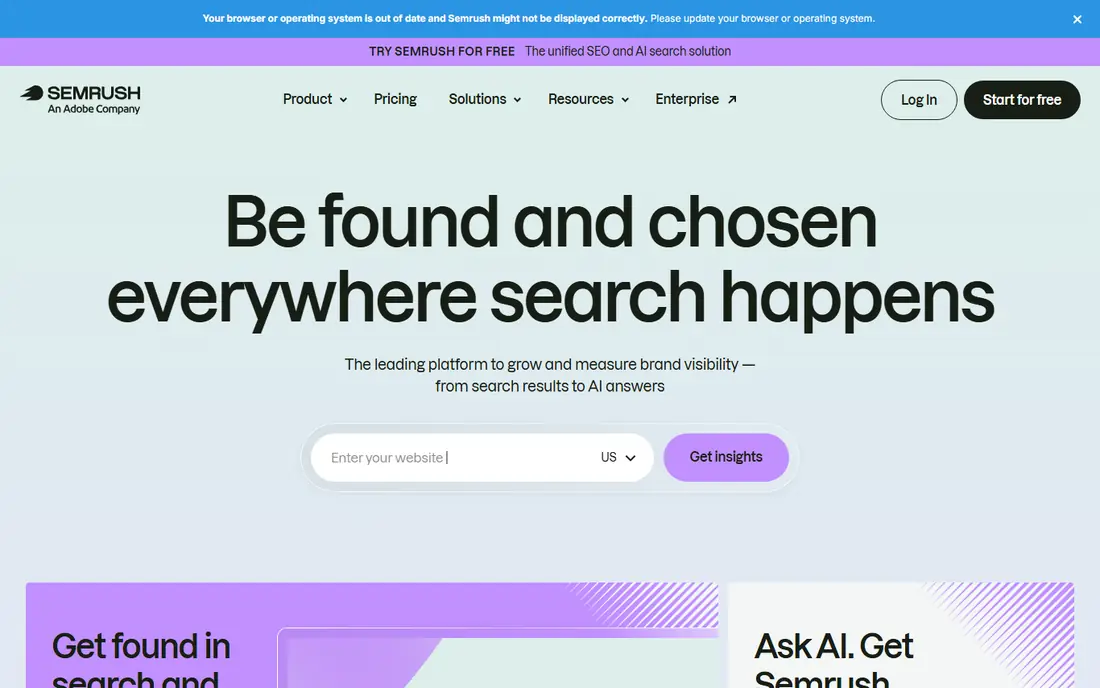
For buyers who need teams that want keyword research, competitor analysis, site audits, and rank tracking in one account.
The clearest strength is its breadth means a team can move from keyword research to an audit to a content gap check without switching tools.
The trade-off is entry plan limits can force an upgrade sooner than expected, and AI visibility features sit in separate bundles.
- Broad keyword, backlink, audit, and rank tools, large database
- Entry limits on projects and keywords, add-ons raise cost

If your main job is teams that treat backlinks and competitor research as the core SEO job.
Where it stands out is its backlink index and keyword explorer are widely used for competitor research, and the free Webmaster Tools tier is genuinely useful for your own sites.
The main weakness to weigh is credit-based limits need care, and rank tracking updates weekly on lower plans unless you pay for daily updates.
- Large backlink index, strong keyword explorer, site audit
- Credit limits, weekly rank updates on lower plans

This is a strong match for small teams that want a straightforward suite and clear authority metrics without a steep learning curve.
Its main advantage in daily use is its interface is easier to learn than larger suites, which helps a small team start work quickly.
Watch out for campaign and keyword limits on lower plans can constrain an agency, and its database is smaller than Semrush or Ahrefs.
- Clear interface, Domain Authority metric, rank tracking and audits
- Smaller database than larger suites, campaign limits
Buyers who want small agencies that need rank tracking, audits, and client reports at a predictable price.
A concrete strength worth noting is its entry plan includes a generous tracked keyword allowance for the price, which helps agencies manage several clients.
The honest limitation is some advanced features are add-ons, so the final monthly cost can be higher than the headline plan price.
- Good rank tracking limits, audits, keyword research, white-label reports
- Add-ons can raise the bill, smaller brand recognition
A good fit when content teams that need to optimize existing pages and briefs against top-ranking pages.
What sets it apart in practice is its content editor gives writers a clear, score-based guide for headings, terms, and length, which speeds up editing.
A drawback to plan around is it does not replace a full backlink or technical audit suite, so most teams will pair it with another tool.
- Content editor with clear scoring, SERP analysis, AI tracking tier
- Not a full backlink suite, content-focused limits
Consider this option when technical SEOs and developers who need a deep crawl of a site and detailed export data.
The strongest practical point is its crawler finds broken links, redirect chains, duplicate content, and metadata issues quickly, even on large sites.
The part that may frustrate you is as desktop software it needs a capable machine, and the free version caps crawled URLs, so large sites need the paid licence.
- Fast desktop crawler, detailed technical audit data, flexible exports
- Desktop software, paid licence needed for large crawls
Teams with every site owner, as the free source of real performance data for sites they own.
One feature that earns its place here is it shows the actual queries and clicks Google records for your site, which no paid estimate can replace.
One weakness stands out it covers only your own sites, so competitor research and backlink analysis still need a paid tool.
- Real search queries, clicks, indexing status, and Core Web Vitals data
- Only your own verified sites, no competitor backlink data
Small firms that need freelancers and small site owners who want clean keyword research without a complex suite.
The most useful strength is its simple tools make keyword research and rank checks fast for a solo operator.
The compromise here is technical auditing is limited, and entry plan tracking frequency may be too slow for a fast-moving client site.
- Simple interface, keyword finder, SERP checker, rank tracker
- Limited technical auditing, lower tracking frequency on entry plans
How we picked these
We compared SEO suites by keyword database depth, backlink data, site audit quality, rank tracking limits, and ease of use, using vendor pricing pages and recent 2026 comparisons. We kept only tools that are actively sold and useful for US sites now, and we noted where free tiers or trials let a reader test the tool first.
We did not treat the largest database as an automatic win. A tool earns a place here if its core job is strong at its price, its limits are clear, and a small team can use it without a long training period. Prices shown are regular monthly rates, and annual billing often lowers them.
Choosing an SEO tool without overpaying
Start with the job you will do most often. Backlink research, technical audits, rank tracking, and content optimization are different jobs, and a tool that is strong in one may be average in another. Buy for the job you do weekly, not for a feature list you may open once a quarter.
A useful test is to run your real work in the tool for a week, using your own data, clients, or questions, rather than a vendor demo. Note where you hit a limit, where support was needed, and whether reports were clear enough to share. That week of real use usually reveals more than a long feature comparison, and it helps you decide whether a higher plan is needed or a lower plan is enough.
Check limits before price
Tracked keywords, projects, crawled pages, and seats decide whether a plan fits. A cheap plan with 500 tracked keywords is a poor deal for an agency tracking 5,000, while a single-site owner may never hit those limits. Write down your current counts before you compare.
Pair paid data with free data
Connect Google Search Console to any paid suite you buy, and use its real query and click data to judge whether paid estimates match reality. This pairing also helps you spot indexing and performance issues that estimates alone will miss.
Use a trial on your own site
Run a trial on your own domain and two competitors, not on a demo site. Check whether the audit finds issues you recognize, whether keyword data matches your experience, and whether reports are clear enough to share with a client or colleague.
Start small, then scale
Start on a monthly plan or trial where one is offered, and only move to an annual plan after the tool has proved its fit for at least a month of real work. Annual billing can save money, but it locks you in before you know whether limits, support, or workflow fit your team. When you do scale, check whether extra users, clients, or volume change the price, and keep a note of the renewal date so an annual charge does not surprise you.
FAQ
What is the best SEO tool for beginners?
Moz Pro and Mangools are good starting points because their interfaces are simpler and their entry prices are lower than larger suites. Pair either with Google Search Console, which is free, and add a larger suite only when limits become a problem.
Is Semrush or Ahrefs better?
Semrush is broader, covering SEO, PPC, content, and market research in one suite, while Ahrefs is stronger for backlink research and keyword discovery. The better pick depends on whether breadth or backlink depth matters more to your work.
Do I need a paid SEO tool?
Not always. Google Search Console plus a free crawler tier can cover basic health and performance checks for a small site. A paid tool becomes useful when you need competitor data, large-scale rank tracking, or regular audits.
How much should a small business spend on SEO tools?
Many small businesses start between $30 and $140 per month, depending on the tool and plan. Start at the low end, use the trial fully, and upgrade only when keyword, project, or crawl limits block real work.
Can one tool do everything?
No tool covers every job equally well. Most teams use a broad suite for research and tracking, plus a specialist for content optimization or technical crawling, and Google Search Console for real performance data.
Sources
https://www.semrush.com https://ahrefs.com https://moz.com https://www.seranking.com https://surferseo.com https://www.screamingfrog.co.uk https://search.google.com https://mangools.com