Best Webflow Alternatives in 2026: 8 Website Builders Compared
Webflow alternatives website builder comparison for 2026: we compare 8 builders on design control, ease of use, CMS, and price for your next site project.
- Editor's choice
 Framer
Design led marketing sites and landing pages
Starts at$10 per monthVisit framer.comFull review - Great alternative
 Wix
Freelancers and small businesses wanting an all-in-one builder
Starts at$17 per monthVisit wix.comFull review - Also consider
 Squarespace
Creatives and portfolios wanting polished templates
Starts at$19 per monthVisit squarespace.comFull review
TL;DR:
- Framer is the closest Webflow alternative for design led marketing sites, with a visual editor, animations, and hosting included.
- Squarespace and Wix suit users who want a polished site quickly, without learning CSS logic or managing hosting and updates.
- WordPress offers the most flexibility and plugin choice, but it needs hosting, updates, and security care that hosted builders handle for you.
- Shopify is the clear pick when selling online is the main job, while Carrd suits single page sites at a very low price.
Quick comparison
| Tool | Best for | Starts at | Free plan? | |
|---|---|---|---|---|
| Framer | Design led marketing sites and landing pages | $10 per month | Yes | Visit |
| Wix | Freelancers and small businesses wanting an all-in-one builder | $17 per month | Yes | Visit |
| Squarespace | Creatives and portfolios wanting polished templates | $19 per month | Free trial | Visit |
 WordPress | Blogs, publishers, and highly custom sites | See website | Yes | Visit |
 Shopify | Online stores as the main site job | $29 per month | Free trial | Visit |
 Duda | Agencies building many client sites | $19 per month | Free trial | Visit |
 Carrd | Single page sites at a very low price | $9 per year | Yes | Visit |
 Bubble | Web apps and prototypes with backend logic | $29 per month | Yes | Visit |
The best Webflow alternatives for website builders
This website builder comparison judges each Webflow alternative on design control, ease of use, content management, selling tools, and price, so you can match the builder to your site type rather than picking the most popular name alone.
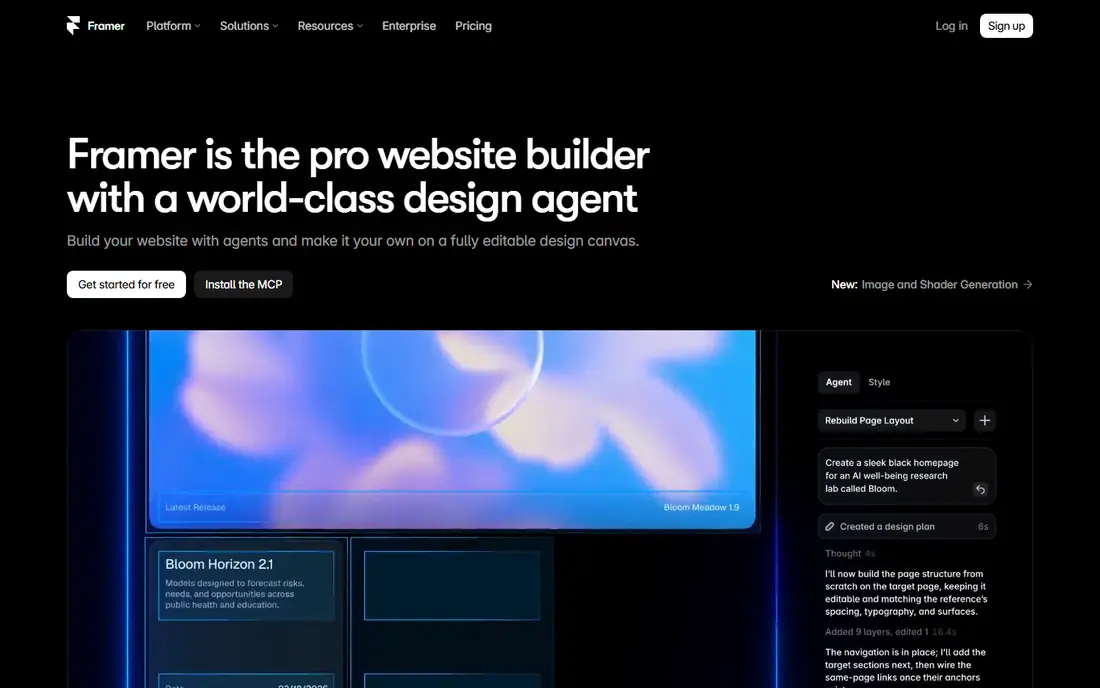
For small teams, this is often the first place to look. Framer fits design led teams that want a Webflow-like visual editor without Webflow learning curve, since its canvas feels closer to a design tool. Its animations, hosting, and one click publishing help startups and agencies launch landing pages and marketing sites quickly.
The catch is content limits, since lower plans cap CMS items and collections, so large blogs or resource hubs may need a higher plan or a different builder. Check the current pricing page before you buy, since limits and plan names change, and use a free plan or trial first when one is offered so you can judge the fit on your own work.
- Visual editor with animations
- Hosting included
- Fast publishing
- CMS limits on lower plans
- No built-in online store

If you want a safe default, start here. Wix fits freelancers and small businesses that want an all-in-one builder, with templates, hosting, selling tools, and an app market in one account. Its drag and drop editor is easy to learn, and its plans cover portfolios, business sites, and small stores without separate hosting.
The drawback is control at scale, since very large or highly custom sites may feel constrained compared with Webflow or WordPress. Check the current pricing page before you buy, since limits and plan names change, and use a free plan or trial first when one is offered so you can judge the fit on your own work.
- Many templates
- App market
- Built-in selling tools
- Less design control on large projects
- Site structure can feel rigid at scale
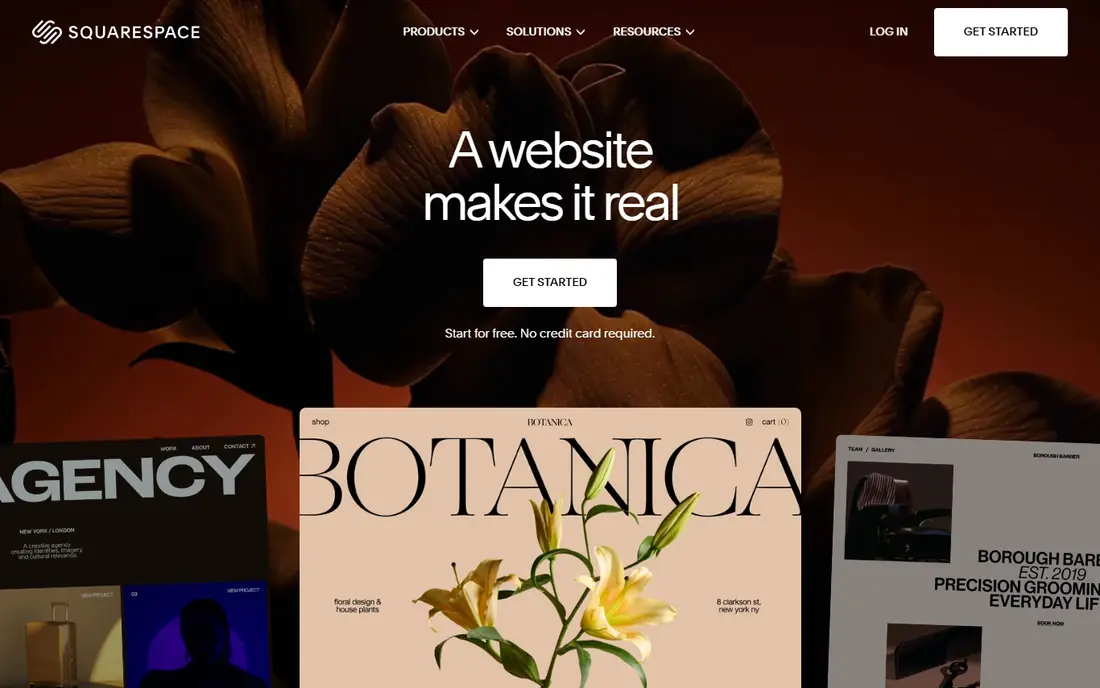
This one suits a narrower brief, and that focus is its appeal. Squarespace fits creatives, portfolios, and small businesses that want a polished site quickly, with strong templates and simple editing. Its all-in-one hosting, domains, and selling tools reduce setup work, and its templates suit photography, design, and service businesses well.
The catch is customisation, since its template led approach offers less layout freedom than Webflow or Framer for highly custom designs. Check the current pricing page before you buy, since limits and plan names change, and use a free plan or trial first when one is offered so you can judge the fit on your own work.
- Polished templates
- All-in-one hosting
- Simple selling tools
- Customisation is template led
- Commerce fees apply on lower plans
For buyers who value control over flash, this deserves a close look. WordPress fits blogs, publishers, and custom sites that need plugin choice and full ownership, since its open source software can be extended in many directions. Its plugin range covers selling, membership, multilingual sites, and SEO, and any developer can work on a WordPress site without vendor lock-in.
The drawback is maintenance, since you manage hosting, updates, backups, and security yourself or pay an agency to do so, which adds cost and care. Check the current pricing page before you buy, since limits and plan names change, and use a free plan or trial first when one is offered so you can judge the fit on your own work.
- Free open source software
- Huge plugin range
- Full ownership
- You manage hosting, updates, and security
- Performance depends on host and plugins
This is the option to shortlist when budget is the deciding factor. Shopify fits online stores where selling is the main job, since its checkout, product, discount, and shipping tools are built for commerce first. Its app store and payment options suit growing stores, and its themes cover common store layouts without custom code.
The catch is content, since marketing and blog pages are more constrained than on Webflow or WordPress, so content led sites may need a second tool. Check the current pricing page before you buy, since limits and plan names change, and use a free plan or trial first when one is offered so you can judge the fit on your own work.
- Best in class selling tools
- Many payment options
- App store
- Content pages are more constrained
- Monthly cost rises with apps
For larger teams, this is where the shortlist usually starts. Duda fits agencies that build and manage many client sites, since its white-label tools, client management, and team workflows are built for that job. Its templates and widgets help agencies launch client sites quickly, and its client permissions let clients edit content without breaking design.
The drawback is solo fit, since its agency pricing and workflow suit teams with many clients more than a single site owner. Check the current pricing page before you buy, since limits and plan names change, and use a free plan or trial first when one is offered so you can judge the fit on your own work.
- White-label client tools
- Team workflows
- Good templates
- Less suited to solo users
- Selling tools are lighter than Shopify
This pick trades breadth for depth, and does that trade well. Carrd fits single page sites, such as portfolios, link pages, and simple landing pages, at a very low yearly price with a simple editor. Its speed and simplicity suit users who need one strong page, not a full multi-page site with a blog or store.
The catch is scope, since it is a single page builder, so multi-page sites, blogs, and stores need a different builder from this list. Check the current pricing page before you buy, since limits and plan names change, and use a free plan or trial first when one is offered so you can judge the fit on your own work.
- Very low price
- Fast single page sites
- Simple editor
- Single page only
- No CMS or store on basic plans
If the first options feel too broad, this more focused tool may fit better. Bubble fits founders and teams building web apps, directories, and prototypes with backend logic, user accounts, and workflows, without writing code. Its database and workflow tools let you build functional apps, not only marketing pages, which sets it apart from most builders here.
The drawback is fit, since it is more tool than a simple marketing site needs, and complex apps still take time to learn and test. Check the current pricing page before you buy, since limits and plan names change, and use a free plan or trial first when one is offered so you can judge the fit on your own work.
- No-code app building
- Database and workflows
- User accounts
- Not ideal for simple marketing sites
- Learning curve for complex apps
How we picked these
We compared official product pages, pricing pages, help documentation, and app store listings, and we kept only products that are live and available in October 2026. We checked what each product actually does, what its entry plan includes, and where its limits sit, rather than relying on marketing claims alone.
We also weighed who each product serves best, how clear its pricing is, and what reviewers and users commonly praise or complain about. Where a price could not be confirmed on the vendor site, we wrote See website instead of guessing, and we note that openly in the product fields.
How to choose a Webflow alternative
Start with the site type, not the brand
A landing page, a portfolio, a blog, a store, and a web app are different jobs, and the best builder for one can be a poor fit for another. Framer and Squarespace suit marketing sites and portfolios, WordPress suits blogs and custom sites, Shopify suits stores, and Bubble suits apps. Write down your site type, page count, and must-have features before you shortlist.
Also check content needs, since a site with hundreds of blog posts needs a stronger CMS than a ten page brochure site. Check CMS limits, collection counts, and search tools on the plan you plan to buy, not only on the top plan.
Weigh ease of use against design control
Hosted builders trade control for ease, since they handle hosting, security, and updates for you, while WordPress trades ease for control and ownership. If no one on your team wants to manage hosting and updates, a hosted builder is usually the safer choice, even if it offers less custom layout freedom. If you need custom functions, plugins, or full code access, WordPress or a code friendly builder may be worth the extra care.
Also test the editor with a real page, including images, forms, and mobile views, since a demo template can hide editing friction. Check mobile editing, SEO controls, redirects, and page speed on a trial site before you commit.
Check total cost, including hosting and apps
Builder pricing varies by plan, seats, CMS limits, and apps, so compare the total cost for your site, not only the headline monthly figure. WordPress software is free, but hosting, themes, plugins, and maintenance add cost, while hosted builders bundle many of those items into one plan. Also check domain costs, email, and transaction fees for stores, since those can change the yearly total.
Also check exit options, since some builders make it hard to export content or code. Confirm what you can export, including pages, posts, images, and customer data, before you build a large site on any platform.
FAQ
What is the best Webflow alternative?
Framer is the closest Webflow alternative for design led marketing sites, while Squarespace and Wix suit users who want a polished site quickly. WordPress offers the most flexibility, and Shopify is the best pick when selling online is the main job.
Is Framer better than Webflow?
Framer is easier and faster for landing pages and small marketing sites, while Webflow offers deeper CMS control and custom interactions for larger sites. Choose Framer for speed and simplicity, and Webflow for large content sites with complex layouts.
Can I build a website without coding?
Yes, all builders in this guide let you build a site without coding, though WordPress may need more setup than hosted builders. Framer, Wix, and Squarespace offer visual editors that suit non-technical users well.
What is the cheapest Webflow alternative?
Carrd is the cheapest for a single page site, at 9 dollars per year for its entry plan, while Framer and Wix offer free plans with limits. For a full multi-page site, WordPress software is free, though hosting costs extra.
Does WordPress work as a Webflow alternative?
Yes, WordPress works well as a Webflow alternative for blogs, publishers, and custom sites, with a huge plugin range and full ownership. It needs more maintenance than hosted builders, since you manage hosting, updates, and security.
Which builder is best for selling online?
Shopify is the best builder in this guide for selling online, since its checkout, product, and shipping tools are built for commerce. Wix and Squarespace also support selling, but they suit smaller stores better than large catalogues.