Top Alternatives to Leading Law Firm Platforms in 2026: 8 Tools Compared
Looking for top alternatives to leading law firms platforms? We compare 8 legal practice tools on billing, documents and pricing for your team in 2026.

- Editor's choice
 Clio
Largest ecosystem
Starts atSee websiteVisit clio.comFull review - Great alternative
 MyCase
Solo and small firms
Starts at$50 per user per monthVisit mycase.comFull review - Also consider
 PracticePanther
Code-free automation
Starts at$49 per user per monthVisit practicepanther.comFull review
TL;DR:
- This article frames law firm platforms as legal practice management software for matters, billing, documents and client communication.
- Clio suits firms that want the largest integration ecosystem and a mature, widely used platform.
- MyCase and Rocket Matter suit solo and small firms that want a short learning curve and predictable pricing.
- Smokeball and Filevine suit document-heavy and litigation-heavy practices respectively.
- CosmoLex suits firms that want accounting and trust compliance built in, without a separate accounting tool.
Quick comparison
| Tool | Best for | Starts at | Free plan? | |
|---|---|---|---|---|
| Clio | Largest ecosystem | See website | Free trial | Visit |
| MyCase | Solo and small firms | $50 per user per month | Free trial | Visit |
| PracticePanther | Code-free automation | $49 per user per month | Free trial | Visit |
 Smokeball | Document-heavy firms | See website | Free trial | Visit |
 Filevine | Litigation and high-volume cases | See website | Free trial | Visit |
 CosmoLex | Built-in accounting | $49 per user per month | Free trial | Visit |
 Rocket Matter | Shortest learning curve | $39 per user per month | Free trial | Visit |
 Actionstep | Customizable workflows | See website | Free trial | Visit |
The best alternatives to leading law firm platforms
Law firm platforms, in this article, mean legal practice management software: tools that organize matters, contacts, calendars, documents, time tracking, billing and client communication in one place. These eight options cover solo practices through larger litigation firms.

Clio is the default shortlist pick in legal practice management for a reason. Its core covers matters, documents, time tracking, billing and trust accounting, and its integration library is larger than most rivals, which helps firms that already use specialized intake, dialer or reporting tools. It is also widely adopted, so new staff are more likely to have used it before.
The honest catch is tiering. The client portal, custom reporting and advanced workflows live on higher plans, and intake through Clio Grow can be a paid add-on. Small firms should price the tier they actually need, not the entry tier, and check payment processing fees separately.
- Very large integration library
- Mature mobile apps
- Widely used across firm sizes
- Key features sit on higher tiers
- Intake and some accounting features cost extra
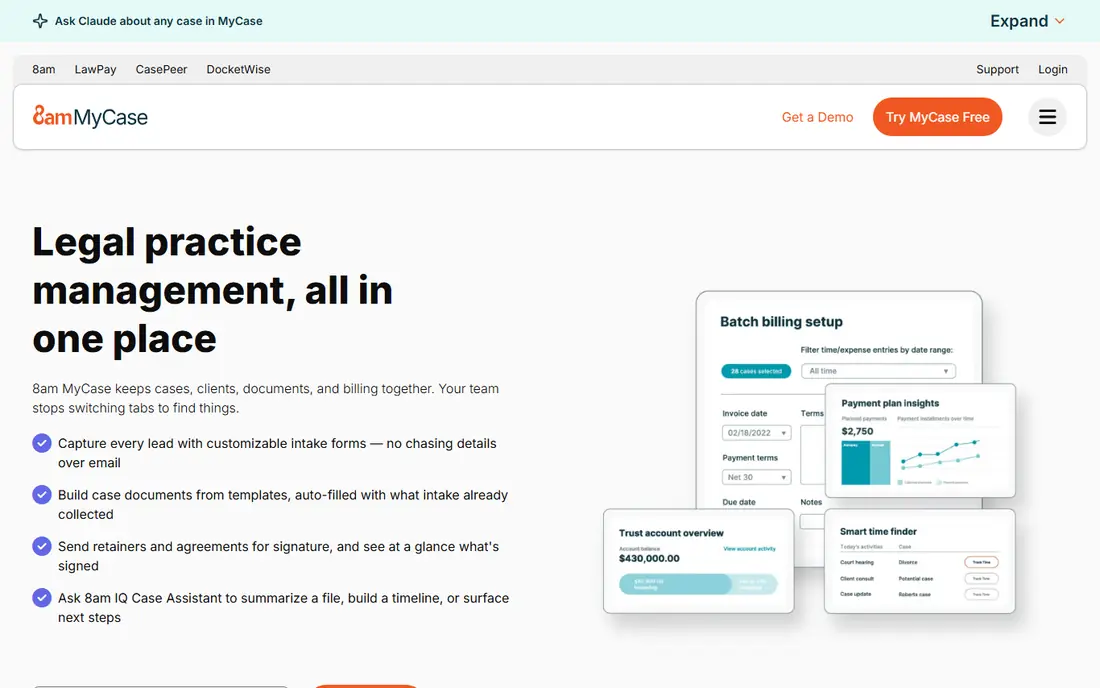
MyCase suits solo attorneys and small firms that want one predictable bill for case management, billing and client communication. Built-in client texting and a client portal reduce back-and-forth email, and the interface is easier to learn than larger enterprise platforms. For a small team that needs to get running quickly, that simplicity is a real advantage.
Larger firms with complex workflows may find MyCase less flexible than Filevine or Actionstep, and some advanced features require higher tiers. Pricing shown here is the annual-billing rate for the entry plan, so confirm the monthly rate if you prefer not to pay annually.
- Built-in client texting and portal
- Predictable plans
- Easy to learn
- Less customization than Filevine or Actionstep
- Advanced features need higher tiers
PracticePanther appeals to growing firms that want automation without hiring a developer. Its workflow tools let staff set up matter steps, reminders and document triggers without code, while billing, time tracking and client intake sit in the same system. Published pricing also makes early budgeting easier than with quote-only rivals.
The entry Solo plan is limited compared with higher tiers, so firms should check which automation and reporting features their plan includes. For small to mid-sized firms that want automation in a familiar package, PracticePanther is a strong and practical choice.
- Code-free workflow automation
- Transparent published pricing
- Good billing tools
- Higher plans can get expensive
- Occasional billing complaints appear in reviews
Smokeball is built for firms that live in documents. It captures time automatically as staff work in Word and Outlook, offers a large library of legal forms and precedents, and ties document work directly to matters and billing. For firms where billable time leaks through manual time entry, automatic capture alone can justify the cost.
Pricing has moved toward quote-based plans in recent years, so get a written quote for your firm size and plan tier. Smokeball may also be more platform than a solo practice with simple needs requires, but for document-heavy practices it is one of the best fits here.
- Automatic time capture
- Large form and precedent library
- Strong Microsoft Office fit
- Pricing is now largely quote-based
- May be more than simple practices need
Filevine suits litigation, personal injury and mass tort practices that handle high volumes of similar cases. Its customizable workflows, document assembly and matter dashboards help teams standardize steps across hundreds of cases without losing track of deadlines and documents. Firms that need to shape the system around their own process will value that flexibility.
That flexibility needs setup time and training, and pricing is quoted per firm rather than published. Smaller firms with simple matters may find Filevine heavy, but for complex, high-volume litigation work it is a leading option and a natural alternative to a general practice platform.
- Deep customization
- Strong for personal injury and mass tort
- Document assembly
- Quote-only pricing
- Setup and training take time
CosmoLex stands out because accounting is built in, not bolted on. It includes trust and IOLTA accounting, general ledger functions and client payments in the same system as matters and billing, so firms do not need QuickBooks to stay compliant. For firms where trust accounting errors carry real risk, that single-system design is a strong reason to choose it.
The entry Launch plan is cheaper than the full accounting tiers, so check which accounting features your plan includes. Firms that already love QuickBooks and want to keep it may prefer Clio or MyCase, but firms that want accounting inside practice management should shortlist CosmoLex first.
- Native trust and IOLTA accounting
- No QuickBooks needed
- Payments included
- Higher tiers cost more for full features
- Interface is accounting-led
Rocket Matter suits firms that want practice management without a long training period. Its interface is straightforward, its Kanban-style workflows make matter progress visible, and its billing and time tools cover the daily needs of a small or mid-sized firm. Staff who resist complex software often adopt Rocket Matter faster than larger platforms.
It does not match Filevine for deep customization or Clio for integrations, so firms with unusual workflows should test those limits in a trial. For firms that value speed of adoption and clear billing, Rocket Matter is an easy and affordable starting point.
- Easy to learn
- Visual workflows
- Solid billing and time tracking
- Less deep customization than Filevine
- Smaller integration set than Clio
Actionstep suits mid-sized firms that need to shape workflows around their own practice areas. It offers configurable matter steps, document management, billing and reporting in a system that can be adapted without heavy custom development. Firms with several practice areas that follow different processes will benefit from that flexibility.
Pricing and trial availability vary, so request a quote for your region and firm size. Actionstep also rewards firms that invest time in workflow design, so plan for setup rather than expecting a perfect fit on day one. For firms that outgrow a simple tool but do not need an enterprise platform, it is a good middle ground.
- Deeply configurable workflows
- Matter and document tools
- Good for mid-sized firms
- Quote and trial details vary by region
- Setup needs planning
How we picked these
We compared official pricing and feature pages for legal practice management tools in 2026, focusing on matter management, billing, trust accounting, document handling and client communication. We favored tools that are actively sold to US law firms, that cover the core practice management job, and that represent different strengths, from ecosystem size to accounting depth to litigation focus. We framed the topic as legal practice management, since that is the verifiable product category behind the phrase law firm platforms.
How to choose a law firm platform
Start with your highest-risk workflow, not with the longest feature list. For most firms, that is billing and trust accounting, deadline management, or document handling, and the best tool is the one that handles that workflow with the fewest workarounds.
Trial with real matters, not demo data
Run a trial on two or three real matter types, from intake through billing, and include a trust transaction if your firm handles client funds. Check how easily staff enter time, generate an invoice and find a document under deadline pressure. A trial on real work will surface training needs and missing features that a vendor demo will hide.
Check compliance, migration and total cost
Confirm trust accounting compliance for your state, data migration from your current system, and the full cost including payment processing, e-signature and add-ons. Ask how long migration takes and what support is included, since a practice management switch touches every open matter in the firm.
FAQ
What is a law firm platform?
A law firm platform, also called legal practice management software, organizes matters, contacts, calendars, documents, time tracking, billing, payments and client communication in one system. It replaces spreadsheets, separate billing tools and scattered email threads for running a firm.
Which law firm platform is best for solo attorneys?
MyCase and Rocket Matter are strong solo picks, thanks to simpler setup and lower entry prices. Clio also works for solos, but its higher tiers and add-ons can cost more than a solo practice needs.
Do these tools handle trust accounting?
Clio, CosmoLex and several others include trust accounting features, with CosmoLex offering the deepest built-in accounting. Confirm IOLTA and trust compliance for your state and check whether trust reports meet your bar requirements before you buy.
Can I migrate from another practice management tool?
Most vendors offer migration help, but the effort depends on your current system, data cleanliness and matter volume. Ask for a migration plan, timeline and cost in writing, and keep your old system available until the new data is checked.
How much does legal practice management software cost?
Entry plans on this list start around $39 to $50 per user per month, while higher tiers and quote-based plans cost more. Total cost also includes payment processing fees and any add-ons for intake, e-signature or accounting, so ask for a full quote.
Is client data secure in these platforms?
Reputable vendors offer encryption, access controls, audit logs and data backup, but security practices differ by vendor and plan. Review each vendor's security page, ask about data location and export options, and confirm who can access matter data inside your firm.