The Best Tool for Keyword Analysis in 2026: 8 Tools Compared
What is the best tool for keyword analysis? We compare 8 keyword analysis tools for SEO teams and small sites, with pricing, data depth and limits in 2026.

- Editor's choice
 Ahrefs
Deep keyword and backlink research
Starts at$129 per monthVisit ahrefs.comFull review - Great alternative
 Semrush
All-in-one SEO and PPC research
Starts at$139.95 per monthVisit semrush.comFull review - Also consider
 Moz Pro
Clear prioritization for beginners
Starts at$99 per monthVisit moz.comFull review
TL;DR:
- Ahrefs and Semrush are the professional standards, with the largest keyword databases and the deepest competitor data.
- Moz Pro and SE Ranking suit teams that want clear prioritization without the steepest price in the market.
- Mangools and SpyFu give small sites usable keyword data at a lower monthly cost.
- Google Keyword Planner is free and useful for volume checks, but it lacks the difficulty and competitor detail of paid tools.
Quick comparison
| Tool | Best for | Starts at | Free plan? | |
|---|---|---|---|---|
| Ahrefs | Deep keyword and backlink research | $129 per month | Yes | Visit |
| Semrush | All-in-one SEO and PPC research | $139.95 per month | Free trial | Visit |
| Moz Pro | Clear prioritization for beginners | $99 per month | Free trial | Visit |
 SE Ranking | All-in-one value for agencies | $129 per month | Free trial | Visit |
 Mangools | Simple long-tail research | $29.90 per month | Free trial | Visit |
 Serpstat | Research plus tracking on a budget | $69 per month | Free trial | Visit |
 SpyFu | Competitor keyword history | $39 per month | Yes | Visit |
 Google Keyword Planner | Free volume checks from Google | Free | Yes | Visit |
The best tool for keyword analysis
Keyword analysis answers three questions: what people search, how hard a term is to rank for, and what competitors already win. The best keyword analysis software does all three with data you can trust, and the tools below range from free Google data to professional databases.
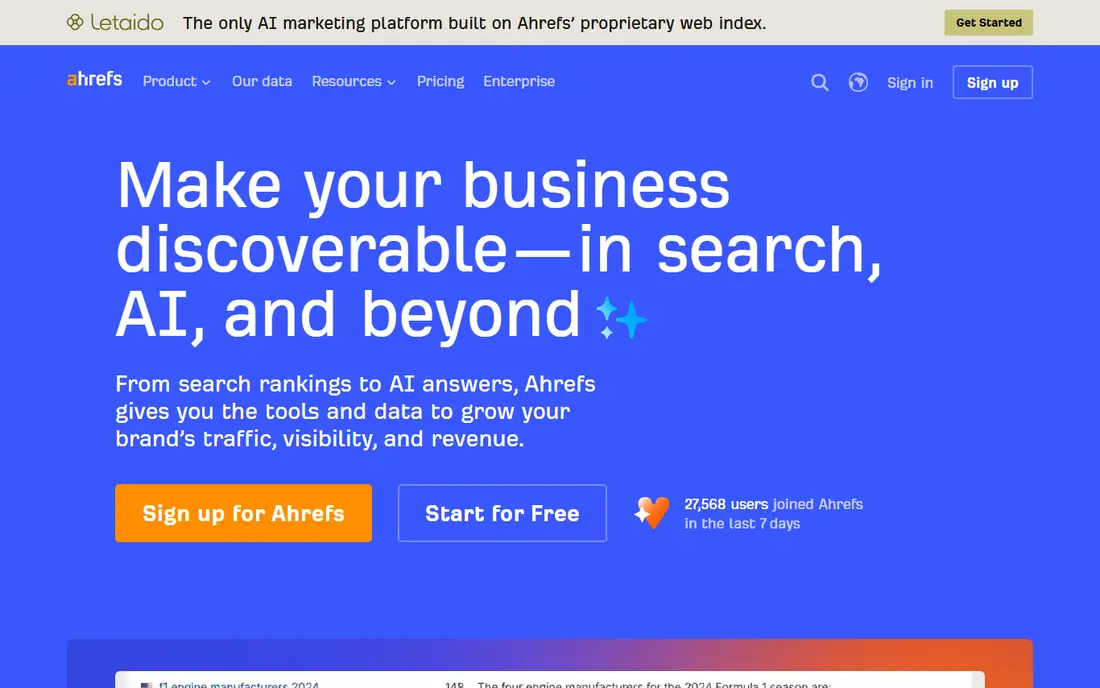
Ahrefs is the tool most SEO professionals open first for keyword analysis. Its Keywords Explorer gives volume, difficulty, clicks and parent-topic data, and its backlink index helps you judge whether a competitor ranking is beatable. For content planning, its clustering turns long lists into topics rather than scattered terms.
The Lite plan at $129 per month covers a limited number of projects and tracked keywords, so larger agencies land on Standard at $249 per month. The free Webmaster Tools tier is useful for your own verified sites, giving site audits and limited Site Explorer access. For serious keyword work, Ahrefs remains the benchmark.
- Large keyword database
- Trusted difficulty scores
- Strong competitor and backlink data
- Lite plan limits tracked keywords
- Full agency use needs a higher tier
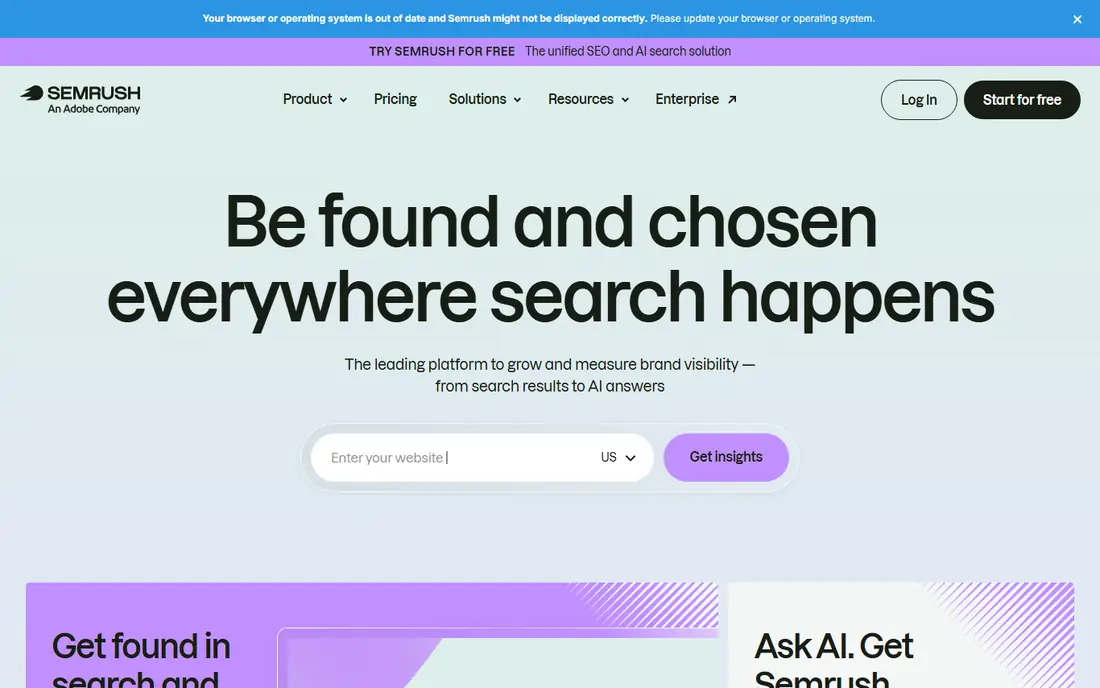
Semrush is the broadest tool here. Its Keyword Magic Tool generates thousands of related terms, groups them by intent, and shows SERP features, volume trends and competition. It also covers competitor PPC ads, rank tracking and site audits, so a team can run most SEO work from one login.
That breadth brings cost and complexity. The entry plan starts at $139.95 per month, and new users may need time to learn which reports matter. Semrush also limits some features on lower tiers. For teams that want one suite for keyword analysis, tracking and audits, Semrush is a strong pick. For keyword-only work on a tight budget, Mangools may be enough.
- Huge Keyword Magic database
- Strong intent and grouping tools
- Covers SEO, PPC and content in one suite
- Price is high for small sites
- Interface can feel crowded for beginners
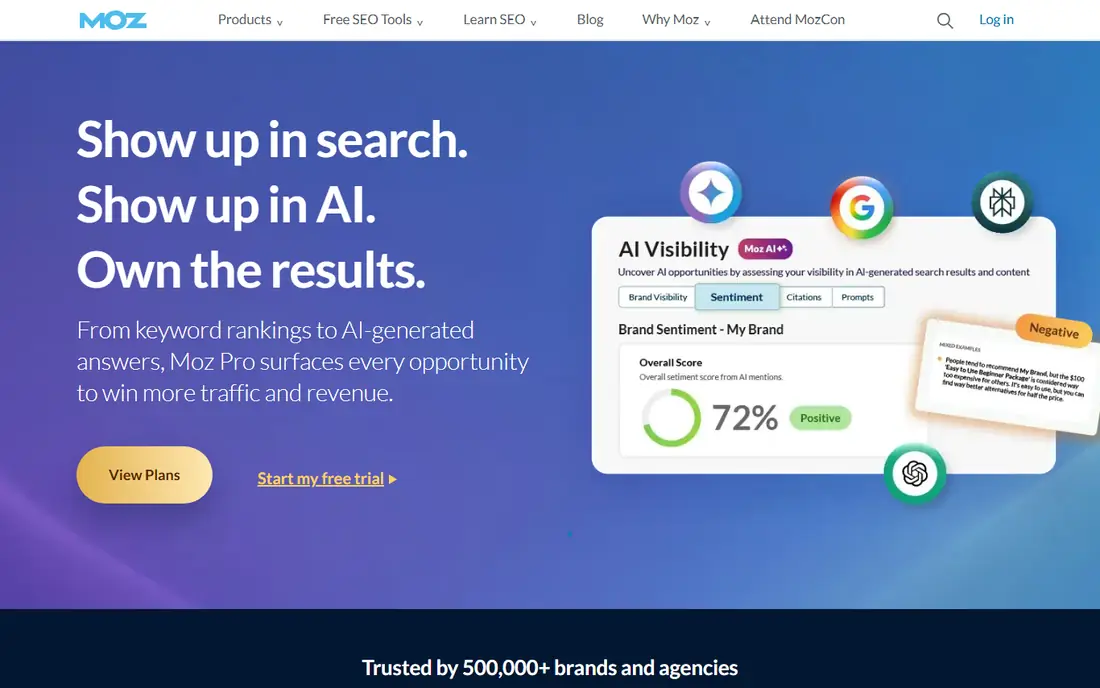
Moz Pro suits marketers who want a clear answer to what to target next. Its Priority Score combines volume, difficulty and organic click-through potential into one ranking, which helps small teams avoid analysis paralysis. Keyword Explorer also shows SERP features and related terms in a clean layout.
Moz data breadth is smaller than the top two, so very niche or international terms may show less detail. It also lacks the backlink depth of Ahrefs. For beginners and small in-house teams, Moz Pro offers a calmer path into keyword analysis. For agencies chasing deep competitor data, Ahrefs or Semrush will serve better.
- Priority Score helps rank opportunities
- Clear interface
- Domain Authority is widely used
- Smaller keyword database than Ahrefs or Semrush
- Some data depth lags rivals
SE Ranking packs keyword research, rank tracking, site audits and competitor checks into one platform at a price that undercuts larger suites for similar agency use. Its keyword database covers billions of terms, with intent labels and SERP feature filters that help content teams sort ideas by buyer stage.
The main limit is Google-only data, with no Bing or Amazon coverage. Historical data is also gated by plan, so long trend analysis needs a higher tier. For agencies and in-house teams that live on Google search, SE Ranking gives strong value. For teams that need multi-engine data, check Semrush first.
- Keyword research plus tracking and audits
- Intent tags
- API on every plan
- Database is Google only
- Historical data is limited on lower tiers
Mangools, which includes KWFinder, is the friendliest tool on this list for beginners. It shows volume, difficulty, trend and SERP results for a term in a clear layout, and it is good at surfacing low-competition long-tail ideas that small sites can actually rank for. The low starting price makes it easy to justify for a single site.
It is not built for large-scale agency work. Bulk research, deep competitor analysis and complex segmentation are thinner than in Ahrefs or Semrush. For a blogger, freelancer or small business owner who needs solid keyword ideas without a $100 monthly bill, Mangools is our budget pick.
- Clean and friendly interface
- Good for long-tail terms
- Low starting price
- Less depth for large sites
- Fewer advanced competitor features
Serpstat offers a useful middle ground between budget tools and top suites. It combines keyword research with clustering, rank tracking and site audits, so a small team can plan content, group terms and watch rankings without buying three tools. Its price starts at $69 per month, well below Ahrefs and Semrush.
Data quality varies by country, with stronger coverage in some regions than others, so teams targeting smaller markets should test their terms during the trial. The interface is also less polished than Mangools. For teams that want an all-in-one tool at a mid-range price, Serpstat is worth a trial.
- Keyword clustering included
- Research, tracking and audits in one plan
- Lower price than top suites
- Data depth varies by region
- Interface takes some learning
SpyFu answers a different question: what have competitors ranked for and advertised on over time? Its history data shows organic keywords, paid ads and ranking changes across years, which helps you spot terms a rival has relied on. Paid plans start at $39 per month and include unlimited searches.
It is not the best tool for pure keyword discovery, since its database and SERP detail are narrower than Ahrefs or Semrush. Use SpyFu alongside a discovery tool, or on its own when competitor research is the main job. For small teams that want competitor insight on a budget, SpyFu gives strong value.
- Long competitor keyword and ad history
- Low price
- Unlimited searches on paid plans
- Less SERP depth than top tools
- Keyword database is narrower
Google Keyword Planner is free and comes straight from Google, which makes it a useful sanity check for any paid tool. It shows monthly search ranges, keyword ideas from a term or URL, and bid estimates for ads. For early scoping and PPC planning, it is a solid starting point.
Its limits are clear. Volume figures are broad ranges rather than precise counts, and it gives no SEO difficulty score, no competitor ranking detail and no SERP feature data. Use it to validate ideas and plan ad budgets, then use a paid tool for SEO prioritization. For a zero-budget start, it pairs well with Google Search Console data from your own site.
- Free with a Google Ads account
- Direct Google search data
- Useful for PPC planning
- Volume ranges are broad
- No SEO difficulty or competitor detail
How we picked these
We compared official pricing pages, feature lists and keyword database claims for each tool, along with public reviews from SEO teams and freelancers. We included only tools that were actively sold in October 2026 and that offered real keyword volume, difficulty or competitor data. We favored tools with a free plan or trial, and we noted where pricing was billed annually or where limits applied.
How to run keyword analysis that leads to content
Start with a seed list from your products, services and customer questions, then expand it in your chosen tool. Group related terms by intent, such as learning, comparing and buying, rather than treating every term as a separate article. That grouping is what turns a spreadsheet into a content plan.
Judge difficulty honestly
Check difficulty, top-ranking pages and their authority before you target a term. A high-volume term owned by large publishers is a poor pick for a new site, even if the volume looks tempting. A lower-volume term with weaker competition and clear intent often brings better traffic faster.
Check the SERP before you write
Open the search results for your target term and note the format that ranks: guides, product pages, videos or local listings. Match that format, and answer the question better than the current top pages. If the SERP is full of ads and AI answers, organic clicks may be lower than volume suggests.
Track and revise
Add chosen terms to rank tracking, even on a free plan, and review them monthly. Terms that climb to page two deserve fresh content or internal links, while terms that never move may need a different angle. Keyword analysis is a cycle, not a one-time list.
FAQ
What is the best tool for keyword analysis?
Ahrefs is the best tool for deep keyword and competitor analysis, while Semrush is the best all-in-one suite. For beginners, Moz Pro gives clearer prioritization, and for small budgets, Mangools covers long-tail research well. The best pick depends on your budget, team size and whether you need backlink data.
What is the best keyword analysis software for beginners?
Mangools and Moz Pro are the easiest starting points, thanks to clean interfaces and clear difficulty scores. Google Keyword Planner is free and useful for volume checks, but it lacks difficulty detail. Start with one of these, then move to Ahrefs or Semrush when your site grows.
Is Google Keyword Planner enough for SEO?
No, not on its own. It gives useful volume ranges and ad data, but it lacks SEO difficulty, competitor rankings and SERP detail. Use it alongside a paid tool or Search Console data from your own site for a fuller picture.
How much does keyword analysis software cost?
Prices here range from free for Google Keyword Planner to $29.90 per month for Mangools, $39 for SpyFu, $69 for Serpstat, $99 for Moz Pro, and $129 to $139.95 for SE Ranking, Ahrefs and Semrush. Most small teams can start under $70 per month and upgrade as needs grow.
What is the difference between Ahrefs and Semrush for keyword analysis?
Ahrefs leads on backlink depth and keyword discovery, while Semrush leads on breadth, covering SEO, PPC and content tools in one suite. Both have large databases and strong grouping features. Choose Ahrefs for link-led research and Semrush for a wider marketing suite.