Switching From SumUp? 5 Alternatives for 2026
SumUp alternatives in 2026: 5 tools with starting prices, free plans and limits. For enterprise global payment system, begin with Adyen. Read before you buy.

- Editor's choice
 Adyen
Enterprise global payment system
Starts atSee websiteVisit adyen.comFull review - Great alternativeClover POS
Countertop retail and food service
Starts atSee websiteVisit clover.comFull review - Also considerWorldpay
Global commerce payment technology
Starts at£15.00 a monthVisit worldpay.comFull review
Direct answer
This list puts Adyen first for enterprise global payment system. Listed starting prices: Worldpay from £15.00 a month. For a different need, Clover POS covers Countertop retail and food service and Worldpay covers global commerce payment technology. The remaining 2 options are covered below with prices and limits.
TL;DR:
- Adyen takes the first slot, best suited to enterprise global payment system.
- Before buying Adyen, weigh this: targeted at bigger merchants.
- Pricing for Adyen, Clover POS, Square Point of Sale and Stripe Terminal is quote-based, which adds a sales step before you can compare cost.
- None of the 5 tools, from Adyen to Stripe Terminal, has a free plan, so budget for a subscription or use a trial.
Last checked November 2026. Prices and plan details were read from the vendors' own pages in November 2026; vendors change plans often, so confirm the current price on the vendor site before you buy.
Quick comparison
| Tool | Best for | Starts at | Free plan? | |
|---|---|---|---|---|
| Adyen | Enterprise global payment system | See website | Not stated | Visit |
| Clover POS | Countertop retail and food service | See website | Not stated | Visit |
| Worldpay | Global commerce payment technology | £15.00 a month | Not stated | Visit |
| Square Point of Sale | All-in-one small business selling | See website | Not stated | Visit |
| Stripe Terminal | Custom in-person payment builds | See website | Not stated | Visit |
Every option for SumUp explained
Short on time? The summary and table above give the quick view of 5 tools for SumUp, and the profiles that follow give the detail behind each entry.
Adyen serves enterprise global payment system. Adyen describes itself as a fintech system for enterprises, letting companies run payments, handle data and offer financial products in one place. It is purpose-built for the world stage, which makes it a fit for bigger merchants that require consolidated processing across markets and channels instead of a straightforward card reader.
The main drawbacks: Less suited to very small sellers.
Upsides: complicated companies; Single product for payments and data.
From a buyer's view, confirm contract terms and supported markets straight with the vendor. Beyond that, smaller companies may find Square or Clover simpler to adopt rapidly. The enterprise focus means Adyen is usually more than a small shop or solo seller needs, and onboarding can involve more complexity. Pricing for Adyen is not stated here, so ask the vendor for current figures. As for free access: Not stated.
- Designed for large
- Gives you financial products alongside payments
- Targeted at bigger merchants
Clover POS
Best for: Countertop retail and food service
Clover POS was built for Countertop retail and food service. It is often used in retail shops and food service settings where a fixed terminal and a clear checkout flow matter more than deep customization.
Points against: Hardware ties you to the ecosystem.
Check which software features and reader choices apply to your specific setup on the vendor site. Clover POS does not show a starting price in this comparison, so check the vendor site for current pricing. As for free access: Not stated.
- Hardware and software in one system
- Point of sale software with card readers
- Feature set varies by setup
Worldpay
Best for: Global commerce payment technology
Worldpay was built for global commerce payment technology. Review the specific services and terms offered for your business on the vendor site.
Watch-outs: Setup can involve sales contact.
On top of that, very small companies wanting instant setup may prefer a more straightforward tool. Worldpay cost at the entry level: £15.00 per month. On free options: Not stated.
- Payments technology and expertise
- Wide merchant services scope
- Less self-serve for small sellers
Square Point of Sale
Best for: All-in-one small business selling

Where Square Point of Sale fits: all-in-one small business selling. Companies with unusual integration requirements may prefer a developer-focused choice like Stripe Terminal. Since Square bundles plenty of functions, the range of products can feel complicated for a very small operation that only needs entry-level card acceptance.
Where it falls short: Feature depth can overwhelm new users.
Reasons to shortlist it: Wide hardware and software ecosystem. Square Point of Sale is a wide commerce product that lets companies sell anywhere, diversify revenue streams and simplify operations. In practice, confirm current hardware compatibility and feature availability on the vendor site before committing. Check the vendor site for Square Point of Sale pricing; none is listed in this comparison. As for free access: Not stated.
- Works across in-person and online sales
- Merges payments
- Some advanced tools sit in separate products
Stripe Terminal
Best for: Custom in-person payment builds
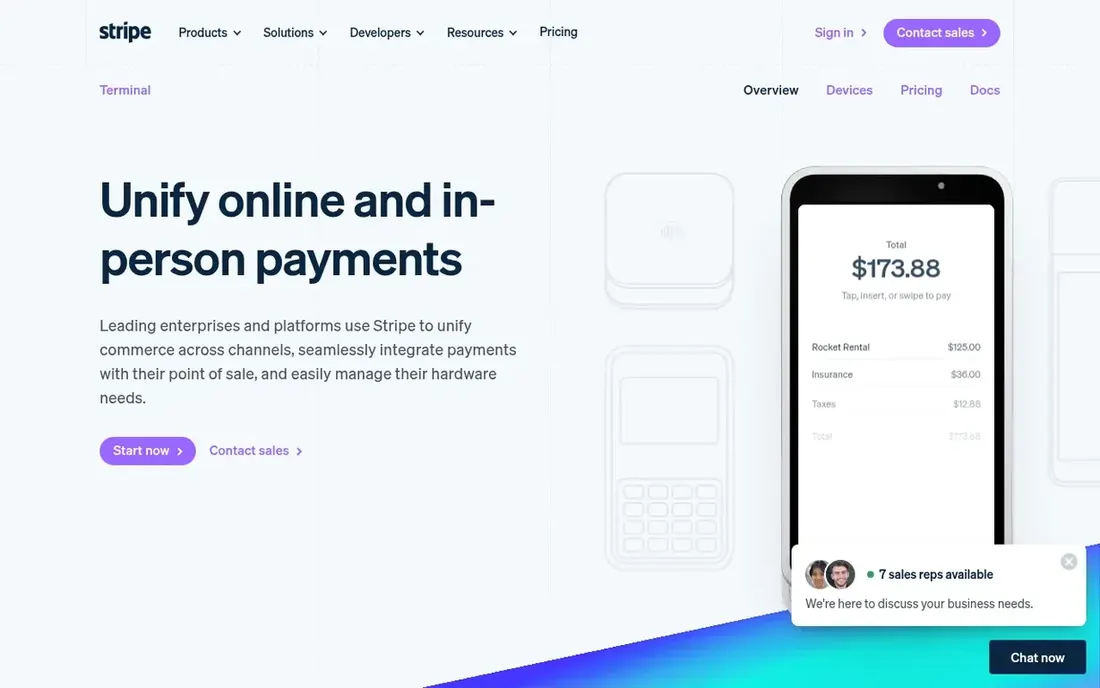
Stripe Terminal is designed for custom in-person payment builds. Stripe Terminal lets companies offer smooth and custom in-person payments as part of a unified commerce experience.
Points against: Less suited to non-technical merchants.
In practice, verify supported readers and regional availability on the vendor site. The emphasis on customization means setup can demand engineering time, which may be more than a straightforward retail counter needs. No starting price is listed for Stripe Terminal here; confirm pricing on the vendor site. Free plan details: Not stated.
- Backed by Stripe developer tooling
- Supports custom in-person payment flows
- Needs technical setup for custom work
What went into this list
Pre-purchase checklist
- Confirm the entry price on the vendor page. For Adyen, Clover POS, Square Point of Sale and Stripe Terminal that means a quote rather than a fixed price.
- Before choosing Adyen, weigh its main limit: geared toward bigger merchants.
- Before rolling out Square Point of Sale, verify the integrations your workflow depends on.
- Before you load data into Clover POS, check what an export looks like and who can run it.
- Check whether Worldpay bills monthly or annually, and what cancelling early costs.
FAQ
How are the tools for SumUp ordered?
The order follows typical fit for SumUp, with Adyen first and Stripe Terminal last, then price clarity and free access. It is editorial judgement, not a score, so another team could rank the tools differently.
What is the best SumUp alternative for a small shop?
This list starts with Adyen, which fits enterprise global payment system. For other needs, Clover POS is aimed at Countertop retail and food service, and Worldpay at global commerce payment technology. Check each tool's price and main limit first.
How should I compare these payment providers?
Check hardware support, whether in-person and online sales are covered, integration choices, onboarding and contract terms. Confirm current details on each vendor site, since offerings and availability vary by region and business type.
Do these tools publish their prices?
Not all of them. Adyen, Clover POS, Square Point of Sale and Stripe Terminal publish no starting price, so expect a quote request for those. The rest, Worldpay included, show a starting price, though seats and billing terms still change the final cost.
Is Adyen the right pick for everyone comparing SumUp?
No single tool suits every team. Adyen comes first because it fits enterprise global payment platform, while Clover POS suits Countertop retail and food service and Worldpay suits global commerce payment technology. Match the tool to your own size, budget and workflow before deciding.
Can I try these tools before paying?
Not by default. None of the tools, from Adyen to Stripe Terminal, lists a free plan or a free trial here, so ask each vendor for a demo before committing.
Sources
- https://www.adyen.com
- https://www.clover.com
- https://www.worldpay.com
- https://squareup.com
- https://stripe.com/terminal