Best Scraper API Alternatives in 2026: 8 Tools Compared
Looking for scraper api alternatives? We compare 8 web scraping APIs on credits, rendering, proxies and lawful use so you can pick the right tool in 2026.
- Editor's choice
 ScrapingBee
Simple API with rendering
Starts at$19 per monthVisit scrapingbee.comFull review - Great alternative
 ZenRows
Protected pages and AI pipelines
Starts at$16 per monthVisit zenrows.comFull review - Also consider
 Apify
Ready made scrapers and schedules
Starts at$19 per monthVisit apify.comFull review
TL;DR:
- ScrapingBee and ZenRows suit developers who want a simple API and rendering without managing proxies.
- Apify suits teams that need ready made scrapers, schedules and storage, not just a fetch endpoint.
- Bright Data and Oxylabs suit enterprise volume, with large proxy networks and compliance documentation.
- Always price your real request mix, since JavaScript rendering and premium proxies multiply credit costs.
Quick comparison
| Tool | Best for | Starts at | Free plan? | |
|---|---|---|---|---|
| ScrapingBee | Simple API with rendering | $19 per month | Free trial | Visit |
| ZenRows | Protected pages and AI pipelines | $16 per month | Yes | Visit |
| Apify | Ready made scrapers and schedules | $19 per month | Yes | Visit |
 Bright Data | Enterprise scale scraping | $1.50 per 1,000 requests | Free trial | Visit |
 Oxylabs | Enterprise scraping with compliance focus | $49 per month | Free trial | Visit |
 Zyte API | Managed scraping from Scrapy makers | $100 per month | Free trial | Visit |
 Decodo | Budget scraping and search data | $19 per month | Free trial | Visit |
 Firecrawl | AI ready Markdown scraping | See website | Yes | Visit |
The best scraper api alternatives
ScraperAPI routes requests through rotating proxies, handles rendering and returns page content through one endpoint, but its credit multipliers can surprise teams on hard targets. These eight tools cover the same job in different ways, from simple APIs to full scraping platforms. Use them only for lawful collection, respect site terms of service and robots rules, and avoid collecting personal data unless you have a clear lawful basis.
For teams that need Simple API with rendering, ScrapingBee is a natural first look. Our review of its official feature and pricing pages found its simple API for developers, which explains why it appears on so many shortlists. In practice, that means teams using ScrapingBee get a clear path for Simple API with rendering, without needing to assemble several separate tools to cover the same ground. We compared its official feature pages, pricing page and public documentation, rather than claiming hands-on use, and the pattern that emerged was consistent: a focused product with a clear audience, not a generic tool trying to serve everyone at once.
The honest catch is its plan limits on rendering and premium proxies. That limit will not bother every buyer, but it should shape your trial. Run a realistic pilot with your own data and workload, and check support, export options and contract terms before you sign.
- Simple REST API
- JavaScript rendering on higher plans
- Screenshot support
- Lower plans exclude rendering
- Credit multipliers on hard targets
ZenRows stands out for Protected pages and AI pipelines, and the vendor pages we checked point to its clean output for AI and data pipelines as its main draw. It is not the cheapest option in every case, but it earns its place here on fit, not just price. In practice, that means teams using ZenRows get a clear path for Protected pages and AI pipelines, without needing to assemble several separate tools to cover the same ground. We compared its official feature pages, pricing page and public documentation, rather than claiming hands-on use, and the pattern that emerged was consistent: a focused product with a clear audience, not a generic tool trying to serve everyone at once.
The honest catch is its multipliers for protected requests. That limit will not bother every buyer, but it should shape your trial. Run a realistic pilot with your own data and workload, and check support, export options and contract terms before you sign.
- Free monthly credits
- Markdown and JSON output
- Handles protected pages
- Protected request multipliers raise costs
- Plan names have changed over time
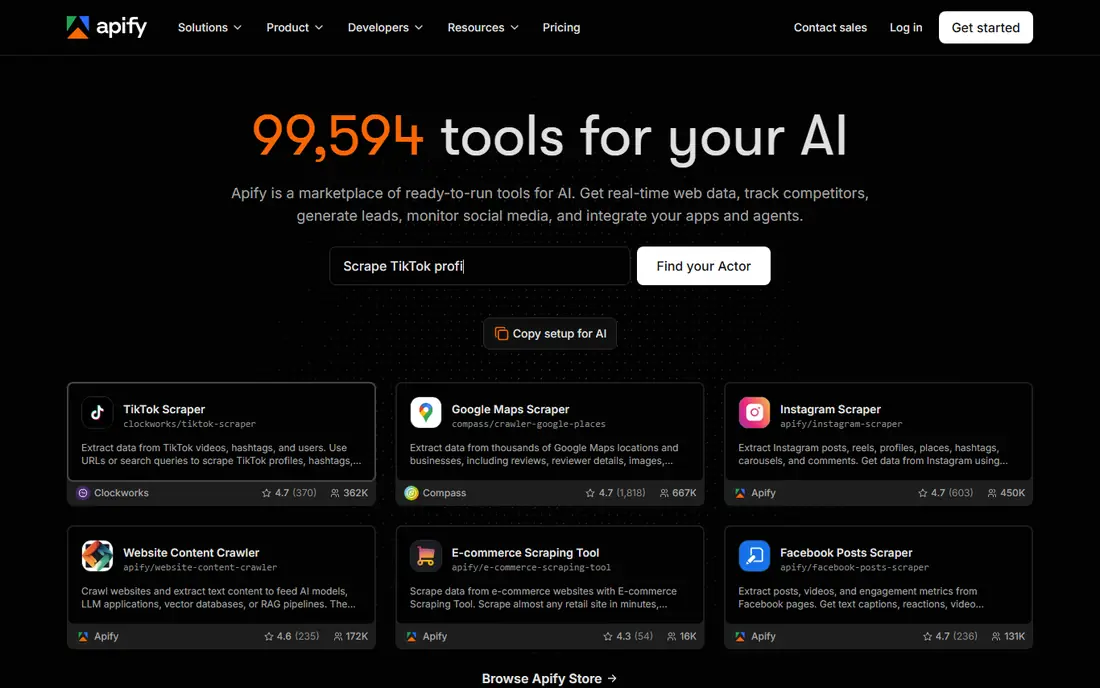
If Ready made scrapers and schedules is your main need, Apify deserves a close look. The documentation and pricing pages show its marketplace and scheduling for many sites, and that focus shapes both its strengths and its limits. In practice, that means teams using Apify get a clear path for Ready made scrapers and schedules, without needing to assemble several separate tools to cover the same ground. We compared its official feature pages, pricing page and public documentation, rather than claiming hands-on use, and the pattern that emerged was consistent: a focused product with a clear audience, not a generic tool trying to serve everyone at once.
The honest catch is its usage model needs testing before budgeting. That limit will not bother every buyer, but it should shape your trial. Run a realistic pilot with your own data and workload, and check support, export options and contract terms before you sign.
- Marketplace of ready made actors
- Schedules, storage and API in one place
- Usage depends on the actor
- Budgeting needs a pilot run
We included Bright Data because it fits Enterprise scale scraping in a distinct way. Its pages highlight its large proxy network for high volume work, which matters more for some teams than a lower headline price. In practice, that means teams using Bright Data get a clear path for Enterprise scale scraping, without needing to assemble several separate tools to cover the same ground. We compared its official feature pages, pricing page and public documentation, rather than claiming hands-on use, and the pattern that emerged was consistent: a focused product with a clear audience, not a generic tool trying to serve everyone at once.
The honest catch is its complexity for simple one off jobs. That limit will not bother every buyer, but it should shape your trial. Run a realistic pilot with your own data and workload, and check support, export options and contract terms before you sign.
- Large proxy network
- Pre built scrapers
- Pay per successful record options
- Platform complexity for small teams
- Enterprise pricing at scale
For Enterprise scraping with compliance focus, Oxylabs offers a different balance from the leaders above. Its official pages stress its compliance focus for enterprise buyers, and that trade off is worth weighing before you commit. In practice, that means teams using Oxylabs get a clear path for Enterprise scraping with compliance focus, without needing to assemble several separate tools to cover the same ground. We compared its official feature pages, pricing page and public documentation, rather than claiming hands-on use, and the pattern that emerged was consistent: a focused product with a clear audience, not a generic tool trying to serve everyone at once.
The honest catch is its monthly entry cost for small projects. That limit will not bother every buyer, but it should shape your trial. Run a realistic pilot with your own data and workload, and check support, export options and contract terms before you sign.
- Web Scraper API plus proxy products
- Strong compliance documentation
- Location targeting
- Monthly commitment from $49
- Enterprise features need higher tiers
Zyte API is worth shortlisting for Managed scraping from Scrapy makers. The feature pages we reviewed show its automatic handling of blocking, though the limits below matter just as much as the headline features. In practice, that means teams using Zyte API get a clear path for Managed scraping from Scrapy makers, without needing to assemble several separate tools to cover the same ground. We compared its official feature pages, pricing page and public documentation, rather than claiming hands-on use, and the pattern that emerged was consistent: a focused product with a clear audience, not a generic tool trying to serve everyone at once.
The honest catch is its higher entry price. That limit will not bother every buyer, but it should shape your trial. Run a realistic pilot with your own data and workload, and check support, export options and contract terms before you sign.
- Automatic ban handling
- Pay per successful response
- Strong documentation
- Entry price is higher than budget APIs
- Smaller marketplace than Apify
Teams focused on Budget scraping and search data will find Decodo a practical option. Its vendor pages point to its low entry price for budget teams, and its pricing shape suits a specific kind of workload. In practice, that means teams using Decodo get a clear path for Budget scraping and search data, without needing to assemble several separate tools to cover the same ground. We compared its official feature pages, pricing page and public documentation, rather than claiming hands-on use, and the pattern that emerged was consistent: a focused product with a clear audience, not a generic tool trying to serve everyone at once.
The honest catch is its smaller scale compared with enterprise vendors. That limit will not bother every buyer, but it should shape your trial. Run a realistic pilot with your own data and workload, and check support, export options and contract terms before you sign.
- Low entry price
- SERP and e-commerce endpoints
- Simple credit model
- Smaller scale than Bright Data or Oxylabs
- Feature depth varies by endpoint
Our last pick for AI ready Markdown scraping, Firecrawl, rounds out the list with its Markdown output for AI pipelines. It will not suit every team, but for the right workload it is a strong, focused choice. In practice, that means teams using Firecrawl get a clear path for AI ready Markdown scraping, without needing to assemble several separate tools to cover the same ground. We compared its official feature pages, pricing page and public documentation, rather than claiming hands-on use, and the pattern that emerged was consistent: a focused product with a clear audience, not a generic tool trying to serve everyone at once.
The honest catch is its younger platform compared with older rivals. That limit will not bother every buyer, but it should shape your trial. Run a realistic pilot with your own data and workload, and check support, export options and contract terms before you sign.
- Markdown output for AI tools
- Simple API
- Free tier for testing
- Newer vendor than established scraping APIs
- Enterprise features still growing
How we picked these
We compared official vendor feature pages, pricing pages, documentation and public reviews for each tool, and we checked that each product exists and works today. We favoured tools with clear pricing or a clear quote path, a real fit for the topic, and a distinct audience, rather than listing near duplicates. Where a price could not be verified on the vendor site at the time of writing, we wrote See website instead of guessing.
How to price and use a scraping API lawfully
Start with your target list and request types. Plain pages, JavaScript heavy pages and protected pages cost very different credit amounts, so run a small pilot on each target type and record the real credit burn. A headline credit count means little until you know your multiplier mix.
Next, check lawful use rules for each target. Read the site terms, respect robots directives, keep request rates reasonable, and do not collect login protected or personal data without a lawful basis. Keep records of what you collected, why you needed it and how long you keep it. Finally, test failure handling, since blocked requests, retries and CAPTCHA pages can waste credits if your code does not handle them cleanly.
FAQ
What is a scraping API?
It is a service that fetches web pages for you, handling proxies, browsers and blocking, and returns HTML, JSON or Markdown. You keep your parsing and storage code, while the vendor handles the fetching layer.
Do I need to manage proxies myself?
No, with these tools. The vendor routes requests through its proxy pool and rotates addresses, so you send a URL and get content back without running your own proxy fleet.
Why do credits not equal requests?
Because harder requests cost more credits. JavaScript rendering, premium proxies and anti bot handling each add multipliers, so one credit can mean one plain page or a fraction of a protected page.
Is web scraping legal?
It depends on the target, the data and your location. Public data collection can still breach site terms or privacy law, so check terms, robots rules and personal data rules before you collect, and get legal advice for large projects.
Should I use a scraping API or build my own scraper?
Use an API if you want speed and less maintenance, and build your own only if you have the engineering time to handle proxies, browsers and blocking yourself. Most small teams save time with an API.