Best Salesforce Alternatives in 2026: 8 CRMs Compared
Looking for salesforce alternatives? We compare 8 CRM alternatives to Salesforce on price, free plans, features, and fit for small business teams in 2026.
- Editor's choice
 HubSpot CRM
Free start for small teams
Starts atFreeVisit hubspot.comFull review - Great alternative
 Zoho CRM
Low cost depth
Starts at$14 per monthVisit zoho.comFull review - Also consider
 Pipedrive
Visual sales pipelines
Starts at$14 per monthVisit pipedrive.comFull review
TL;DR:
- HubSpot and Zoho CRM give small teams a free starting point, while Pipedrive and Freshsales keep paid plans lower for sales focused teams.
- Most alternatives charge per user per month, so the real cost depends on team size, add-ons, and billing term.
- Monday Sales CRM and Insightly suit teams that want project work and CRM in one place, while Close suits teams that live on calls and email.
- Capsule CRM is a good fit for very small teams that want a simple contact and pipeline tool without a long setup.
- Check export options, automation limits, and support hours before you move data from Salesforce, since switching costs time even when the new tool is cheaper.
Quick comparison
| Tool | Best for | Starts at | Free plan? | |
|---|---|---|---|---|
| HubSpot CRM | Free start for small teams | Free | Yes | Visit |
| Zoho CRM | Low cost depth | $14 per month | Yes | Visit |
| Pipedrive | Visual sales pipelines | $14 per month | Free trial | Visit |
 Freshsales | Low cost sales CRM | $9 per month | Free trial | Visit |
 Monday Sales CRM | CRM plus project work | See website | Free trial | Visit |
 Insightly | CRM plus project tracking | See website | Free trial | Visit |
 Capsule CRM | Simple small team CRM | See website | Yes | Visit |
 Close | Call and email heavy sales | $9 per month | Free trial | Visit |
The best salesforce alternatives
These eight options cover free plans, low cost paid plans, and tools built for specific sales styles. We compared official feature pages, pricing pages, app store listings, and public reviews to sort them by fit rather than by brand size alone.
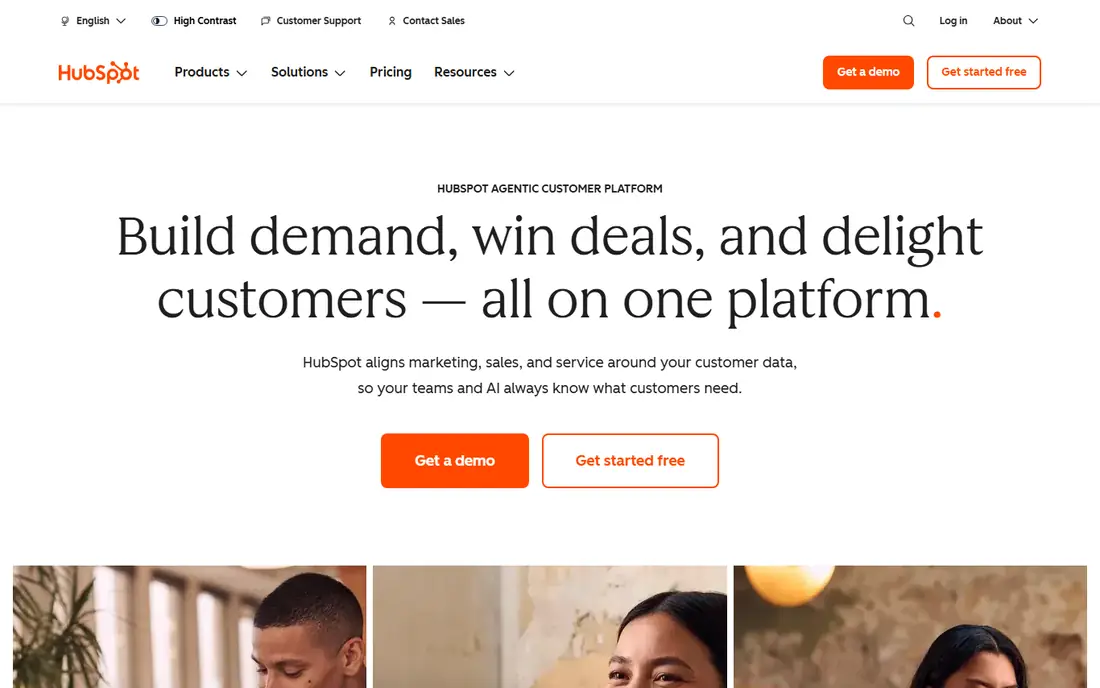
HubSpot CRM is the easiest place to start if you have never run a CRM before. The free plan covers contacts, deals, email tracking, live chat, and basic reporting, which is enough for many solo founders and small teams to organize leads without paying anything at first. That low barrier matters, because a team can test its pipeline habits before it commits to a paid plan. The catch is the price path after the free plan. Starter plans are modest, but Professional plans cost far more per seat, and some higher tiers add a one time onboarding fee. Teams that need advanced automation, custom reporting, or deeper forecasting should price the tier they will actually need in six months, not just the tier they can start on today. HubSpot still earns its place here for teams that want marketing and service tools beside sales, and for teams that value training material and a wide integration library.
- Generous free plan
- Sales, marketing, and service tools in one place
- Large integration library
- Paid tiers jump sharply in price
- Higher plans can add onboarding fees
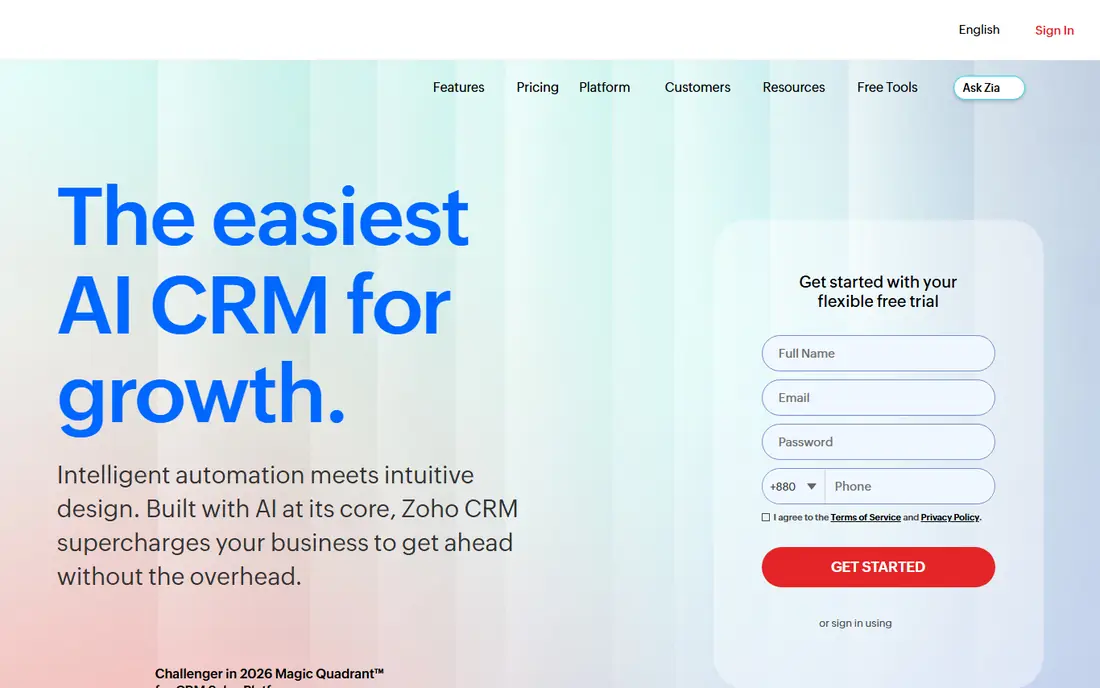
Zoho CRM appeals to budget minded teams that still want depth. The free edition supports a small team, and paid plans add workflow automation, custom fields, forecasting, and integrations with other Zoho apps. For a business already using Zoho tools for email, books, or forms, the shared login and data links are a practical plus. New users should allow time to set up the system well. The menus hold a lot of options, and a team that skips setup may end up with fields and pipelines it does not use. Once configured, though, Zoho CRM handles lead scoring, territory rules, and multi channel contact tracking at a price that undercuts many rivals. It is a strong pick for small businesses that want room to grow without paying enterprise prices from day one.
- Free plan for up to three users
- Broad features for the price
- Strong customization options
- Interface can feel busy at first
- Some advanced features sit on higher tiers
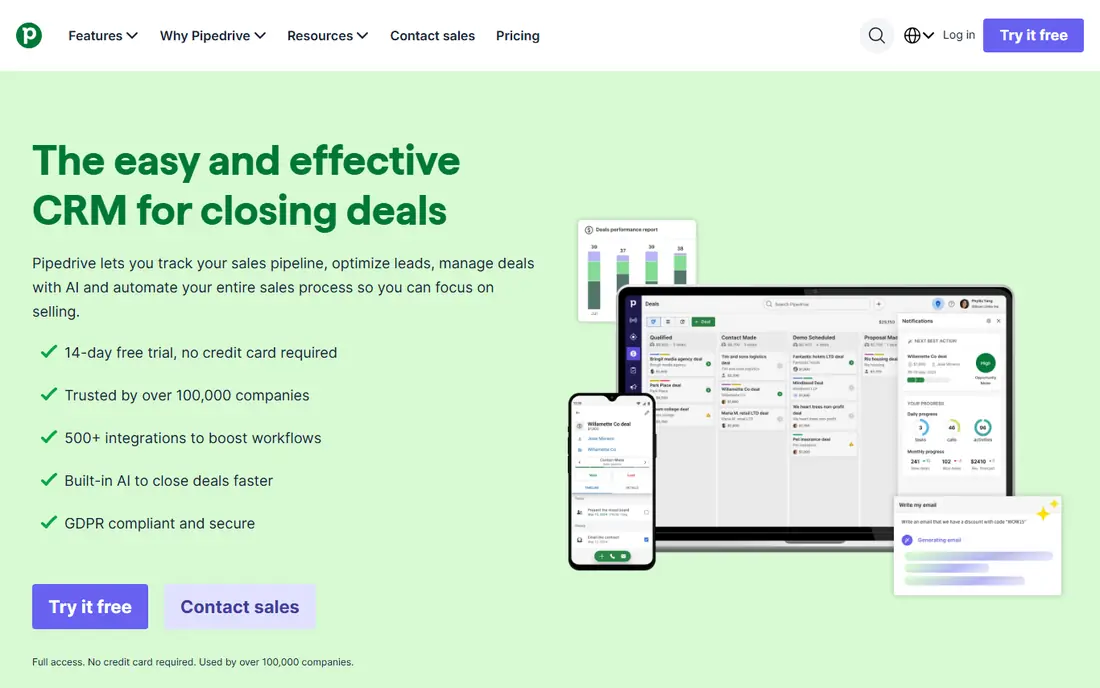
Pipedrive was built around one idea, and it shows: deals move across a visual board, and reps can see at a glance what needs attention next. That focus makes it easy to train new sales staff, and the mobile app keeps the same pipeline view on the road. Automation rules, email sync, and activity reminders reduce manual follow up work for busy teams. The trade off is breadth. Pipedrive is a sales tool first, so teams that also want full marketing automation or customer service ticketing may need another app beside it. There is no free forever plan, only a trial, so the monthly cost starts from the first paid seat. For a team whose main job is closing deals, and whose main frustration with Salesforce was complexity, Pipedrive is often the simplest switch.
- Clear visual pipeline
- Fast to learn
- Useful sales automation on paid plans
- No permanent free plan
- Marketing features are limited compared with HubSpot
Freshsales, from Freshworks, gives small sales teams a low entry price with phone, email, and chat tools built in. Reps can call, log notes, and track deal progress without stitching together several separate apps. Lead scoring and workflow automation help a small team focus on the deals most likely to close, rather than working a long list in random order. The limits show up on the lower plans, where advanced reporting and some automation options are held back. Teams should check which plan includes the forecasting or territory features they need before they buy. Even with that caveat, Freshsales is a sensible pick for cost conscious teams that want a modern sales CRM and do not need the full platform breadth that Salesforce offers.
- Low entry price
- Built in phone and email tools
- AI lead scoring on higher plans
- Free options are limited
- Some features require higher tiers
Monday Sales CRM suits teams that do not want sales and project work in separate systems. Deals, tasks, client onboarding steps, and follow ups can live on boards that the whole team can see, which helps when a sale turns into a delivery job. Dashboards give managers a quick view of pipeline value, deal stage, and team workload without building custom reports from scratch. Pricing needs careful reading, because plans are sold with seat minimums and annual billing changes the monthly figure. A very small team should confirm the total bill for its actual headcount, not just the per seat headline. The platform also rewards teams that invest an afternoon in templates and automations. Done well, Monday Sales CRM replaces a CRM plus a task tracker, which can save money even if the headline price looks higher than a bare bones CRM.
- Flexible boards for sales and projects
- Visual dashboards
- Many integrations
- Pricing depends on seat minimums
- Setup can take time to get right
Insightly stands out for service businesses that sell a project, not just a product. Contacts, opportunities, and projects link together, so a team can see the full history from first enquiry to delivery in one record. That link matters for agencies, consultants, and firms where repeat work depends on knowing what was delivered last time. The interface is more functional than flashy, and some users find the mobile experience less smooth than Pipedrive or HubSpot. Pricing is also quote based on some plans, so buyers need to request a clear figure. For teams that value the CRM to project handoff more than a slick sales board, Insightly is worth a trial, especially when project milestones, tasks, and documents need to stay tied to the client record.
- Links contacts to projects
- Solid reporting
- Good fit for service businesses
- Interface feels dated in places
- Mobile app is less polished than some rivals
Capsule CRM keeps things deliberately simple. Contacts, sales opportunities, tasks, and a shared team calendar sit in a clean layout that new users can learn in an afternoon. That simplicity is the point. A team of two to ten people that only needs to track who it spoke to, what was promised, and what happens next will not drown in settings it never opens. Larger teams will hit limits sooner. Automation, forecasting, and advanced reporting are thinner here than in Zoho or HubSpot, and Capsule is not built for hundreds of users with complex approval chains. For a small business leaving Salesforce because it felt too heavy, though, Capsule is a refreshing reset. Start on the free plan, import a small batch of contacts, and judge it on daily use rather than on a feature checklist.
- Simple to learn
- Clean contact and pipeline view
- Free plan for small teams
- Fewer advanced automation options
- Less suited to large sales teams
Close is built for teams that sell by phone and email all day. Calling, SMS, and email live inside the CRM, so reps do not switch tabs to log a call or send a follow up. Lead lists, power dialing style workflows, and status tracking help outbound teams work through prospects quickly and keep notes tied to each conversation. That sales floor focus means marketing teams get less here than they would from HubSpot, and the interface assumes a sales workflow from the start. Teams that mainly handle inbound enquiries or long service projects may prefer a broader tool. For an outbound or high volume inside sales team, however, Close removes friction at exactly the point where deals are won or lost, which is the daily call and email routine.
- Built in calling, SMS, and email
- Fast lead workflow
- Strong for outbound teams
- Less focus on marketing automation
- Learning curve for non sales users
How we picked these
We compared official feature pages, pricing pages, app store listings, privacy policies, and public reviews for each tool, and we kept only products that work as a full CRM alternative to Salesforce in October 2026. We favored tools with a clear free plan or low entry price, a usable mobile app, and an export path for contacts and deals, because those factors decide whether a small team can actually switch. We left Salesforce itself off this list, as requested, and we did not rank on brand size alone.
What to check before you switch
Price the team you will have, not just the team you have now
Per seat pricing means a tool that looks cheap for three people can cost far more at ten. Add up seats, add-ons, and any onboarding fee, and check whether annual billing is required for the quoted price. A free plan is useful for testing, but confirm what happens when you pass its contact or user limit.
Match the tool to your sales style
A visual pipeline suits deal driven teams, while a board based tool suits teams that blend sales with delivery. Outbound teams need calling and email inside the CRM, while service firms need project links. Shortlist two tools, import real contacts, and run a week of real follow ups before you decide.
Plan the move from Salesforce
Export contacts, deals, notes, and custom fields before you cancel anything, and clean duplicates during the move. Check that the new tool imports notes and activity history, not just names and email addresses. Keep Salesforce read only for a short overlap period so no deal history is lost if an import field maps badly.
FAQ
What is the best Salesforce alternative for small business?
HubSpot CRM and Zoho CRM are strong starting points for small business teams because both offer free plans and low cost paid tiers. Pipedrive suits teams that want a simple visual pipeline, while Capsule CRM suits very small teams that want the least setup. The best choice depends on team size, sales style, and whether you also need marketing or project tools.
Are there free Salesforce alternatives?
Yes. HubSpot CRM and Capsule CRM both offer free plans, and Zoho CRM offers a free edition for up to three users. Free plans usually limit users, contacts, or advanced automation, so check those limits against your actual list size before you rely on a free tier long term.
Which CRM alternative is cheapest?
Freshsales and Close start at lower per seat prices than many rivals, and Zoho CRM is also low cost for the depth it offers. The cheapest headline price is not always the cheapest total bill, since seat minimums, add-ons, and annual billing terms change the result. Price your full team on the plan that includes the features you need.
Is Pipedrive better than Salesforce for small teams?
For many small sales teams, yes, because Pipedrive is faster to learn and focuses on pipeline movement rather than broad platform configuration. Salesforce offers deeper customization and enterprise controls, but small teams often pay for depth they never use. If your team needs complex approvals or hundreds of users, Salesforce may still fit better.
Can I move my data from Salesforce to another CRM?
Most tools on this list support CSV import and offer migration guides or import help, and several integrate with common data tools. Export contacts, deals, notes, and custom fields first, test the import with a small batch, and keep your old account read only until you confirm the data landed correctly.
Do these alternatives work for B2B and B2C sales?
Yes, with different strengths. Insightly and Zoho CRM suit B2B service firms with longer cycles and project delivery, while Pipedrive, Freshsales, and Close suit faster B2B and B2C sales cycles with clear pipeline stages. Check lead scoring, email sync, and reporting options for your cycle length before you commit.