Best RPi Alternatives in 2026: 9 Single-Board Computers Compared
Looking for RPi alternatives? We compare 9 single-board computers to Raspberry Pi in 2026, with specs, prices, GPIO support and best uses for makers today.
- Editor's choice
 Orange Pi 5
Fast all-round Pi replacement
Starts atSee websiteVisit orangepi.orgFull review - Great alternative
 Radxa Rock 5B
High-performance desktop and server builds
Starts atSee websiteVisit radxa.comFull review - Also consider
 ODROID N2+
Always-on home servers and media
Starts atSee websiteVisit hardkernel.comFull review
TL;DR:
- Orange Pi 5 and Radxa Rock 5B offer the most raw power for desktop and AI work, but software support is less polished than Raspberry Pi OS.
- Libre Computer Le Potato and Banana Pi M5 are the strongest budget picks for media centres and home servers.
- ODROID N2+ suits always-on server and media work, while Jetson Orin Nano suits AI and robotics projects.
- Check operating system support and community guides before buying, since a fast board with weak software can slow a project down.
Quick comparison
| Tool | Best for | Starts at | Free plan? | |
|---|---|---|---|---|
| Orange Pi 5 | Fast all-round Pi replacement | See website | No | Visit |
| Radxa Rock 5B | High-performance desktop and server builds | See website | No | Visit |
| ODROID N2+ | Always-on home servers and media | See website | No | Visit |
 Libre Computer Le Potato | Budget media centres and servers | See website | No | Visit |
 Banana Pi M5 | Budget home servers and media | See website | No | Visit |
 ASUS Tinker Board 2S | Maker projects with strong I/O | See website | No | Visit |
 BeagleBone Black | Electronics and real-time control | See website | No | Visit |
 NVIDIA Jetson Orin Nano | AI, robotics and computer vision | See website | No | Visit |
 Pine64 RockPro64 | Open hardware server builds | See website | No | Visit |
The best RPi alternatives
Here, RPi means Raspberry Pi, the small single-board computer used for home servers, media centres, robots and learning projects. The alternatives below are other single-board computers, not phone apps or unrelated products with similar initials. Each board runs Linux or Android, offers GPIO pins or expansion in most cases, and fits a different balance of price, power and software support.
Orange Pi 5 uses a Rockchip RK3588S processor with eight cores and a 6 TOPS neural processor, plus options up to 16 GB of memory, which makes it faster than Raspberry Pi 5 for multi-core work, video and local AI tasks.
The honest catch is usually not a missing feature, but the cost of change. Budget time for setup, training and data cleanup, and check whether your team will actually use the new tool every week. A simpler tool that is used daily beats a fuller tool that is opened once a month.
In practice, this option rewards teams that plan the rollout. Give one person ownership of setup, define the core workflows in week one, and review usage after a month. That discipline matters more than any single feature, and it is where many otherwise good tools fail.
- Fast Rockchip processor
- Up to 16 GB memory
- NVMe and eMMC support
- Software less polished than Raspberry Pi OS
- Power and cooling need care
- Accessory fit varies
Radxa Rock 5B is built around the same RK3588 family, with memory options up to 32 GB, M.2 storage and a 40-pin header, which suits desktop replacement, server and heavier maker projects.
On value, compare total cost over a year, not just the starting price. Include seats, add-ons, implementation and the time your team spends maintaining the tool. Ask for a written quote for your exact team size and use case before you sign.
For buyers comparing on price alone, this option is worth a closer look at the free plan or trial. Test the features you will use daily, check the limits that apply at your volume, and confirm the upgrade path before you commit to a paid plan.
- Up to 32 GB memory
- Fast storage options
- Strong mainline Linux support
- Higher price than Pi
- Needs good cooling
- Setup is more hands-on
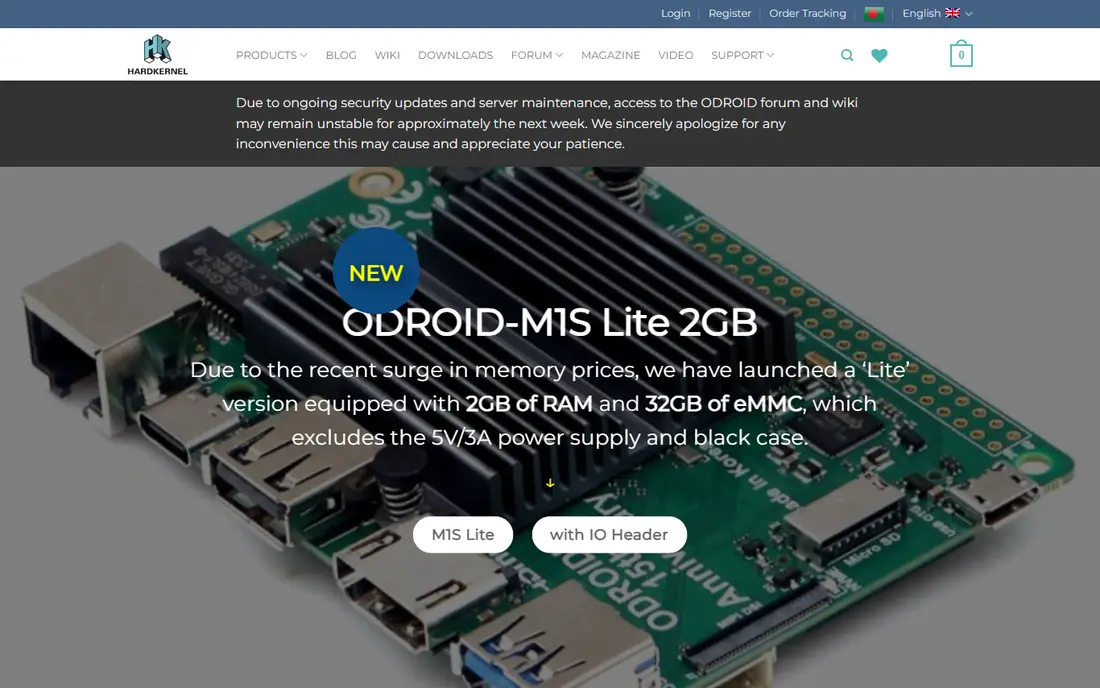
ODROID N2+ from Hardkernel uses a six-core Amlogic processor and is known for stable, fanless, always-on use, which suits home servers, media centres and retro gaming boxes.
For day-to-day use, the key question is whether the tool fits your existing workflow. Check the integration list, the export options and the support terms before a trial, and test it with a real project rather than a demo dataset. That test will show gaps in permissions, reporting and onboarding that a feature list hides.
This pick stands out for a specific kind of buyer, and that focus is its strength. It does one job well, with a clear workflow and a support path you can test during a trial. The trade-off is that buyers outside that core use case may find gaps, so match the tool to your main job first.
- Efficient and stable for 24-hour use
- EMMC support
- Good media playback
- No built-in Wi-Fi or Bluetooth
- Different GPIO pin layout
- Needs separate wireless dongles
Libre Computer Le Potato is a low-cost board with an Amlogic processor, Raspberry Pi style GPIO and 4K video output, which makes it a popular budget pick for media centres and light home servers.
The honest catch is usually not a missing feature, but the cost of change. Budget time for setup, training and data cleanup, and check whether your team will actually use the new tool every week. A simpler tool that is used daily beats a fuller tool that is opened once a month.
In practice, this option rewards teams that plan the rollout. Give one person ownership of setup, define the core workflows in week one, and review usage after a month. That discipline matters more than any single feature, and it is where many otherwise good tools fail.
- Low price
- Raspberry Pi style GPIO
- 4K video output
- No built-in Wi-Fi
- Older processor
- Only 2 GB memory on the base model
Banana Pi M5 pairs an Amlogic processor with 4 GB of memory, Gigabit Ethernet and eMMC storage support, which gives a budget home server faster and more reliable storage than microSD alone.
On value, compare total cost over a year, not just the starting price. Include seats, add-ons, implementation and the time your team spends maintaining the tool. Ask for a written quote for your exact team size and use case before you sign.
For buyers comparing on price alone, this option is worth a closer look at the free plan or trial. Test the features you will use daily, check the limits that apply at your volume, and confirm the upgrade path before you commit to a paid plan.
- Built-in eMMC storage option
- Gigabit Ethernet
- Good Linux support
- Older processor than newer RK3588 boards
- Limited memory
- Smaller community than Pi
ASUS Tinker Board 2S is a maker board with a Rockchip processor, good I/O, camera support and a 40-pin header, suited to projects that need reliable hardware and clear documentation.
For day-to-day use, the key question is whether the tool fits your existing workflow. Check the integration list, the export options and the support terms before a trial, and test it with a real project rather than a demo dataset. That test will show gaps in permissions, reporting and onboarding that a feature list hides.
This pick stands out for a specific kind of buyer, and that focus is its strength. It does one job well, with a clear workflow and a support path you can test during a trial. The trade-off is that buyers outside that core use case may find gaps, so match the tool to your main job first.
- Strong I/O and camera support
- Good build quality
- Debian support
- Higher price for its performance
- Smaller community
- Accessory range is limited
BeagleBone Black is a long-running maker board prized for its GPIO, programmable real-time units and documentation, which makes it a strong pick for sensors, motors and control projects rather than desktop use.
The honest catch is usually not a missing feature, but the cost of change. Budget time for setup, training and data cleanup, and check whether your team will actually use the new tool every week. A simpler tool that is used daily beats a fuller tool that is opened once a month.
In practice, this option rewards teams that plan the rollout. Give one person ownership of setup, define the core workflows in week one, and review usage after a month. That discipline matters more than any single feature, and it is where many otherwise good tools fail.
- Excellent GPIO and real-time I/O
- Strong documentation
- Onboard eMMC
- Modest processor for desktop use
- No built-in Wi-Fi
- Older video output
NVIDIA Jetson Orin Nano is built for AI at the edge, with a large AI compute rating, camera interfaces and a software stack for robotics and vision, which sets it apart from general-purpose Pi rivals.
On value, compare total cost over a year, not just the starting price. Include seats, add-ons, implementation and the time your team spends maintaining the tool. Ask for a written quote for your exact team size and use case before you sign.
For buyers comparing on price alone, this option is worth a closer look at the free plan or trial. Test the features you will use daily, check the limits that apply at your volume, and confirm the upgrade path before you commit to a paid plan.
- Strong AI compute for its size
- Mature AI software stack
- Good camera support
- Higher price
- Needs a carrier and cooling
- Overkill for simple server jobs
Pine64 RockPro64 offers a six-core processor, PCIe expansion and a focus on open hardware, which appeals to makers building servers and custom projects who are comfortable with Linux setup.
For day-to-day use, the key question is whether the tool fits your existing workflow. Check the integration list, the export options and the support terms before a trial, and test it with a real project rather than a demo dataset. That test will show gaps in permissions, reporting and onboarding that a feature list hides.
This pick stands out for a specific kind of buyer, and that focus is its strength. It does one job well, with a clear workflow and a support path you can test during a trial. The trade-off is that buyers outside that core use case may find gaps, so match the tool to your main job first.
- Open hardware approach
- PCIe expansion
- Good server potential
- Software support varies by image
- Needs care with power
- Community is smaller than Pi
How we picked these
We compared official board specifications, vendor operating system images, community support and current board prices from vendor shops and major retailers. We focused on processor, memory, storage, GPIO compatibility, networking and video output, because those decide what a board can actually run. Prices vary by memory size and retailer, so check the exact configuration before ordering.
How to choose a single-board computer
Start with the job, not the spec sheet. A media centre needs good video decoding and a stable media OS, a home server needs reliable storage and networking, and a robot needs GPIO, cameras and low power use. Check whether the board uses a 40-pin header that matches Raspberry Pi accessories, since that saves money on cases and add-ons. Memory matters for desktop use and containers, while storage matters for servers, so prefer boards with eMMC or NVMe support over microSD alone. Finally, check the software: a board with an actively maintained Debian or Ubuntu image and clear setup guides will save hours compared with a board that only ships a dated vendor image.
FAQ
What is the best Raspberry Pi alternative?
Orange Pi 5 is a strong all-round alternative, with a faster processor, more memory options and NVMe storage. Raspberry Pi still leads on software polish and community guides, so makers who value support may prefer to stay with Pi.
Are Raspberry Pi alternatives compatible with Pi accessories?
Some are, some are not. Orange Pi 5 and Libre Computer Le Potato use 40-pin headers that match many Pi accessories, while ODROID boards use a different pin layout. Check pin diagrams before reusing a HAT or case.
Which single-board computer is best for a home server?
ODROID N2+, Orange Pi 5 and Radxa Rock 5B all suit home servers, with good networking and fast storage options. For a low-cost server, Le Potato and Banana Pi M5 are solid choices.
Which board is best for AI projects?
NVIDIA Jetson Orin Nano is the strongest pick for AI and robotics, with a large AI compute rating and a mature AI software stack. Orange Pi 5 and Radxa boards also offer NPUs for lighter local AI work.
Do I need a case, power supply and storage separately?
Usually yes. Most boards are sold as the board alone, so budget for a suitable USB-C power supply, a case, and microSD, eMMC or NVMe storage, depending on the board.