Best Nimble CRM Alternatives in 2026: 8 Tools Compared
Compare nimble crm alternatives for small teams in 2026: HubSpot, Pipedrive, Zoho, Insightly, Capsule, Streak, Copper, and Close on price and fit today.
- Editor's choice
 HubSpot
Free CRM that grows with your team
Starts atFreeVisit hubspot.comFull review - Great alternative
 Pipedrive
Sales teams that live in the pipeline
Starts at$14 per user per monthVisit pipedrive.comFull review - Also consider
 Zoho CRM
Deep features at a low price
Starts at$14 per user per monthVisit zoho.comFull review
TL;DR:
- HubSpot is the safest default, with a genuinely useful free CRM that small teams can run on before paying anything.
- Pipedrive suits sales-led teams that want a clear visual pipeline and fast adoption, without a heavy setup project.
- Zoho CRM gives the most features per dollar for budget-conscious teams, though its interface feels busier than rivals.
- Streak and Copper are the best fits for teams that live in Gmail and Google Workspace and want the CRM inside their inbox.
- Insightly is the pick when a won deal needs to turn into a managed project without switching tools.
Quick comparison
| Tool | Best for | Starts at | Free plan? | |
|---|---|---|---|---|
| HubSpot | Free CRM that grows with your team | Free | Yes | Visit |
| Pipedrive | Sales teams that live in the pipeline | $14 per user per month | No | Visit |
| Zoho CRM | Deep features at a low price | $14 per user per month | Yes | Visit |
 Insightly | CRM plus projects after the sale | $29 per user per month | No | Visit |
 Capsule | Small teams that want a simple CRM | $18 per user per month | Yes | Visit |
 Streak | Teams that never want to leave Gmail | $49 per user per month | Yes | Visit |
 Copper | Google Workspace teams that want native Gmail sync | $23 per user per month | No | Visit |
 Close | Inside sales teams that call and email all day | $35 per user per month | No | Visit |
The best nimble crm alternatives
Nimble built its name on social and relationship focused contact management, pulling in details from email and social profiles. The alternatives below range from a free all-in-one to inbox-native CRMs, so the best choice depends on whether you sell, support, or manage relationships across a small team.
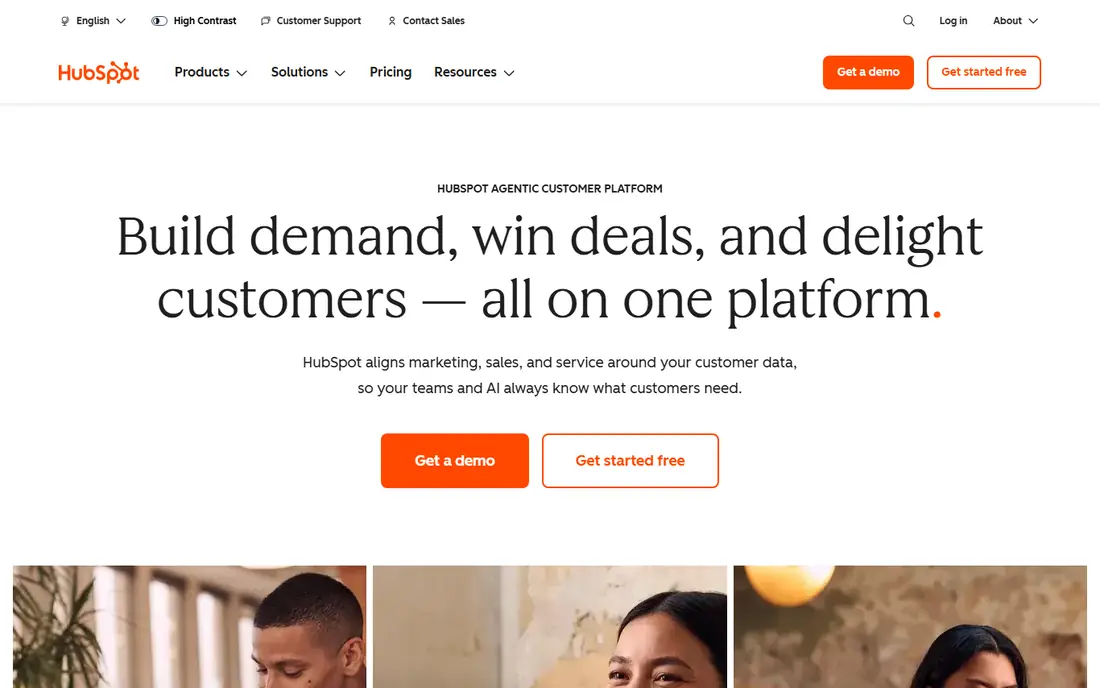
HubSpot is hard to beat as a starting point, because the free CRM covers contacts, deals, email tracking, meeting scheduling, and basic reporting. A small team can run a real pipeline on it for months, then add paid seats only when automation or deeper reporting becomes necessary. The same system also covers marketing and support, which helps when one person handles sales, email, and customer questions.
The catch arrives in the middle tiers. Moving from Starter to Professional is a large price jump, and features you may want, such as sequences and custom reporting, sit on higher plans. Still, for most small businesses, the free runway and the huge integration library make HubSpot our pick for most people. Just price your likely team size a year out, not only your team today.
- Strong free tier
- Marketing and service tools in one system
- Large integration library
- Paid tiers jump sharply in price
- Upsell prompts are frequent

Pipedrive keeps the focus where sales teams spend their day: the deal pipeline. Deals move by drag and drop, next actions stay visible, and automation handles routine follow-ups so nothing sits untouched for weeks. New users usually get productive in a day, which is a real advantage over CRMs that need a consultant to configure.
What you give up is breadth. Pipedrive is a sales tool first, not a marketing suite or a support desk, so teams that need those functions will add other apps. There is also no free tier, so even a trial needs a paid decision at the end. If selling is the core job and clarity matters more than breadth, Pipedrive is an excellent Nimble replacement.
- Clean drag-and-drop pipeline
- Fast to learn
- Useful automations and AI help
- No free plan
- Add-ons can raise the total cost

Zoho CRM packs in more for the money than almost any rival at this price. You get pipelines, workflow rules, forecasting, email integration, and a huge range of customization options, plus a free plan for up to three users. Teams already using Zoho Books, Zoho Desk, or Zoho Mail gain extra value, since the apps share data and sign-in.
The trade is polish. Menus run deep, settings hide in several places, and a new user can feel lost without a short setup plan. If your team values value and flexibility over a slick first impression, Zoho wins on paper. If you need everyone to adopt the tool this week with no training, HubSpot or Pipedrive will feel easier.
- Very broad feature set
- Free plan for up to three users
- Strong customization
- Interface can feel crowded
- Learning curve is steeper than HubSpot or Pipedrive
Insightly answers a common small business problem: the sale closes, then delivery starts in a different tool and context gets lost. Here, a won opportunity can convert into a project with tasks, milestones, and files, so the delivery team sees the same customer history the sales team built. That link is the reason many service businesses choose it over a pure sales CRM.
The entry price is higher than Pipedrive or Zoho, and there is no free tier to test with a whole team for free. Reporting and automation also improve on higher tiers, so check which plan includes the workflow features you need. For agencies, consultancies, and firms where delivery matters as much as selling, Insightly is a strong fit.
- Projects linked to won deals
- Solid dashboards
- Broad integration options
- Higher entry price
- No free plan
- Setup takes more care
Capsule keeps the CRM job simple: contacts, pipelines, tasks, and a timeline of every interaction. The free plan suits a very small team getting organized for the first time, and the paid Starter plan stays affordable while adding more contacts and users. Teams that found Nimble simple will feel at home here, because Capsule avoids the sprawling menus of enterprise CRMs.
Simplicity has a ceiling. Large teams with complex forecasting, territory rules, or heavy automation will outgrow Capsule faster than HubSpot or Zoho. For a team of two to ten people who mainly need to remember who they spoke to, what was promised, and what happens next, Capsule is a calm, affordable choice.
- Easy to learn
- Free plan for smaller contact lists
- Clean contact timelines
- Less depth for large sales operations
- Advanced automation sits on higher tiers
Streak is different from every other tool here because it lives inside Gmail rather than in a separate app. Pipelines sit beside your inbox, so you can move a deal, log an email, and send a tracked follow-up without switching tabs. That closeness to email is why solo founders and small sales teams love it, especially when most customer contact happens by email.
The limits are clear. Streak is built for Gmail and Google Workspace, so Outlook-first teams should look elsewhere. The free plan covers email tools, but full shared pipelines sit on the Pro plan, which costs more per user than Pipedrive or Zoho. If your team lives in Gmail, Streak can feel like the most natural Nimble alternative. If not, it will feel like a poor fit from day one.
- Runs inside Gmail
- Pipelines visible beside email
- Mail merge and tracking included
- Gmail only, so Outlook teams should skip it
- Paid CRM plans are pricey
Copper, formerly ProsperWorks, was built for Google Workspace from the start. It pulls contact and activity data from Gmail and Calendar, offers a Gmail sidebar for quick updates, and lets field staff log calls, notes, and photos from the mobile app. For a consulting firm or agency already paying for Google Workspace, that native fit saves the sync headaches other CRMs can cause.
The price story needs care. The entry plan is reasonable, but workflow automation and custom reporting improve sharply on Professional and Business tiers, so a growing team can see costs climb. Copper also lacks a free plan, though a trial lets you test the Gmail integration properly. Choose Copper when Google Workspace is your home base, not when you need the cheapest pipeline alone.
- Deep Google Workspace integration
- Automatic data capture from email
- Mobile app for field logging
- No free plan
- Reporting depth is gated behind higher tiers
Close is a sales-first CRM built around communication. Calling, SMS, and email live in the same workspace, so a rep can work a list, call, log the outcome, and send a follow-up without opening a separate dialer. Sequences and reporting support outbound teams that measure activity and reply rates closely, which is why many startups pick Close over a general CRM.
That focus narrows its appeal. Close is not a marketing platform or a help desk, and teams that need those functions will pair it with other tools. Calling and SMS credits also sit on top of the subscription, so model usage before you commit. If your team sells by phone and email every day, Close is one of the most productive Nimble alternatives. If you mainly manage relationships and referrals, Pipedrive or Capsule will feel calmer.
- Built-in calling, SMS, and email
- Strong sequences
- Fast for outbound teams
- Less suited to marketing or support
- Calling credits can add to the bill
How we picked these
We compared official pricing pages, feature lists, and public reviews for CRMs that match Nimble users: small teams, relationship tracking, email integration, and pipelines without enterprise complexity. We favored tools that are actively sold in 2026, that publish prices or a free tier, and that cover distinct setups, from Gmail-native to project-linked to outbound calling. Prices are starting prices and change often, so verify on the vendor page before you buy.
How to choose the right CRM for a small team
The best CRM is the one your team actually updates, so fit and adoption matter more than a long feature list.
Start with where work already happens
If your team lives in Gmail, Streak or Copper will get updated because they sit where email happens. If your team lives in a pipeline view, Pipedrive wins. If marketing, sales, and support share one system, HubSpot makes more sense even if it costs more later. A CRM that requires a new habit every day will fail no matter how good its feature list looks.
Count seats honestly
Per-user pricing punishes a team that gives everyone a seat they rarely use. List who needs full editing, who only needs to view records, and who can work from email or a shared inbox. Some vendors offer free viewers or cheaper roles, and that difference can change the yearly total by hundreds of dollars.
Test migration with real data
Import a sample of your Nimble contacts, including notes, tags, and deal history, before you commit. Check for lost fields, duplicate contacts, and broken email threads. A clean import in a trial saves weeks of cleanup later, and a messy import is a warning sign about the tool or the migration plan.
Keep the setup simple at first
Start with one pipeline, a handful of stages, and three or four required fields. Add automation only after the team updates records reliably for two weeks. Teams that launch with ten pipelines and forty custom fields usually abandon the CRM, while teams that start simple tend to grow into the tool.
FAQ
What is the closest alternative to Nimble CRM?
Capsule and HubSpot are the closest in spirit for small teams that want simple relationship tracking. Capsule is closer to Nimble in simplicity, while HubSpot is broader and offers a stronger free tier. Streak and Copper are closer if you valued Nimble for its inbox and social context.
Is there a free Nimble CRM alternative?
Yes. HubSpot offers a free CRM with unlimited contacts on its free tier, Zoho CRM offers a free plan for up to three users, and Capsule and Streak offer limited free plans. Free plans suit very small teams, but check contact, user, and feature limits before you rely on one long term.
Which CRM is best for a small business on a budget?
Zoho CRM and Pipedrive are the strongest budget picks, starting at $14 per user per month on annual billing. HubSpot is cheaper at the start because it is free, but its paid tiers cost more, so compare the price at your likely team size in a year, not only today.
Does Nimble still exist in 2026?
Nimble continues to be sold as a relationship focused CRM, but many users look elsewhere for a lower price, a stronger pipeline, or deeper Google Workspace or marketing integrations. If you are happy with Nimble, there is no need to switch, but a trial of HubSpot or Pipedrive can show whether a move would save time.
Can I import my Nimble contacts into these CRMs?
Yes, most of these tools accept CSV imports, and several offer direct import help or integrations that pull contacts, companies, and deals. Export from Nimble first, clean duplicates and old records, then test the import with a small sample before moving your full database.
Which alternative works best with Gmail?
Streak runs inside Gmail itself, and Copper offers deep Google Workspace integration with a Gmail sidebar. HubSpot and Pipedrive also sync with Gmail, but they remain separate apps, so Gmail-first teams usually prefer Streak or Copper for daily use.