Best Meta Custom Conversions for Web Alternatives in 2026: 8 Tools Compared
Looking for meta custom conversions for web alternatives? We compare 8 server-side tracking tools that send conversion data to Meta and other ad platforms.
- Editor's choice
 Stape
Technical teams that want hosted server-side GTM
Starts at$17 per monthVisit stape.ioFull review - Great alternative
 Elevar
Shopify stores that want a data layer and server-side tracking
Starts atSee websiteVisit getelevar.comFull review - Also consider
 Littledata
GA4 accuracy and subscription stores
Starts atSee websiteVisit littledata.ioFull review
TL;DR:
- Meta custom conversions from a browser pixel alone are less reliable as browsers block third-party cookies and tracking.
- Stape is our pick for technical teams that want hosted server-side Google Tag Manager at a low starting price.
- Elevar and Littledata suit Shopify stores that want a data layer, server-side events, and analytics accuracy.
- Segment suits larger firms that need customer data routed to many tools from one central system.
- Send each conversion once, with matching event IDs, or duplicate events will distort Meta optimization.
Quick comparison
| Tool | Best for | Starts at | Free plan? | |
|---|---|---|---|---|
| Stape | Technical teams that want hosted server-side GTM | $17 per month | Free plan | Visit |
| Elevar | Shopify stores that want a data layer and server-side tracking | See website | Free trial | Visit |
| Littledata | GA4 accuracy and subscription stores | See website | Free trial | Visit |
 Segment | Larger firms that need central customer data routing | See website | Free plan | Visit |
 CustomerLabs | Managed first-party tracking for DTC and B2B teams | See website | Free trial | Visit |
 TrackBee | Shopify stores that want fast server-side setup | See website | Free trial | Visit |
 Cometly | Attribution plus server-side tracking for DTC brands | See website | No | Visit |
 Hyros | High-ticket and call-heavy funnels that need ad tracking | See website | No | Visit |
The best meta custom conversions for web alternatives
Meta custom conversions for web let advertisers define a conversion, such as a purchase or a lead, based on a URL or event from the Meta pixel. As browser tracking becomes less reliable, many advertisers move to server-side tracking through the Meta Conversions API, which sends events from a server rather than only from a browser. These tools help you make that move, with different fits for Shopify stores, technical teams, and larger firms.
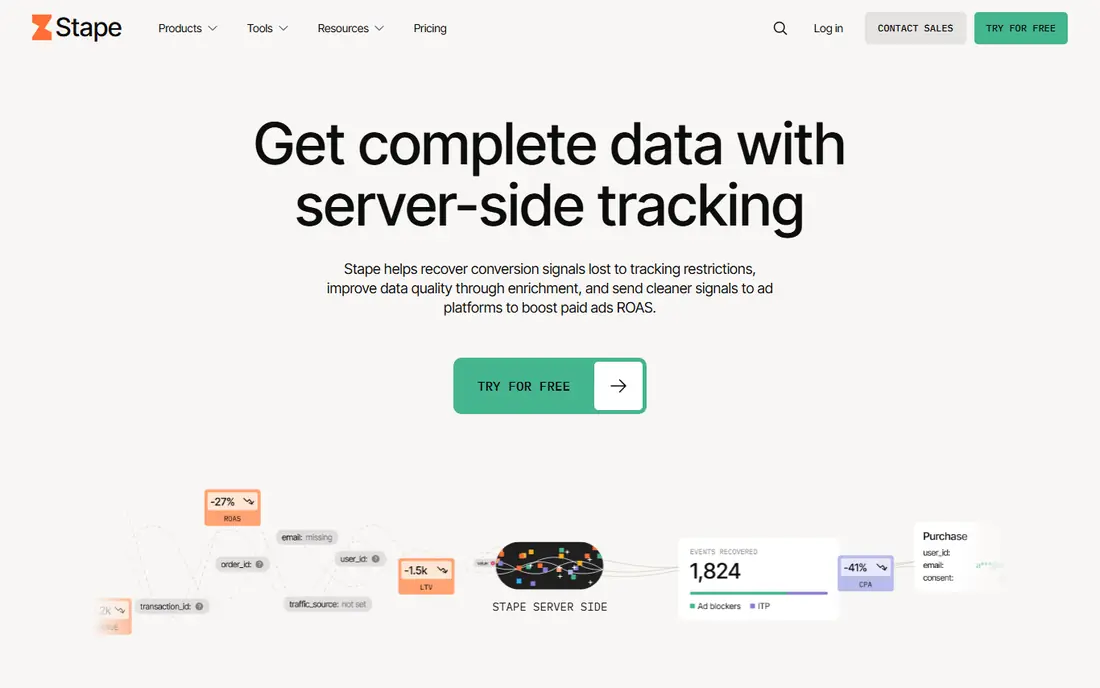
Stape is the cheapest credible route to server-side tracking for teams that know Google Tag Manager. It hosts your server-side GTM container, so you can send Meta Conversions API events, Google Ads conversions, and other tags from a server you control, with first-party cookies and enrichment options on higher plans. Public summaries put paid plans from about $17 per month on annual billing, with a free tier up to a request limit, so check the current vendor page for request allowances.
The trade-off is work. Stape gives you infrastructure, not a finished app, so you or your agency must build tags, set event IDs for deduplication, and maintain the container. That effort is worth it for agencies and technical teams that manage many clients or want full control. If you want a done-for-you Shopify app, Elevar, Littledata, or TrackBee will be faster, even at a higher monthly price.
- Hosted server-side Google Tag Manager
- Low starting price
- Meta Conversions API Gateway and custom tagging support
- First-party cookies on higher plans
- Needs GTM knowledge to build and maintain
- You configure deduplication and event IDs
- Support is platform-focused, not done-for-you

Elevar is built for Shopify brands that care about data quality as much as ad signal. It creates a clean data layer, sends server-side events to Meta, Google, TikTok, and other destinations, and provides QA tools to check that events fire correctly. Public summaries put entry pricing near $200 to $225 per month for a set order allowance, with higher tiers for larger stores, so confirm the current vendor page for your order volume.
The limits are price and scope. Elevar costs more than a hosted GTM plan, and it is Shopify-focused, so non-Shopify stores need a different tool. Destination counts also vary by tier, which matters if you send to many ad and analytics platforms. Pick Elevar when you run a Shopify store at volume, you want a reliable data layer, and you are willing to pay for data quality and QA.
- Strong Shopify data layer
- Server-side tracking for Meta, Google, TikTok, and more
- QA and monitoring tools
- Order-based pricing
- Higher price than Stape for small stores
- Setup takes planning for headless or custom stores
- Destination limits vary by tier
Littledata has focused on Shopify server-side tracking and analytics accuracy for longer than most tools in this list, with a strong emphasis on GA4 and subscription businesses. It sends server-side events to Meta, Google Ads, TikTok, Pinterest, and Klaviyo, and it helps reconcile subscription renewals and refunds that browser pixels often miss. Public summaries note a pay-as-you-go option near $0.35 per tracked order, plus plan pricing on the vendor page, so check current rates for your volume.
The trade-off is the same order-based model as Elevar: costs rise with order volume, and the tool is Shopify-focused. For a subscription store where renewals, trials, and refunds make browser data unreliable, Littledata accuracy can improve both reporting and ad optimization. For a small store with few orders, a cheaper hosted GTM plan or a lower-tier app may be enough.
- Long track record for Shopify server-side tracking
- Strong GA4 and subscription focus
- Sends to Meta, Google, TikTok, and Klaviyo
- Pay-as-you-go option in some summaries
- Pricing is order-based, so costs grow with volume
- Shopify-focused
- Some features need higher tiers
Segment is a customer data platform, not a simple tracking app. You collect events once, route them to Meta, Google, analytics, CRM, and warehouse destinations, and manage identity and governance from one system. That central model suits larger firms that use many tools and want one source of truth for customer data, rather than a separate integration for each destination.
The limits are cost and implementation. Segment pricing is based on monthly tracked users, with a free tier for small volumes and paid plans from about $120 per month at higher volumes in public summaries, so check the current vendor page. It also needs engineering time to implement well, and ad-specific deduplication still needs careful event ID handling. Choose Segment when customer data routing across many tools is the core need, not just Meta tracking alone.
- One central system for customer data
- Routes events to Meta, analytics, CRM, and warehouse tools
- Identity resolution and governance features
- Higher cost and complexity than a tracking app
- Needs engineering time to implement well
- Ad-specific deduplication needs care
CustomerLabs positions itself as a managed first-party data platform that removes much of the container work that Stape requires. It provides first-party cookies on your own domain, automatic deduplication between browser and server events, and support for CRM and offline conversions, which helps B2B and DTC teams whose sales close offline or in a CRM. That managed approach suits teams that want server-side accuracy without maintaining GTM containers.
The caution is pricing and fit. Entry pricing is plan-based and best confirmed through a trial or quote, and the platform covers a broad DTC and B2B audience, so test your specific destinations and offline workflow in the trial. If you want managed setup with deduplication handled for you, CustomerLabs is a strong alternative to a DIY Stape setup. If you want full GTM control, Stape remains cheaper and more flexible.
- Managed first-party data setup
- Automatic browser and server deduplication
- CRM and offline conversion support
- No container to maintain
- Pricing is plan-based and needs a quote or trial to confirm
- Newer brand than Segment or Elevar
- Feature fit varies by team type
TrackBee is a Shopify server-side tracking app that aims for a fast setup without GTM complexity. It sends server-side events to Meta, Google, TikTok, and other channels, enriches first-party data, and provides insights into which channels drive orders. Public summaries put flat pricing from about 79 euros per month, with a free trial, so check the current vendor page for currency and plan details.
The limits are scope and price for small stores. TrackBee is Shopify-only, so WooCommerce, custom, and other platforms need a different tool, and the flat price can be high for a store with very few orders. For a Shopify DTC brand that wants server-side tracking live in minutes rather than days, TrackBee is a practical alternative to Elevar and Littledata, especially when multi-channel coverage matters.
- Fast Shopify setup without GTM
- Server-side tracking plus first-party enrichment
- All channels included on flat pricing in public summaries
- Shopify-only
- Pricing is flat and can be high for very small stores
- Newer than Elevar and Littledata, so ecosystem is smaller
Cometly combines server-side tracking with attribution, so it answers two questions at once: are conversions reaching Meta reliably, and which channels actually drive sales. It forwards server-side events, builds attribution paths across touchpoints, and provides recommendations for where to scale budget. That combined view suits DTC brands that already have tracking working and want to improve spend decisions.
The trade-off is scope and price. Cometly is more than a tracking fix, so teams that only need Meta Conversions API events may find it heavier and more expensive than Stape or TrackBee. Public summaries put entry pricing near $99 per month for some plans, with custom pricing for larger brands, so confirm the vendor page. Pick Cometly when attribution and budget decisions matter as much as tracking accuracy itself.
- Server-side event forwarding to Meta and other platforms
- Multi-touch attribution
- AI recommendations for budget and scaling
- Attribution focus adds complexity and cost
- Pricing is custom or revenue-based in summaries
- Setup takes more time than a simple tracking app
Hyros is an ad tracking and attribution platform for businesses where sales close over the phone, over days or weeks, or offline, rather than in a single checkout. It tracks calls, forms, and offline conversions back to the ad that started the journey, and sends enriched conversion data to Meta and Google for optimization. That long-funnel view matters for coaches, agencies, and high-ticket sellers whose browser pixel misses most of the sale.
The limits are price and fit. Hyros pricing is custom and typically requires a consultation, and it is priced for businesses with high-ticket offers where better attribution pays for itself quickly. A low-price Shopify store will find cheaper tracking options faster to start. Choose Hyros when your funnel is long, call-heavy, or offline, and when knowing which ad drove a closed sale is worth a premium tracking investment.
- Tracks calls, offline sales, and long funnels back to ads
- AI performance analysis
- Supports Meta, Google, and other ad platforms
- Custom pricing that requires a consultation
- Best for high-ticket or high-margin offers
- Setup is heavier than a Shopify tracking app
How we picked these
We compared official feature pages, pricing pages, and public reviews for server-side tracking and attribution tools that are live in October 2026, and we kept only tools that send events to Meta through the Conversions API or a comparable server-side method. We favored a mix of hosted GTM, Shopify apps, customer data platforms, and attribution tools so readers with different platforms and skills can find a fit. Prices shown are starting rates from vendor pages or recent pricing summaries, and we wrote See website where pricing is order-based, usage-based, or custom. We did not claim hands-on testing, and we weighed deduplication, data quality, setup effort, and total cost as heavily as feature counts.
How to replace a browser-only Meta custom conversion
Start with one event and one sender. Pick the conversion that matters most, such as purchase or qualified lead, and send it server-side with a matching event ID for any browser event you keep. Two senders sending the same purchase without matching IDs will double-count it and distort Meta optimization, so deduplication is not optional.
Choose by platform and skill
Shopify stores should shortlist Elevar, Littledata, or TrackBee for a fast, app-based setup. Technical teams and agencies should shortlist Stape for hosted server-side GTM control. Larger firms with many destinations should shortlist Segment or CustomerLabs for central routing and governance. High-ticket or call-heavy funnels should shortlist Hyros or Cometly for offline and attribution coverage.
Test events before you trust them
Use Meta Events Manager test events, vendor QA tools, and a real test purchase or lead to check that server events arrive with the right value, currency, and event ID. Compare server events with browser events for a week, check for duplicates and missing events, and only then turn off or reduce browser-only reliance. Keep a log of which tool sends which event, so a future team member does not add a second sender by accident.
Respect privacy and consent
Server-side tracking does not remove privacy duties. Only send data you have a lawful basis to share, respect user consent settings, and check Meta and vendor guidance for your region and industry. Avoid sending sensitive personal data that Meta does not need for optimization, and review data retention and sharing settings in both the tracking tool and Meta Events Manager.
FAQ
What is a Meta custom conversion for web?
A Meta custom conversion for web is a conversion you define in Meta Events Manager, such as a purchase, lead, or page visit, based on a pixel event or URL rule. Advertisers use custom conversions to optimize campaigns for a specific action and to report results in Ads Manager. As browser tracking becomes less reliable, many advertisers now send the underlying events server-side through the Conversions API for better accuracy.
Is the Meta Conversions API a replacement for the pixel?
It is best used alongside the pixel, not as a simple replacement, with deduplication to avoid double counting. The pixel captures browser events, while the Conversions API sends server events that browsers may block or miss. Sending both with matching event IDs gives Meta a fuller picture, while sending both without matching IDs creates duplicates and harms optimization.
Which tool is cheapest for server-side Meta tracking?
Stape is among the cheapest options, with public summaries putting paid plans from about $17 per month on annual billing, plus a free tier up to a request limit. That low price reflects a DIY model, since you build and maintain the GTM container yourself. Done-for-you Shopify apps cost more per month but save setup and maintenance time, so compare total cost including your time.
Can I use these tools if I do not use Shopify?
Yes. Stape, Segment, CustomerLabs, Cometly, and Hyros work beyond Shopify, with support for custom sites, WooCommerce, and other platforms depending on the tool. Elevar, Littledata, and TrackBee are Shopify-focused, so non-Shopify stores should shortlist the broader tools and check integration docs for their specific platform.
How do I avoid double-counting conversions in Meta?
Send each conversion once per source, or use matching event IDs for browser and server versions of the same event so Meta deduplicates them. Keep one sender per event where possible, test with Meta test events, and monitor Events Manager for duplicate warnings. Document which tool sends which event, and review the setup whenever you add a new app or tag.