8 Meeting Owl Alternatives for Better Hybrid Meetings in 2026
Looking for meeting owl alternatives? We compared 8 cameras and video bars for small and mid-size rooms, with prices, features, and honest trade-offs.

- Editor's choice
 Logitech MeetUp
Small huddle rooms
Starts atSee websiteVisit logitech.comFull review - Great alternative
 Logitech Rally Bar Mini
Small rooms at scale
Starts at$3,499Visit logitech.comFull review - Also consider
 Poly Studio X30
Small rooms without a PC
Starts atSee websiteVisit poly.comFull review
TL;DR:
- A video bar suits most fixed rooms better than a tabletop 360 camera, because it pairs a wide camera with clear speakers and microphones in one unit.
- Room size should drive the choice: huddle rooms need a compact bar, while mid-size rooms need a wider field of view or added microphone pods.
- Check platform certification for Zoom, Microsoft Teams, or Google Meet before buying, since a camera that works over USB is not always a certified room system.
- Prices vary widely, from under one thousand dollars for a compact camera to several thousand for a premium bar, so confirm what is included before comparing totals.
Quick comparison
| Tool | Best for | Starts at | Free plan? | |
|---|---|---|---|---|
| Logitech MeetUp | Small huddle rooms | See website | No | Visit |
| Logitech Rally Bar Mini | Small rooms at scale | $3,499 | No | Visit |
| Poly Studio X30 | Small rooms without a PC | See website | No | Visit |
 Jabra PanaCast 50 | Panoramic mid-size rooms | See website | No | Visit |
 Yealink MeetingBar A30 | Teams and Zoom rooms | See website | No | Visit |
 Neat Bar | Simple Zoom and Teams rooms | See website | No | Visit |
 Kandao Meeting Pro | 360 degree tabletop meetings | See website | No | Visit |
 Huddly L1 | Large rooms with AI framing | See website | No | Visit |
The best meeting owl alternatives
These picks cover the main ways to replace a 360 tabletop camera: compact bars, all-in-one room systems, and a direct 360 rival. We compared official feature pages, pricing pages, and platform certifications.
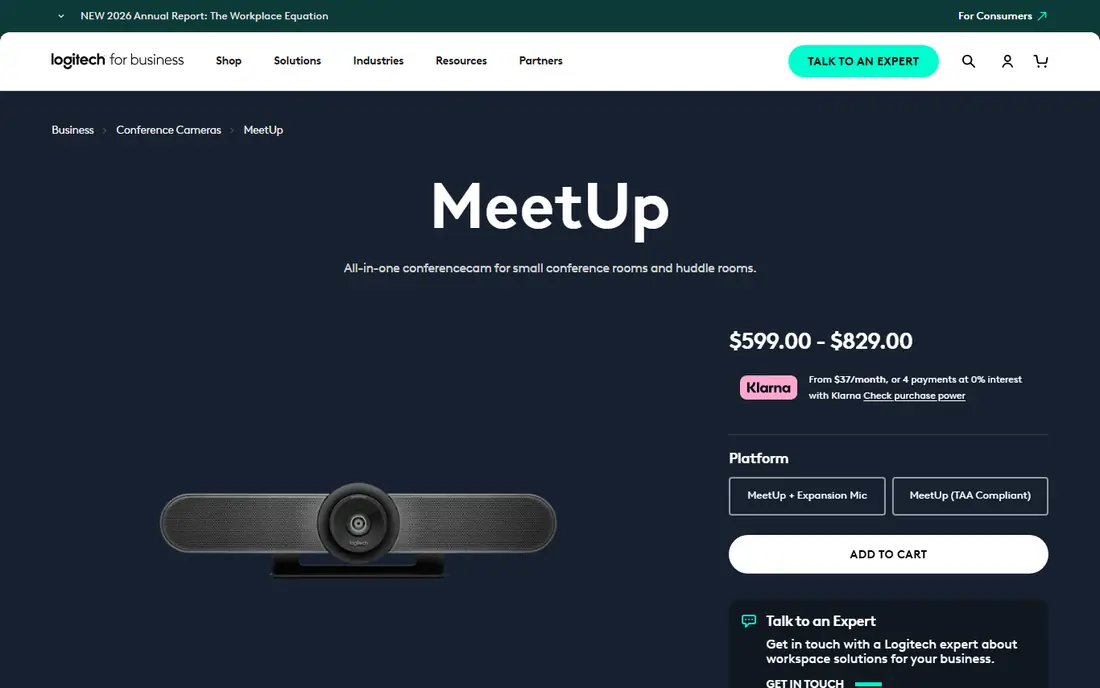
Logitech MeetUp is the closest simple swap for many small rooms. It sits above or below a display, captures the whole table with a wide lens, and includes a speaker and beamforming microphones. Setup is close to plug and play over USB, which suits teams that bring a laptop to the room.
The catch is scale. In a room with more than about six people, voices at the far end can sound distant, and the camera cannot match a multi-camera or mic-pod setup. If your rooms are small and your meetings are laptop-led, MeetUp is a sensible, low-fuss pick. For larger rooms, move to a Rally Bar or a system with added microphones.
- Wide 120 degree field of view
- Compact all-in-one design
- Works over USB with common meeting apps
- Limited reach for larger rooms
- No built-in room computer
- Expansion microphone costs extra
Rally Bar Mini is built for organisations that want the same room experience in many small rooms. It can run supported meeting apps directly on the device, so no room PC is needed in appliance mode, and it also works over USB. AI framing keeps speakers in view, and the microphone array is a clear step up from a basic webcam.
The price is the main barrier, and it rises further with mounts or mic pods. Still, for IT teams that value central management and consistent rooms, the total package is easier to support than a mix of one-off cameras. Check the exact bundle, since the base bar price does not always include a controller or mount.
- Strong AI framing and audio
- Runs Teams or Zoom as an appliance
- Managed through Logitech Sync
- High price for a small room
- Needs a display and mounting plan
- Some features vary by platform
Poly Studio X30 puts camera, microphones, speaker, and codec into one bar, which keeps a small room tidy. It is a good fit when you want people to walk in, tap a controller, and join a call without opening a laptop. The 4K camera and four-microphone array handle a typical huddle room well.
It is not a mid-size room solution on its own. Larger tables will need a bigger Poly bar or added audio coverage. Buyers should also confirm whether the bundle includes the touch controller, since that changes the real cost and the day-to-day experience.
- All-in-one 4K bar with codec built in
- Certified for Teams and Zoom
- Compact for huddle rooms
- Best in small rooms only
- Controller sold separately in some bundles
- Setup needs network and display planning
Jabra PanaCast 50 takes a different route to the same goal as a 360 camera: it stitches three cameras into a 180 degree view that shows everyone on one side of the table. That view helps remote attendees read the room, and the eight-microphone array supports larger groups than a compact bar. It also offers intelligent zoom that follows the active speaker.
Edge distortion is a fair trade-off to note, and the price sits at the premium end. For mid-size rooms where people sit along one wall facing the display, PanaCast 50 is one of the strongest Meeting Owl replacements. For round-table seating, a true 360 device may still feel more natural.
- 180 degree panoramic view from three cameras
- Eight microphones
- Works with Teams, Zoom, and other platforms
- Premium price
- Wide view can distort people at the edges
- Needs a suitable wall or display mount
Yealink MeetingBar A30 pairs two cameras to cover a wider room, with one camera framing the group and another tracking speakers. It runs as a dedicated room system for Microsoft Teams or Zoom, which removes the laptop from the meeting. Optional wireless microphones extend audio coverage for longer tables.
That flexibility adds complexity. Mounting, camera placement, and bundle choice matter more here than with a single compact bar. For buyers who already use Yealink phones or room systems, the shared management tools are a plus. For a single small room, a simpler bar may be enough.
- Dual-camera system for mid-size rooms
- Built-in Android room system
- Optional wireless microphones
- Two-camera setup takes more planning
- Pricing varies by bundle
- Admin interface takes time to learn
Neat Bar is a good pick for teams that want a tidy, modern room with little setup friction. It combines camera, microphones, and speakers in a slim bar, with auto-framing that keeps the group centred. Pairing with a Neat Pad controller gives a familiar tap-to-join flow for Zoom and Teams rooms.
The main limits are scale and buying route. Very large rooms will need a bigger Neat system or added audio, and prices are often quoted through resellers rather than listed plainly. If you value design and simplicity over a deep accessory range, Neat Bar deserves a shortlist spot.
- Clean all-in-one design
- Strong auto-framing
- Simple controller pairing
- Limited model range for very large rooms
- Pricing is quote-based through partners
- Fewer third-party accessories
Kandao Meeting Pro is the closest direct rival to the Meeting Owl in form. It sits in the centre of the table, shows the whole room in 360 degrees, and is easy to move between rooms. That portability suits teams without fixed meeting rooms or with shared spaces that change layout often.
As with any 360 camera, remote viewers may find distant speakers smaller on screen than with a front-facing bar. Room acoustics also matter more, since microphones sit in the middle of the table. If your meetings are round-table style and you want everyone visible at once, this is the most faithful alternative on this list.
- True 360 degree view like the Meeting Owl
- Portable tabletop design
- Built-in display option on some models
- 360 view can feel distant for remote viewers
- Audio quality varies with room acoustics
- Software updates matter for long-term use
Huddly L1 focuses on camera intelligence for larger rooms. Its wide-angle lens and AI framing help remote attendees follow who is speaking, even when people move around a big table. The compact unit is easy to mount above a display and pairs with a room PC or room system.
Buyers should plan audio separately, since L1 is primarily a camera and the full room cost depends on the chosen microphones and speakers. That modular approach suits larger rooms where audio needs careful design. For a small room that needs one box, a bar from Logitech, Poly, or Jabra is simpler.
- Wide-angle camera with AI director features
- Good for large rooms
- Compact camera unit
- Camera-only in many bundles, so audio must be planned separately
- Price depends on bundle
- Needs a compatible room setup
How we picked these
We compared official product pages, pricing pages, and platform certification details for cameras and video bars that serve the same meetings as the Meeting Owl. We favoured products that are current, widely available in the US, and suited to small or mid-size rooms. We left out webcams meant for a single desk, since they do not cover a whole meeting table.
What to check before you buy
Room size comes first. Measure the table, count the usual seats, and note where the display sits. A compact bar works well up to about six people, while longer tables need microphone pods, a panoramic camera, or a dual-camera bar. Also check cable runs, power points, and whether the bar will sit above or below the display, since mounting affects the camera angle.
Platform fit comes second. If your team uses Microsoft Teams Rooms or Zoom Rooms, a certified appliance saves daily friction. If meetings are laptop-led, a USB bar is fine and often cheaper. Confirm the controller, mount, and microphone options in the bundle, and ask the seller for a total price including those parts. A short trial in your actual room, with remote colleagues giving feedback on video and audio, will tell you more than a spec sheet alone.
FAQ
Are meeting owl alternatives better than a 360 camera?
They can be, depending on the room. A front-facing bar usually gives remote viewers a clearer, larger view of faces and better directional audio. A 360 camera is better when people sit all around a table and you want everyone visible at once.
Do I need a room PC for these cameras?
Not always. Some bars run Teams or Zoom directly as an appliance, while others work over USB with a laptop or room PC. Check the product page for appliance mode before you assume a PC is not needed.
What size room suits a video bar?
Compact bars suit huddle rooms and small rooms with up to about six people. Mid-size rooms often need a larger bar, added microphone pods, or a panoramic camera. Large boardrooms usually need a designed system with separate audio.
Can I use these with Zoom and Microsoft Teams?
Most bars on this list support both over USB, and several are certified room systems for one or both platforms. Certification matters for tap-to-join room use, so confirm it for the platform your team uses most.
Is a 360 camera still worth it?
Yes, for round-table meetings and portable use. A 360 camera keeps everyone in view without a fixed front wall, which suits shared spaces. Just test how distant speakers look and sound to remote attendees before committing.
Sources
- https://www.logitech.com/en-us/products/video-conferencing/meetup-conferencecam.html
- https://www.logitech.com/en-us/products/video-conferencing/rally-bar-mini.html
- https://www.poly.com/us/en/products/video-conferencing/studio-x30
- https://www.jabra.com/business/video-conferencing/panacast-50
- https://www.yealink.com/en/product-detail/video-conferencing-bar-a30
- https://neat.no/neat-bar
- https://www.kandaovr.com/meeting-pro/
- https://www.huddly.com/products/huddly-l1