Switching From MadMapper? 5 Alternatives for 2026
Need MadMapper alternatives? We compare 5 tools on cost, free access and who each suits. Fit and flaws are laid out for each entry. Read before you buy.
- Editor's choiceMillumin
Audiovisual display control for theater and dance
Starts atSee websiteVisit millumin.comFull review - Great alternativeVDMX
Adaptable VJ software on Mac
Starts atSee websiteVisit vidvox.netFull review - Also considerNotch
Live graphics and live visual effects
Starts at$21 a monthVisit notch.oneFull review
Direct answer
Millumin is the first pick on this list for audiovisual display control for theater and dance. Listed starting prices: Notch from $21 a month. For a different need, VDMX covers adaptable VJ software on Mac and Notch covers live graphics and live visual effects. The remaining 2 options are covered below with prices and limits.
TL;DR:
- Millumin is the opening pick, best for audiovisual display control for theater and dance.
- For fast and simple projection mapping, HeavyM is worth a look.
- A permanent free plan is missing from all 5 tools, Millumin and HeavyM included; plan for a trial or a premium start.
- Notch is the lowest-priced starter here at $21 per month.
Last checked November 2026. Prices and plan details were read from the vendors' own pages in November 2026; vendors change plans often, so confirm the current price on the vendor site before you buy.
Quick comparison
| Tool | Best for | Starts at | Free plan? | |
|---|---|---|---|---|
| Millumin | Audiovisual display control for theater and dance | See website | Free trial | Visit |
| VDMX | Adaptable VJ software on Mac | See website | Not stated | Visit |
| Notch | Live graphics and live visual effects | $21 a month | Free trial | Visit |
| Resolume Arena | VJ performance and media server playback | See website | Not stated | Visit |
| HeavyM | Fast and simple projection mapping | See website | Not stated | Visit |
Our 5 picks for MadMapper
If you are comparing MadMapper, this page covers 5 tools in one place: what each is best for, what it costs to start, whether it has a free plan, and the main limit to know about.
Millumin
Best for: Audiovisual display control for theater and dance
Millumin is designed for audiovisual display control for theater and dance. It suits display designers who require steady cueing and playback for live performances.
The main drawbacks: Mac-only.
Also, if you need spontaneous mixing or Windows support, other tools may be a better match. Millumin shows no starting price here, so confirm the cost on the vendor site. Free plan details: Free trial.
- Video mapping support
- Theater and dance use
- Niche compared with VJ tools
VDMX
Best for: Adaptable VJ software on Mac
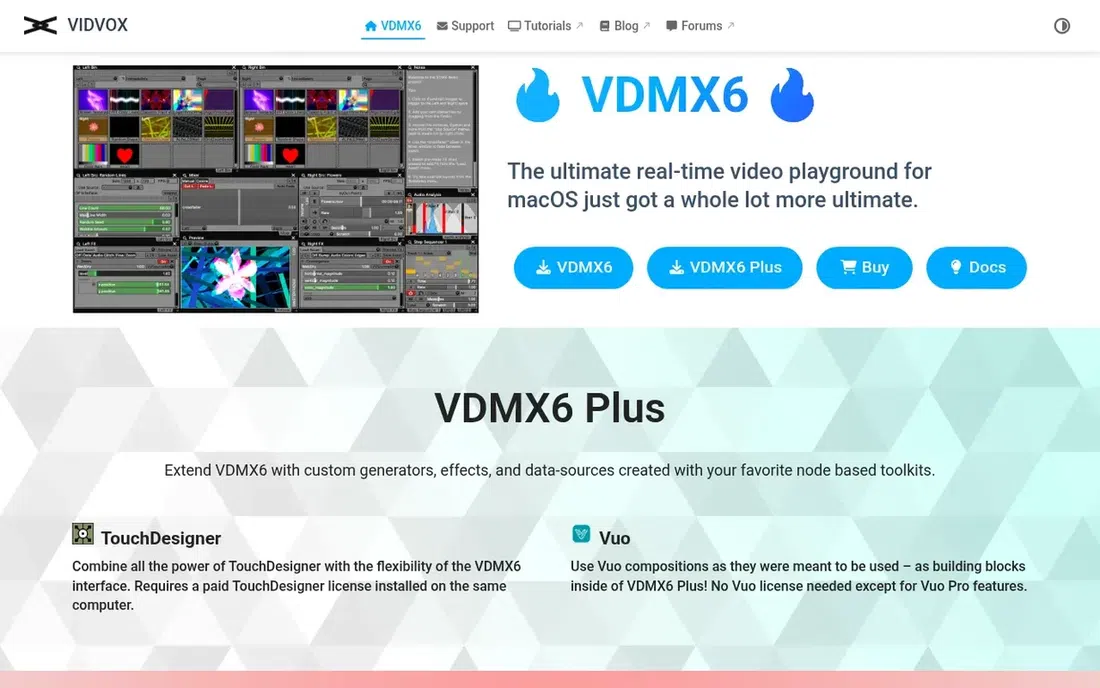
VDMX is designed for adaptable VJ software on Mac. The software has a long history in the Mac VJ community.
It appeals to visual artists and performers who want to build custom setups for live presents. No starting price is listed for VDMX here; confirm pricing on the vendor site. As for free access: Not stated.
Trade-offs to know: Less mapping-specific.
- Modular VJ environment
- Mac-oriented
- Mac-only system
Notch
Best for: Live graphics and live visual effects
Notch serves live graphics and live visual effects. The tool is commonly used for generative and effects-driven visuals.
What to check first: Not mapping-focused.
Notch is a live graphics tool for producing video content, live visual effects, VR, and interactive experiences. More specifically, Notch is not a dedicated projection mapping option and can demand significant hardware resources. Price to start with Notch: $21 per month. Free plan details: Free trial.
- VR and interactive support
- Live rendering
- Needs capable hardware
Resolume Arena
Best for: VJ performance and media server playback
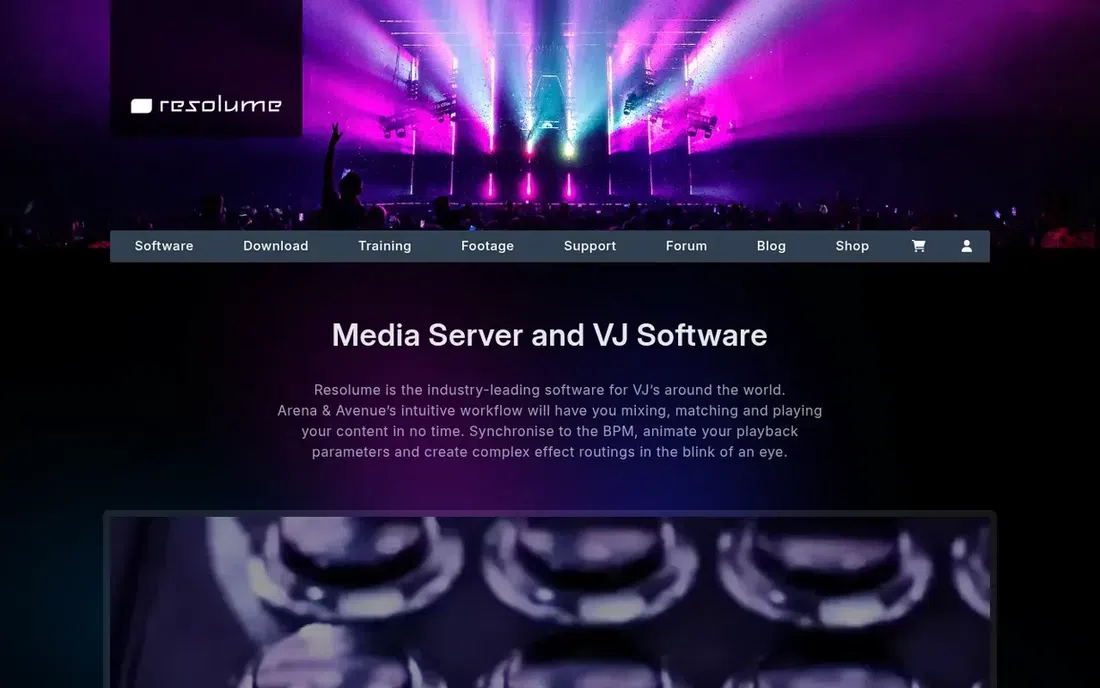
Where Resolume Arena fits: VJ performance and media server playback. Resolume Arena is VJ software and a media server for live visual performance. On top of that, consider it when live mixing and media server reliability matter more than mapping-specific features.
Arena is built around VJ workflows, so it may not offer the same depth for intricate projection mapping as dedicated mapping tools. From a buyer's view, if your work centers on live mixing and playback instead of in-depth surface mapping, Arena is a natural fit. No starting price is listed for Resolume Arena here; confirm pricing on the vendor site. Free access: Not stated.
Drawbacks to consider: Steeper ramp-up time.
- Media server features
- Clip triggering
- Focus on VJ instead of mapping
HeavyM
Best for: Fast and simple projection mapping
HeavyM is designed for fast and simple projection mapping. Choose it when fast mapping is the priority and you do not need deep customization.
In practice, the focus is on speed and simplicity for visual projects. HeavyM shows no starting price here, so confirm the cost on the vendor site. Free plan details: Not stated.
The main drawbacks: Less advanced features.
- Simple drawing tools
- Beginner-friendly
- Restricted custom interactivity
What went into this list
We compared the tools on published pricing, free plan or trial availability, feature coverage for MadMapper, and the limits each vendor documents. Where a price is missing, the vendor does not list one publicly or ties it to a quote. Always confirm before budgeting. We ordered the tools by general fit, then by how clearly pricing is shown, then by free access. A buyer with unusual needs may reorder them.
Things to verify first
- Get a written quote from Millumin, VDMX, Resolume Arena and HeavyM; the list shows no starting price for them.
- Run a trial of Millumin and Notch with real work before paying for a year; your own workflow is the best test.
- Read the limits listed for Millumin first: Mac-only.
- Test the integrations you rely on with Millumin before committing; some connectors sit on upper tiers.
- Check whether the features you need in HeavyM sit on the entry plan or only on higher tiers.
FAQ
Is Millumin the right pick for everyone comparing MadMapper?
No single tool suits every team. Millumin comes first because it fits audiovisual show control for theater and dance, while VDMX suits flexible VJ software on Mac and Notch suits real-time graphics and live visual effects. Match the tool to your own size, budget and workflow before deciding.
Can I try these tools before paying?
Often, yes. Millumin and Notch offer a free trial. Use your own data and a real task during the test, and check what the free tier or trial limits before you rely on it.
What is the best MadMapper alternative for beginners?
Millumin is the pick this page puts first, mainly for audiovisual present control for theater and dance. If your situation differs, VDMX suits adaptable VJ software on Mac, and Notch suits live graphics and live visual effects. Compare price and limits before you decide.
Does any tool for MadMapper here have a free plan?
No tool in this list, Millumin and HeavyM included, has a permanent free plan. Millumin, Notch offer a trial. Trials and quotes are the usual route, so plan a short evaluation period.
How are the tools for MadMapper ordered?
Millumin sits first and HeavyM last because the order follows typical fit for MadMapper, then price clarity and free access. It is a judgement call, so read each profile for fit and limits.