Best Lucky Patcher Alternatives in 2026: 8 Legitimate Tools Compared
Find legitimate lucky patcher alternatives for lawful app management, backup, and patching your own apps, with piracy and licence tools excluded. for 2026.
- Editor's choice
 F-Droid
Open-source Android app store
Starts atFreeVisit f-droid.orgFull review - Great alternative
 Aurora Store
Play Store client without Google account
Starts atFreeVisit auroraoss.comFull review - Also consider
 App Manager
Inspecting and managing installed apps
Starts atFreeVisit muntashirakon.github.ioFull review
TL;DR:
- F-Droid and Aurora Store are the safest starting points for finding and updating open-source and Play Store apps.
- App Manager and Shizuku give advanced users control over permissions and app behaviour without piracy tools.
- Swift Backup and Shelter help with backups and app isolation, but check root and work-profile requirements first.
- If a tool promises free paid apps or licence bypasses, avoid it. It risks malware, account bans, and legal trouble.
Quick comparison
| Tool | Best for | Starts at | Free plan? | |
|---|---|---|---|---|
| F-Droid | Open-source Android app store | Free | Yes | Visit |
| Aurora Store | Play Store client without Google account | Free | Yes | Visit |
| App Manager | Inspecting and managing installed apps | Free | Yes | Visit |
 Swift Backup | Backing up apps and data | Free | Yes | Visit |
 Shelter | Isolating apps in a work profile | Free | Yes | Visit |
 Shizuku | Granting advanced permissions safely | Free | Yes | Visit |
 Obtainium | Updating apps direct from developers | Free | Yes | Visit |
 ADB AppControl | Managing apps from a computer | Free | Yes | Visit |
The best legitimate Lucky Patcher alternatives
This article covers only lawful uses: managing apps you own, backing up your own data, and patching your own software where the licence allows it. Tools for bypassing paid licensing, removing purchase checks, or getting paid apps for free are excluded on purpose, and none appear below.
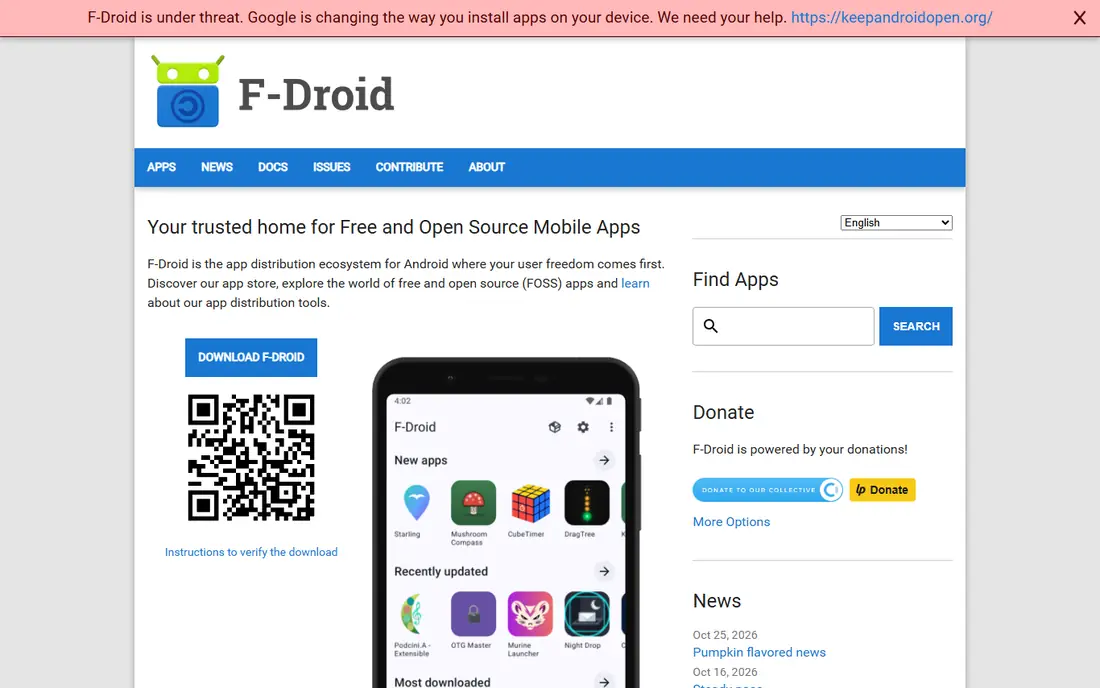
F-Droid is the cleanest lawful starting point for Android app management. Every app in the main catalogue is free and open-source, built from published source code, and listed without ads or tracking. That makes it a strong choice for privacy-minded users and for phones without Google services.
F-Droid cannot replace the Play Store for commercial apps, banking apps, or games that are not open source. Use it alongside Aurora Store or the Play Store for those needs.
- Only free and open-source apps
- Builds from source
- No tracking in the catalogue
- Catalogue is smaller than Play Store
- Some popular commercial apps are absent

Aurora Store is an open-source client for the Google Play catalogue. It lets users browse, install, and update free apps without signing in with a personal Google account, which appeals to people running de-Googled phones. It installs original packages from Play, not cracked copies.
Aurora Store does not make paid apps free, and apps tied to a purchase still depend on the account that bought them. Some apps also need Google services and may not work fully without them.
- Access to Play Store catalogue
- Anonymous sign-in option
- Update management
- Paid apps still need the buying account
- Some apps need Google services to work fully

App Manager gives users a detailed view of what is installed on their phone. It shows permissions, trackers, components, and app details in one place, and helps advanced users disable components or manage apps they own. For people who want control without piracy tools, it is a practical utility.
App Manager is a power tool, not a one-tap cleaner. Beginners should change one setting at a time and research components before disabling them.
- Detailed permission and tracker views
- Batch disable and export options
- Open source
- Advanced interface can overwhelm beginners
- Some features need root or Shizuku
Swift Backup focuses on the lawful job many people actually want: keeping app data safe when moving phones or testing changes. It supports batch backup and restore, plus local and cloud destinations, so users can keep a copy they control. That is a far safer route than patching store checks.
Swift Backup cannot back up every app fully without root, because Android limits what apps can read. Check which of your apps support full backup before relying on it alone.
- App and data backup
- Batch restore
- Cloud and local backup options
- Full app data backup works best with root
- Interface assumes some Android knowledge
Shelter uses Android work profiles to isolate apps from your main profile. That lets you freeze distracting or rarely used apps, keep work and personal apps apart, and limit what an app can reach. It is a lawful way to manage app behaviour without modifying licences.
Shelter setup takes care, and some phones handle work profiles differently. Test it with one app first, and keep your main profile backup current.
- Runs apps in a separate work profile
- Freezes apps you do not use
- Open source
- Setup uses Android work profiles, which can confuse beginners
- Some device makers limit profiles
Shizuku lets trusted apps use higher-level Android APIs without full root access. Tools like App Manager use it to inspect and manage apps more deeply, while keeping the phone closer to stock. For advanced users, it is a useful middle ground between normal permissions and rooting.
Shizuku setup involves wireless debugging or a computer, which puts off some users. Only grant Shizuku access to apps you trust, because that access is powerful.
- Lets trusted apps use system APIs
- No root needed for many uses
- Open source
- Setup needs wireless debugging or a computer step
- Only grant access to apps you trust
Obtainium tracks app releases directly from developer sources such as GitHub. Users add the source for each app they own, then check for updates in one place instead of visiting many project pages. That suits open-source users who want timely updates without a store account.
Obtainium does not find commercial Play Store apps and needs a source link for each app. It is best as a companion to F-Droid, not a full store replacement.
- Tracks releases from GitHub and other sources
- Update checks in one place
- Open source
- Only works for apps published openly
- Setup needs source links per app
ADB AppControl manages Android apps from a Windows computer over ADB. Users can disable bloatware, uninstall apps they do not want, and manage batches without root in many cases. For people comfortable with a PC, it is clearer than typing ADB commands by hand.
ADB AppControl needs USB debugging and a computer, and disabling the wrong system app can cause problems. Research each package before removing it, and keep a backup.
- Disable and uninstall system apps from a PC
- Batch management
- Clear interface
- Needs a computer and USB debugging
- Mistakes can disable useful system apps
How we picked these
We compared official feature pages, pricing pages, app store listings, and public reviews for each product, and we checked that every tool is currently available and truly fits the topic. We favoured tools with clear pricing, real support for the core job, and honest limits, and we left out tools that did not fit or could not be verified.
We did not claim hands-on testing. Our comparisons rest on published features, pricing, and documented strengths and weaknesses, which is why each write-up names a concrete strength and a concrete catch. Prices change, so check the vendor site before you buy.
We also checked fit in a stricter sense. A tool stayed on the list only if it serves the same core job as the original product, not merely a neighbouring job. That is why some well-known names were left out, even though they are popular in a wider category. A close name is not enough when daily use would feel wrong.
Finally, we weighed the cost of switching, not just the monthly price. Migration, training, data export, and support all shape the real total. A cheaper tool that forces a painful migration can cost more in staff time than a pricier tool that imports cleanly. Trial the shortlist on real work before you commit, and keep the old system running until the new one has proved itself. We also gave weight to support and documentation. A tool with clear guides, an active community, and responsive support is easier to adopt than a stronger tool with thin help. That matters most in the first month, when small setup questions can stall a rollout. Check support hours and response options before you rely on a tool for daily work.
Price checks were made from vendor pages and reputable comparisons in October 2026. Where a vendor does not publish a price, we wrote See website rather than guessing. That choice keeps the comparison honest, even if it means you need a quote for enterprise tools. Always confirm the current plan, seat minimum, and trial terms on the vendor site. Shortlists were kept to tools with a clear, current home on the web. If a product page was dead, vague, or unrelated, the product was dropped rather than kept for padding. That rule matters for readers, because a list full of dead links wastes the very time it claims to save.
How to choose a lawful app tool
Start with what you are allowed to do
Only manage, back up, or modify apps you own, and only where the app licence and store terms allow it. Developers set licence terms for a reason, and bypassing them can breach those terms and expose your device to tampered software.
Prefer open-source tools from official sources
Download from F-Droid, the project site, or a trusted repository, and check signatures where offered. Avoid repacked copies on random download sites, which are a common source of malware.
Check root, permissions, and backups before you start
Some tools need root or special permissions. Back up your phone first, test on one app, and keep a way back if something breaks. If a tool asks for broad access you do not understand, pause and research it.
One last check helps avoid regret. Ask each vendor how you leave, not just how you join. Data export, contract length, and cancellation terms matter when a tool stops fitting. A vendor that answers those questions plainly is usually easier to work with after the sale, too.
FAQ
Are these Lucky Patcher alternatives legal?
The tools listed here are legal when used for lawful purposes, such as managing open-source apps, backing up your own data, or modifying your own software where permitted. Using any tool to bypass paid licensing is not covered here and is excluded.
Can I get paid apps for free with these tools?
No. None of these tools are presented as a way to bypass purchases. Aurora Store still respects Play Store purchase rules, and paid apps need the account that bought them.
Do I need root for these tools?
Some do, some do not. F-Droid, Aurora Store, Shelter, and Obtainium work without root for most uses. Swift Backup and some App Manager features work best with root, so check each tool before installing.
Is F-Droid safe?
F-Droid builds open-source apps from source and signs them, which is a strong model. Still, only install apps you trust, keep your phone updated, and avoid adding unknown repositories.
What is the safest way to back up apps?
Use the backup tool built into your phone or Google account first, then add a tool like Swift Backup if you need app data. Test a restore on one app before relying on any backup for a full phone move.