Lovable AI Alternatives in 2026: 9 Tools Compared
Compare Lovable AI alternatives for 2026, from prompt-to-app builders like Bolt and v0 to no-code platforms like Bubble, Webflow, and Framer in this guide.
- Editor's choice
 Bolt.new
Fast prompt-to-preview app building in the browser
Starts at$25 per monthVisit bolt.newFull review - Great alternative
 v0
React interfaces with native Vercel deployment
Starts at$30 per monthVisit v0.devFull review - Also consider
 Replit
Full-stack apps with an IDE and hosting in one place
Starts at$20 per monthVisit replit.comFull review
TL;DR:
- Bolt.new and v0 are the closest prompt-to-app replacements for Lovable, with fast previews and code export.
- Replit and Cursor suit builders who want more control over code, hosting, and deployment.
- Bubble, Webflow, and Framer suit non-coders who want visual building without prompt-based generation.
- Every AI builder bills by credits or tokens, so the sticker price is a floor, not the full monthly cost.
Quick comparison
| Tool | Best for | Starts at | Free plan? | |
|---|---|---|---|---|
| Bolt.new | Fast prompt-to-preview app building in the browser | $25 per month | Yes | Visit |
| v0 | React interfaces with native Vercel deployment | $30 per month | Yes | Visit |
| Replit | Full-stack apps with an IDE and hosting in one place | $20 per month | Yes | Visit |
 Cursor | Developers who want AI help inside a real code editor | $20 per month | Yes | Visit |
 Bubble | No-code web apps with real databases and logic | $29 per month | Free trial | Visit |
 Webflow | Design-led websites with a visual CMS | See website | Yes | Visit |
 Framer | Polished sites and landing pages with minimal effort | See website | Yes | Visit |
 Glide | Internal tools built from spreadsheet data | See website | Yes | Visit |
 Softr | Client portals and apps from Airtable or Google Sheets | See website | Yes | Visit |
The best Lovable AI alternatives
Lovable made prompt-to-app building mainstream: describe an app, get a working web app with database, auth, and hosting, and export the code to GitHub. People look for alternatives when credits run out too fast, when they want a different framework, or when they prefer visual building over prompting. These tools cover those paths.
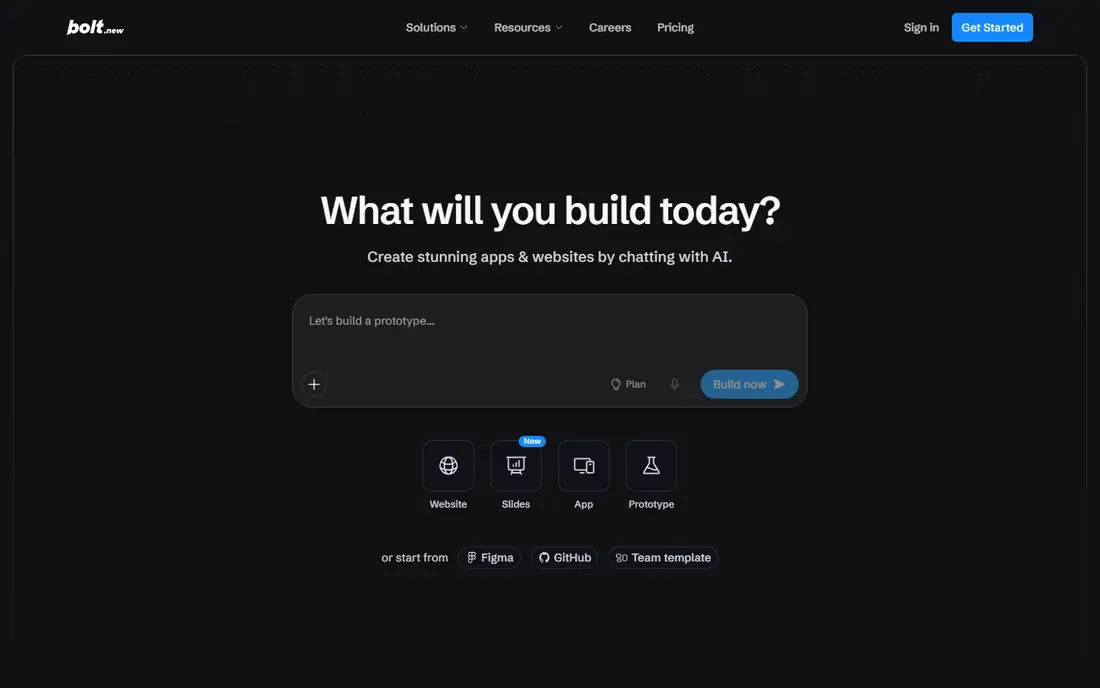
Bolt.new, built by StackBlitz, is the most direct Lovable rival. You describe an app, watch it build in the browser, and edit the result with prompts or code. It runs on WebContainers, so there is no local setup, and it supports React, Vue, Next.js, and other frameworks.
Pricing is token-based, with a free tier of 1 million tokens a month and Pro at $25 a month, or $18 a month billed annually. Heavy prompting burns tokens fast, so treat the free tier as a trial for one small app, not a production plan.
- Runs fully in the browser with instant previews
- Generates full-stack apps from prompts
- GitHub sync and deploy options
- Token-based billing can climb on large apps
- Complex apps still need manual fixes
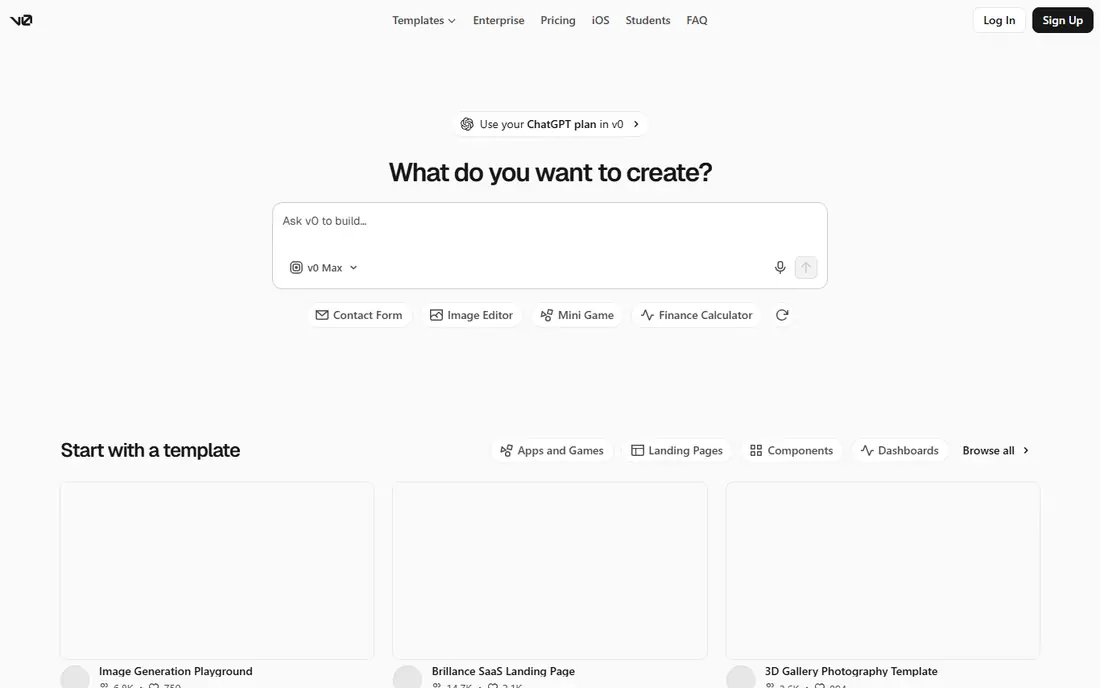
v0, from Vercel, excels at turning prompts into polished React and Next.js interfaces. If your priority is a beautiful frontend that deploys instantly to Vercel, v0 is hard to beat. It also handles iterations well, letting you refine a component or page through conversation.
The limit is backend depth. v0 is not a full-stack replacement for Lovable's Supabase-backed apps out of the box, so pair it with your own backend or database for data-heavy projects. Plus plans start around $30 a user a month with included credits.
- Clean, modern React output
- One-click deploy to Vercel
- Good for UI-first projects and design systems
- Frontend-first, with limited backend depth
- Credit-based pricing on top of the seat price

Replit combines a cloud development environment with an AI Agent that builds and edits apps from prompts. You get a real IDE, a built-in database, and deployment in the same workspace, which suits developers who want to move from prompt to code without switching tools.
Core plans start around $20 a month billed annually, with higher tiers for heavier agent use. Agent runs are billed by effort, so a large build can consume credits faster than expected. Budget for that if you plan to build several apps.
- Cloud IDE plus AI Agent
- Built-in database and one-click deploy
- Supports many languages
- Effort-based agent pricing is hard to predict
- Container limits suit small apps more than large ones
Cursor is not a Lovable clone, and that is the point for many switchers. It is an AI-powered code editor where you build and maintain real codebases with agent assistance, multi-file edits, and repo-wide context. If Lovable felt too limited once an app grew, Cursor gives you full control.
Pro starts around $20 a month, with a limited free tier. You will still need hosting, a database, and deployment setup, so Cursor suits builders who are comfortable with code or working with a developer.
- Full code editor with agent mode
- Works on your own codebase and repos
- Strong for production code
- Not a prompt-to-hosted-app tool
- You handle hosting and backend yourself
Bubble is the veteran no-code app platform, and it remains the strongest choice when you want to build a real web app without writing code or burning prompt credits. Its visual editor covers pages, data types, workflows, and user permissions, and its plugin library adds payments, maps, and integrations.
Starter plans start around $29 a month, billed by workload rather than prompts. That model suits apps that change slowly after launch. The trade-off is learning time: Bubble rewards a few weeks of practice in a way that prompt tools do not require.
- Visual builder with database, workflows, and user accounts
- No prompt credits to burn
- Large plugin library
- Learning curve is steeper than prompt builders
- Performance tuning matters at scale
Webflow suits teams whose priority is a beautiful, fast website rather than a complex app. Its designer gives pixel-level control, its CMS handles blogs and directories, and hosting is included. Many Lovable users who mainly need a marketing site plus simple forms find Webflow a better long-term home.
Check the pricing split. Site plans and workspace plans are separate, so confirm the total for your team before comparing with an all-in-one builder. A free starter plan lets you design and test before paying.
- Precise visual design control
- Built-in CMS and hosting
- Strong for marketing and content sites
- App logic is more limited than Bubble
- Pricing splits site plans and workspace plans
Framer is the quickest route to a good-looking site in this list. Its templates, AI generation, and visual editor produce modern landing pages and marketing sites in hours, with hosting and analytics included. Small teams that need a site live this week often pick Framer over a full app builder.
For apps with user accounts, complex data, or custom workflows, Framer will feel thin. Use it when the site is the product, not when the site needs to run a business process.
- Fast, design-focused builder
- Good templates and AI site generation
- Built-in hosting and analytics
- Less suited to database-heavy apps
- Advanced logic needs workarounds or embeds
Glide turns a spreadsheet or database into a working app with lists, forms, and user access, which makes it ideal for internal tools, directories, and simple portals. A team can ship a usable tool in a day without prompts, credits, or code.
Its limits show on polished customer-facing apps or complex logic. Glide is best when the data already exists in a sheet and the app is a better interface for it, not when you need a fully custom product.
- Turns sheets into apps quickly
- Good for portals, directories, and internal tools
- No code needed
- Design and logic limits for customer-facing apps
- Pricing scales with users and rows
Softr is built for portals, membership sites, and internal dashboards that sit on Airtable or Google Sheets. You define who sees what, build pages from your data, and publish a branded portal without code. Agencies use it for client dashboards, and teams use it for internal hubs.
If your app needs custom logic beyond what a data source and page blocks provide, Softr will frustrate you. For portals and directories, it is one of the fastest options here.
- Strong portal and membership features
- Works directly with Airtable and Sheets
- Quick setup for directories and dashboards
- Depends on your data source for logic
- Custom app behavior is limited
How we picked these
We compared official pricing pages, feature documentation, and code export options for each tool, and we favored options that are actively maintained in 2026. We included prompt builders, AI editors, and visual no-code platforms so that different reasons for leaving Lovable are covered. Where pricing is credit or token based, we noted that the headline price is not the full cost.
What to check before you switch
Decide whether you want to prompt, code, or build visually, because that choice narrows the list fast. Prompt builders suit quick prototypes, Cursor suits production code, and Bubble, Webflow, Framer, Glide, and Softr suit visual builders with different strengths.
Check code ownership and export
Confirm that you can export code or data and leave if needed. Bolt, v0, Replit, and Cursor all support GitHub workflows, while no-code platforms vary in how fully you can export an app. Avoid building a core business on a tool you cannot exit.
Budget for credits, not just seats
AI builders meter prompts, tokens, or agent effort. Track credit use during a trial week, and estimate a full build plus fixes, not just the first prompt. A $25 plan can easily become a $75 month on a large app.
Test with a real project
Build the same small app, such as a directory with search and a form, in your top two choices. That test reveals output quality, editing ease, and deployment friction far better than feature lists do.
FAQ
What is Lovable AI?
Lovable is a prompt-to-app builder that turns plain-language descriptions into full-stack web apps with a database, auth, and hosting, and lets you export the code to GitHub. It is popular for prototypes, MVPs, and internal tools.
Which Lovable alternative is closest to Lovable?
Bolt.new is the closest direct rival, with prompt-to-app building in the browser and GitHub sync. v0 is closest for React interfaces, while Replit is closest for developers who want an IDE plus hosting.
Are Lovable alternatives free?
Most offer free tiers or trials, but paid plans start around $20 to $30 a month, plus credit or token costs for heavy use. No-code platforms like Bubble and Webflow also offer free starter plans with limits.
Can I export my code from these tools?
Yes, to varying degrees. Bolt, v0, Replit, and Cursor support GitHub export or full code access. Visual no-code tools like Bubble and Webflow let you export data and, in some cases, code, but full app export is more limited.
Do I need to know how to code to use these tools?
No for prompt builders and no-code platforms, though code helps when fixing generated apps. Cursor assumes coding skill, while Bubble rewards learning its visual logic even without code.
Which alternative is best for a startup MVP?
Bolt.new or Lovable-style prompt builders are fastest for an MVP you can demo in days. If the MVP must scale into a real product, Replit or Cursor give you more control over code, while Bubble gives non-coders a path to a real app without prompts.