Best Kinsta Alternatives in 2026: 8 Managed WordPress Hosts Compared
Kinsta alternatives compared in 2026, from WP Engine and Rocket.net to SiteGround and Cloudways, with pricing, speed notes and best fits for growing sites.

- Editor's choice
 WP Engine
Premium managed WordPress
Starts at$30 per monthVisit wpengine.comFull review - Great alternative
 Rocket.net
Raw speed and edge caching
Starts at$30 per monthVisit rocket.netFull review - Also consider
 Cloudways
Flexible cloud hosting
Starts at$11 per monthVisit cloudways.comFull review
TL;DR:
- WP Engine and Rocket.net are the closest premium replacements for Kinsta, with managed WordPress focus and strong performance.
- Cloudways suits technical teams that want cloud choice and pay-as-you-go billing without a fixed managed plan.
- SiteGround and Hostinger suit smaller sites on a budget, but renewal prices matter more than intro prices.
- Pressable, Flywheel and Nexcess fill gaps for WooCommerce, design agencies and value-led managed hosting.
Quick comparison
| Tool | Best for | Starts at | Free plan? | |
|---|---|---|---|---|
| WP Engine | Premium managed WordPress | $30 per month | Free trial | Visit |
| Rocket.net | Raw speed and edge caching | $30 per month | Free trial | Visit |
| Cloudways | Flexible cloud hosting | $11 per month | Free trial | Visit |
 SiteGround | Support-led budget hosting | $2.99 per month | No | Visit |
 Pressable | WooCommerce and Automattic sites | $25 per month | Free trial | Visit |
 Flywheel | Designers and agencies | $15 per month | Free trial | Visit |
 Hostinger | Lowest-cost WordPress hosting | $2.99 per month | No | Visit |
 Nexcess | Managed WooCommerce hosting | $9 per month | Free trial | Visit |
The best Kinsta alternatives
Kinsta sets a high bar with Google Cloud hosting, edge caching and a polished dashboard, but its price and visit limits push many site owners to alternatives. Some want the same premium feel for less, some want cloud flexibility, and some just need a solid host for a small site. The options below cover all three needs, so start with your traffic and budget, not just with speed claims.
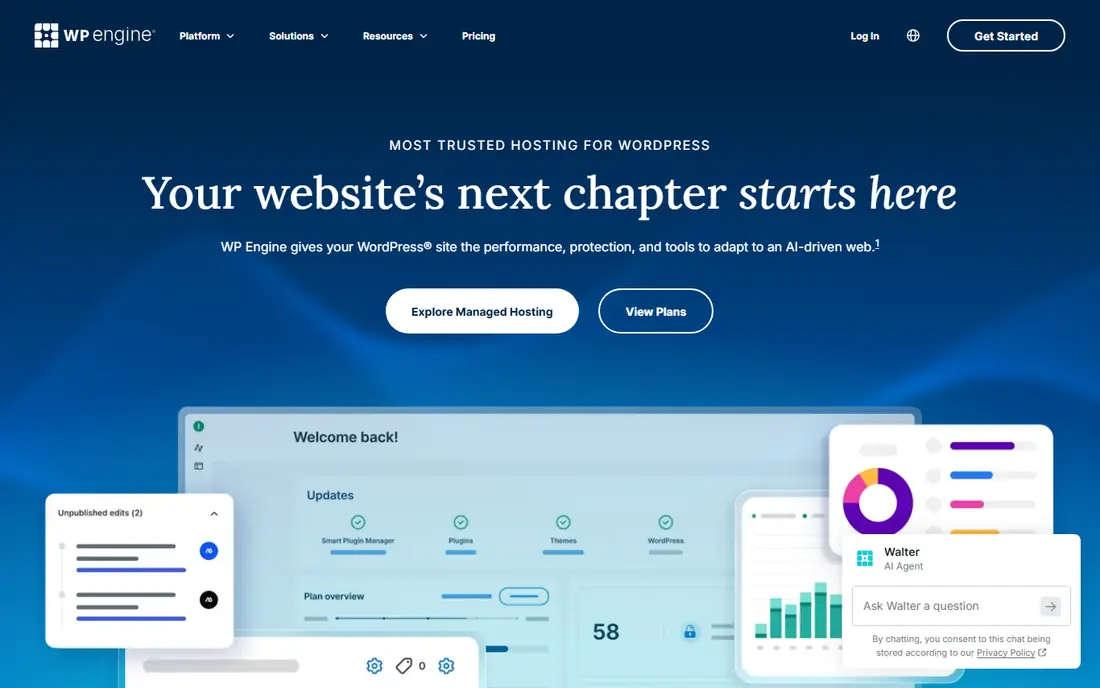
WP Engine is the most direct Kinsta rival for agencies and high-traffic sites. Plans start around 30 dollars per month billed annually for a single site, with higher tiers covering more sites and visits. Every site gets staging and development environments on higher plans, plus tools that check plugin updates visually before they go live across a portfolio.
Support is a real strength, with WordPress specialists available around the clock. The trade-off is cost, since agency tiers rise quickly and some features sit on higher plans. If you want premium managed hosting with a long track record and you already budget at Kinsta levels, WP Engine is the safest like-for-like switch.
- Managed WordPress expertise
- Staging and dev workflows
- Smart plugin update checks
- Costly at scale
- Pricing can be hard to compare across tiers

Rocket.net has built its name on speed, with edge caching, Cloudflare Enterprise integration and a simple managed WordPress stack. Plans start at 30 dollars per month, with no intro-price trap, which makes budgeting easier than with budget shared hosts. For a single high-traffic site where load time matters for sales or search, Rocket.net is a strong Kinsta alternative.
It is a smaller company than WP Engine, and agency workflow tools are less deep on entry plans. If you manage many client sites with complex handoff needs, WP Engine or Flywheel may fit better. If you manage a few sites and speed is the priority, Rocket.net is hard to ignore.
- Edge caching built in
- Cloudflare Enterprise features
- Simple pricing
- Smaller host than WP Engine
- Fewer agency tools on entry plans
Cloudways is not a traditional managed host. It lets you spin up a cloud server on providers such as DigitalOcean, Vultr or AWS, then manages the WordPress stack on top. Plans start around 11 dollars per month, with pay-as-you-go billing and no long contract, which suits technical teams and agencies that want control over server size and location.
That control means more work. Email and domains are not included, and you handle more server decisions than on Kinsta or WP Engine. A three-day trial lets you test the dashboard, but it is short. Choose Cloudways when you want cloud flexibility and cost control. Choose a fully managed host when you want support to handle the server for you.
- Choice of cloud providers
- Pay-as-you-go billing
- Unlimited sites on a server
- More technical than managed hosts
- No email or domain included
SiteGround suits small to mid-size sites that want helpful support without premium managed prices. Intro plans start at 2.99 dollars per month, with Google Cloud hosting, a free CDN, daily backups and email included. Its control panel and migration tools are friendly for beginners moving from shared hosting.
Renewal prices are the catch, rising to around 17.99 dollars per month on entry plans, so judge SiteGround on renewal cost, not intro cost. Visit and storage limits also matter on lower plans. If your site is small and support matters, SiteGround is good value. If traffic grows fast, a premium host will be more predictable.
- Strong support reputation
- Google Cloud base
- Free CDN and daily backups
- Steep renewal prices
- Visit limits on lower plans
Pressable, from Automattic, focuses on managed WordPress and WooCommerce hosting with concierge migration and agency reseller options. Plans start around 25 dollars per month billed monthly, or about 20.83 dollars billed annually, for a single site. That makes it a mid-priced managed option between budget shared hosts and Kinsta.
Its WooCommerce focus helps stores that need stable checkout performance and WordPress expertise. Plan limits for visits, storage and sites vary, so check the current pricing page for your store size. If you run a WooCommerce store in the WordPress ecosystem, Pressable is a natural Kinsta alternative to shortlist.
- Automattic ecosystem fit
- WooCommerce focus
- Managed performance
- Less well known than WP Engine
- Plan limits need checking
Flywheel, now part of WP Engine, targets designers and creative freelancers with a clean dashboard, free demo sites and simple client billing and handoff. Entry plans start around 15 dollars per month billed monthly, or 13 dollars billed annually, for a single site. That makes it cheaper to start than Kinsta or WP Engine for a small portfolio site.
Since Flywheel sits inside WP Engine, some plans and features overlap, and larger agencies may end up on WP Engine tiers anyway. For a designer with a handful of client sites, Flywheel still offers a calmer workflow than a generic host. Check current Flywheel and WP Engine pages together, since naming and tiers have shifted over time.
- Designer-friendly dashboard
- Client handoff tools
- Free demo sites
- Now part of WP Engine, so plans overlap
- Higher tiers cost more
Hostinger is the budget pick here, with managed WordPress plans from 2.99 dollars per month on a 48-month term, renewing around 10.99 dollars per month. It includes an AI website builder, free migration and a free domain for the first year on many plans, which helps beginners launch quickly.
Entry plans use weekly backups and chat-only support, and the best price needs a long term. That is fine for a new blog or small business site, but not ideal for a store or a high-traffic site. If budget is the main driver and traffic is low, Hostinger is good value. If uptime and support matter more, spend more on a managed host.
- Very low intro price
- AI website builder
- Free domain for a year on some plans
- Renewal price jumps
- Support is chat only on lower plans
- Weekly backups on entry plan
Nexcess, part of Liquid Web, offers managed WordPress and WooCommerce hosting from around 9 dollars per month, with no intro-price trap on many plans. It includes staging, visual checks for plugin updates and daily backups, which helps store owners avoid broken updates. That makes it a solid mid-priced alternative to Kinsta for WooCommerce in particular.
Domains and email are not included, so budget for those separately. The dashboard is functional rather than polished, and support quality varies by plan. For a store owner who wants managed hosting without premium prices, Nexcess is a practical pick. For an agency that lives in its dashboard all day, Kinsta or WP Engine will feel smoother.
- Managed WordPress and WooCommerce focus
- Visual update checks
- Fair renewal pricing
- No domain or email included
- Dashboard is less polished than Kinsta
How we picked these
We compared official pricing pages, hosting reviews and public plan data, and kept only hosts that offer live managed or cloud WordPress hosting today. We favoured a mix of premium, mid-priced and budget options, and we flagged renewal prices where they differ sharply from intro prices. We did not claim hands-on testing, and prices should be checked on vendor sites, since hosting prices and visit limits change often.
What to check before you switch
Start with traffic, storage and visits. Kinsta and premium rivals charge by visits and storage, while budget hosts charge by sites and term length, so compare like with like. Next, check what is included: CDN, backups, staging, email, domains and migration help all affect total cost.
Test migration with a staging copy first, and check speed, forms and checkout before you point your domain at the new host. Also check support hours and response times, since a fast host with slow support can cost more in downtime than a slightly slower host with strong help. Keep your old host live until the new site is proven.
FAQ
What is the best Kinsta alternative for most sites?
WP Engine is the safest premium replacement, while Rocket.net suits speed-focused sites. For smaller sites, SiteGround or Hostinger offer good value, provided you check renewal prices.
Is Cloudways cheaper than Kinsta?
Cloudways can be cheaper, with plans from around 11 dollars per month, but it is more technical and does not include email or domains. Total cost depends on server size, add-ons and how much management you do yourself.
Which Kinsta alternative is best for WooCommerce?
Pressable and Nexcess are strong WooCommerce picks, with managed performance and update checks for stores. WP Engine also handles WooCommerce well at higher tiers.
Do Kinsta alternatives include free migration?
Most premium and mid-priced hosts in this list offer free migration, including WP Engine, Rocket.net, SiteGround, Pressable and Nexcess. Check whether migration covers one site or unlimited sites on your plan.
Should I judge a host by its intro price?
No. Budget hosts often rise sharply at renewal, while premium hosts usually hold their price. Compare renewal price, visit limits, storage and included features over two years, not just the first term.
Sources
- https://wpengine.com/plans/
- https://rocket.net/pricing/
- https://www.cloudways.com/en/pricing.php
- https://www.siteground.com/wordpress-hosting.htm
- https://pressable.com/pricing/
- https://getflywheel.com/pricing/
- https://www.hostinger.com/wordpress-hosting
- https://www.nexcess.net/managed-wordpress-hosting/