Best Email Alternatives for Teams in 2026: 9 Tools Compared
Looking for email alternatives for teams? We compare 9 chat and collaboration tools that cut inbox overload and keep team decisions searchable in 2026.
- Editor's choice
 Slack
Everyday team chat
Starts at$7.25 per user per monthVisit slack.comFull review - Great alternative
 Microsoft Teams
Microsoft 365 teams
Starts at$4 per user per monthVisit microsoft.comFull review - Also consider
 Google Chat
Google Workspace teams
Starts atSee websiteVisit workspace.google.comFull review
TL;DR:
- Slack is our pick for most teams replacing internal email, with channels, threads, and a large integration library.
- Microsoft Teams and Google Chat are the cheapest options for companies already on Microsoft 365 or Google Workspace, since they are bundled.
- Mattermost and Rocket.Chat suit teams that need to host chat themselves for privacy or compliance reasons.
- Twist suits async teams that want fewer interruptions, while Discord suits informal, always-on communities and small creative teams.
- No tool removes email entirely, since clients and outside partners still use it, so pick a tool that reduces internal mail rather than promising to end it.
Quick comparison
| Tool | Best for | Starts at | Free plan? | |
|---|---|---|---|---|
| Slack | Everyday team chat | $7.25 per user per month | Yes | Visit |
| Microsoft Teams | Microsoft 365 teams | $4 per user per month | Yes | Visit |
| Google Chat | Google Workspace teams | See website | Yes | Visit |
 Mattermost | Self-hosted chat | Free | Yes | Visit |
 Rocket.Chat | Self-hosted communities | Free | Yes | Visit |
 Twist | Calm async work | See website | Free trial | Visit |
 Zoho Cliq | Zoho teams | See website | Yes | Visit |
 Discord | Informal team servers | Free | Yes | Visit |
 Flock | Small team chat | See website | Yes | Visit |
The best email alternatives for teams
Internal email buries decisions in inboxes and long threads. These tools move team talk into searchable channels, where questions, files, and answers stay visible to everyone who needs them.
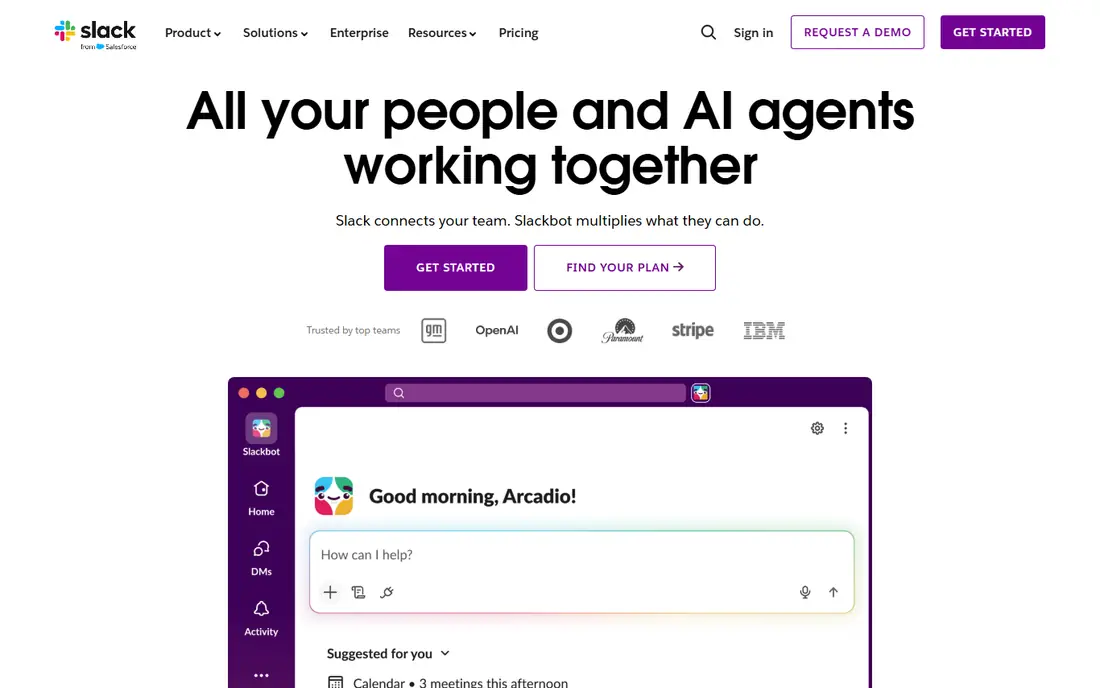
Slack replaces the bulk of internal email for many teams. A question posted in a channel gets answered where the whole team can see it, instead of living in one inbox. Threads keep side talk tidy, files stay with the conversation, and integrations pull in updates from project tools, code, and support desks.
The free plan is a good test, but the 90-day history limit means older decisions disappear from search. Paid Pro removes that limit and adds group huddles and unlimited apps, so budget for paid seats if chat becomes your record of decisions.
- Channels and threads that scale
- Huge integration library
- Huddles for quick calls
- Free plan limits history to 90 days
- Per-user cost grows with headcount
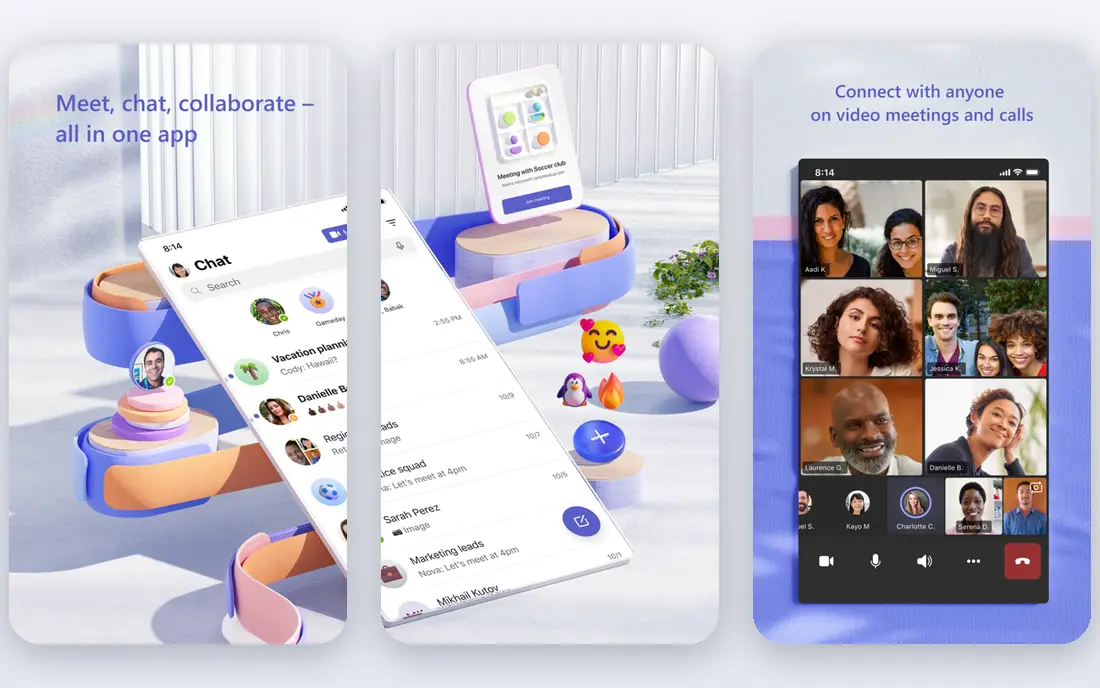
Microsoft Teams is the easiest email alternative for Microsoft shops, because it is already included in many Microsoft 365 plans. Chat, channels, meetings, and file editing live in one app, and documents open in Word, Excel, or PowerPoint without leaving the conversation. That closeness to Office files is a real advantage for document-heavy teams.
Teams is stronger on meetings than on pure chat culture, and some users find the interface crowded. If your team already pays for Microsoft 365, though, the marginal cost is low, and that alone makes it worth trying first.
- Bundled with Microsoft 365
- Strong meetings and document collaboration
- Guest access for partners
- Chat threading is less polished than Slack
- Interface can feel busy

Google Chat gives Google Workspace teams a simple way to move internal talk out of email. Spaces hold ongoing conversation, files, and tasks, and Meet calls start from the same place. Because it shares the Workspace login, setup is minimal and there is no extra vendor to manage.
It is less rich than Slack for power users, with a smaller integration catalog. For teams that already live in Gmail and Drive, that simplicity is often a benefit, not a drawback, since staff already know the system.
- Included with Google Workspace
- Simple spaces for teams
- Tight Gmail, Drive, and Meet links
- Fewer integrations than Slack
- No standalone business plan outside Workspace
Mattermost suits teams that cannot put internal conversations on a public cloud service. Hosting it yourself keeps messages inside your network and helps meet compliance rules for regulated industries. The day-to-day experience is close to Slack, with channels, direct messages, and integrations for developer tools.
Self-hosting adds work: installation, updates, backups, and monitoring all fall to your team. For companies with IT capacity and strict data rules, that control is worth it. For others, a hosted tool will be simpler.
- Open source and self-hosted
- Strong security controls
- Channels, threads, and integrations
- Needs technical staff to run
- Hosted plans are priced per user
Rocket.Chat offers a self-hosted alternative with extra community features. A company can run internal channels and also use the same platform for customer support chat, which suits teams that want one system for both. It supports a wide range of integrations and deployment options.
As with Mattermost, you own uptime and upgrades, so it fits organizations that already run their own servers. Teams without that capacity should choose a hosted option and avoid the maintenance burden.
- Open source with self-hosting
- Community and support chat options
- Broad integrations
- Setup needs technical skill
- Interface can feel busy for new users
Twist was built for teams tired of constant chat pressure. Every conversation is a thread with a subject, so people can read in order and reply when they have time, instead of chasing a fast-moving channel. That design suits remote teams across time zones, where real-time chat often means someone is always out of sync.
The calm pace is also the limit. Teams that need rapid back-and-forth, live support, or constant presence may find Twist too slow. For written-first, async teams, it cuts email and chat noise at the same time.
- Thread-first design reduces noise
- Good for teams across time zones
- Clean, focused interface
- Smaller integration library
- Less suited to teams that need instant answers
Zoho Cliq gives Zoho shops a built-in chat tool that sits alongside Zoho mail, projects, and CRM. Channels organize team talk, audio and video calls start from chat, and bots can automate simple tasks. A free plan lets small teams start without a new bill.
Outside the Zoho world, the integration list is smaller than Slack, and some advanced chat features are missing. For teams already using Zoho, the shared login and app links make Cliq a natural email replacement.
- Channels, calls, and bots in one app
- Good for Zoho users
- Free plan available
- Smaller ecosystem outside Zoho
- Chat features are simpler than Slack
Discord started for gaming communities, but many small creative teams, startups, and open source projects use it as their main chat tool. Voice channels let people drop in and talk without scheduling a call, text channels organize topics, and roles control who can see what. The free tier is generous, which makes it easy to start.
It is less suited to formal business use. Admin controls, compliance features, and enterprise support are lighter than Slack or Teams, and the informal culture may not fit every company. For small, informal teams, it is a strong free option.
- Free servers with voice channels
- Roles and permissions
- Strong for always-on communities
- Less business-focused than Slack or Teams
- Admin controls are lighter on free plans
Flock combines chat with small productivity tools, including tasks, polls, shared notes, and reminders, all inside the same app. That bundle suits small teams that want to replace both email and a few separate tools at once, without paying for a large platform. Setup is quick, and the free plan covers basic team use.
The integration catalog is smaller than Slack, so teams that rely on many third-party apps may hit limits. For a small team that wants chat plus light task management in one place, Flock is a practical pick.
- Channels plus built-in tasks, polls, and notes
- Simple setup
- Free plan available
- Smaller integration library
- Less well known than the leaders
How we picked these
We compared official pricing pages, channel and thread features, hosting options, and public reviews for team chat tools live in October 2026. We included bundled suite tools, standalone chat apps, self-hosted options, and async-first tools, since teams replace email for different reasons. Prices are starting prices from vendor pages and pricing roundups checked in October 2026, and bundled tools are marked as such.
How to move a team off internal email
Start with rules, not software. Decide what belongs in chat, what belongs in a project tool, and what still belongs in email, such as messages to clients and formal approvals. Without those rules, chat becomes a second inbox, and staff end up checking both.
Next, move one team or project first. Create channels for real work, post decisions there instead of in email threads, and pin key files and links. Once that team works well, roll out to others with a short guide and a list of channels. Keep external email for clients and partners, and do not try to force outsiders into your chat tool unless they want to join.
Reducing notification overload
Chat tools can create more interruptions than email if alerts are left on for every channel. Teach staff to mute low-priority channels, use threads, and set working hours. Twist-style async habits help here too: not every message needs an instant reply, and a clear response-time expectation prevents burnout.
FAQ
What is the best email alternative for teams?
Slack is the best general pick for daily team chat, while Microsoft Teams and Google Chat are best for companies already on those suites. Mattermost suits teams that need self-hosting, and Twist suits async teams.
Can these tools fully replace email?
For internal team talk, yes, in most cases. For external communication with clients, suppliers, and partners, email remains the standard, so expect to keep email for outside messages even after internal mail drops sharply.
Which email alternative is free?
Slack, Mattermost, Rocket.Chat, Discord, Flock, and Zoho Cliq all offer free plans or free self-hosted versions. Free plans usually limit history, storage, or admin controls, so check those limits before relying on them.
Is Slack or Teams better for small teams?
Slack is easier to adopt for mixed-tool teams, with a larger integration library and a simpler chat model. Teams is better value for Microsoft 365 shops, since it is often already included in the plan you pay for.
How do I stop chat from becoming another inbox?
Set channel rules, use threads for side talk, mute low-priority channels, and move project work into a project tool instead of chat. A short team guide on what goes where matters more than any single feature.