Best Cribl Alternatives in 2026: 9 Tools Compared
Looking for cribl alternatives? We compare 9 observability pipeline and monitoring tools on routing, cost control, and fit for your data stack today in 2026.
- Editor's choice
 Vector
Open source data routing
Starts atFreeVisit vector.devFull review - Great alternative
 Datadog
Full-stack cloud monitoring
Starts at$15 per host per monthVisit datadoghq.comFull review - Also consider
 Splunk Observability Cloud
Enterprise Splunk estates
Starts at$15 per host per monthVisit splunk.comFull review
TL;DR:
- Cribl is a pipeline tool first, so the right replacement depends on whether you need routing, storage, or full monitoring.
- Vector and OpenObserve are the strongest low-cost options for teams that want control over data and hosting.
- Datadog and Splunk suit large teams that want one platform, but both can grow expensive as volume rises.
- Grafana Cloud is a good middle path for teams already invested in Grafana dashboards and open standards.
- Always test with a real data sample, since pipeline costs depend on volume, format, and destination mix.
Quick comparison
| Tool | Best for | Starts at | Free plan? | |
|---|---|---|---|---|
| Vector | Open source data routing | Free | Yes | Visit |
| Datadog | Full-stack cloud monitoring | $15 per host per month | No | Visit |
| Splunk Observability Cloud | Enterprise Splunk estates | $15 per host per month | No | Visit |
 Grafana Cloud | Grafana-based observability | $19 per month | Yes | Visit |
 Mezmo | Log pipelines and cost control | See website | No | Visit |
 Elastic Observability | Search-led log and APM work | See website | Yes | Visit |
 New Relic | APM with a generous free tier | Free | Yes | Visit |
 Dynatrace | Automated full-stack monitoring | See website | No | Visit |
 OpenObserve | Low-cost self-hosted observability | Free | Yes | Visit |
The best cribl alternatives
Cribl Stream collects, reduces, enriches, and routes telemetry data to different destinations, which helps teams cut the volume they send to expensive analytics tools. Some teams leave Cribl because they want monitoring and pipelines in one product, while others want a cheaper or simpler router. The tools below cover both paths, and we compared their published pricing, deployment options, and documented features.
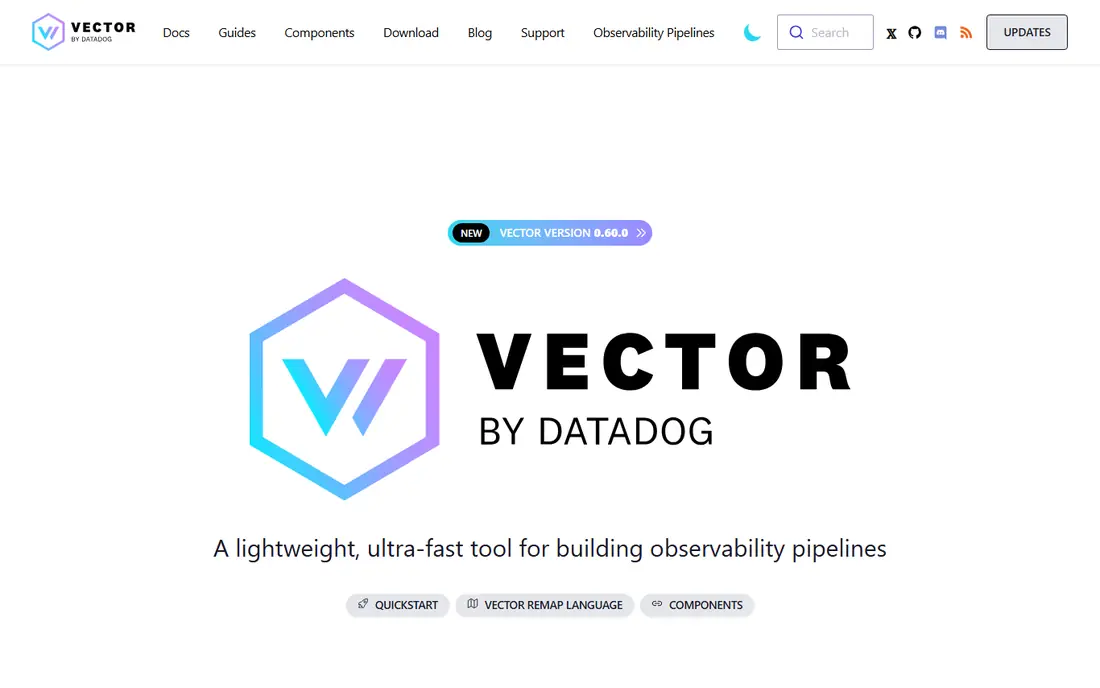
Vector is the closest open source match for Cribl Stream as a pipeline. It collects logs, metrics, and traces, lets you filter, reshape, and route them, and sends the results to many destinations. Because it is free software, you pay with engineering time rather than a license, and you keep full control over where data flows.
The honest catch is that Vector is a component, not a complete observability platform. You still need somewhere to store and query the data, such as Grafana, Elastic, or a data lake. Teams with pipeline skills will like that freedom. Teams that want a vendor to run the whole stack should look at a managed option instead.
- Free and open source
- Wide source and sink support
- Strong transforms and filtering
- Needs engineering time to run
- No managed analytics UI on its own
- Support comes via community or vendors
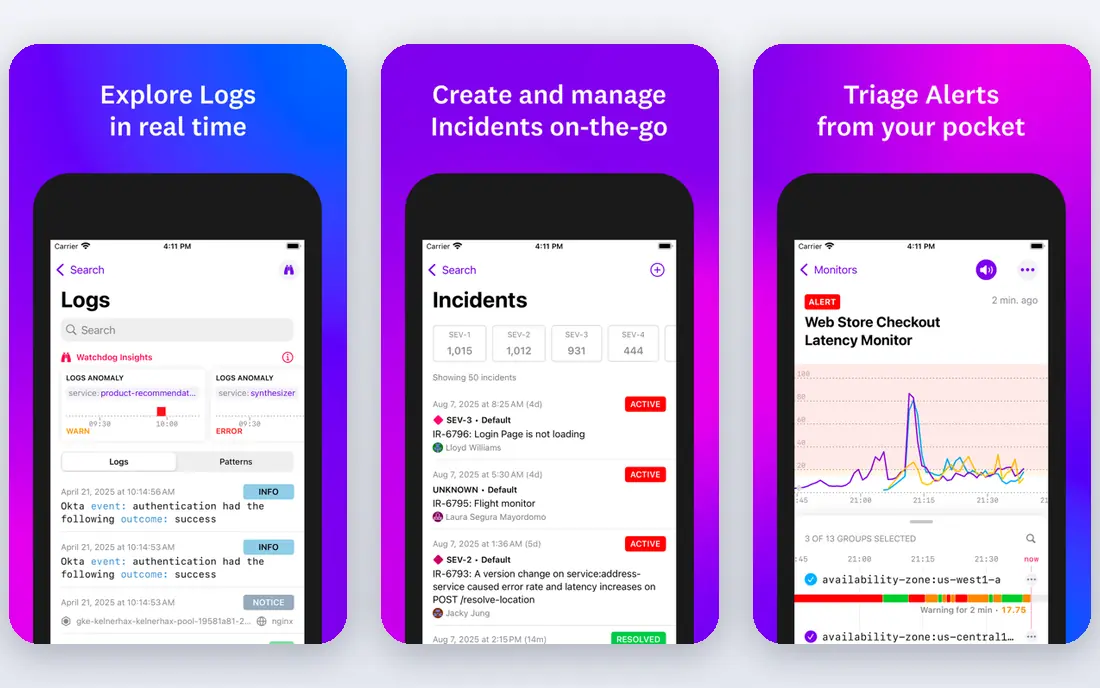
Datadog is the default choice for cloud teams that want everything in one platform. Infrastructure monitoring starts at $15 per host per month billed yearly, with logs priced by ingest volume on top, and APM starting higher per host. That breadth covers containers, cloud services, applications, and user experience without stitching tools together.
Cost control is the main risk. Each product bills separately, and log volume, custom metrics, and retention can push a bill well past the headline host price. Teams that adopt Datadog should set ingest filters, retention rules, and budget alerts from day one. If you do that work, it is a powerful single platform. If you skip it, the bill is the surprise.
- Very wide integration catalog
- Logs, metrics, traces, and security in one place
- Strong dashboards and alerts
- Bills can grow fast with volume
- Pricing has many separate products
- Learning curve for cost control

Splunk Observability Cloud makes sense first for teams already invested in Splunk. Infrastructure monitoring starts at $15 per host per month billed yearly, with app and end-to-end tiers at $60 and $75 per host per month. Its streaming analytics give fast alerts and detailed traces for distributed applications, which matters during incidents.
The catch is that this is not a cheap Cribl replacement on its own. Many teams still use a pipeline in front of Splunk to control volume, and log storage can require a separate Splunk platform license. If your company already pays for Splunk and your staff know its query language, staying in that family is sensible. If not, a lighter stack may cost less.
- Strong fit for existing Splunk users
- Real-time streaming analytics
- Infrastructure, APM, and user monitoring
- Higher tiers cost much more per host
- Log storage often needs a separate Splunk license
- Complex pricing
Grafana Cloud bundles logs, metrics, and traces behind the dashboards many engineers already know. A free tier lets small teams start, and the Pro plan starts at $19 per month plus usage, with per-user charges on top. OpenTelemetry support and Grafana Alloy give it a modern collection path that fits well with Vector or other pipelines.
The trade-off is that Grafana Cloud is really several backends under one account, and each one bills by usage. That is flexible, but it means you need to watch ingest and retention across logs, metrics, and traces separately. Teams already comfortable with Grafana will feel at home. Teams new to it should budget time for setup and cost checks.
- Free tier to start
- Open standards and OpenTelemetry support
- Familiar dashboards for many engineers
- Usage charges add up
- Some features need paid tiers
- Setup across several backends takes care
Mezmo, formerly known as LogDNA, focuses on log data pipelines and analysis, which makes it one of the more direct Cribl-style options. It lets teams shape log data before it reaches storage, route it to different tools, and control which data is kept. That pipeline thinking appeals to teams whose main pain is log volume and cost.
The limit is scope. Mezmo does not try to match Datadog across infrastructure, APM, security, and user monitoring, so teams that want one platform will still need other tools. Pricing also varies by use, so ask for a quote based on your daily volume. For log-heavy teams, that focused scope is a plus rather than a gap.
- Pipeline controls for logs
- Routing to multiple destinations
- Focus on reducing ingest cost
- Pricing is quote-based for many buyers
- Narrower than a full monitoring suite
- Smaller ecosystem than Datadog
Elastic Observability builds on Elasticsearch, so it excels when teams need fast search across large log sets. It covers logs, metrics, traces, and security signals, and it can run as a managed service or on your own infrastructure. Teams with Elasticsearch experience often prefer it because queries feel natural and data stays in a format they control.
Operating it well is the challenge. Clusters need sizing, care, and upgrades, and managed pricing depends on capacity tiers rather than a simple per-host figure. Small teams may find the managed service easier, while larger teams with platform staff get the most from self-hosting. Either way, search quality is the reason to pick Elastic over a simpler log viewer.
- Powerful search over logs and traces
- Self-hosting option
- Open source roots
- Running Elasticsearch well takes skill
- Pricing tiers can confuse
- Resource use can be high
New Relic is a friendly starting point for application teams. Its free tier includes 100 GB of ingest per month, which lets small teams monitor real applications without paying at first. Beyond that, ingest costs around $0.40 per GB, with per-user charges for full platform access on paid plans. APM, infrastructure, logs, and traces sit in one interface, which shortens incident work.
The catch appears as teams grow. Full platform seats are expensive, and heavy log volume can push costs up quickly. New Relic works best when application performance is the priority and log volume is kept under control with filters. Teams with huge log estates should pair it with a pipeline or pick a log-first tool.
- Free 100 GB per month ingest
- APM, logs, and traces in one platform
- Straightforward onboarding
- Full platform user pricing is high
- Costs rise with data volume
- Some advanced features need paid tiers
Dynatrace suits complex estates where automatic discovery matters. Its agent finds services, maps dependencies, and links problems to likely causes, which helps large teams during incidents. Infrastructure monitoring runs around $29 per host per month on consumption pricing, with other products billed by their own units.
That depth comes with cost and complexity. Pricing is consumption-based and usually confirmed through sales, so small teams may find it more than they need. Large enterprises with many services, on-prem systems, and cloud workloads get the most value, since the automatic mapping saves work that would otherwise fall to engineers.
- Automatic discovery and dependency mapping
- Strong APM and infrastructure coverage
- AI-assisted problem detection
- Quote-based pricing
- Can feel heavy for small teams
- Depth takes time to learn
OpenObserve is a newer option that appeals to cost-conscious teams. Its core is open source, it can run on your own infrastructure with your own object storage, and its cloud pricing is based on ingest rather than per-host or per-seat fees. That model suits teams whose host counts change often, since scaling containers does not by itself raise the bill.
Youth is the trade-off. Its integration catalog and enterprise features are not as deep as those of long-established vendors, and self-hosting still needs operational attention. For teams comfortable running their own stack and wanting to cut observability spend, though, OpenObserve is a credible and refreshingly simple option.
- Low ingest-based cost model
- Self-hosting with your own object storage
- Logs, metrics, and traces in one tool
- Younger product than Splunk or Datadog
- Smaller integration catalog
- Self-hosting needs care
How we picked these
We compared official pricing pages, product docs, and public comparisons for pipeline tools and full observability platforms, and we confirmed each product is still sold in October 2026. We included pure pipelines, open source routers, and full platforms because Cribl buyers split into those two groups. Where pricing is quote-based or capacity-based, we wrote See website rather than guessing a total.
How to choose between a pipeline and a platform
Start by naming the job you want the new tool to do. If your analytics tool already works and your problem is volume, cost, or routing, a pipeline such as Vector, Mezmo, or OpenObserve is the right shape. If your problem is that you have no good monitoring at all, a platform such as Datadog, New Relic, or Grafana Cloud will serve you better, even if it costs more per month.
Run a volume test first
Measure daily ingest, the share of logs you actually query, and the destinations you must feed, such as a SIEM, a data lake, or an APM tool. Then run a pilot with real traffic for at least two weeks. That test shows whether filtering rules work, whether costs stay in range, and whether alerts fire the way your team expects during a real incident.
Check data control and retention
Ask where data lives, how long it is kept, and how hard it is to export. Teams in regulated fields need clear answers on residency and retention, and every team benefits from an exit plan. A tool that makes export easy is worth more than a slightly cheaper tool that locks your history inside a proprietary store.
FAQ
What is the closest alternative to Cribl Stream?
Vector is the closest open source match for routing, filtering, and transforming telemetry data. Mezmo is a closer managed option for log pipelines. Neither is a full monitoring platform on its own, so pair them with a storage and query tool if you need dashboards and alerts.
Can I replace Cribl with Datadog or Splunk?
You can, but it is a different purchase. Datadog and Splunk give you monitoring, dashboards, and alerts in one platform, while Cribl is a pipeline that feeds those platforms. Many teams keep a pipeline in front of Datadog or Splunk to control volume, even after adopting a full platform.
Is there a free Cribl alternative?
Yes. Vector and OpenObserve both offer free, self-hosted options, and Grafana Cloud and New Relic offer free tiers. Free does not mean free to run, since self-hosting needs engineering time, but the license cost is zero.
How do I cut observability costs when moving from Cribl?
Filter noisy logs at the pipeline, drop fields you never query, set retention by data type, and route low-value data to cheap object storage. Then set budget alerts on ingest and host counts. Most cost surprises come from volume and retention, not from the headline per-host price.
Do these tools support OpenTelemetry?
Most do, including Grafana Cloud, Elastic, Datadog, Dynatrace, New Relic, and OpenObserve, though the depth of support varies. Check that your collectors, SDKs, and exporters match the vendor docs before you migrate, and test trace sampling on a real service.