Best ConnectWise Cloud Backup Alternatives in 2026: 8 Tools Compared
Looking for connectwise cloud backup alternatives? We compare 8 backup and recovery tools for MSPs and IT teams on price, storage and restore options.
- Editor's choice
 Acronis Cyber Protect Cloud
Backup plus endpoint security in one agent
Starts at$85 per year per workstationVisit acronis.comFull review - Great alternative
 Veeam Data Platform
Virtual and hybrid estates
Starts at$428 per year per 5 instancesVisit veeam.comFull review - Also consider
 Datto SIRIS
MSPs wanting appliance plus cloud recovery
Starts atSee websiteVisit datto.comFull review
TL;DR:
- Acronis Cyber Protect Cloud is the closest all-in-one swap, pairing backup with endpoint security in a single agent.
- Veeam and Datto suit larger or more complex estates, but both lean on partners or quotes rather than published prices.
- Comet Backup and MSP360 give smaller MSPs control over storage costs by letting them bring their own storage.
- IDrive Business is the budget pick for small teams that mainly need simple, storage-based cloud backup.
- Always test a full restore before you commit, since backup speed means little if recovery is slow or fiddly.
Quick comparison
| Tool | Best for | Starts at | Free plan? | |
|---|---|---|---|---|
| Acronis Cyber Protect Cloud | Backup plus endpoint security in one agent | $85 per year per workstation | Free trial | Visit |
| Veeam Data Platform | Virtual and hybrid estates | $428 per year per 5 instances | Free trial | Visit |
| Datto SIRIS | MSPs wanting appliance plus cloud recovery | See website | Free trial | Visit |
 Cove Data Protection | MSPs that want flat, pooled pricing | See website | Free trial | Visit |
 Axcient x360Recover | Fast virtual failover for client sites | See website | Free trial | Visit |
 Comet Backup | MSPs that want their own storage | See website | Free trial | Visit |
 MSP360 Managed Backup | Bring-your-own-storage backup | See website | Free trial | Visit |
 IDrive Business | Small teams on a storage budget | $19.99 per month | Free trial | Visit |
The best connectwise cloud backup alternatives
ConnectWise backup tools are built for MSPs, so the strongest replacements share that focus: multi-tenant consoles, per-client billing, and recovery options that work when a client site is down. These eight cover that ground from different angles.
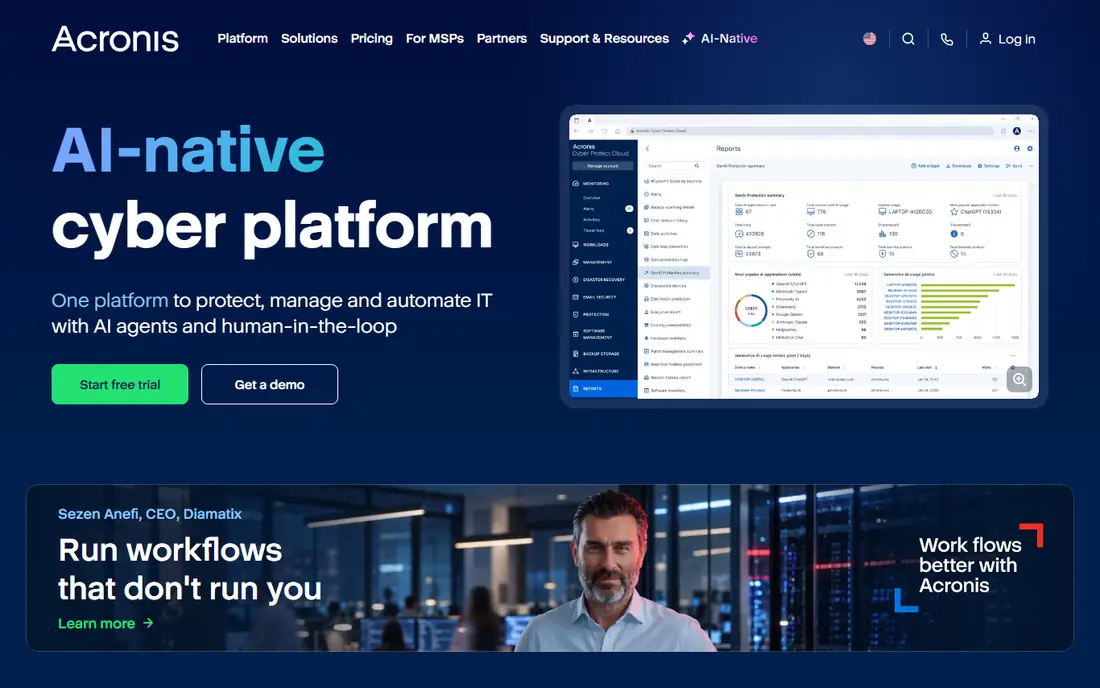
Acronis is the most direct answer for MSPs that want one console and one agent per machine. It backs up workstations, servers, virtual machines and Microsoft 365, and it adds anti-malware, ransomware defense and patch management to the same agent. That consolidation matters when you are managing dozens of small clients and do not want four dashboards open at once.
The trade-off is price structure. Workstation pricing starts at $85 per year, while server pricing runs higher, and cloud storage beyond included amounts adds cost. Teams that already run a separate endpoint security product may find they are paying twice for overlapping protection. Still, for an MSP that wants to simplify its stack, Acronis is a strong first shortlist entry.
- Combines backup, anti-malware and patching in one agent
- Includes cloud storage options
- Wide platform coverage
- Per-workload pricing adds up fast
- Security features may duplicate tools you already own
Veeam is the heavyweight choice for virtualized environments. Its Backup and Replication engine handles VMware, Hyper-V, cloud and physical workloads, with instant recovery that can spin up a VM straight from a backup file. For MSPs and IT teams with serious recovery time targets, that speed is the main selling point.
The catch is complexity and buying route. Entry Essentials pricing is published, but larger deployments go through partners and quotes, so budgeting takes a conversation rather than a glance at a page. Smaller MSPs may also find the console overpowered for simple file and workstation backup. If your clients run virtual servers, though, Veeam is hard to beat on recovery depth.
- Strong instant recovery and replication
- Hardened immutable repository options
- Broad hypervisor and cloud support
- Sold through partners with quote-based pricing above entry tiers
- Setup takes real expertise

Datto SIRIS, from Kaseya, pairs an on-site appliance with cloud backup and virtualization. When a server fails, you can spin it up locally on the appliance or in the Datto cloud, which keeps a client running while hardware is repaired. Screenshot verification gives you visual proof that backups actually boot, which is a useful check before a real incident.
Because Datto sells through its partner program, you will not find a price list to compare directly. That is normal for MSP-focused vendors, but it does slow down evaluation. The appliance approach also means planning hardware per site. For MSPs that sell backup as a managed service, SIRIS remains one of the most proven options in this space.
- Local appliance plus cloud virtualization
- Screenshot-verified backups
- Built for MSP delivery
- No published pricing
- Appliance model adds hardware planning
Cove Data Protection, formerly N-able Backup, is built around a simple idea: one flat price per server or workstation, with a defined amount of cloud storage included and pooled across your customer base. Smaller devices that use less storage can offset larger ones, which makes monthly bills more predictable than pure per-gigabyte pricing.
Its restore approach only sends changed data blocks, which helps recovery speed over slower connections. The downside is that you need to talk to sales for pricing, and the product naturally fits best alongside other N-able tools. If you already use N-able RMM, Cove is the path of least resistance.
- One flat rate per device with storage included
- Pooled storage across clients
- True delta restore technology
- Pricing is quote-based
- Tied closely to the N-able ecosystem
Axcient x360Recover focuses on a scenario every MSP dreads: a whole client site goes down. Its Virtual Office feature lets staff log in and run failover virtual machines in a private cloud while the site is restored, and automated runbooks can recover an entire site rather than one machine at a time. Chain-free backup design also removes the risk of a broken incremental chain blocking a restore.
Pricing is not published, so you will need a quote, and getting the most from runbooks and failover testing takes setup effort. For MSPs that sell business continuity rather than just backup, Axcient deserves a demo. It is especially strong where clients cannot afford hours of downtime.
- Chain-free backups with virtual office failover
- Automated recovery testing
- Strong MSP focus
- No published pricing
- Disaster recovery features take time to configure well
Comet Backup takes a different route from the all-in-one vendors. You pay for the backup software and choose where data lives, whether that is Comet storage, Wasabi, Backblaze B2, Amazon S3 or your own server. That flexibility lets MSPs shape margins and meet client data-location needs instead of accepting one vendor cloud.
The flip side is that you own the storage bill and the storage decisions. Total cost depends on your provider, retention settings and restore volume, so quotes need care. Comet also feels more technical than some rivals, which suits MSPs with backup experience and may slow down newcomers. For cost control and storage freedom, it is a strong pick.
- Bring your own storage or use Comet storage
- Granular per-job control
- White-label options for MSPs
- Storage costs sit outside the headline price
- Interface favors technical users
MSP360 Managed Backup follows a similar bring-your-own-storage model, with a central console for MSPs to manage clients, policies and alerts. It supports a long list of storage providers, covers servers, workstations, virtual machines and Microsoft 365, and licenses per workload rather than per gigabyte. That structure keeps costs predictable when a client suddenly stores more data.
As with Comet, storage is your responsibility, so the true monthly total is software plus storage plus any egress charges on restore. Some advanced features also differ between workload types, so check the exact edition for each client. MSPs that already run their own storage strategy will feel at home here.
- Wide storage provider support
- Per-workload licensing
- Centralized MSP console
- You manage storage billing separately
- Advanced features vary by workload type
IDrive Business is the simplest and cheapest option on this list for small teams. Yearly plans start at $19.99 per month for 500GB of pooled storage, with central management, automated backups and remote access through a browser or mobile apps. It also offers a bare-metal recovery option for full system restores.
It is not a true MSP platform in the way Datto, Cove or Axcient are, so multi-tenant billing and per-client consoles are thinner. Cloud-to-cloud backup for Microsoft 365, Google Workspace and similar services comes as an add-on rather than a core feature. For a small business replacing ConnectWise backup for its own estate, IDrive is excellent value.
- Low storage-based entry price
- Covers many devices under one plan
- Bare-metal recovery option
- Not built as a full MSP platform
- Cloud-to-cloud backup is an add-on
How we picked these
We compared official feature pages, pricing pages and MSP documentation, plus public reviews, for backup tools that serve MSPs or multi-site IT teams. We favored products that are currently available, cover servers and endpoints, and offer cloud recovery, and we noted where pricing is quote-based instead of inventing a number. Each pick had to stand as a genuine replacement for cloud backup delivery, not just a file-sync tool.
What to check before you switch backup providers
Start with a restore test, not a backup test. Back up a real server or workstation, then restore it to different hardware or a virtual machine and time the whole job. Ask how long retention lasts, whether backups are immutable against ransomware, and what a full-site restore costs in storage egress fees.
Next, map your billing model. Per-device pricing is easy to forecast, per-gigabyte pricing rewards lean data but punishes growth, and bring-your-own-storage splits the bill in two. Check Microsoft 365 and Google Workspace coverage separately, since some tools license those per user and others bundle them. Finally, confirm support hours and response times, because backup vendors earn their keep at 2 a.m. during an incident, not during the sales demo.
FAQ
Is ConnectWise backup being discontinued?
ConnectWise has reshaped its backup lineup over time, and some MSPs look for alternatives when packaging, pricing or support changes. Check your current ConnectWise agreement and product notices for the exact status of your plan, since details vary by product and region.
What is the cheapest ConnectWise cloud backup alternative?
For a small team, IDrive Business has the lowest published entry price on this list. For MSPs, Comet Backup and MSP360 can work out cheaper overall because you choose low-cost storage, though the total depends on how much data you store.
Do these alternatives back up Microsoft 365?
Most do, including Acronis, Veeam, Comet and MSP360, but licensing differs. Some charge per user, some per workload, and IDrive treats cloud-to-cloud backup as an add-on, so confirm the exact coverage before you buy.
How do I migrate backups from ConnectWise to a new provider?
Plan for a parallel run: keep the old backups until the new tool has completed at least one full backup cycle and one successful test restore. Export client lists, policies and retention rules, then recreate them in the new console rather than assuming settings will transfer.
What matters more, backup speed or restore speed?
Restore speed matters more. Backups usually run overnight, but restores happen under pressure, so test bare-metal recovery, virtual boot and file-level restore before signing a long contract.